Cloud3DPrint
Free
1.0.6for iPhone, iPod touch
Age Rating
Cloud3DPrint Screenshots
About Cloud3DPrint
Cloud 3D Print, as an R&D project in Mech Solutions Ltd, started out as just an idea by a group of 3D Printing enthusiasts. Our team members experienced the struggle with the current 3D printing setups, tired of downloading slicing software and losing model files, we were determined to find our own way out. With a dash of expertise, a sprinkle of persistence, a bucket of passion for 3D printing, and voila! Cloud 3D print was born.
The key features include
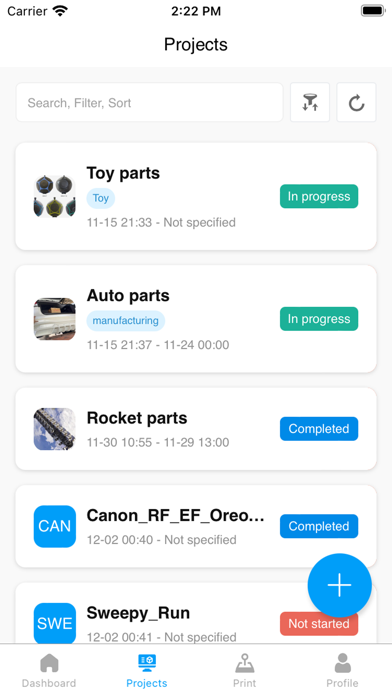
1. Project management: Whatever your application is, Cloud 3D Print will help you out in efficiently managing your 3D printing projects. Our project management software allows you to sit back and relax as all aspects of your projects are under control.
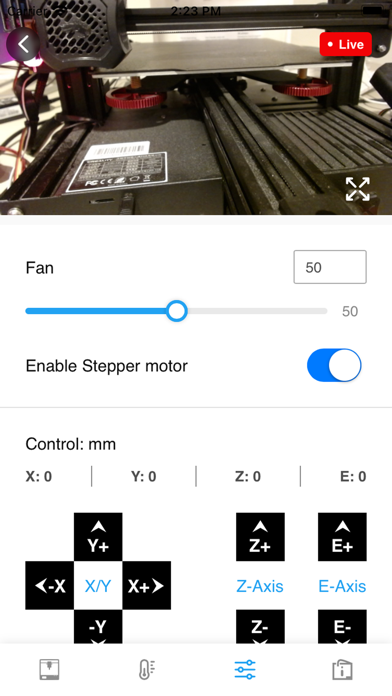
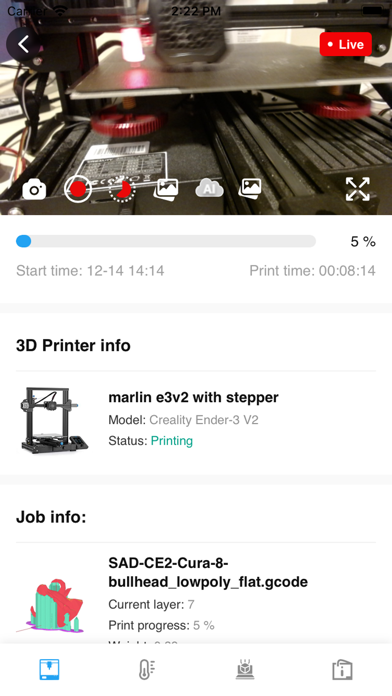
2. Remote control and monitoring: Watching a 3D printer operate is mesmerizing yet painfully slow. Cloud 3D print offers advanced remote monitoring and control features for your printers. Cloud monitoring allows you to view real-time progress of your jobs with our snapshot features and the ability to record live videos.
3. Cloud storage: Managing your 3D printing workflow in our cloud storage is easier than ever. our storage feature centralizes your 3D printing and streamlines your data while keeping it safe. Our online cloud storage system automatically organizes your data according to your personal preferences.
4. AI Failure detection: Cloud 3D Print monitors through AI-Integrated cameras around your 3D printers. Our powerful calculation engine, backed by a robust deep learning model, is programmed to detect general printing errors such as spaghetti failure.
5. Online slicing: When you operate 3D printing job, you will get a set of simple yet powerful tools to explore, analyze and slice 3D model, and send to 3D printers – all without jumping from one environment to another. That’s what Cloud 3D Print provides: an integrated user experience for handlings 3D models and 3D printers on the cloud.

The key features include
1. Project management: Whatever your application is, Cloud 3D Print will help you out in efficiently managing your 3D printing projects. Our project management software allows you to sit back and relax as all aspects of your projects are under control.
2. Remote control and monitoring: Watching a 3D printer operate is mesmerizing yet painfully slow. Cloud 3D print offers advanced remote monitoring and control features for your printers. Cloud monitoring allows you to view real-time progress of your jobs with our snapshot features and the ability to record live videos.
3. Cloud storage: Managing your 3D printing workflow in our cloud storage is easier than ever. our storage feature centralizes your 3D printing and streamlines your data while keeping it safe. Our online cloud storage system automatically organizes your data according to your personal preferences.
4. AI Failure detection: Cloud 3D Print monitors through AI-Integrated cameras around your 3D printers. Our powerful calculation engine, backed by a robust deep learning model, is programmed to detect general printing errors such as spaghetti failure.
5. Online slicing: When you operate 3D printing job, you will get a set of simple yet powerful tools to explore, analyze and slice 3D model, and send to 3D printers – all without jumping from one environment to another. That’s what Cloud 3D Print provides: an integrated user experience for handlings 3D models and 3D printers on the cloud.
Show More
What's New in the Latest Version 1.0.6
Last updated on Aug 7, 2023
Old Versions
Debug: General bug fixes and improvements.
Show More
Version History
1.0.6
Aug 7, 2023
Debug: General bug fixes and improvements.
1.0.4
Jul 11, 2023
Debug: An error occurred when adding a device
1.0.3
Jul 3, 2023
Debug: General bug fixes and improvements.
1.0.2
Jun 30, 2023
Update: Change Project Model List button shows
Add: Displays Bigtree gifting usage
Debug: General bug fixes and improvements.
Add: Displays Bigtree gifting usage
Debug: General bug fixes and improvements.
1.0.1
Mar 30, 2023
Add: Device setup wizard page
Add: User usage Indicates
Debug: General bug fixes and improvements.
Add: User usage Indicates
Debug: General bug fixes and improvements.
1.0.0
Jan 11, 2023
Cloud3DPrint FAQ
Click here to learn how to download Cloud3DPrint in restricted country or region.
Check the following list to see the minimum requirements of Cloud3DPrint.
iPhone
Requires iOS 9.0 or later.
iPod touch
Requires iOS 9.0 or later.
Cloud3DPrint supports English, Simplified Chinese