Compass Level Chart

Compass Level Chart


Free

1.0.4for iPhone, iPad
Age Rating
4+
Apps in this category do not contain restricted content.
9+
Apps in this category may contain mild or occasional cartoon, fantasy or real-life violence, as well as occasional or mild adult, sexually suggestive or horrifying content and may not be suitable for children under 9 years of age.
12+
Apps in this category may contain occasional mild indecent language, frequent or intense cartoon or real-life violence, minor or occasional adult or sexually suggestive material, and simulated gambling, and may be for children under 12 years of age.
17+
You must be at least 17 years old to access this App.
Apps in this category may contain frequent and intense offensive language; Frequent and intense cartoon, fantasy or realistic violence: frequent and intense adult, scary and sexually suggestive subjects: as well as sexual content, nudity, tobacco, alcohol and drugs, may not be suitable for children under 17 years of age.
Compass Level Chart Screenshots
Compass Level Chart poster

About Compass Level Chart

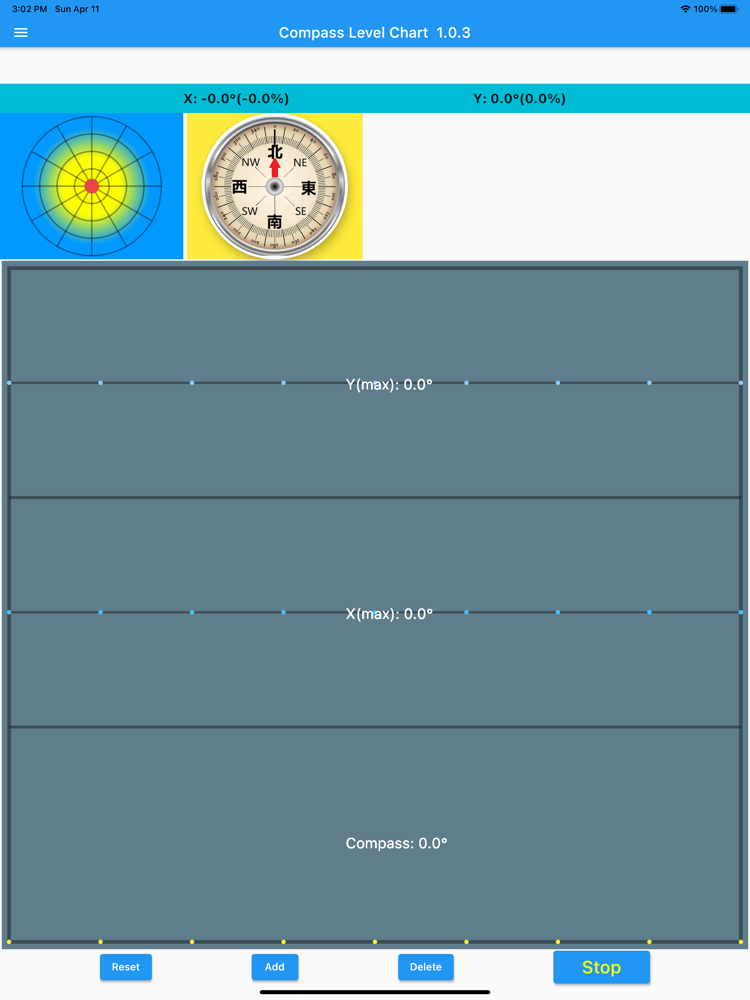
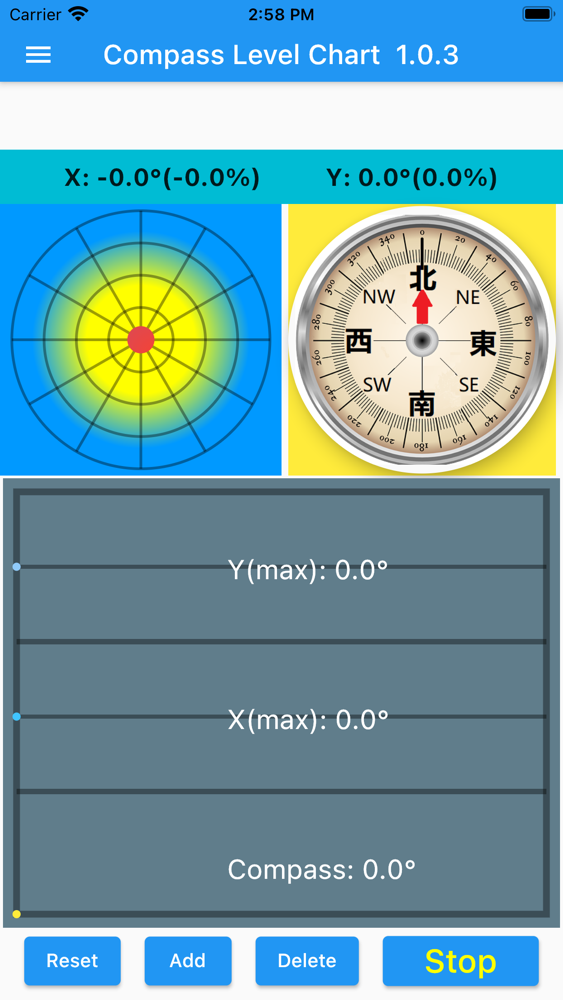
The top row displays the X(horizontal) and Y(vertical) levels both in degrees and percent. The left circle simulates a water bubble inside a ground level meter. The compass uses the top center as north. Upon start, it will start collecting one set of data every 0.2 seconds. Each set of data has the X degree, Y degree, and Compass angle. The chart stores and displays the latest 100 data sets, and old data will be deleted. [STOP] will stop the sampling and plotting. [RESET] will clear the list of data. [ADD] will add one data set per click. [DELETE] will delete one set of data. The maximum value of each component is displayed in each section. Y(max) shows the maximum value of all Y data in the chart. X(max) is the maximum value of all X data.

Since the Compass measurement may be affected by all neighboring magnetic components, calibration is necessary and should be done frequently. To calibrate, simply move the phone in a figure 8 pattern, like writing the letter '8' with the phone in the air. Swing the phone back and forth a couple of times and it will calibrate the compass. This program samples data continuously, and the calibration can be done when the program is active. The basic idea is to let the magnetic sensor establish a 3D reading of the phone environment to derive the North direction. The program will run continuously in the background until closed.

Show More

What's New in the Latest Version 1.0.4

Last updated on Apr 8, 2021
Old Versions
update the Google ad unit in info.plist. the app still doesn't show ad.
Show More
Version History
1.0.4
Apr 8, 2021
update the Google ad unit in info.plist. the app still doesn't show ad.

Compass Level Chart FAQ

Click here to learn how to download Compass Level Chart in restricted country or region.
Check the following list to see the minimum requirements of Compass Level Chart.
iPhone
iPad
Compass Level Chart supports English

Compass Level Chart Alternative

You May Also Like