Context – Task Manager
Simple & flexible to-do lists
Free
1.7.1for iPhone, iPad and more
Age Rating
Context – Task Manager Screenshots
About Context – Task Manager
Context is your personal task manager for getting things done.
Features:
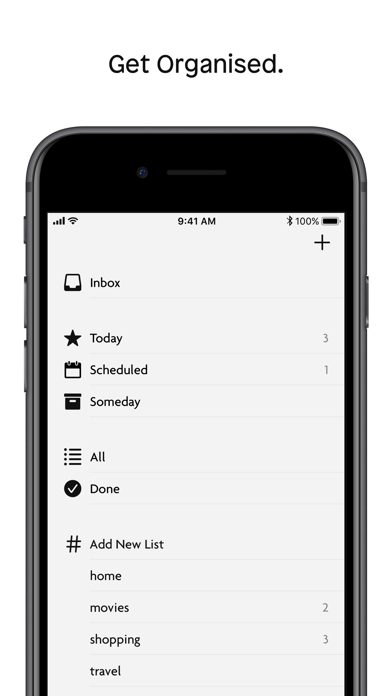
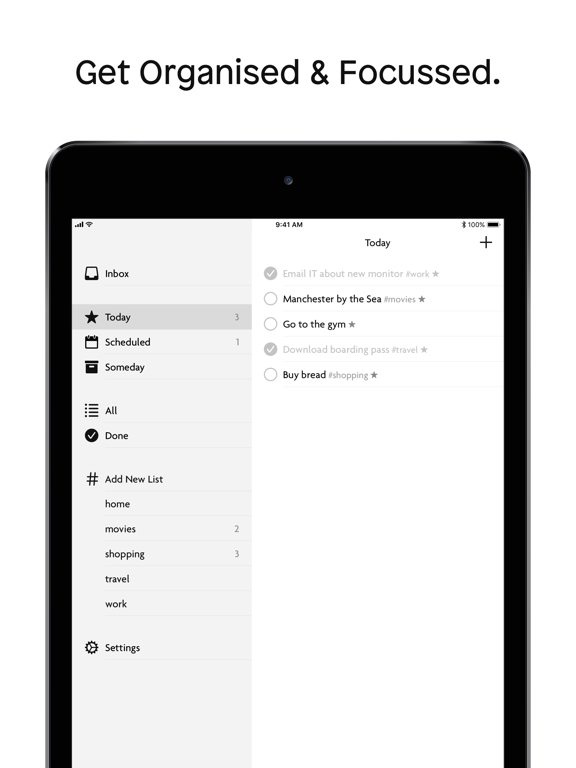
- Organise to-dos in simple, flexible #tag lists
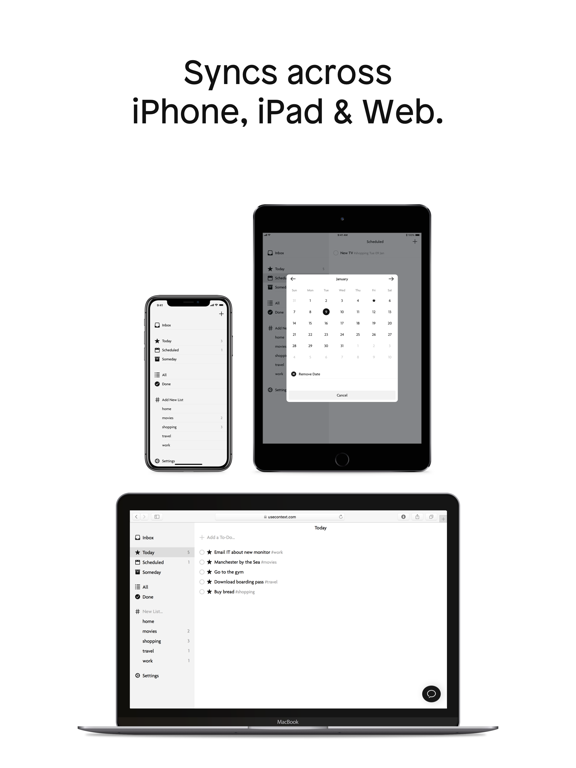
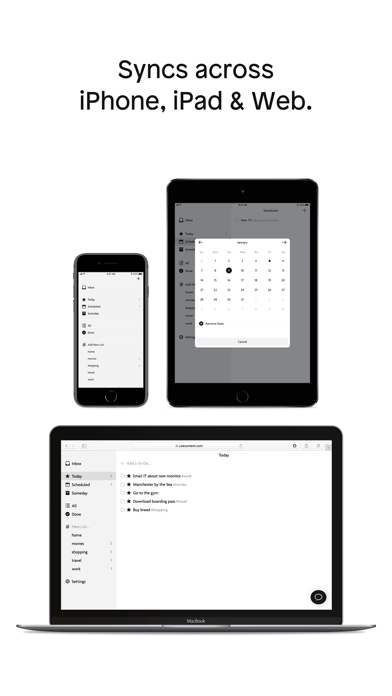
- Syncs across iPhone, iPad and Web
- Collect your thoughts in the “Inbox“
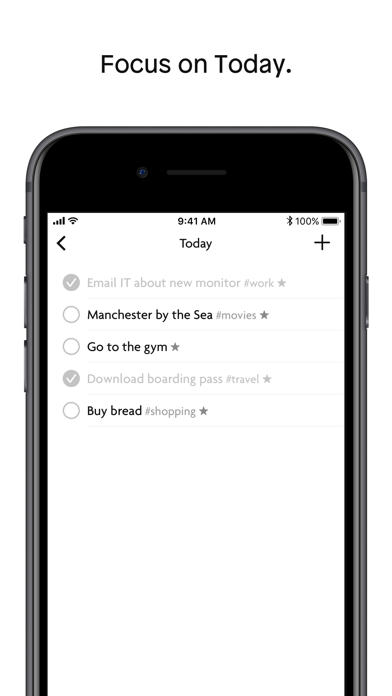
- Focus on what matters in “Today“
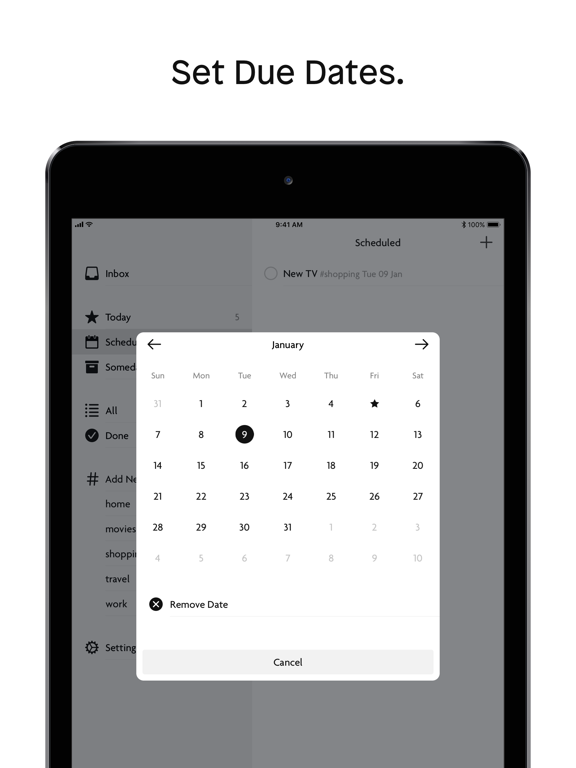
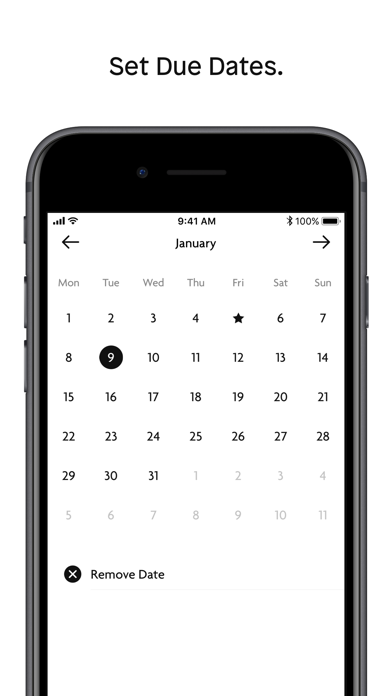
- Plan with due dates in “Scheduled“
- Not sure when to start? Add to “Someday“
Follow us on Twitter @usecontext
Contact us at hi@usecontext.com

Features:
- Organise to-dos in simple, flexible #tag lists
- Syncs across iPhone, iPad and Web
- Collect your thoughts in the “Inbox“
- Focus on what matters in “Today“
- Plan with due dates in “Scheduled“
- Not sure when to start? Add to “Someday“
Follow us on Twitter @usecontext
Contact us at hi@usecontext.com
Show More
What's New in the Latest Version 1.7.1
Last updated on Apr 16, 2018
Old Versions
This app has been updated by Apple to display the Apple Watch app icon.
#Improved
- Dismiss keyboard when dragging the search to-do list
- Performance when showing / filtering to-do lists
#Fixed
- Issue with search scope bar layout on iPad when searching in context of tag list
- Issue where continues adding of new to-dos in composer wouldn’t reset sort date
- Issue that caused the app to crash after login
- Issue where lists screen would be blank on iPad after login
- Issue where to-dos completed on a previous day would still show when resuming the app
#Improved
- Dismiss keyboard when dragging the search to-do list
- Performance when showing / filtering to-do lists
#Fixed
- Issue with search scope bar layout on iPad when searching in context of tag list
- Issue where continues adding of new to-dos in composer wouldn’t reset sort date
- Issue that caused the app to crash after login
- Issue where lists screen would be blank on iPad after login
- Issue where to-dos completed on a previous day would still show when resuming the app
Show More
Version History
1.7.1
Apr 16, 2018
This app has been updated by Apple to display the Apple Watch app icon.
#Improved
- Dismiss keyboard when dragging the search to-do list
- Performance when showing / filtering to-do lists
#Fixed
- Issue with search scope bar layout on iPad when searching in context of tag list
- Issue where continues adding of new to-dos in composer wouldn’t reset sort date
- Issue that caused the app to crash after login
- Issue where lists screen would be blank on iPad after login
- Issue where to-dos completed on a previous day would still show when resuming the app
#Improved
- Dismiss keyboard when dragging the search to-do list
- Performance when showing / filtering to-do lists
#Fixed
- Issue with search scope bar layout on iPad when searching in context of tag list
- Issue where continues adding of new to-dos in composer wouldn’t reset sort date
- Issue that caused the app to crash after login
- Issue where lists screen would be blank on iPad after login
- Issue where to-dos completed on a previous day would still show when resuming the app
1.7.0
Mar 27, 2018
#Changed
- Search with scope (all, open, done)
- The to-do composer shows now the completion button when opening an existing to-do
#Fixed
- Issue where scheduled dates would revert to the prior day
- Issue where subtasks created offline together with their parent to-do would be persisted as separate to-dos
- Issue where search highlighting would be applied inconsistent
- Issue where marking subtask done wouldn’t change title appearance
- Issue where the visual state of completing a to-do would be delayed
- Search with scope (all, open, done)
- The to-do composer shows now the completion button when opening an existing to-do
#Fixed
- Issue where scheduled dates would revert to the prior day
- Issue where subtasks created offline together with their parent to-do would be persisted as separate to-dos
- Issue where search highlighting would be applied inconsistent
- Issue where marking subtask done wouldn’t change title appearance
- Issue where the visual state of completing a to-do would be delayed
1.6.1
Mar 10, 2018
#Added
- Reminder swipe action
#Changed
- Mark open subtasks done when completing parent to-do
- Swipe action icons and background color
#Fixed
- Issue where title and notes would be draggable in to-do composer
- Issue where color wouldn't be applied correctly to to-do detail icons
- Reminder swipe action
#Changed
- Mark open subtasks done when completing parent to-do
- Swipe action icons and background color
#Fixed
- Issue where title and notes would be draggable in to-do composer
- Issue where color wouldn't be applied correctly to to-do detail icons
1.6.0
Mar 5, 2018
#Added
- Remote push notifications
- Today, scheduled and reminder to subtasks
- 'Manage Smart Lists' to settings
- Swipe action to add/remove to-do to/from today
- Swipe action to schedule to-do
#Changed
- To-do composer to bring subtasks further up
- UI to be consistent with upcoming web update
#Improved
- To-do list scroll performance
#Fixed
- Composer save long press to continue adding new to-dos
- Filtering of tags
- Deleting of subtasks
- Issue on composer where cursor couldn’t be dragged over tags
- Issue where using the 3D touch keyboard cursor would cause the app to crash
- Issue where app would crash after login
- Remote push notifications
- Today, scheduled and reminder to subtasks
- 'Manage Smart Lists' to settings
- Swipe action to add/remove to-do to/from today
- Swipe action to schedule to-do
#Changed
- To-do composer to bring subtasks further up
- UI to be consistent with upcoming web update
#Improved
- To-do list scroll performance
#Fixed
- Composer save long press to continue adding new to-dos
- Filtering of tags
- Deleting of subtasks
- Issue on composer where cursor couldn’t be dragged over tags
- Issue where using the 3D touch keyboard cursor would cause the app to crash
- Issue where app would crash after login
1.5.1
Feb 7, 2018
#Changed
To-do and subtask creation flow
1.5.0
Jan 31, 2018
#New
- Subtasks
- Background App Refresh
#Improved
- Unhiding lists
- Todo composer performance
- Todo composer keyboard presentation
- Subtasks
- Background App Refresh
#Improved
- Unhiding lists
- Todo composer performance
- Todo composer keyboard presentation
1.4.0
Jan 25, 2018
#New
- Search to-dos globally
- Search to-dos in selected list(s)
#Improved
- Reminder time picker
- Search to-dos globally
- Search to-dos in selected list(s)
#Improved
- Reminder time picker
1.3.0
Jan 22, 2018
#New
- To-do notes
- To-do reminder
#Improved
- Autocorrection disabled during to-do title #tag input
- Various UI improvements
#Fixed
- To-do date/time picker layout
- To-do notes
- To-do reminder
#Improved
- Autocorrection disabled during to-do title #tag input
- Various UI improvements
#Fixed
- To-do date/time picker layout
1.2.0
Jan 15, 2018
#New
- Add reordering for todos (iOS11 only)
- Add support for drag & drop import/export (iPad/iOS11 only)
#Improved
- Change #lists to show/hide hidden #lists inline
- Add reordering for todos (iOS11 only)
- Add support for drag & drop import/export (iPad/iOS11 only)
#Improved
- Change #lists to show/hide hidden #lists inline
1.1.0
Jan 7, 2018
#New
- Delete list
- Save & Continue when long pressing Save button in to-do composer
#Improved
- Hidden lists are now differentiated in to-do composer suggestions
- Sync/fetch under bad/lost network conditions
#Fixed
- Month title positioning on calendar
- App crash during sync
- Delete list
- Save & Continue when long pressing Save button in to-do composer
#Improved
- Hidden lists are now differentiated in to-do composer suggestions
- Sync/fetch under bad/lost network conditions
#Fixed
- Month title positioning on calendar
- App crash during sync
1.0.1
Dec 22, 2017
- Add option to retry failed sync
- Fix syncing issue of completed to-dos
- Improve iPhone X support
- Fix syncing issue of completed to-dos
- Improve iPhone X support
1.0.0
Dec 18, 2017
Context – Task Manager FAQ
Click here to learn how to download Context – Task Manager in restricted country or region.
Check the following list to see the minimum requirements of Context – Task Manager.
iPhone
Requires iOS 10.0 or later.
iPad
Requires iPadOS 10.0 or later.
iPod touch
Requires iOS 10.0 or later.
Context – Task Manager supports English