Age Rating
4+
Apps in this category do not contain restricted content.
9+
Apps in this category may contain mild or occasional cartoon, fantasy or real-life violence, as well as occasional or mild adult, sexually suggestive or horrifying content and may not be suitable for children under 9 years of age.
12+
Apps in this category may contain occasional mild indecent language, frequent or intense cartoon or real-life violence, minor or occasional adult or sexually suggestive material, and simulated gambling, and may be for children under 12 years of age.
17+
You must be at least 17 years old to access this App.
Apps in this category may contain frequent and intense offensive language; Frequent and intense cartoon, fantasy or realistic violence: frequent and intense adult, scary and sexually suggestive subjects: as well as sexual content, nudity, tobacco, alcohol and drugs, may not be suitable for children under 17 years of age.
Directolor Screenshots
Directolor posterDirectolor posterDirectolor posterDirectolor posterDirectolor posterDirectolor poster

About Directolor

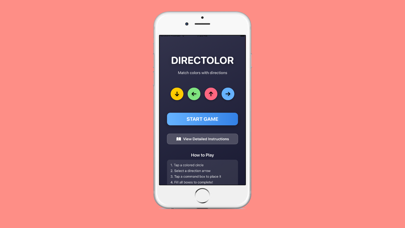
Directolor is an engaging puzzle game that challenges your logic and color matching skills. Match colored circles with direction arrows and strategically place them in the command grid to solve each level. With 30 unique levels ranging from easy to hard, Directolor offers hours of brain teasing fun.


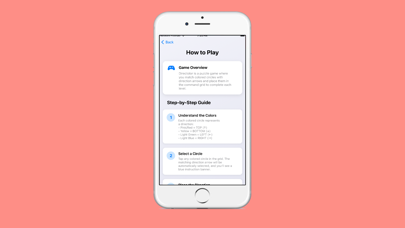
HOW TO PLAY
Understand the Color System
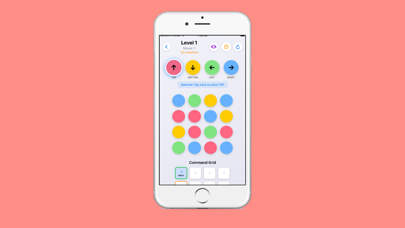
Each colored circle represents a specific direction. Pink or red circles mean TOP, yellow circles mean BOTTOM, light green circles mean LEFT, and light blue circles mean RIGHT.

Select and Place
Tap any colored circle to select its direction, then tap any box in the Command Grid to place it.

Complete Levels
Fill all orange bordered target boxes with the correct directions to complete the level.

Use Helpful Features
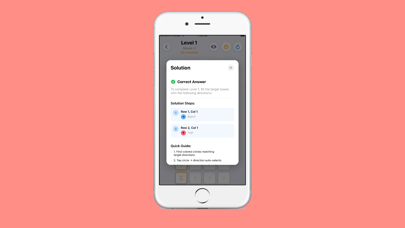
If you get stuck, use the hint button for help. View the solution or use reset to start over.


FEATURES
30 Unique Levels
30 carefully designed levels with increasing difficulty from easy to hard.

Three Difficulty Levels
Levels are categorized as Easy, Medium, or Hard to match your skill level.

Color to Direction Matching
Master the color system. Pink or red means TOP, yellow means BOTTOM, light green means LEFT, light blue means RIGHT.

Interactive Grid System
Play on a 4x4 grid. Tap circles to select directions, then tap boxes to place them.

Hint System
Get contextual hints when you are stuck.

Solution Viewer
View the complete solution for any level to learn the correct answers.

Progress Tracking
Track your progress with a move counter showing your actions.

Level Completion Tracking
Completed levels are automatically saved with checkmarks in the level selection screen.

Reset Functionality
Use the reset button to start over. Levels automatically reset when you enter them.

Clean Modern Interface
Beautiful and intuitive user interface with smooth animations and clear visual feedback.

Show More

What's New in the Latest Version 2.3.9

Last updated on Dec 15, 2025
Old Versions
Enhances app stability and fine-tunes detailed experiences, improves the accuracy of level loading, hint functions and answer verification, optimizes progress saving and difficulty switching effects, and provides more reliable support for mind-bending puzzles.
Show More
Version History
2.3.9
Dec 15, 2025
Enhances app stability and fine-tunes detailed experiences, improves the accuracy of level loading, hint functions and answer verification, optimizes progress saving and difficulty switching effects, and provides more reliable support for mind-bending puzzles.

Directolor FAQ

Click here to learn how to download Directolor in restricted country or region.
Check the following list to see the minimum requirements of Directolor.
iPhone

Directolor Alternative

You May Also Like