D-Link+ Viewer

D-Link+ Viewer


$1.99

9.8for iPhone, iPod touch
3.3
6 Ratings
cam-anywhere.com
Developer
15.9 MB
Size
Dec 18, 2017
Update Date
Utilities
Category
4+
Age Rating
Age Rating
4+
Apps in this category do not contain restricted content.
9+
Apps in this category may contain mild or occasional cartoon, fantasy or real-life violence, as well as occasional or mild adult, sexually suggestive or horrifying content and may not be suitable for children under 9 years of age.
12+
Apps in this category may contain occasional mild indecent language, frequent or intense cartoon or real-life violence, minor or occasional adult or sexually suggestive material, and simulated gambling, and may be for children under 12 years of age.
17+
You must be at least 17 years old to access this App.
Apps in this category may contain frequent and intense offensive language; Frequent and intense cartoon, fantasy or realistic violence: frequent and intense adult, scary and sexually suggestive subjects: as well as sexual content, nudity, tobacco, alcohol and drugs, may not be suitable for children under 17 years of age.
D-Link+ Viewer Screenshots
D-Link+ Viewer posterD-Link+ Viewer posterD-Link+ Viewer posterD-Link+ Viewer posterD-Link+ Viewer poster

About D-Link+ Viewer

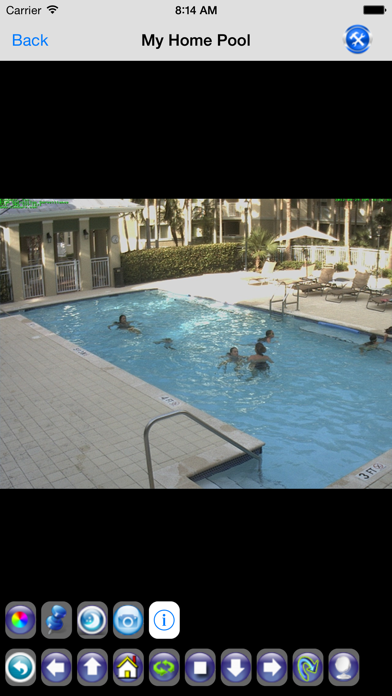
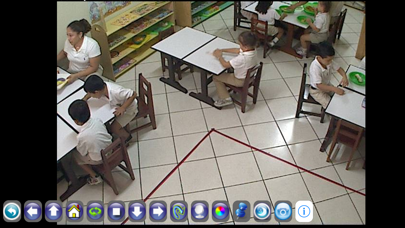
D-Link+ Viewer To View and control Your D-Link Camera using iPhone, iPhone 5 & iPod Touch. It is very Quick and Easy Access to your D-Link IP Camera over both GSM/LTE and WIFI Networks

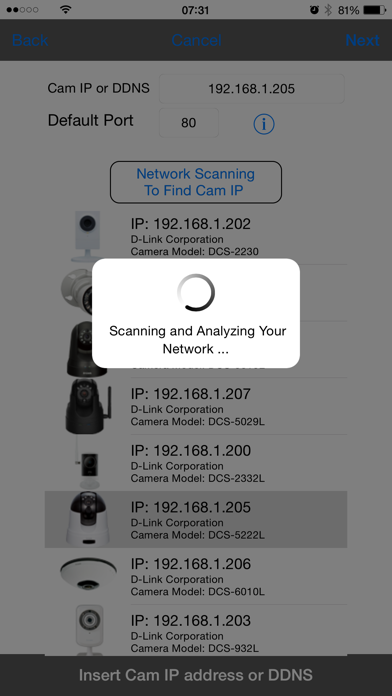
- You don't need to find out Camera IP Address anymore! The Application Automatically scans your network and find out your camera IP address over wireless.

- Works with Dynamic DNS services.

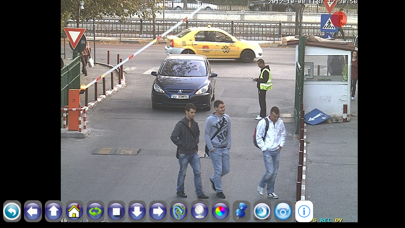
- With single touch, you will be able to zoom in/out, Pan, Tilt and Move to Locations (Presence) ... etc.

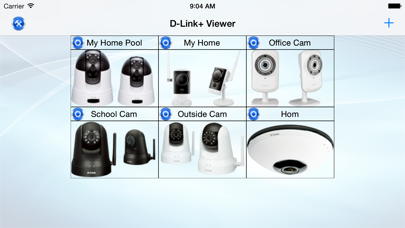
- You can build unlimited number of cameras to view them in full screen Portrait and Landscape modes

- Snapshot feature allows you to save the camera image to your photos folder for use later.

- Comprehensive support is available by contacting support@cloud4cam.com

D-Link+ Viewer supports the Following Cameras:

- D-Link DCS-1000
- D-Link DCS-1100
- D-Link DCS-1130
- D-Link DCS-1130 L
- D-Link DCS-2000
- D-Link DCS-2100
- D-Link DCS-2102
- D-Link DCS-2103
- D-Link DCS-2120
- D-Link DCS-2121
- D-Link DCS-2130
- D-Link DCS-2132L
- D-Link DCS-2132LB1
- D-Link DCS-2136 L
- D-Link DCS-2210
- D-Link DCS-2210L
- D-Link DCS-2230
- D-Link DCS-2310 L
- D-Link DCS-2330 L
- D-Link DCS-2332 L
- D-Link DCS-2530 L
- D-Link DCS-2630 L
- D-Link DCS-3112
- D-Link DCS-3220
- D-Link DCS-3410
- D-Link DCS-3411
- D-Link DCS-3415
- D-Link DCS-3430
- D-Link DCS-3710
- D-Link DCS-3710B1
- D-Link DCS-3716
- D-Link DCS-4602EV
- D-Link DCS-4701E
- D-Link DCS-5009 L
- D-Link DCS-5010 L
- D-Link DCS-5020 L
- D-Link DCS-5029 L
- D-Link DCS-5030 L
- D-Link DCS-5211 L
- D-Link DCS-5220
- D-Link DCS-5220 B1
- D-Link DCS-5222 L
- D-Link DCS-5222 L B1
- D-Link DCS-5230
- D-Link DCS-5230 L
- D-Link DCS-5300
- D-Link DCS-5300 W
- D-Link DCS-5605
- D-Link DCS-5610
- D-Link DCS-5635
- D-Link DCS-6004 L
- D-Link DCS-6010 L
- D-Link DCS-6110
- D-Link DCS-6111
- D-Link DCS-6112
- D-Link DCS-6113
- D-Link DCS-6410
- D-Link DCS-6510
- D-Link DCS-6511
- D-Link DCS-6513
- D-Link DCS-6616
- D-Link DCS-6620
- D-Link DCS-6817 B1
- D-Link DCS-6818B1
- D-Link DCS-7010 L
- D-Link DCS-7110
- D-Link DCS-7510
- D-Link DCS-900
- D-Link DCS-910
- D-Link DCS-920
- D-Link DCS-930
- D-Link DCS-930 L
- D-Link DCS-930 LB1
- D-Link DCS-931 L
- D-Link DCS-932
- D-Link DCS-932 L
- D-Link DCS-932 LB1
- D-Link DCS-933 L
- D-Link DCS-934 L
- D-Link DCS-935 L
- D-Link DCS-936 L
- D-Link DCS-940 L
- D-Link DCS-942 L
- D-Link DCS-942 LB1
- D-Link DCS-960 L

© D-Link and all D-Link base marks are trademarks of D-Link Systems, Inc.
Show More

What's New in the Latest Version 9.8

Last updated on Dec 18, 2017
Old Versions
This app has been updated by Apple to display the Apple Watch app icon.

-Support for iPhone X & iPhone 8.
-iOS bug fixes and improvement.
Show More
Version History
9.8
Dec 18, 2017
This app has been updated by Apple to display the Apple Watch app icon.

-Support for iPhone X & iPhone 8.
-iOS bug fixes and improvement.
9.7
Jan 27, 2017
- Working Perfect for iOS 10.
- Adding Support D-Link DCS-2530L
- Bug Fixing and Performance Improvement.
9.5
Sep 20, 2016
- Working Perfect for iOS 10.
- Adding Support D-Link DCS-936L (Audio is Supported)
- Adding Support D-Link DCS-5030L (Audio is Supported)
- Adding Support D-Link DCS-2210L (Audio is Supported)
- Adding Support D-Link DCS-4602EV
- Adding Support D-Link DCS-4701E
- Bug Fixing and Performance Improvement.
9.4
Jun 12, 2016
- Adding Support D-Link DCS-2210L
- Adding Support D-Link DCS-4602EV
- Adding Support D-Link DCS-4701E
- Bug Fixing and Performance Improvement.
9.3
Jan 15, 2016
- Adding Support DCS-960L
- Adding Support DCS-2630L
- Bug Fixing and Performance Improvement.
9.0
Jun 19, 2015
- Application Layout improvement.
- Add support for D-Link DCS-935 L
- Application Passcode Settings
- Support SD Management for DCS-5222LB1 & DCS-2132 & DCS-942L & DCS-6004L
8.9
Mar 15, 2015
- Add Support for D-Link DCS-933 L
8.8
Jan 15, 2015
- Fixing Issues Related to DCS-5222LB1
- Other Minor Fixes and Improvements.
8.7
Dec 16, 2014
- iOS8 Improvement
- SD Card Viewer for some models.
- added Extended Settings.
- Add Support for Cams: DCS-5222LB1, DCS-5009L, DCS-942LB1, DCS-930LB1, DCS-932LB1, DCS-2132LB1, DCS-6010L
- Add support for iPhone 6 screen size
- Add support for iPhone 6 Plus screen size
8.6
Apr 23, 2014
- iOS 7.1 improvements
8.5
Dec 18, 2013
- Compatible with iOS7 New Design.
- Day/Night and IR control DCS-942L,DCS-933L,DCS-932L,DCS-7010L,DCS-5020L,DCS-5010L,DCS-2332L,DCS-2230 and DCS-2132L.
8.1
Aug 23, 2013
- Fixes for DCS-5222L small resolution images.
- UI update.
8.0
Aug 12, 2013
- Application New Design compatible with iOS7.
- Fixing DCS-5222 L Presence issue.
- Adding Support for DCS-3716
7.5
Jun 26, 2013
- Adding Support DCS-5020 L
- Adding Support DCS-5010 L
- Adding Support DCS-2332 L
- Adding Support DCS-2310 L
- Adding Support DCS-7010 L
- Fixing Presence issue with DCS-5222L
7.3
May 31, 2013
Adding Support DCS-5610
Adding Support DCS-933L
Adding Support DCS-931L
Adding Support DCS-5020L
7.2
May 20, 2013
- Presence(locations) support for DCS-6620
7.1
May 14, 2013
- Application fix update.
7.0
Apr 25, 2013
- Introducing New Great Features
- Application performance update.
6.1
Nov 14, 2012
- Adding PTZ functionality for DCS-6620/DCS-6505.
- Fixing issues with DCS-930, DCS-930L.
- Application performance update.
6.0
Oct 22, 2012
- iOS 6 Compatibility Fix.
- Support Additional Camera Models
- Other Improvements and fixes.
5.0
Oct 5, 2012
- iPhone 5 Full Screen Support
- iOS 6 Compatibility Fix.
- Other Great Features.
4.0
Oct 31, 2011
Performance Improvement
Supporting Additional Camera models.
3.0
Sep 6, 2011
Performance Improvement
Organizing Cameras
2.2
Jul 21, 2011
Performance update
update and fixing for DCS-5220

2
Jun 13, 2011

D-Link+ Viewer FAQ

Click here to learn how to download D-Link+ Viewer in restricted country or region.
Check the following list to see the minimum requirements of D-Link+ Viewer.
iPhone
Requires iOS 8.1 or later.
iPod touch
Requires iOS 8.1 or later.
D-Link+ Viewer supports English

D-Link+ Viewer Alternative

You May Also Like

Get more from cam-anywhere.com