DockStack
Free
2.3for iPhone
Age Rating
DockStack Screenshots
About DockStack
Simple.Reliable.Secure - DockStack
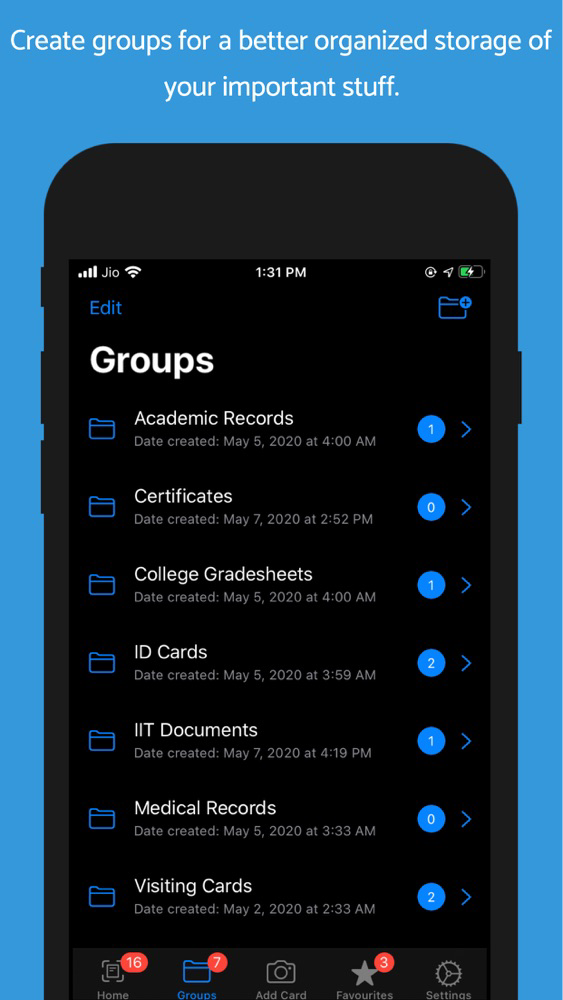
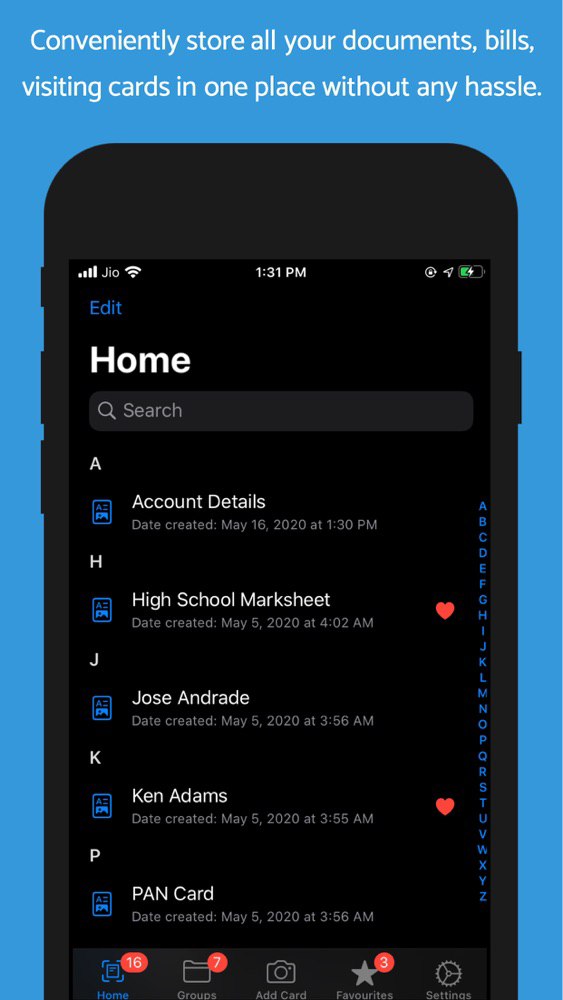
DockStack is a free document organizing app available for the iPhone. DockStack lets you keep track and store each and every piece of document that can be of use to you at any point of time in the future. Be it your bills, visiting cards, medical records, credit card bills, ID proofs, down to your grocery bills! Anything for which you wish to save a digital copy, DockStack lets your store it in an organized way. This helps you prevent the clutter of documents that you have been saving in your photo library instead of the photos of your loved ones.
WHY USE DOCSTACK:
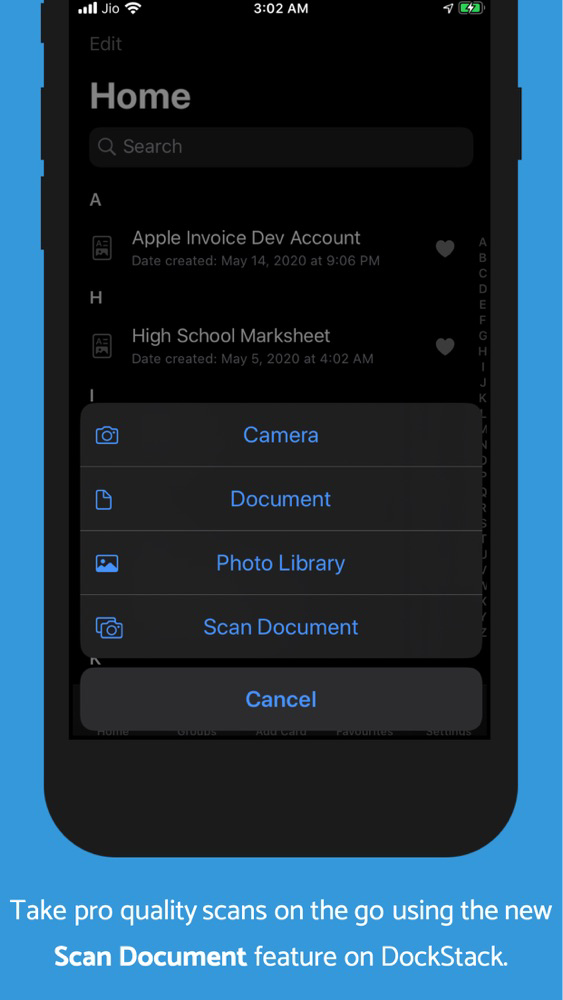
CONVENIENCE: Unlike many other documents storing apps, DockStack does not require you to tediously get the perfect angles and scan your things. You can easily click a photo of the ID card, certificate, bill or any other thing that you wish to store, name it and be on the move.
iCloud STORAGE: Most of the apps use their own servers for storing your documents. Instead, DockStack stores all your data on iCloud without eating much into your storage quota. Being one of the most secure cloud storage services, you can be very confident about the security and privacy of your data.
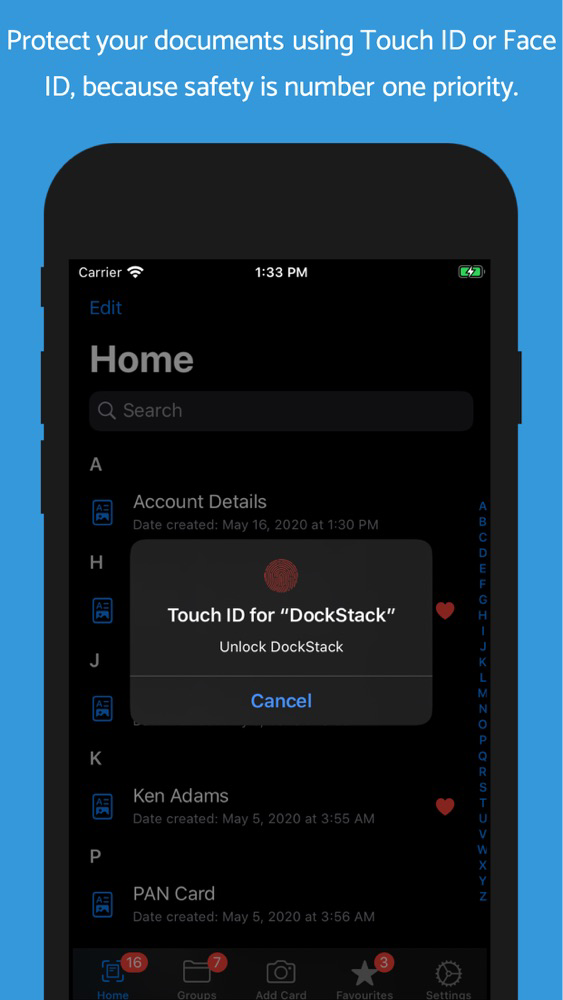
SAFETY AND PRIVACY: All your data is protected with the most secure biometric authentications provided by Apple. You can use either Touch ID or Face ID to lock the app to prevent unwanted access of your data.
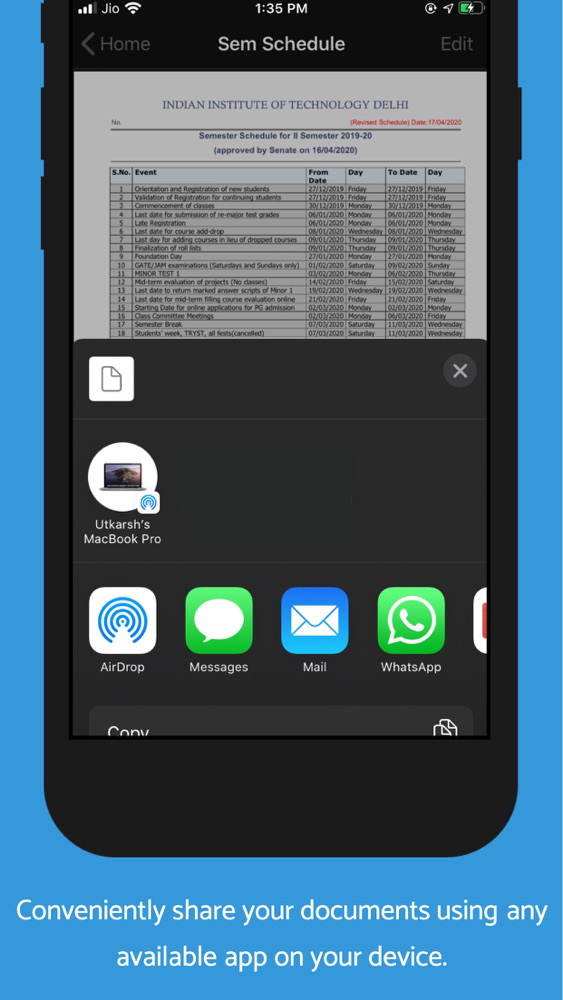
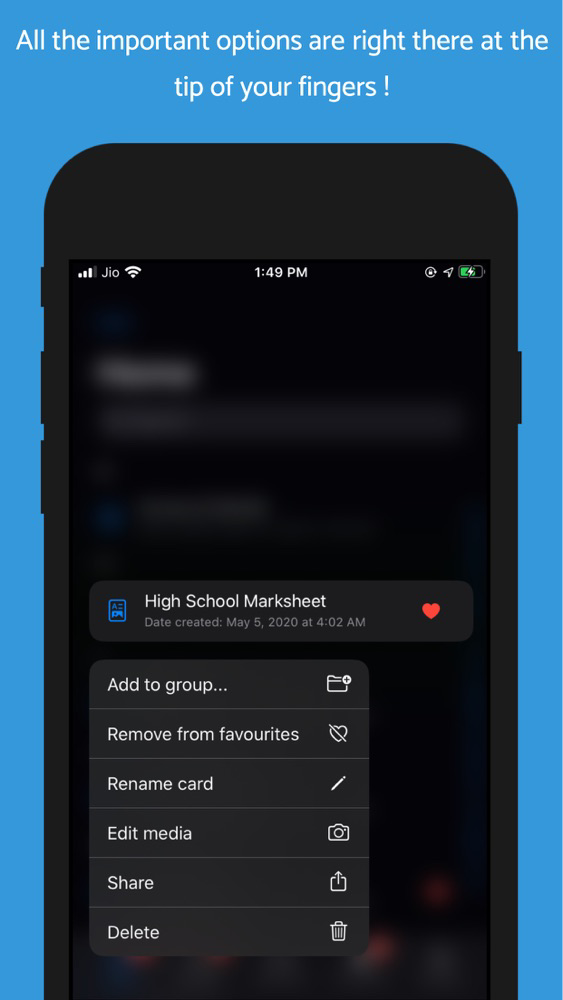
SHARING: You can easily share your saved documents through any messaging service or via mail and even AirDrop. This makes it even more convenient to store your documents in DockStack rather than your photo library.
DATA SYNC: If you are using DockStack on multiple iOS devices with the sample Apple ID, all your data will be synced across all your devices.
SAY NO TO USERNAMES AND PINS: Why to bother remembering another username and password every time you want to access your documents. DockStack uses the Apple ID that you have used to login to your iPhone to save your data on the cloud.
FEES: DockStack is completely free to use and has no subscription charges.
---------------------------------------------------------------------------------------------
We're always happy to hear from you! If you have any feedback, questions or concerns, please email us at:
utkarshg17@gmail.com
---------------------------------------------------------------------------------------------

DockStack is a free document organizing app available for the iPhone. DockStack lets you keep track and store each and every piece of document that can be of use to you at any point of time in the future. Be it your bills, visiting cards, medical records, credit card bills, ID proofs, down to your grocery bills! Anything for which you wish to save a digital copy, DockStack lets your store it in an organized way. This helps you prevent the clutter of documents that you have been saving in your photo library instead of the photos of your loved ones.
WHY USE DOCSTACK:
CONVENIENCE: Unlike many other documents storing apps, DockStack does not require you to tediously get the perfect angles and scan your things. You can easily click a photo of the ID card, certificate, bill or any other thing that you wish to store, name it and be on the move.
iCloud STORAGE: Most of the apps use their own servers for storing your documents. Instead, DockStack stores all your data on iCloud without eating much into your storage quota. Being one of the most secure cloud storage services, you can be very confident about the security and privacy of your data.
SAFETY AND PRIVACY: All your data is protected with the most secure biometric authentications provided by Apple. You can use either Touch ID or Face ID to lock the app to prevent unwanted access of your data.
SHARING: You can easily share your saved documents through any messaging service or via mail and even AirDrop. This makes it even more convenient to store your documents in DockStack rather than your photo library.
DATA SYNC: If you are using DockStack on multiple iOS devices with the sample Apple ID, all your data will be synced across all your devices.
SAY NO TO USERNAMES AND PINS: Why to bother remembering another username and password every time you want to access your documents. DockStack uses the Apple ID that you have used to login to your iPhone to save your data on the cloud.
FEES: DockStack is completely free to use and has no subscription charges.
---------------------------------------------------------------------------------------------
We're always happy to hear from you! If you have any feedback, questions or concerns, please email us at:
utkarshg17@gmail.com
---------------------------------------------------------------------------------------------
Show More
What's New in the Latest Version 2.3
Last updated on May 21, 2020
Old Versions
- New interface for the quick start guide
- Minor bug fixes
- Performance tweaks
- Minor bug fixes
- Performance tweaks
Show More
Version History
2.3
May 21, 2020
- New interface for the quick start guide
- Minor bug fixes
- Performance tweaks
- Minor bug fixes
- Performance tweaks
2.2
May 16, 2020
- All the cards are now organized in alphabetical order for a more easy searching experience.
- Minor bug fixes
- Performance tweaks
- Minor bug fixes
- Performance tweaks
2.1
May 14, 2020
- Minor bug fixes
- Performance tweaks
2.0
May 10, 2020
- Scanning your documents has never been easier. Using the native scanning solution by Apple, DockStack provides you with a hassle-free experience of scanning your documents, ID cards and what not. Just hold your camera steady, pointing towards the document to scan to get a flawless scan without having to worry about the lighting conditions, accurate detection etc.
- Help us make the life of your loved ones easier by sharing DockStack with your friends, family and colleagues using the new "Tell a friend" feature in the settings tab.
- Minor bug fixes
- Help us make the life of your loved ones easier by sharing DockStack with your friends, family and colleagues using the new "Tell a friend" feature in the settings tab.
- Minor bug fixes
1.1
May 8, 2020
*Minor bug fixes
1.0
May 7, 2020
DockStack FAQ
Click here to learn how to download DockStack in restricted country or region.
Check the following list to see the minimum requirements of DockStack.
iPhone
DockStack supports English