Drop Shadow Editor
Free
1.4for iPhone
Age Rating
Drop Shadow Editor Screenshots
About Drop Shadow Editor
If you post it, your feed will look a little different and more interesting, Because, it looks like a 3D effect arising from this simple application.
Features:
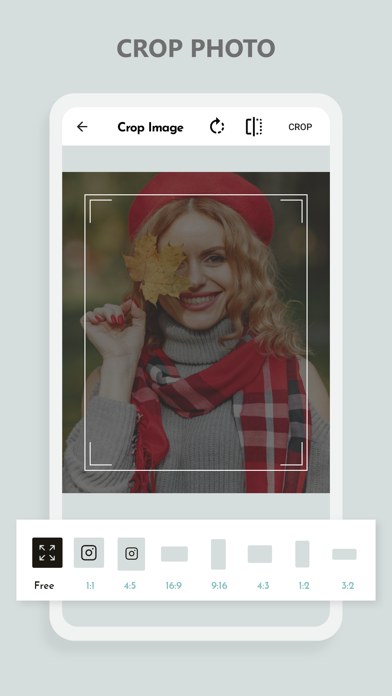
Crop
• Crop Your Selected Photo in Freestyle.
• Crop Your Photo in 1:1, 4:5, 16:9, 9:16, 4:3, 1:2, 2:3, 3:2, 3:4 Ratio.
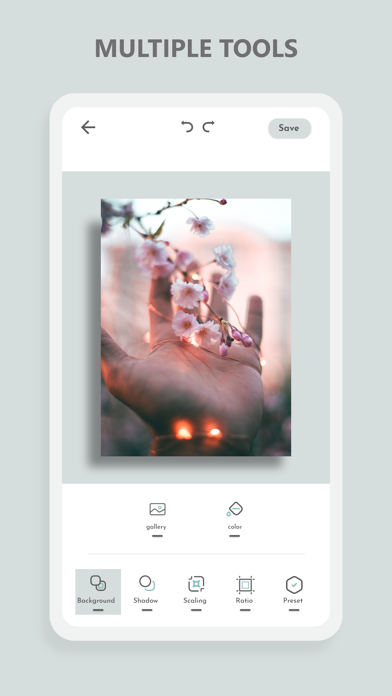
Shadow
• Direction
• Position X, Y
• Color
+ extract dominant Color from photo
Background:
• Color
+ extract dominant Color from photo
Scaling
• Center Scaling
Export
• HD export or share without reducing the quality of the original photo

Features:
Crop
• Crop Your Selected Photo in Freestyle.
• Crop Your Photo in 1:1, 4:5, 16:9, 9:16, 4:3, 1:2, 2:3, 3:2, 3:4 Ratio.
Shadow
• Direction
• Position X, Y
• Color
+ extract dominant Color from photo
Background:
• Color
+ extract dominant Color from photo
Scaling
• Center Scaling
Export
• HD export or share without reducing the quality of the original photo
Show More
What's New in the Latest Version 1.4
Last updated on Jul 5, 2022
Old Versions
-- Now you can add Colorful border in your Photos.
-- Crop your photos in round shape.
Show More
Version History
1.4
Jul 5, 2022
-- Now you can add Colorful border in your Photos.
-- Crop your photos in round shape.
Drop Shadow Editor FAQ
Click here to learn how to download Drop Shadow Editor in restricted country or region.
Check the following list to see the minimum requirements of Drop Shadow Editor.
iPhone