EasyHTML
Code editor & FTP client
Free
1.4.6for iPhone, iPad and more
Age Rating
EasyHTML Screenshots
About EasyHTML
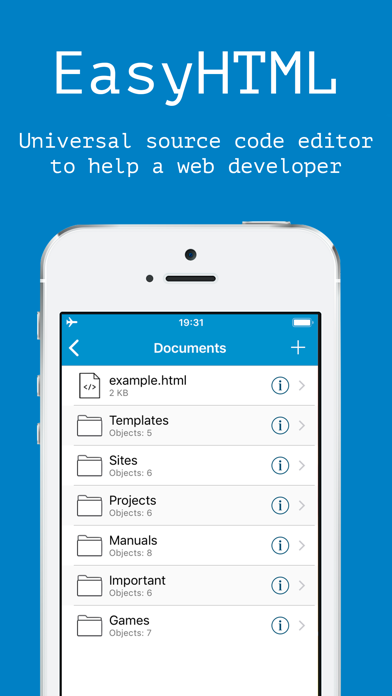
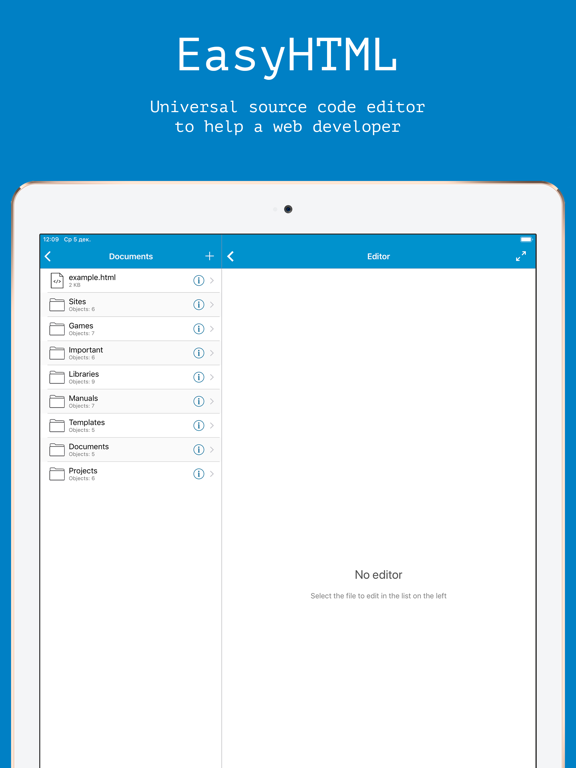
EasyHTML makes it possible to create and edit any kind of webpages: websites, HTML5 games, Web utilities, etc.
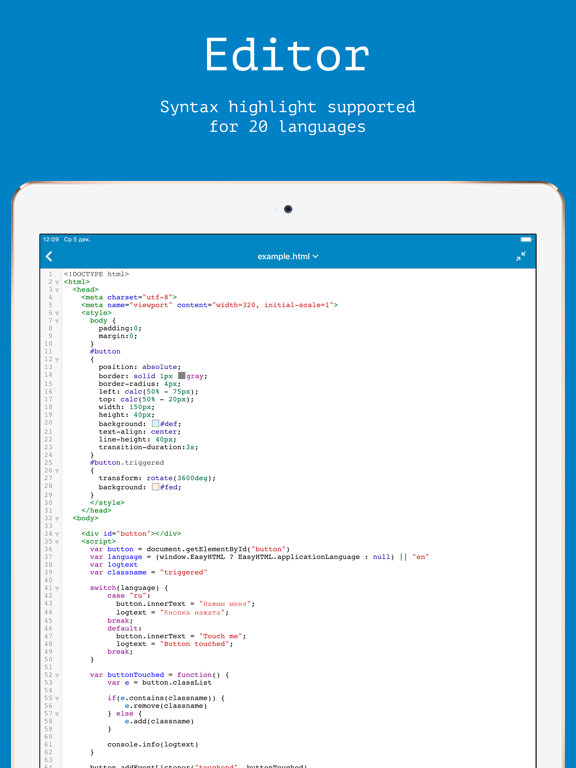
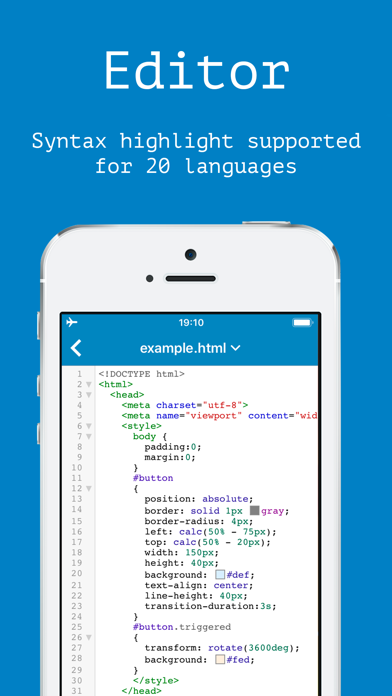
In the current version, 4 programming languages are supported: HTML, JavaScript, CSS and SCSS. You can also create and edit SVG vector images. The editor supports many text encodings.
FTP / SFTP / FTPS protocols are supported. It is possible to open and edit filed located on your Dropbox account and copy files and folders across locations.
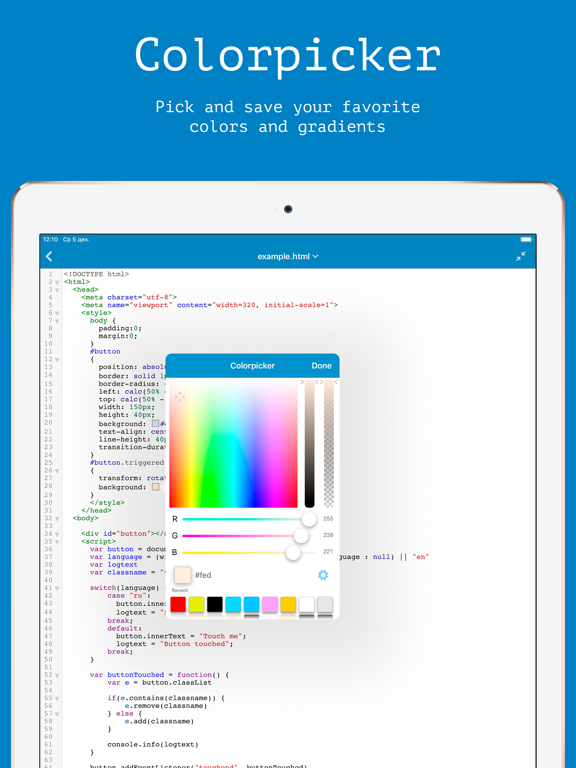
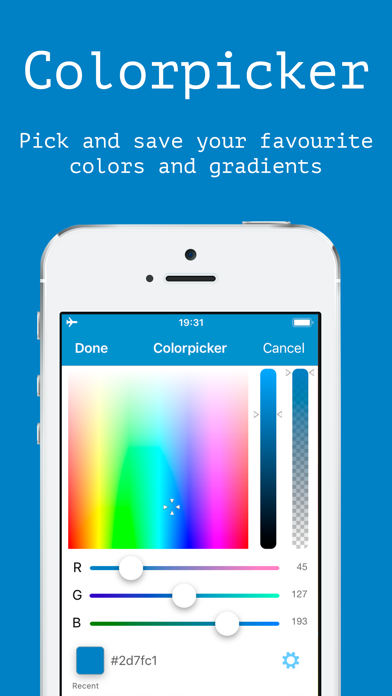
To simplify the layout process, the programme includes the Emmet plugin and convenient tools for the selection and visualisation of colour attributes: colours, transparency and linear and radial gradients.
Three forms of color encoding are supported: RGB, RGBA and Hexademical.
The predictive text significantly speeds up the editing of JavaScript, HTML, XML, and CSS files, especially in the absence of an external keyboard.
Multiple files can be edited simultaneously in different tabs of the editor.
Text search, text replace, "undo" and "redo" functions are supported.
The programme has three colour themes, convenient under different lighting conditions.
It is possible to import images from the camera roll, download and import the most popular JavaScript and CSS libraries; file moving, duplication, renaming, archiving, extracting and exporting functions are now available.
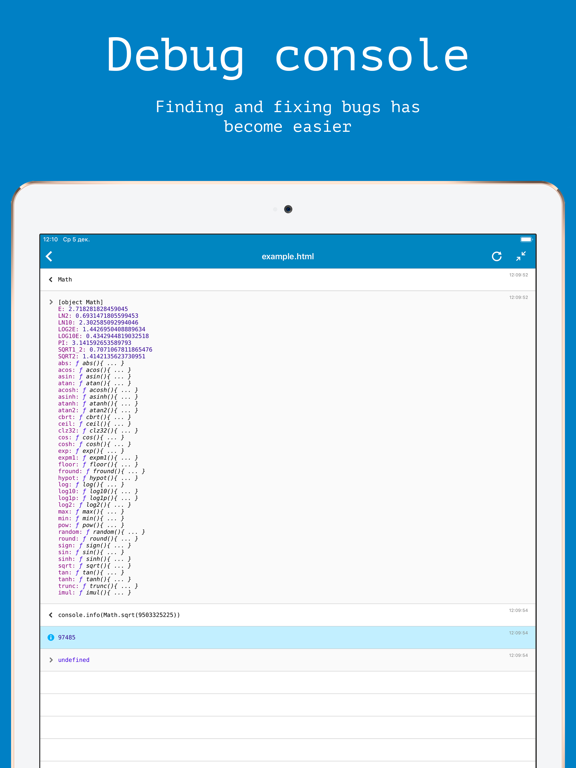
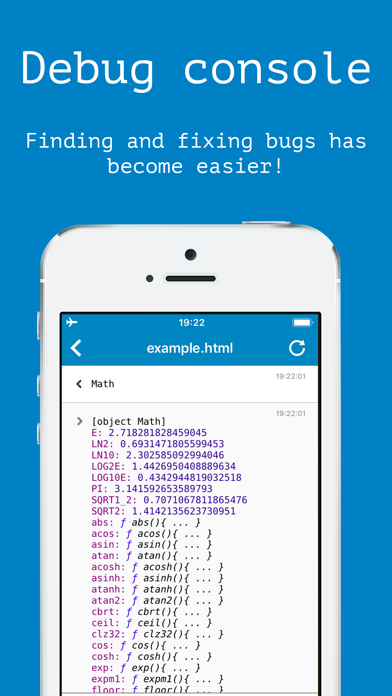
Debugging scripts is now easier thanks to the new built-in JavaScript Console.
In addition, you can open video and audio files, documents (pdf, word, doc, rtf and more), and also edit files in the syntax highlighting mode for the following languages:
- XML;
- C;
- C++;
- C#;
- Objective-C;
- Scala;
- Java;
- Python;
- Markdown;
- Lua;
- Swift;
- PHP;
- JSON;
- F#;
- Fortran;
- OCaml;
EasyHTML does not require the permanent connection to the internet.

In the current version, 4 programming languages are supported: HTML, JavaScript, CSS and SCSS. You can also create and edit SVG vector images. The editor supports many text encodings.
FTP / SFTP / FTPS protocols are supported. It is possible to open and edit filed located on your Dropbox account and copy files and folders across locations.
To simplify the layout process, the programme includes the Emmet plugin and convenient tools for the selection and visualisation of colour attributes: colours, transparency and linear and radial gradients.
Three forms of color encoding are supported: RGB, RGBA and Hexademical.
The predictive text significantly speeds up the editing of JavaScript, HTML, XML, and CSS files, especially in the absence of an external keyboard.
Multiple files can be edited simultaneously in different tabs of the editor.
Text search, text replace, "undo" and "redo" functions are supported.
The programme has three colour themes, convenient under different lighting conditions.
It is possible to import images from the camera roll, download and import the most popular JavaScript and CSS libraries; file moving, duplication, renaming, archiving, extracting and exporting functions are now available.
Debugging scripts is now easier thanks to the new built-in JavaScript Console.
In addition, you can open video and audio files, documents (pdf, word, doc, rtf and more), and also edit files in the syntax highlighting mode for the following languages:
- XML;
- C;
- C++;
- C#;
- Objective-C;
- Scala;
- Java;
- Python;
- Markdown;
- Lua;
- Swift;
- PHP;
- JSON;
- F#;
- Fortran;
- OCaml;
EasyHTML does not require the permanent connection to the internet.
Show More
What's New in the Latest Version 1.4.6
Last updated on Mar 5, 2019
Old Versions
- Fixed a bug that caused the tabs menu to work incorrectly.
Show More
Version History
1.4.6
Mar 5, 2019
- Fixed a bug that caused the tabs menu to work incorrectly.
1.4.5
Mar 2, 2019
- EasyHTML now simulates the operation of a basic HTTP server, which allows you to download files using XMLHttpRequest. (Available on iOS versions 11.0 and above)
- Layout fixes for large iPhones;
1.4.4
Feb 24, 2019
- Fixed a bug due to which some devices did not display the "create file" button;
- Fixed a bug due to which syntax highlighting did not work on some devices;
- Switching between tabs is now possible with the key combinations (command + shift + [ and command + shift +]);
- Files in FTP and SFTP directories are now sorted according to application settings (Not all types of sorts are supported);
- Moving the cursor with the keyboard shortcut now works correctly;
- The application now uses the latest version of CodeMirror 5.44.0;
- Improved auto-completion mechanism for HTML and JavaScript;
- Other minor improvements.
- Fixed a bug due to which syntax highlighting did not work on some devices;
- Switching between tabs is now possible with the key combinations (command + shift + [ and command + shift +]);
- Files in FTP and SFTP directories are now sorted according to application settings (Not all types of sorts are supported);
- Moving the cursor with the keyboard shortcut now works correctly;
- The application now uses the latest version of CodeMirror 5.44.0;
- Improved auto-completion mechanism for HTML and JavaScript;
- Other minor improvements.
1.4.3
Jan 25, 2019
- The cursor caret now moves with the text while scrolling;
- Fixed a bug due to which the Share menu worked incorrectly;
- Fixed a bug due to which the selected color theme was not saved on some devices;
- Improved compatibility with iOS 9 and iOS 10;
- Improved compatibility with iPhone XS and iPhone XR
- Fixed a bug due to which the Share menu worked incorrectly;
- Fixed a bug due to which the selected color theme was not saved on some devices;
- Improved compatibility with iOS 9 and iOS 10;
- Improved compatibility with iPhone XS and iPhone XR
1.4.2
Jan 12, 2019
- Fixed a bug that caused the additional menu buttons to work incorrectly
- Fixed a bug that made it impossible to import files and folders from other applications
1.4.1
Jan 3, 2019
- Fixed a bug that caused an error when trying to preview a file.
- Fixed bugs which could cause the application to crash.
1.4
Dec 29, 2018
Happy Holidays!
This update contains bug fixes and improvements, such as:
- The main theme of the application is changed to blue.
- The application is now correctly displayed on the iPhone XS, iPhone XS Max, iPhone XR and iPhone X GSM.
- Several editors can be opened simultaneously in different tabs now. To open a file in a new tab, select "Open in a new tab" in the context menu.
- Intergrated Emmet plugin for quick editing of HTML and CSS code.
- The JavaScript console now provides more information about objects and errors, is faster and can store up to 1000 messages simultaneously.
- Undo and redo is now possible by shaking the device or by pressing the corresponding key combination on the external keyboard.
- Improved application compatibility with external keyboards. Use keyboard shortcuts to quickly open a search menu, instantly comment out a line, and more.
- Improved work with file shortcuts in SFTP.
- Uploading files and folders to the Dropbox servers has become faster.
- SFTP now does not recreate the session for each request, browsing directories has become faster.
- FTP now works correctly with Cyrillic characters.
- Added code autocompletion for the following languages:
- XML;
- HTML;
- JavaScript;
- CSS;
- Fixed Pascal syntax highlighting.
- Local images are now previewing in the file list.
- HEIC (Hign Efficiency Image File Formart) - files are now recognized as images.
- Depending on the settings, the contents of the console can now be automatically cleared after pressing the enter key
- The history of executed commands is now stored in the application memory. The last command executed can now be quickly entered into the field by pressing the enter key again.
- Navigation through the history of the last commands executed in the console is now possible using the Up and Down keys on the external keyboard.
- Fixed a bug that made it impossible to disable haptic feedback on devices with Taptic Engine.
- Fixed a bug that caused incorrect operation of the Share function in the file information menu.
- Fixed a bug that caused the application to crash when trying to view detail information about the SFTP directory.
- Fixed a bug that caused the application to crash when trying to view an HTML file located on an FTP or SFTP server that referring to an unavailable file
- Fixed a bug that caused the editor to fail if the combining character was found next to the JavaScript control character (Quotation mark, newline character, backslash character, etc.).
- Fixed a bug that caused the application to crash when pressing the cmd + backspace, alt + backspace or control + backspace key combination.
- Fixed a bug due to which files did not open on the line on which they were closed last time.
- The green theme has become darker.
This update contains bug fixes and improvements, such as:
- The main theme of the application is changed to blue.
- The application is now correctly displayed on the iPhone XS, iPhone XS Max, iPhone XR and iPhone X GSM.
- Several editors can be opened simultaneously in different tabs now. To open a file in a new tab, select "Open in a new tab" in the context menu.
- Intergrated Emmet plugin for quick editing of HTML and CSS code.
- The JavaScript console now provides more information about objects and errors, is faster and can store up to 1000 messages simultaneously.
- Undo and redo is now possible by shaking the device or by pressing the corresponding key combination on the external keyboard.
- Improved application compatibility with external keyboards. Use keyboard shortcuts to quickly open a search menu, instantly comment out a line, and more.
- Improved work with file shortcuts in SFTP.
- Uploading files and folders to the Dropbox servers has become faster.
- SFTP now does not recreate the session for each request, browsing directories has become faster.
- FTP now works correctly with Cyrillic characters.
- Added code autocompletion for the following languages:
- XML;
- HTML;
- JavaScript;
- CSS;
- Fixed Pascal syntax highlighting.
- Local images are now previewing in the file list.
- HEIC (Hign Efficiency Image File Formart) - files are now recognized as images.
- Depending on the settings, the contents of the console can now be automatically cleared after pressing the enter key
- The history of executed commands is now stored in the application memory. The last command executed can now be quickly entered into the field by pressing the enter key again.
- Navigation through the history of the last commands executed in the console is now possible using the Up and Down keys on the external keyboard.
- Fixed a bug that made it impossible to disable haptic feedback on devices with Taptic Engine.
- Fixed a bug that caused incorrect operation of the Share function in the file information menu.
- Fixed a bug that caused the application to crash when trying to view detail information about the SFTP directory.
- Fixed a bug that caused the application to crash when trying to view an HTML file located on an FTP or SFTP server that referring to an unavailable file
- Fixed a bug that caused the editor to fail if the combining character was found next to the JavaScript control character (Quotation mark, newline character, backslash character, etc.).
- Fixed a bug that caused the application to crash when pressing the cmd + backspace, alt + backspace or control + backspace key combination.
- Fixed a bug due to which files did not open on the line on which they were closed last time.
- The green theme has become darker.
1.3.2
Jun 29, 2018
Fixed bug causing incorrect work of a preview in versions iOS up to 11.0 (Thanks Garik2769 for a reply)
General optimisation for iOS 9
Fixed PHP syntax highlighting mode
Fixed XML syntax highlighting mode
Currently editing file is now highlighting in file list (iPad, and 5.5 inch-iPhones only)
Other minor improvements
General optimisation for iOS 9
Fixed PHP syntax highlighting mode
Fixed XML syntax highlighting mode
Currently editing file is now highlighting in file list (iPad, and 5.5 inch-iPhones only)
Other minor improvements
1.3.1
Jun 26, 2018
Added syntax highlighting options menu
Bug fixes
Bug fixes
1.3
Jun 22, 2018
New application architecture
Editing, copying and previewing of files located on the Dropbox account or on FTP / FTPS / SFTP servers is now available
A new files moving interface
Support for copying files between network and local locations
Significantly accelerated files sorting alghorytm
Blue theme is added
Fixed a bug that caused scrolling off in the editor on devices with iOS 10 and below
Improved stability
Improved performance
Bug fixes
The file extension can now be edited
Added line wrapping option in the editor
".plist" files are now opened in the editor as XML files
".htm" files are now opened in the editor as HTML files
The Shared folder is no longer available. Third-party programs will no longer be able to share files with EasyHTML. Instead, "Open with" function should be used
Fixed a memory leak that led application to crash after a long period of use.
Other minor improvements
Editing, copying and previewing of files located on the Dropbox account or on FTP / FTPS / SFTP servers is now available
A new files moving interface
Support for copying files between network and local locations
Significantly accelerated files sorting alghorytm
Blue theme is added
Fixed a bug that caused scrolling off in the editor on devices with iOS 10 and below
Improved stability
Improved performance
Bug fixes
The file extension can now be edited
Added line wrapping option in the editor
".plist" files are now opened in the editor as XML files
".htm" files are now opened in the editor as HTML files
The Shared folder is no longer available. Third-party programs will no longer be able to share files with EasyHTML. Instead, "Open with" function should be used
Fixed a memory leak that led application to crash after a long period of use.
Other minor improvements
1.2
Mar 19, 2018
- Fixed a bug in the editor when trying to open a file with the CR-LF symbol in the file;
- The "File is read-only" menu has been deleted;
- The application now shows a list of files immediately after the launch;
- New animated search-replace menu with support for case-insensitive search and search by regular expression;
- Now it is possible to open video files, audio files, .word, .pdf, .rtf, .doc, and many other kinds of documents;
- The editor now determines the applicable encoding and works correctly with all characters and any files;
- Context menu with quick actions can now be opened by long or force touch on the file in the list;
- Added language setting menu;
- You now can select your preferred text encoding and line break character (CR, LF, or CRLF);
- Added haptic feedback;
- Fixed critical errors that caused the application to crash;
- Other minor improvements;
- The "File is read-only" menu has been deleted;
- The application now shows a list of files immediately after the launch;
- New animated search-replace menu with support for case-insensitive search and search by regular expression;
- Now it is possible to open video files, audio files, .word, .pdf, .rtf, .doc, and many other kinds of documents;
- The editor now determines the applicable encoding and works correctly with all characters and any files;
- Context menu with quick actions can now be opened by long or force touch on the file in the list;
- Added language setting menu;
- You now can select your preferred text encoding and line break character (CR, LF, or CRLF);
- Added haptic feedback;
- Fixed critical errors that caused the application to crash;
- Other minor improvements;
1.1.3
Mar 2, 2018
- Fixed localization error. The application now supports English as a base language.
- Fixed a bug with crashing when clicking on the color label
- Code zooming now works smoothly
- Added syntax highlighting support for the following languages: F#, Fortran, OCaml
- Files received via AirDrop can now be opened directly in the application
- Improved stability
- Other minor improvements
- Fixed a bug with crashing when clicking on the color label
- Code zooming now works smoothly
- Added syntax highlighting support for the following languages: F#, Fortran, OCaml
- Files received via AirDrop can now be opened directly in the application
- Improved stability
- Other minor improvements
1.1.2
Feb 26, 2018
- Optimized for iOS 9
- Optimized for iPad Mini
- Added inertial scrolling in the editor
- Files are now opened in the same position on which they were closed
- Reduced power consumption
- Improved stability
- Other minor improvements
- Optimized for iPad Mini
- Added inertial scrolling in the editor
- Files are now opened in the same position on which they were closed
- Reduced power consumption
- Improved stability
- Other minor improvements
1.1.1
Feb 22, 2018
- Bugs fixed
- Improved stability
1.1
Feb 21, 2018
- Now you can download and import JavaScript and CSS-libraries;
- Added file archiving / unarchiving function;
- Added syntax highlighting for PHP and JSON;
- SVG-files can now be edited and opened in the browser for preview;
- GIF and ICO files can now be opened as image files;
- Other applications can now "Share" a file with EasyHTML. The received files are saved in the "Shared files" folder;
- Optimised file browser menu
- Fixed bugs
- Added file archiving / unarchiving function;
- Added syntax highlighting for PHP and JSON;
- SVG-files can now be edited and opened in the browser for preview;
- GIF and ICO files can now be opened as image files;
- Other applications can now "Share" a file with EasyHTML. The received files are saved in the "Shared files" folder;
- Optimised file browser menu
- Fixed bugs
1.0.1
Feb 8, 2018
- Description fixed
- Some minor bugs fixed
1.0
Feb 6, 2018
EasyHTML FAQ
Click here to learn how to download EasyHTML in restricted country or region.
Check the following list to see the minimum requirements of EasyHTML.
iPhone
Requires iOS 9.0 or later.
iPad
Requires iPadOS 9.0 or later.
iPod touch
Requires iOS 9.0 or later.
EasyHTML supports Russian