Eraser - All Objects Remover
Photo Erase Background Master
FreeOffers In-App Purchases
2.2for iPhone, iPad and more
8.9
332 Ratings
Maksym Tokhtaryts
Developer
64.6 MB
Size
Apr 20, 2023
Update Date
Photo & Video
Category
4+
Age Rating
Age Rating
Eraser - All Objects Remover Screenshots
About Eraser - All Objects Remover
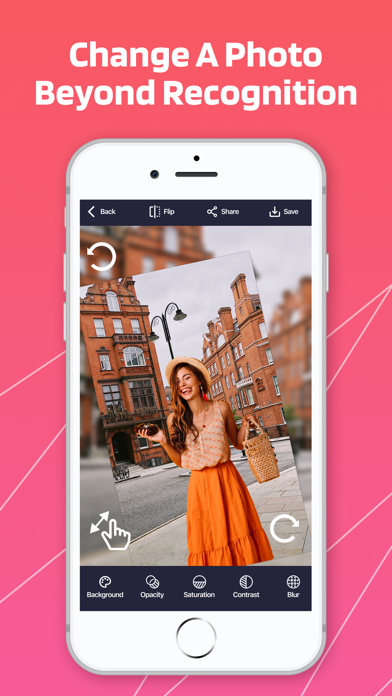
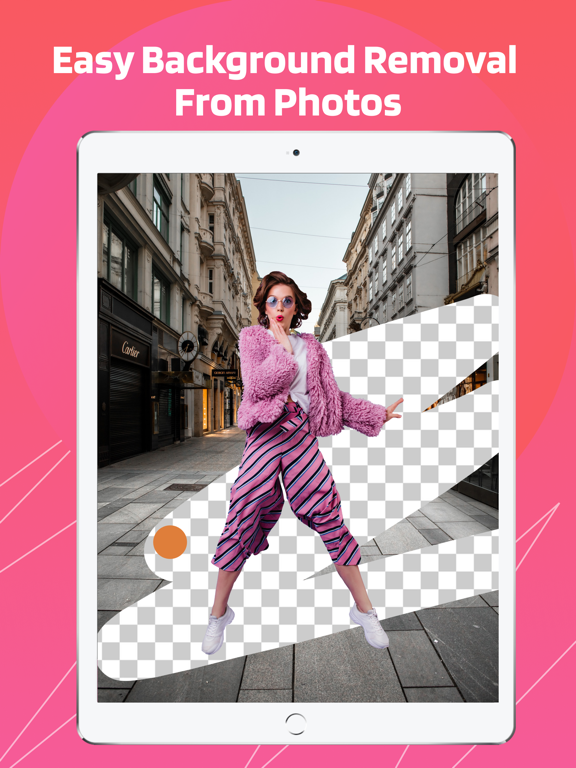
Do you want to make your photos creative and unusual? Now you can easily remove the background from your images! After that, they can be combined with other applications to make a photo montage, collage or just with a beautiful background.
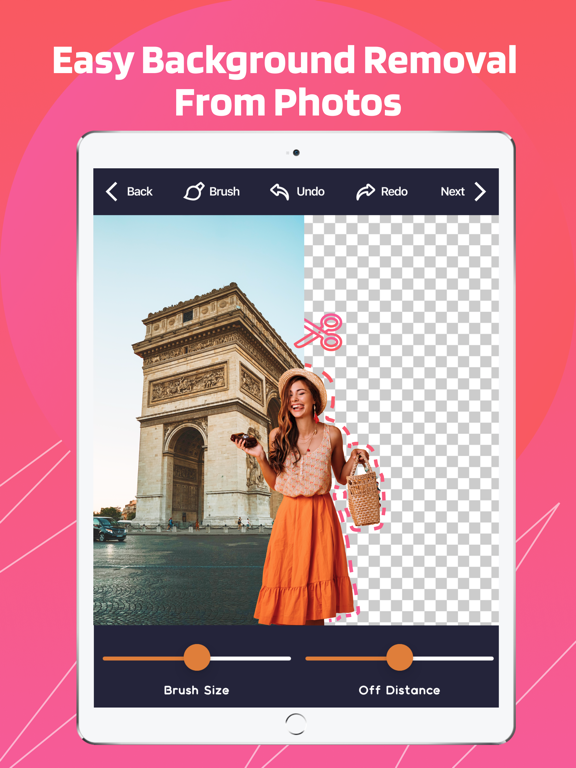
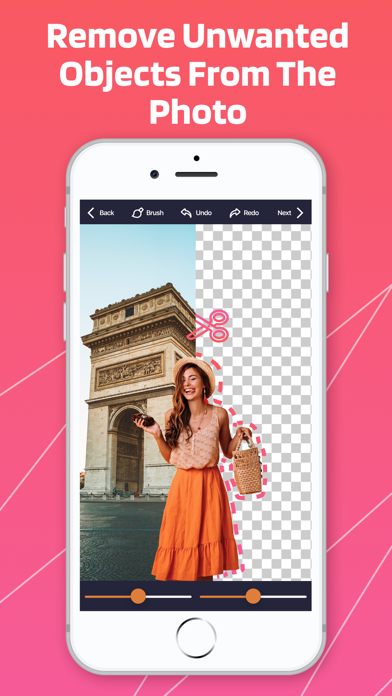
The program will remove the background and erase any imperfections, crop objects, people or a watermark from your favorite photo. It's very easy to use and doesn't require any special skills! With the help of the magic eraser, simply select the area you want to delete.
Features:
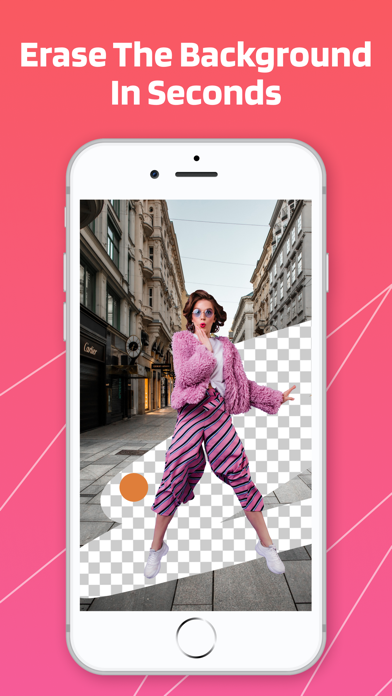
- Erase the background. Remove unwanted objects from the photo.
- Save photo without background.
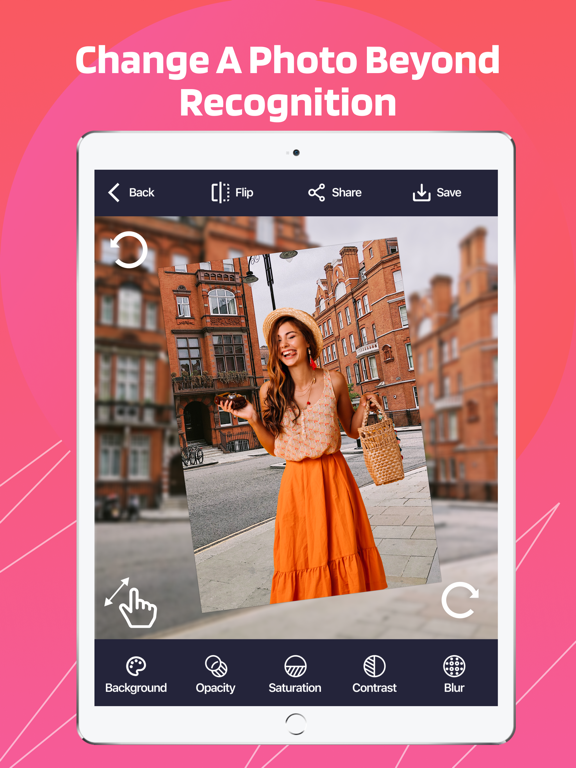
- Change the background of the photo to a prepared one or to your own picture.
- Create amazing collages. For example, attach your head to another body.
It's very easy to be anywhere with this gorgeous background changer even with a simple selfie taken in your room. For example, by the sea, ocean, beach, desert or sky. This is the best app of its kind! The program will instantly transform your photo into a completely different image. Edit photos and they will look like a real star! Be sure to share your masterpieces on social media. Your subscribers will appreciate it!
PREMIUM FEATURES enable you to:
- Remove background from your photos
- Add new background
-Use simple editing tools
*Subscription payments will be charged to your iTunes account at confirmation of your purchase.
*Subscriptions will automatically renew and payment will be charged to your iTunes account unless auto-renew is turned off at least 24 hours prior to the end of the current period. The cost of the renewal depends on your Subscription Plan. Our standard Subscription Plans are:
1-week Subscription ($5.99)
For other currencies, the price corresponds to the same price tier on the App Store Pricing Matrix.
*Subscription with a free trial period will automatically renew to a paid subscription. You can cancel or manage your free trial's auto-renewal in your Account Settings after purchase. The cancellation will take effect 24-hours after the last day of the current subscription period and you will be downgraded to the free service.
*Please note: any unused portion of a free trial period of 3 days(if offered) will be forfeited when you purchase a premium subscription during the free trial period.
*If you have any questions or suggestions on how we can improve the application, please do not hesitate to contact us at kudmytro@gmail.com
*For any other information please read our privacy policy and terms of use
Privacy Policy: https://docs.google.com/document/d/1hnk8Z0r3k-itwipYzkCgoyp9KAPjHZFDUY9sSYDJAaQ/edit?usp=sharing
Terms of Use: https://docs.google.com/document/d/102d00hQnaq78R8e6KoSLRAtaRxl6-kf7agB1HuX6JrM/edit?usp=sharing

The program will remove the background and erase any imperfections, crop objects, people or a watermark from your favorite photo. It's very easy to use and doesn't require any special skills! With the help of the magic eraser, simply select the area you want to delete.
Features:
- Erase the background. Remove unwanted objects from the photo.
- Save photo without background.
- Change the background of the photo to a prepared one or to your own picture.
- Create amazing collages. For example, attach your head to another body.
It's very easy to be anywhere with this gorgeous background changer even with a simple selfie taken in your room. For example, by the sea, ocean, beach, desert or sky. This is the best app of its kind! The program will instantly transform your photo into a completely different image. Edit photos and they will look like a real star! Be sure to share your masterpieces on social media. Your subscribers will appreciate it!
PREMIUM FEATURES enable you to:
- Remove background from your photos
- Add new background
-Use simple editing tools
*Subscription payments will be charged to your iTunes account at confirmation of your purchase.
*Subscriptions will automatically renew and payment will be charged to your iTunes account unless auto-renew is turned off at least 24 hours prior to the end of the current period. The cost of the renewal depends on your Subscription Plan. Our standard Subscription Plans are:
1-week Subscription ($5.99)
For other currencies, the price corresponds to the same price tier on the App Store Pricing Matrix.
*Subscription with a free trial period will automatically renew to a paid subscription. You can cancel or manage your free trial's auto-renewal in your Account Settings after purchase. The cancellation will take effect 24-hours after the last day of the current subscription period and you will be downgraded to the free service.
*Please note: any unused portion of a free trial period of 3 days(if offered) will be forfeited when you purchase a premium subscription during the free trial period.
*If you have any questions or suggestions on how we can improve the application, please do not hesitate to contact us at kudmytro@gmail.com
*For any other information please read our privacy policy and terms of use
Privacy Policy: https://docs.google.com/document/d/1hnk8Z0r3k-itwipYzkCgoyp9KAPjHZFDUY9sSYDJAaQ/edit?usp=sharing
Terms of Use: https://docs.google.com/document/d/102d00hQnaq78R8e6KoSLRAtaRxl6-kf7agB1HuX6JrM/edit?usp=sharing
Show More
What's New in the Latest Version 2.2
Last updated on Apr 20, 2023
Old Versions
new features in this update:
improved object recognition technology to accurately identify objects in images;
a "before and after" view to compare the original image with the edited version.
improved object recognition technology to accurately identify objects in images;
a "before and after" view to compare the original image with the edited version.
Show More
Version History
2.2
Apr 20, 2023
new features in this update:
improved object recognition technology to accurately identify objects in images;
a "before and after" view to compare the original image with the edited version.
improved object recognition technology to accurately identify objects in images;
a "before and after" view to compare the original image with the edited version.
2.1
Apr 17, 2023
new features in this update:
ability to undo or redo changes made to the image
option to adjust the opacity of the eraser tool
option to adjust the hardness of the eraser tool
option to adjust the sharpness or clarity of the image
ability to undo or redo changes made to the image
option to adjust the opacity of the eraser tool
option to adjust the hardness of the eraser tool
option to adjust the sharpness or clarity of the image
2.0
Apr 7, 2023
new features in this update:
improved object detection and removal algorithm
support for high resolution photos
undo/redo function
ability to adjust brightness, contrast and color levels
zoom functions for precise editing
improved object detection and removal algorithm
support for high resolution photos
undo/redo function
ability to adjust brightness, contrast and color levels
zoom functions for precise editing
1.9
Mar 20, 2023
Customizable brush sizes and shapes for precise editing
Option to undo and redo edits
Option to adjust brightness, contrast, and other image settings
Option to undo and redo edits
Option to adjust brightness, contrast, and other image settings
1.8
Mar 24, 2021
- improved accuracy of erasing
- small bugs fixed
- small bugs fixed
1.7
Mar 3, 2021
- small improvements made
1.6
Feb 16, 2021
- small improvements made
Thank for staying with us!
1.5
Feb 13, 2021
- minor bugs fixed
1.4
Feb 9, 2021
- minor bugs fixed
1.3
Feb 8, 2021
- small improvements made
1.2
Feb 6, 2021
- minor bugs fixed
1.1
Jan 26, 2021
small improvements made
1.0
Dec 2, 2020
Eraser - All Objects Remover FAQ
Click here to learn how to download Eraser - All Objects Remover in restricted country or region.
Check the following list to see the minimum requirements of Eraser - All Objects Remover.
iPhone
Requires iOS 14.0 or later.
iPad
Requires iPadOS 14.0 or later.
iPod touch
Requires iOS 14.0 or later.
Eraser - All Objects Remover supports English, Arabic, Catalan, Croatian, Czech, Danish, Dutch, Finnish, French, German, Greek, Hebrew, Hindi, Hungarian, Indonesian, Italian, Japanese, Korean, Malay, Norwegian Bokmål, Polish, Portuguese, Romanian, Russian, Simplified Chinese, Slovak, Spanish, Swedish, Thai, Traditional Chinese, Turkish, Ukrainian, Vietnamese
Eraser - All Objects Remover contains in-app purchases. Please check the pricing plan as below:
Premium Eraser
$5.99
Premium Eraser
$5.99