Age Rating
4+
Apps in this category do not contain restricted content.
9+
Apps in this category may contain mild or occasional cartoon, fantasy or real-life violence, as well as occasional or mild adult, sexually suggestive or horrifying content and may not be suitable for children under 9 years of age.
12+
Apps in this category may contain occasional mild indecent language, frequent or intense cartoon or real-life violence, minor or occasional adult or sexually suggestive material, and simulated gambling, and may be for children under 12 years of age.
17+
You must be at least 17 years old to access this App.
Apps in this category may contain frequent and intense offensive language; Frequent and intense cartoon, fantasy or realistic violence: frequent and intense adult, scary and sexually suggestive subjects: as well as sexual content, nudity, tobacco, alcohol and drugs, may not be suitable for children under 17 years of age.
Fieldcode FMA Screenshots
Fieldcode FMA posterFieldcode FMA posterFieldcode FMA posterFieldcode FMA posterFieldcode FMA posterFieldcode FMA posterFieldcode FMA posterFieldcode FMA poster

About Fieldcode FMA

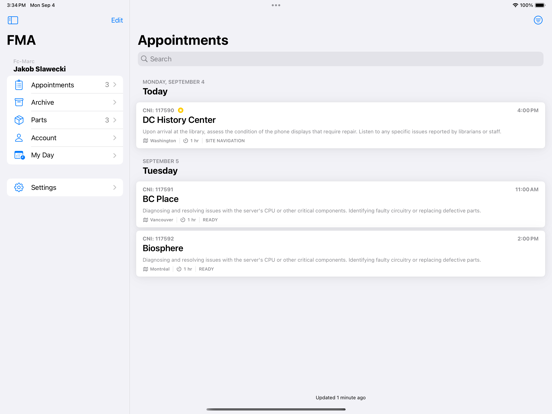
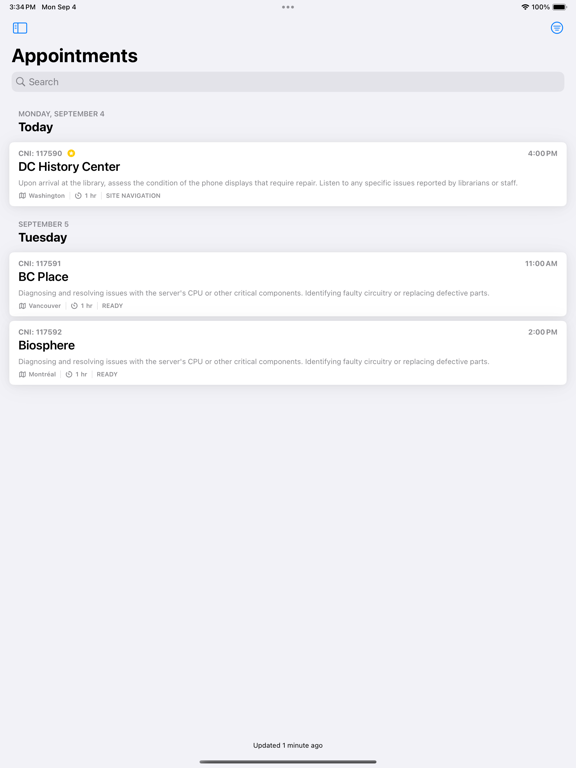
The Fieldcode FSM solution helps you to plan and perform your Field Service interventions. With a fully automated, Zero-Touch approach work orders are created, scheduled and send to your techs without manual interventions. This empowers your technicians to work more efficiently, whether online or offline.

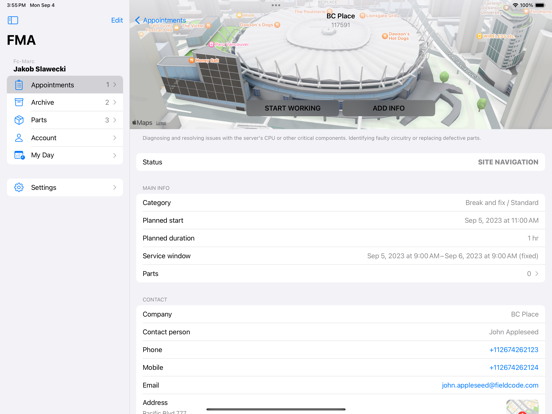
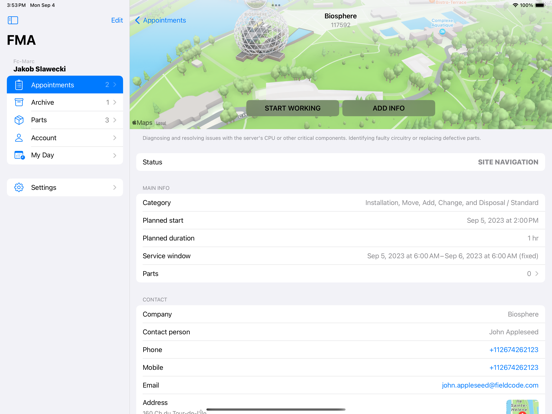
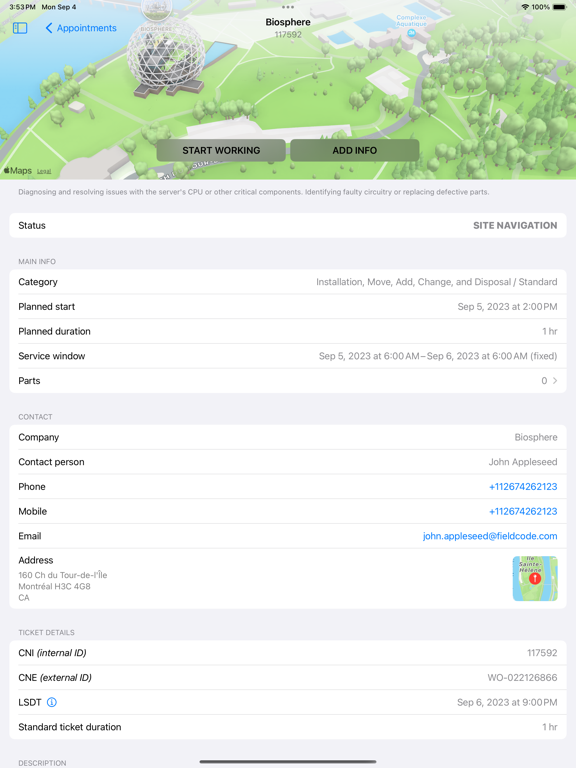
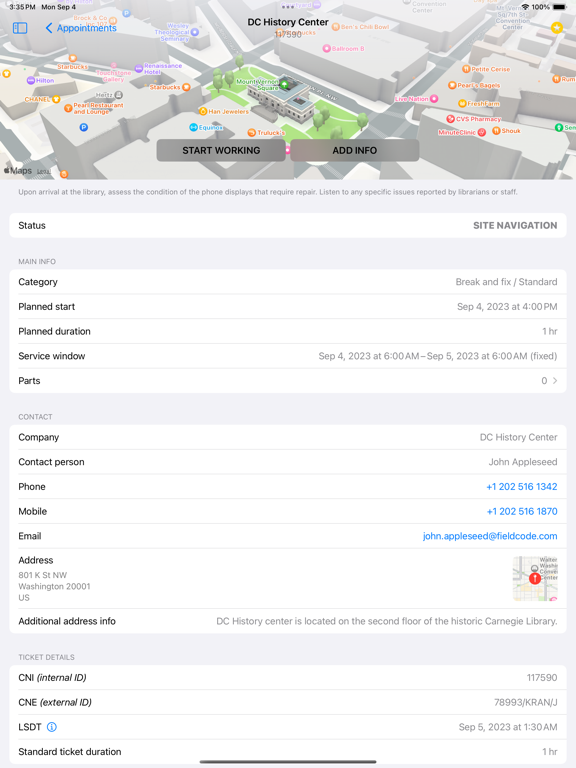
The Fieldcode mobile app offers step-by-step instructions directly to technicians’ devices, ensuring consistent, high-quality service delivery. Technicians stay up-to-date on essential details such as schedule updates, customer information, order status, route navigation, and parts availability, all in one place.

Key features include:
• User-friendly interface: A structured, easy-to-navigate view of tasks for seamless workflow management.
• Real-time job information: Access and update details such as task descriptions, contact information, documents, and more.
• Offline capability: Data is stored locally when offline and automatically synced once the device is connected to the internet.
• Automatic ticket assignment: Tickets are automatically assigned to technicians, eliminating manual assignment and ensuring quicker service delivery.
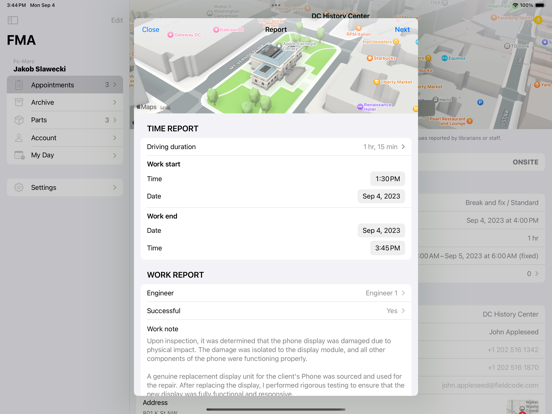
• Efficient task reporting: Technicians can track progress, report time spent on tasks, and submit task completion reports, including relevant documentation.
• Route optimization: On-map route information helps technicians optimize travel time, improving efficiency and service times.
• Spare parts management: Technicians can access parts linked to their tickets, ensuring full traceability with details on pick-up/drop-off locations and easy receipt confirmation.

With easy access to job information, schedule details, real-time updates, and reporting features, your team will never deal with lost data or unhappy customers again.

Show More

What's New in the Latest Version 1.25.9

Last updated on Apr 9, 2026
Old Versions
Project Visibility in Appointments
Appointment cards now display the associated project name and color. You can also find this information in the appointment details for better context and clarity.

Ticket Scheduling
Engineers can now schedule tickets directly in the FMA app using a simple, fixed-appointment setup. The new “Ticket Scheduling” option will appear in the menu when enabled for your company account.

Login improvement
Resolved a login issue that caused an incorrect alert to be shown if AutoFill Passwords was turned off in system settings.

Improved Stability & Sync
We’ve enhanced overall app stability and improved data synchronization for a more reliable experience.

Improved attachment handling
We’ve enhanced the reliability and performance of downloading and uploading attachments for a smoother experience.

Archive Improvements
We fixed an issue where archived appointment details could sometimes fail to load. Appointment information in the Archive section should now display reliably.
Show More
Version History
1.25.9
Apr 9, 2026
Project Visibility in Appointments
Appointment cards now display the associated project name and color. You can also find this information in the appointment details for better context and clarity.

Ticket Scheduling
Engineers can now schedule tickets directly in the FMA app using a simple, fixed-appointment setup. The new “Ticket Scheduling” option will appear in the menu when enabled for your company account.

Login improvement
Resolved a login issue that caused an incorrect alert to be shown if AutoFill Passwords was turned off in system settings.

Improved Stability & Sync
We’ve enhanced overall app stability and improved data synchronization for a more reliable experience.

Improved attachment handling
We’ve enhanced the reliability and performance of downloading and uploading attachments for a smoother experience.

Archive Improvements
We fixed an issue where archived appointment details could sometimes fail to load. Appointment information in the Archive section should now display reliably.

Fieldcode FMA FAQ

Click here to learn how to download Fieldcode FMA in restricted country or region.
Check the following list to see the minimum requirements of Fieldcode FMA.
iPad

Fieldcode FMA Alternative

You May Also Like

Get more from Fieldcode Germany GmbH