Final Draft Mobile
It all starts with a script
$9.99
6.0.6for iPhone, iPad and more
9.1
1K+ Ratings
Cast & Crew Production Software, LLC
Developer
122.8 MB
Size
Apr 20, 2022
Update Date
#11
in Productivity
4+
Age Rating
Age Rating
Final Draft Mobile Screenshots
About Final Draft Mobile
The makers of Final Draft – the #1-selling screenwriting software in the world – now bring you the Final Draft™ Mobile app for iPad and iPhone.
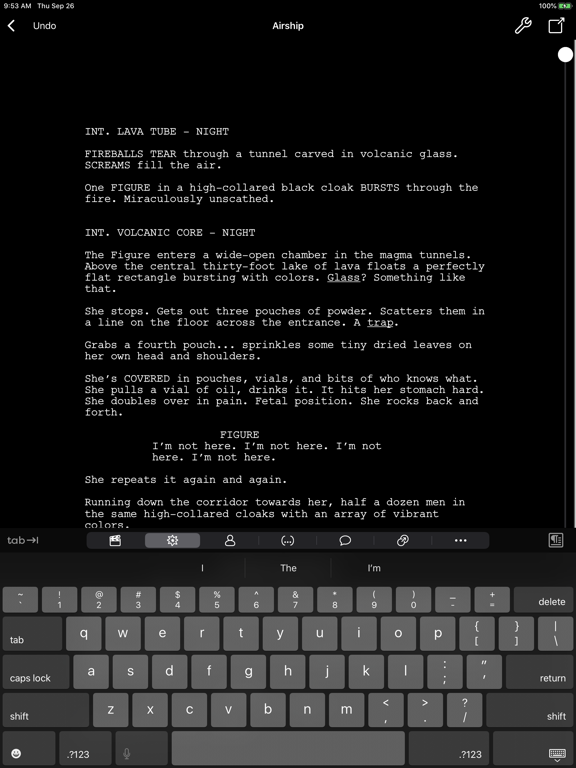
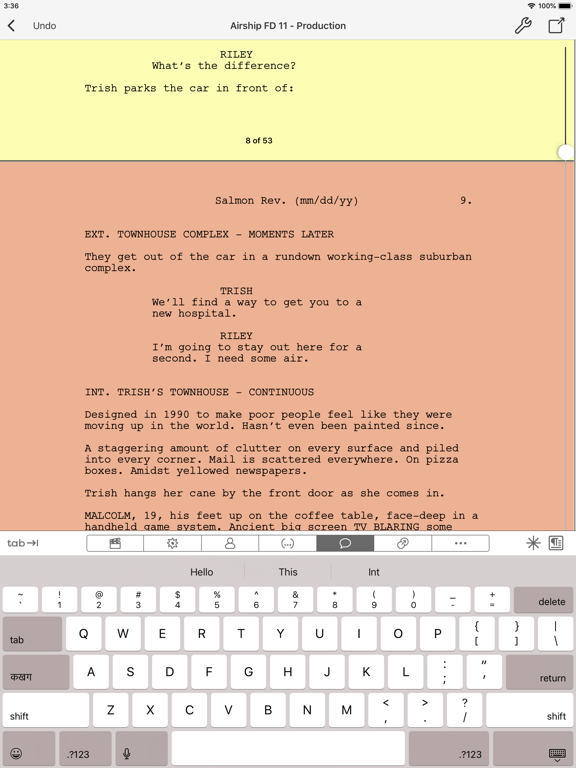
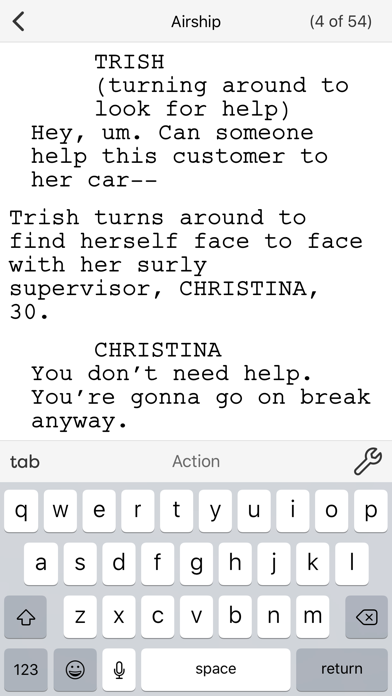
Final Draft™ Mobile lets you write, edit and read Final Draft scripts on your iPad or iPhone. Create new scripts or edit existing ones with easy-to-use features such as Tab and Enter navigation, ScriptNotes, SmartType, and more.
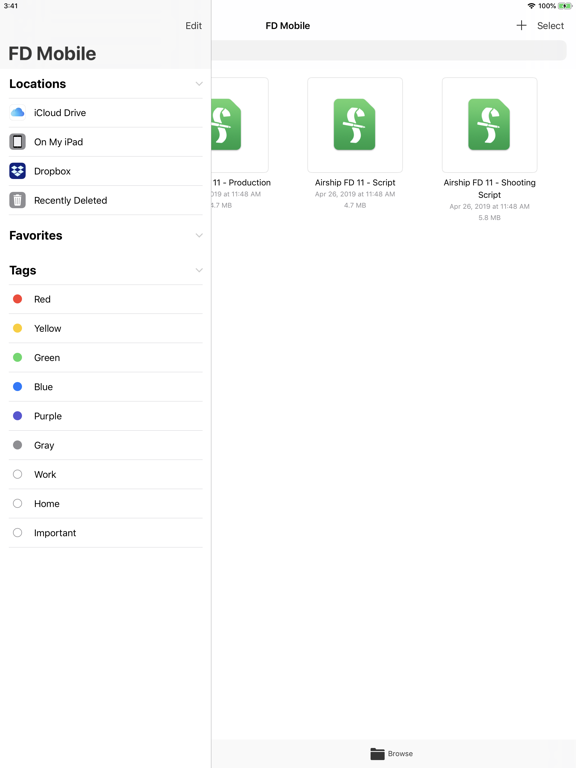
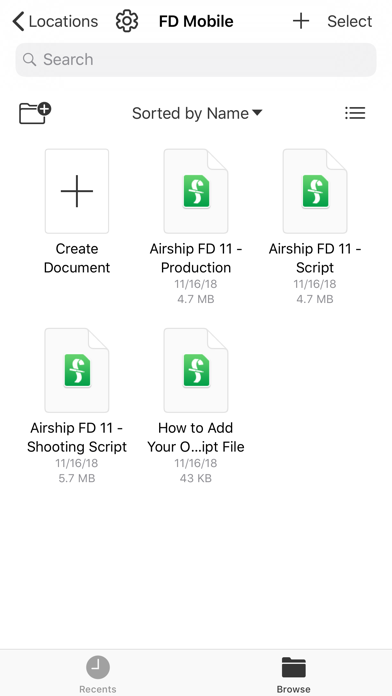
Easily move your Final Draft 12 scripts from desktop to iPad or iPhone and back again via iCloud, Dropbox, or email. Your scripts will appear perfectly paginated and formatted to industry standards every time.
• Go paperless and carry all your scripts with you everywhere you go
• Send or share your Final Draft FDX file between all your devices and computers. Always be on the same page with Dropbox, OneDrive, or iCloud
• Easily change script elements with classic Tab and Enter functionality or through the Elements bar (iPad) or Menu (iPhone)
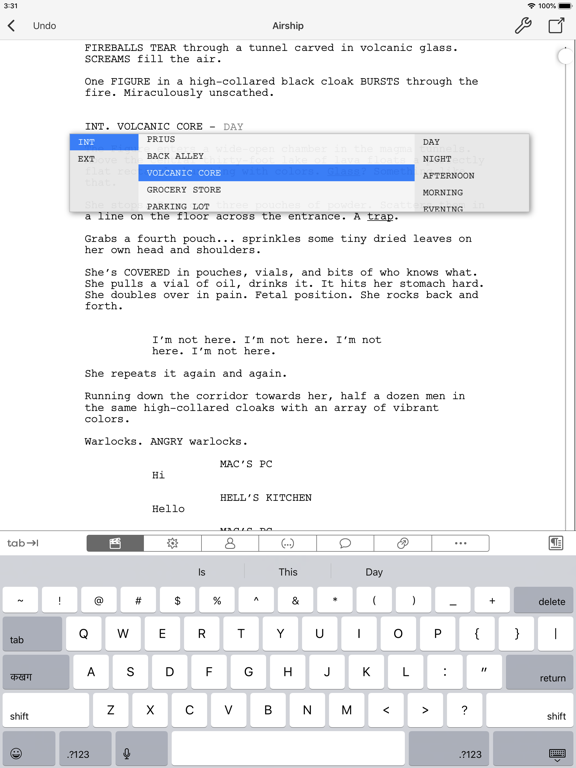
• SmartType remembers your character names, scene headings and more
• Multi-language support - Write in over 95 different languages
• Bluetooth keyboard support
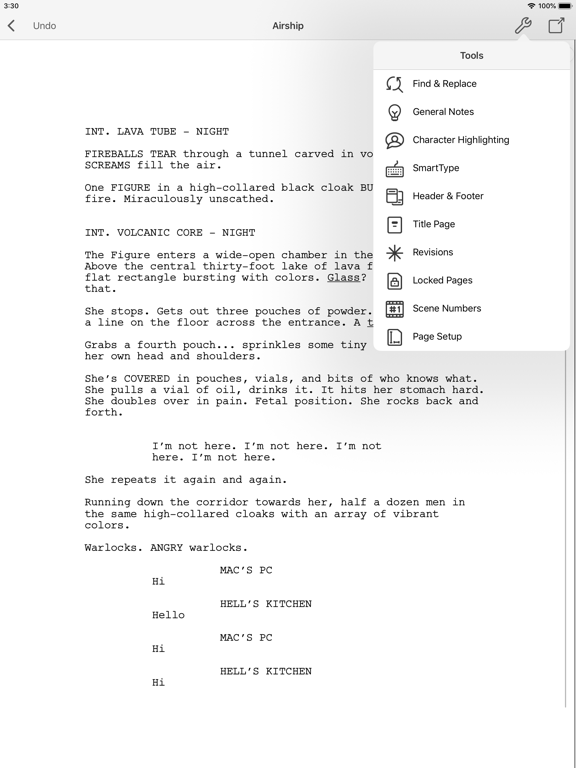
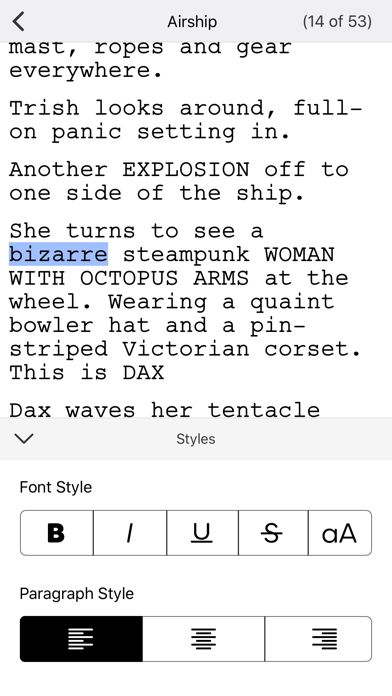
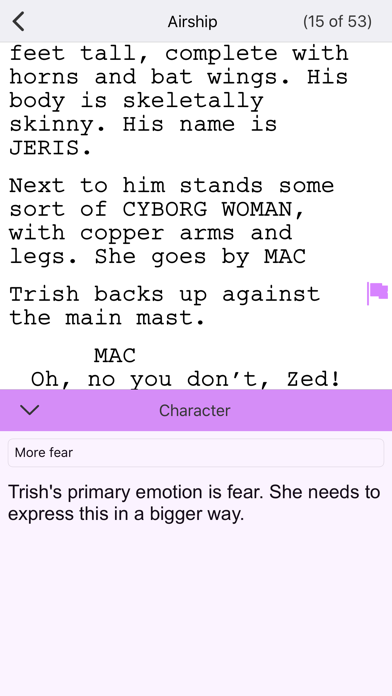
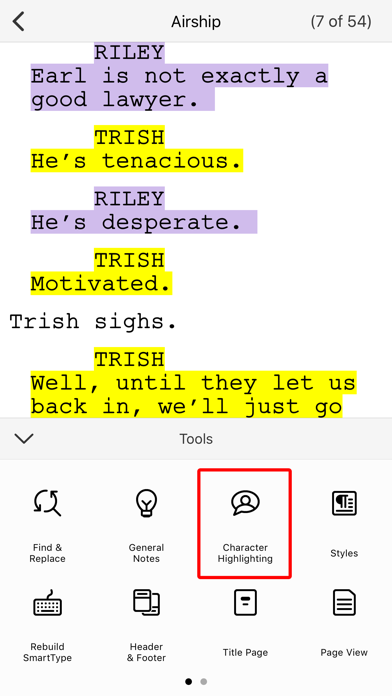
• Character Highlighting allows you to keep track of your characters for table reads or character development
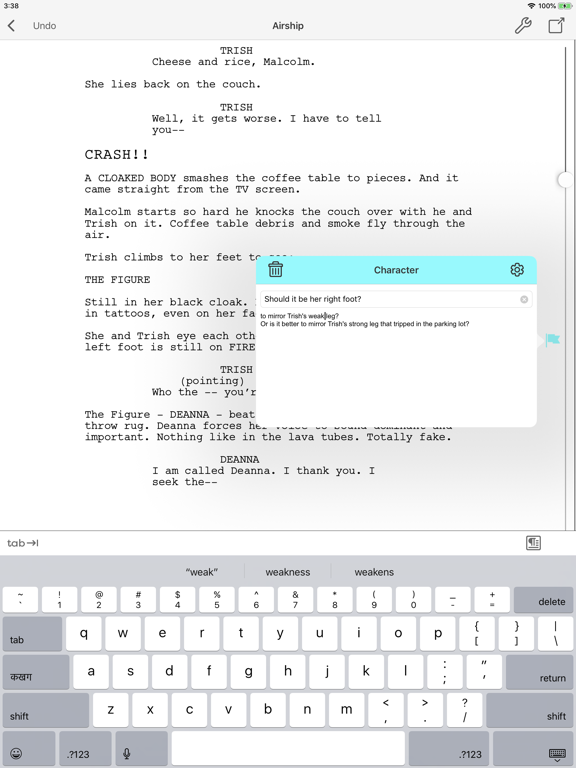
• Add, color-code, label, and edit ScriptNotes or General Notes
• Perfectly paginates to US Letter and standard European (A4) page sizes
• Send feedback directly through the app
• Professionally formatted TV, Film, and Stage Play templates to help get you started
• Search your entire script for characters, locations, or other script elements
• Export scripts to PDF via Dropbox, iCloud, or email
• Saves the last page you're working on to get back to work quickly
• iPhone Page View shows 100% accurate Final Draft pagination, formatting, and line breaking
• Automatic More's and Continued's
• Multi-page Title Pages are supported for TV production scripts
• Includes production features like Scene Numbering, Omit Scenes, Colored and Locked Pages
• Shows Active or Collated Revisions with Colored Pages
• Quickly switch from one revision set to another
• Track key information with Cast Reports, Scene Reports, Location Reports, and more
• iPhone Scene Navigator allows you to easily jump to different scenes in your script
• Access all of the tools you need while maintaining context in your script in the iPhone Tools Menu
• Edit your Header and Footer
TESTIMONIALS:
“Where has this been all my career?!? I put it through its paces doing a rewrite on the go-go-go. Does a great job. This is a real step forward! What more do you need on the road? (Maybe a chauffeur?)”
David Seidler – Writer / Academy Award® winner
The King's Speech, By Dawn's Early Light, Tucker: The Man and His Dream...

Final Draft™ Mobile lets you write, edit and read Final Draft scripts on your iPad or iPhone. Create new scripts or edit existing ones with easy-to-use features such as Tab and Enter navigation, ScriptNotes, SmartType, and more.
Easily move your Final Draft 12 scripts from desktop to iPad or iPhone and back again via iCloud, Dropbox, or email. Your scripts will appear perfectly paginated and formatted to industry standards every time.
• Go paperless and carry all your scripts with you everywhere you go
• Send or share your Final Draft FDX file between all your devices and computers. Always be on the same page with Dropbox, OneDrive, or iCloud
• Easily change script elements with classic Tab and Enter functionality or through the Elements bar (iPad) or Menu (iPhone)
• SmartType remembers your character names, scene headings and more
• Multi-language support - Write in over 95 different languages
• Bluetooth keyboard support
• Character Highlighting allows you to keep track of your characters for table reads or character development
• Add, color-code, label, and edit ScriptNotes or General Notes
• Perfectly paginates to US Letter and standard European (A4) page sizes
• Send feedback directly through the app
• Professionally formatted TV, Film, and Stage Play templates to help get you started
• Search your entire script for characters, locations, or other script elements
• Export scripts to PDF via Dropbox, iCloud, or email
• Saves the last page you're working on to get back to work quickly
• iPhone Page View shows 100% accurate Final Draft pagination, formatting, and line breaking
• Automatic More's and Continued's
• Multi-page Title Pages are supported for TV production scripts
• Includes production features like Scene Numbering, Omit Scenes, Colored and Locked Pages
• Shows Active or Collated Revisions with Colored Pages
• Quickly switch from one revision set to another
• Track key information with Cast Reports, Scene Reports, Location Reports, and more
• iPhone Scene Navigator allows you to easily jump to different scenes in your script
• Access all of the tools you need while maintaining context in your script in the iPhone Tools Menu
• Edit your Header and Footer
TESTIMONIALS:
“Where has this been all my career?!? I put it through its paces doing a rewrite on the go-go-go. Does a great job. This is a real step forward! What more do you need on the road? (Maybe a chauffeur?)”
David Seidler – Writer / Academy Award® winner
The King's Speech, By Dawn's Early Light, Tucker: The Man and His Dream...
Show More
What's New in the Latest Version 6.0.6
Last updated on Apr 20, 2022
Old Versions
Bug fixes and improvements
Show More
Version History
6.0.6
Apr 20, 2022
Bug fixes and improvements
6.0.5
Feb 2, 2022
Bug fixes and improvements
6.0.4
Oct 6, 2021
Bugs fixes and improvements
6.0.3
Aug 3, 2021
Bug fixes and improvements
6.0.2
Jul 6, 2021
Bug fixes and general improvements
6.0.1
May 25, 2021
Bug fixes and improvements
6.0
Apr 12, 2021
-Redo: Redo changes to your script that have been undone.
-Improved Bluetooth Support: Added keyboard shortcuts and Bluetooth mouse and trackpad support
-Enhanced UI: Improved ScriptNote flags to view quantity of notes at a glance
-Improved Bluetooth Support: Added keyboard shortcuts and Bluetooth mouse and trackpad support
-Enhanced UI: Improved ScriptNote flags to view quantity of notes at a glance
5.4.2
Mar 9, 2021
Bug fixes and improvements
5.4.1
Feb 22, 2021
Bug fixes and improvements
5.4
Nov 16, 2020
Bug fixes and improvements
5.3.9
Oct 19, 2020
Support for iOS 14
Support for new 2020 iPad and iPhones
Bug fixes and improvements
Support for new 2020 iPad and iPhones
Bug fixes and improvements
5.3.8
Jun 22, 2020
• Magic Keyboard support
• Bug fixes
• Bug fixes
5.3.7
Apr 14, 2020
Bug fixes and improvements
5.3.6
Mar 3, 2020
Bug fixes and improvements
5.3.5
Feb 10, 2020
Bug fixes
Updates to align with California Consumer Privacy Act (CCPA)
5.3.4
Dec 23, 2019
Bug fixes
5.3.3
Dec 9, 2019
Bug fixes
5.3.2
Oct 10, 2019
• Support for iPad 7th generation (10.2 inch)
• Bug fixes
• Bug fixes
5.3.1
Oct 1, 2019
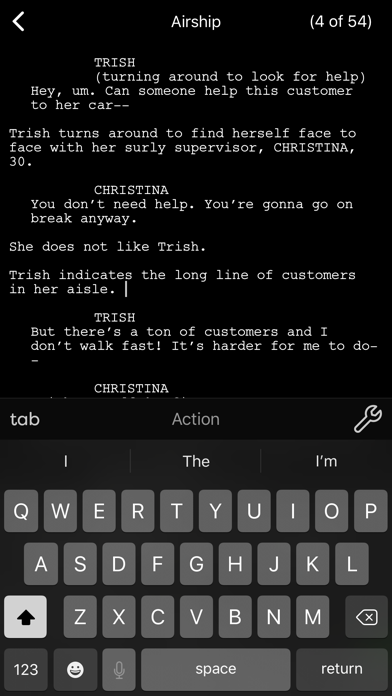
• Dark Mode
• Bug fixes
• Bug fixes
5.3.0
Sep 19, 2019
iOS 13 support.
5.2.1
Jun 17, 2019
• Bug fixes
5.2.0
May 13, 2019
• Improved SmartType
• Bug fixes
• Bug fixes
5.1.0
Mar 19, 2019
• Now supports more cloud services like OneDrive, Box
• Quicklook Preview
• More shortcuts for external keyboards
• Look and feel improvements
• Quicklook Preview
• More shortcuts for external keyboards
• Look and feel improvements
5.0.2
Nov 13, 2018
Added iPad Pro 11-inch support
5.0.1
Nov 6, 2018
• Added iPhone XR and XS Max support
• Bug fixes
• Bug fixes
Final Draft Mobile FAQ
Click here to learn how to download Final Draft Mobile in restricted country or region.
Check the following list to see the minimum requirements of Final Draft Mobile.
iPhone
Requires iOS 14.0 or later.
iPad
Requires iPadOS 14.0 or later.
iPod touch
Requires iOS 14.0 or later.
Final Draft Mobile supports English