FoneSign
Sign documents on a PC
Free
1.1.1for iPhone, iPad and more
Age Rating
FoneSign Screenshots
About FoneSign
* Product Overview
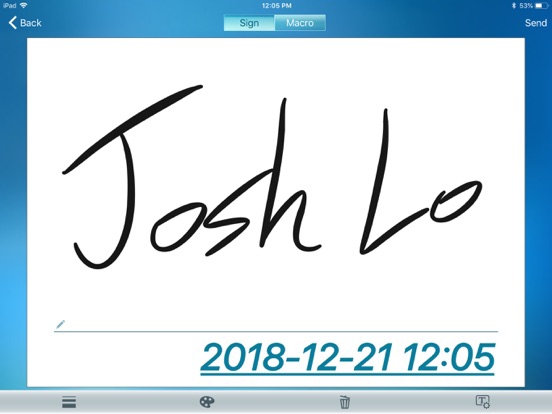
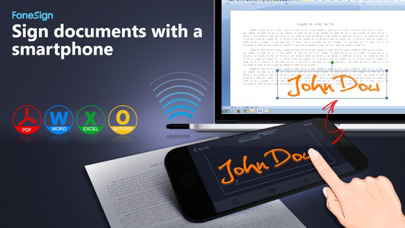
FoneSign is an efficient tool that facilitates users to sign documents with Smartphone. With Bluetooth wireless connection between Smartphone and PC, you can sign on Smartphone and transfer the signature to any documents on PC. FoneSign supports file formats such as PDF, Word, Excel, Images (JPEG, PNG, TIFF) and more. The FoneSign App can also convert images to PDF files. Besides, users can add date stamp and digital name for securing their signatures.
* Features
● Sign documents with your Smartphone
- Bluetooth wireless connection between PC and Smartphone instantly ready when powered on.
- With your Smartphone, you can sign documents directly on PC.
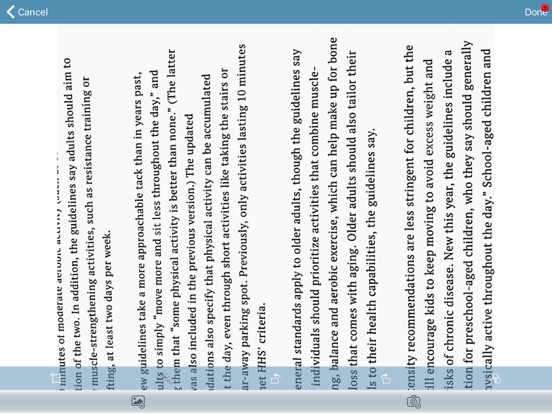
- FoneSign supports file formats such as PDF, Word, Excel, Images (JPEG, PNG, TIFF) and more.
- FoneSign App can convert images to PDF files.
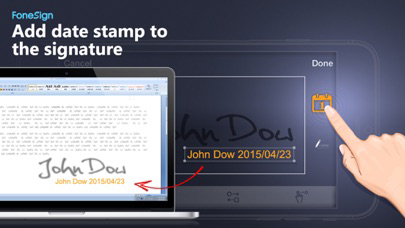
● Add date stamp to the signature
- Automatically add date stamp to the signature to minimize the chance of being misused.
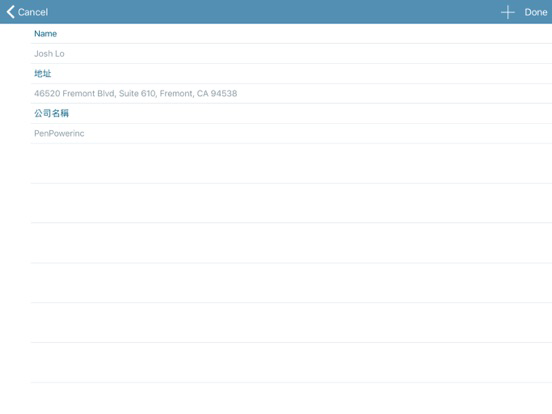
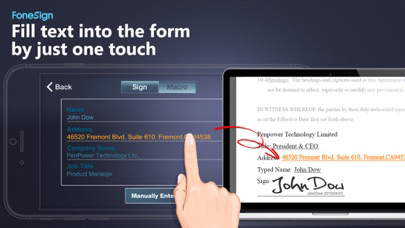
● Fill a pre-stored text into the form by just one touch
- By saving your frequently used information such as names, addresses, company names in your smartphone, you can fill these information into the form by just one touch without typing.
● Send the signed documents
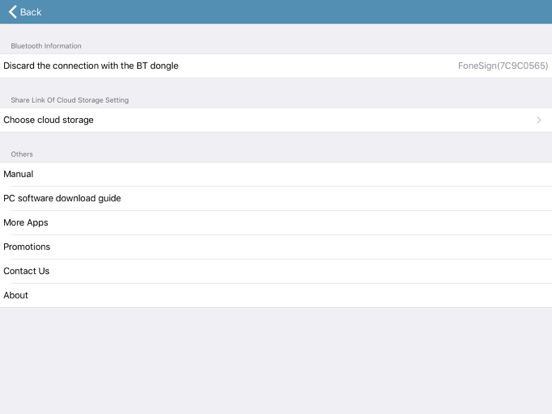
- Email the final document to anyone or save it to Dropbox, Google Drive, Evernote and more.
Note, the app must works with windows software via PenPower dongle.

FoneSign is an efficient tool that facilitates users to sign documents with Smartphone. With Bluetooth wireless connection between Smartphone and PC, you can sign on Smartphone and transfer the signature to any documents on PC. FoneSign supports file formats such as PDF, Word, Excel, Images (JPEG, PNG, TIFF) and more. The FoneSign App can also convert images to PDF files. Besides, users can add date stamp and digital name for securing their signatures.
* Features
● Sign documents with your Smartphone
- Bluetooth wireless connection between PC and Smartphone instantly ready when powered on.
- With your Smartphone, you can sign documents directly on PC.
- FoneSign supports file formats such as PDF, Word, Excel, Images (JPEG, PNG, TIFF) and more.
- FoneSign App can convert images to PDF files.
● Add date stamp to the signature
- Automatically add date stamp to the signature to minimize the chance of being misused.
● Fill a pre-stored text into the form by just one touch
- By saving your frequently used information such as names, addresses, company names in your smartphone, you can fill these information into the form by just one touch without typing.
● Send the signed documents
- Email the final document to anyone or save it to Dropbox, Google Drive, Evernote and more.
Note, the app must works with windows software via PenPower dongle.
Show More
What's New in the Latest Version 1.1.1
Last updated on Dec 28, 2018
Old Versions
- Bug fixes
Show More
Version History
1.1.1
Dec 28, 2018
- Bug fixes
1.1.0
Sep 12, 2016
- Digital date include hours and minutes(HH:MM).
1.0.2
Sep 30, 2015
- Digital date include hours and minutes(HH:MM).
1.0.1
May 1, 2015
- Improve performance
1.0.0
Apr 14, 2015
FoneSign FAQ
Click here to learn how to download FoneSign in restricted country or region.
Check the following list to see the minimum requirements of FoneSign.
iPhone
Requires iOS 9.0 or later.
iPad
Requires iPadOS 9.0 or later.
iPod touch
Requires iOS 9.0 or later.
FoneSign supports English, Japanese, Simplified Chinese, Traditional Chinese