Freehand input
Mobile phone for voice input
FreeOffers In-App Purchases
2.0.34for iPhone, iPad and more
Age Rating
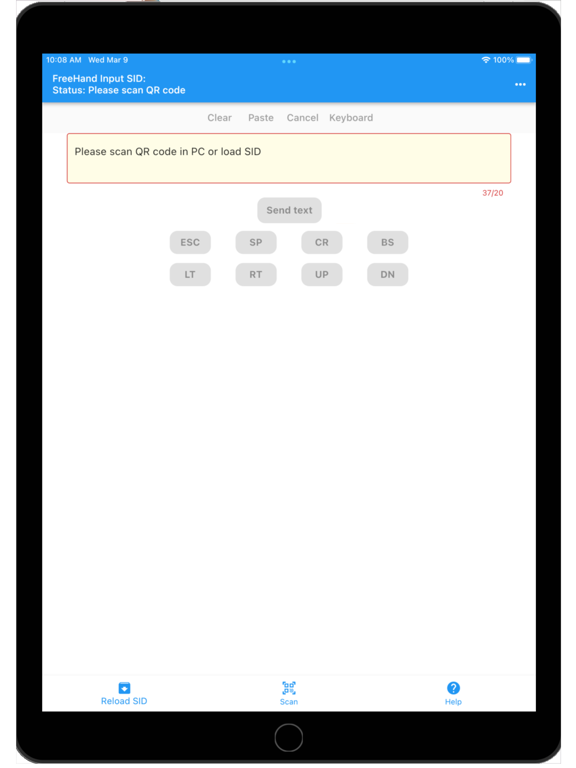
Freehand input Screenshots
About Freehand input
FreeHand Input (Input text from moble)
Computer settings:
Windows program: http://goappdev.com/download/
Website: http://fh.goappdev.com
Input steps:
1. Download the PC program
2. Execute the program
3. Open the mobile APP
4. Scan the QR CODE on the PC program
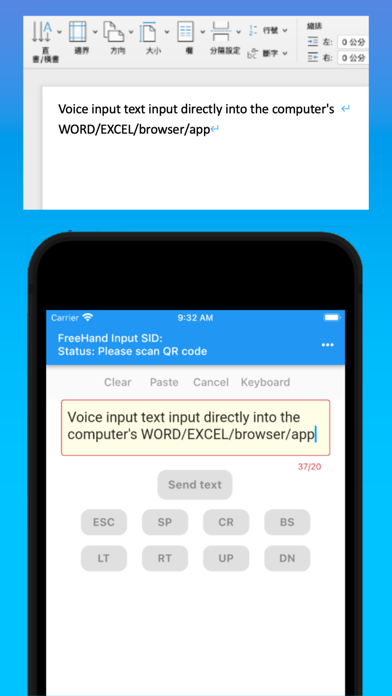
5. After successful connection, you can use the mobile phone as a writing pad or use voice input
6. Open the input file, browser or program
7. Enter text on the left phone
8. Press Send Text
9. The input text automatically appears on the computer
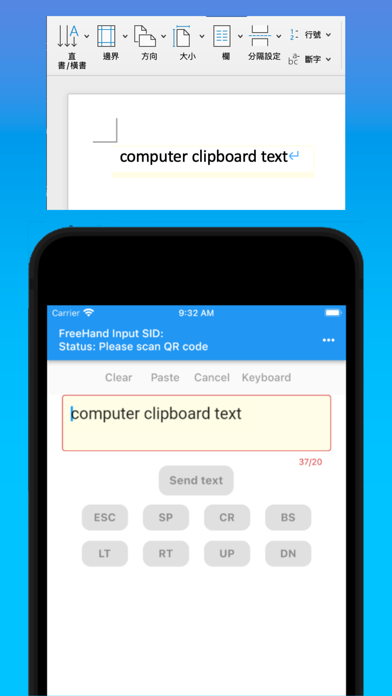
10. Text can also be copied on the computer
11. Press send on the computer program
12. The text automatically appears on the phone
Function descrition:
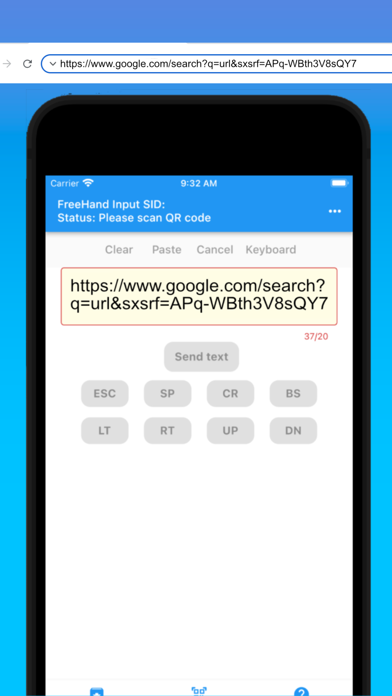
If you always require to send/receive text, message or url bewteen mobile device and computer.
If you want to use mobile device as handwriting pad or voice input device.
This app can help you to sened/receive clipboard text between mobile device and computer easily.
Just use the app to scan the QR code in computer program than you mobile device will connect to your computer.
You can send any text to your computer or copy the text in computer for send back to your mobile phone.
Also this app provided quick save and load function.
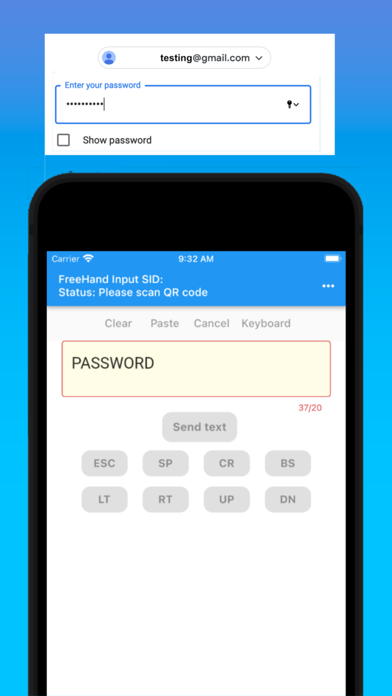
you can load the stored text or password for send out later.
Just few step to input the complicated password to your website in your computer.
After device connected, you just click the password field and press load and send button in you mobile device than the password be inputed automatically.
https://www.apple.com/legal/internet-services/itunes/dev/stdeula/

Computer settings:
Windows program: http://goappdev.com/download/
Website: http://fh.goappdev.com
Input steps:
1. Download the PC program
2. Execute the program
3. Open the mobile APP
4. Scan the QR CODE on the PC program
5. After successful connection, you can use the mobile phone as a writing pad or use voice input
6. Open the input file, browser or program
7. Enter text on the left phone
8. Press Send Text
9. The input text automatically appears on the computer
10. Text can also be copied on the computer
11. Press send on the computer program
12. The text automatically appears on the phone
Function descrition:
If you always require to send/receive text, message or url bewteen mobile device and computer.
If you want to use mobile device as handwriting pad or voice input device.
This app can help you to sened/receive clipboard text between mobile device and computer easily.
Just use the app to scan the QR code in computer program than you mobile device will connect to your computer.
You can send any text to your computer or copy the text in computer for send back to your mobile phone.
Also this app provided quick save and load function.
you can load the stored text or password for send out later.
Just few step to input the complicated password to your website in your computer.
After device connected, you just click the password field and press load and send button in you mobile device than the password be inputed automatically.
https://www.apple.com/legal/internet-services/itunes/dev/stdeula/
Show More
What's New in the Latest Version 2.0.34
Last updated on Aug 13, 2022
Old Versions
Bug fix
Show More
Version History
2.0.34
Aug 13, 2022
Bug fix
2.0.33
Apr 4, 2022
Bug fix
2.0.24
Apr 2, 2022
Bug fix
2.0
Mar 15, 2022
Freehand input FAQ
Click here to learn how to download Freehand input in restricted country or region.
Check the following list to see the minimum requirements of Freehand input.
iPhone
Requires iOS 9.0 or later.
iPad
Requires iPadOS 9.0 or later.
iPod touch
Requires iOS 9.0 or later.
Freehand input supports English
Freehand input contains in-app purchases. Please check the pricing plan as below:
FreeHand Input 隨手輸入
$5.99