Function Point

Function Point


Free

1.25.0for iPhone, iPod touch
2.7
15 Ratings
Function Point Productivity Software Inc.
Developer
10.1 MB
Size
Jun 29, 2020
Update Date
Productivity
Category
4+
Age Rating
Age Rating
4+
Apps in this category do not contain restricted content.
9+
Apps in this category may contain mild or occasional cartoon, fantasy or real-life violence, as well as occasional or mild adult, sexually suggestive or horrifying content and may not be suitable for children under 9 years of age.
12+
Apps in this category may contain occasional mild indecent language, frequent or intense cartoon or real-life violence, minor or occasional adult or sexually suggestive material, and simulated gambling, and may be for children under 12 years of age.
17+
You must be at least 17 years old to access this App.
Apps in this category may contain frequent and intense offensive language; Frequent and intense cartoon, fantasy or realistic violence: frequent and intense adult, scary and sexually suggestive subjects: as well as sexual content, nudity, tobacco, alcohol and drugs, may not be suitable for children under 17 years of age.
Function Point Screenshots
Function Point posterFunction Point posterFunction Point posterFunction Point posterFunction Point poster

About Function Point

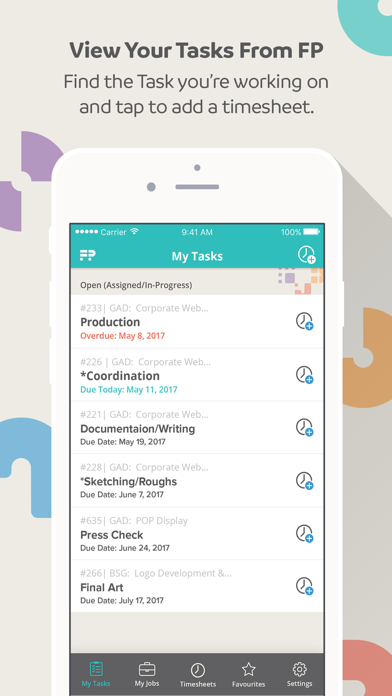
Connect your Function Point account with our iOS app to view your Tasks, track time, and stay organized throughout your workday.

Main Features:

+ Time Tracking:
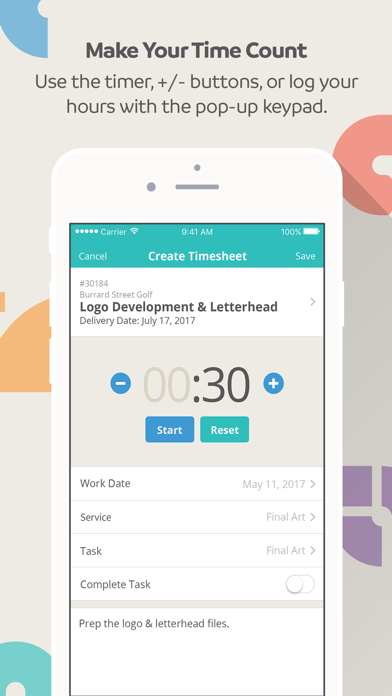
- Record hours in real-time or log your time whenever is most convenient (works both online and offline)

+ Task Organization:
- Know what you should be working on by viewing Tasks that are conveniently organized by due date

+ Workflow Automation:
- The status of Tasks automatically change from “assigned” to “in progress” in your Function Point system when you start tracking time to them

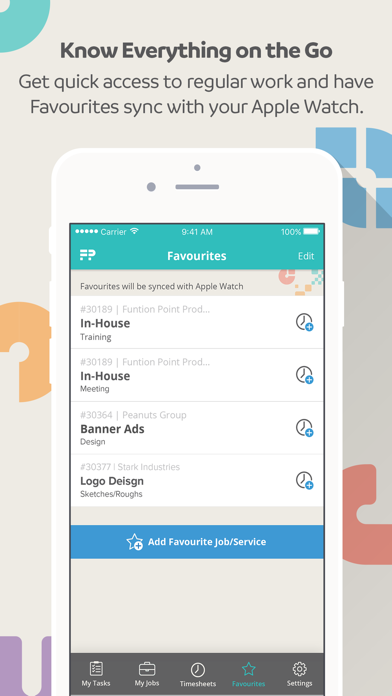
+ Favourites Tab:
- Get quick access to your priority Jobs in a dedicated section of the app

If you’re currently not a Function Point customer and you’re looking for a tool to help your agency be more productive, tap the ‘Developer’s Website’ link to find out more and book a demo with one of our awesome Account people.

Show More

What's New in the Latest Version 1.25.0

Last updated on Jun 29, 2020
Old Versions
Bug Fixes:

+ Fixes for various display, timer, timesheet bugs
Show More
Version History
1.25.0
Jun 29, 2020
Bug Fixes:

+ Fixes for various display, timer, timesheet bugs
1.24.0
Jul 27, 2017
New Features:

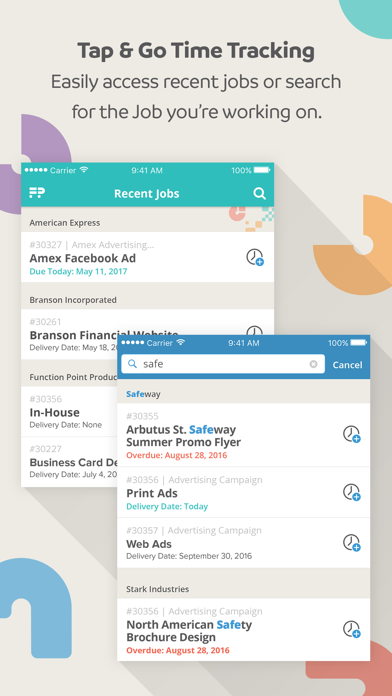
+ Use the search bar to find and track time to any open Job
+ Automatically see the most recent Jobs you've tracked time to in 'My Jobs'

Bug Fixes:

+ Fixes related to new Job search feature.
+ Improved behaviour when the app is minimized or goes offline
1.23.0
Jun 13, 2017
New Features:

+ Use the search bar to find and track time to any open Job
+ Automatically see the most recent Jobs you've tracked time to in 'My Jobs'

Bug Fixes:

+ Editing restricted for posted timesheets
+ Fix to timesheet editing to allow for proper cost and value updates
1.22.0
May 18, 2017
New Features:

+ Automatic refresh of Job and Task information
+ New login page UX

New Look & Feel:

+ The App has been updated with Function Point's new colours
1.20.5
Mar 28, 2017
New Features:

+ New UI, including a new navigation bar
+ Track time to Tasks, which are listed by earliest due date
+ Start tracking time to a Task and the status automatically changes from “assigned” to “in progress” in your Function Point system
+ Jobs are organized by client and arranged by due date
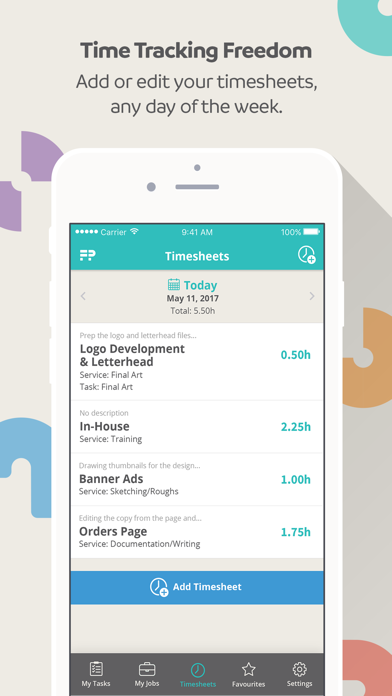
+ View timesheets organized by day
+ Edit and delete past timesheets
+ Manually input time on a timesheet using the pop-up keypad
+ Start the timer and fill out the rest of the timesheet details later

Fixed:

+ Jobs added to Favourites are now saved if you sign out of the app
+ Tasks from closed Jobs will no longer show up in your Task list
+ Timesheets can no longer be associated with the incorrect Service
+ The "Complete task" switch no longer resets itself when scrolled out of view
+ Several fixes relating to Task updates
1.20.4
Mar 13, 2017
New Features:

+ New UI, including a new navigation bar
+ Track time to Tasks, which are listed by earliest due date
+ Start tracking time to a Task and the status automatically changes from “assigned” to “in progress” in your Function Point system
+ Jobs are organized by client and arranged by due date
+ View timesheets organized by day
+ Edit and delete past timesheets
+ Manually input time on a timesheet using the pop-up keypad
+ Start the timer and fill out the rest of the timesheet details later

Fixed:

+ Jobs added to Favourites are now saved if you sign out of the app
+ Tasks from closed Jobs will no longer show up in your Task list
+ Timesheets can no longer be associated with the incorrect Service
+ The "Complete task" switch no longer resets itself when scrolled out of view
1.20.1
Feb 16, 2017
New Features:

+ New UI, including a new navigation bar
+ Track time to Tasks, which are listed by earliest due date
+ Start tracking time to a Task and the status automatically changes from “assigned” to “in progress” in your Function Point system
+ Jobs are organized by client and arranged by due date
+ View timesheets organized by day
+ Edit and delete past timesheets
+ Manually input time on a timesheet using the pop-up keypad
+ Start the timer and fill out the rest of the timesheet details later

Fixed:

+ Jobs added to Favourites are now saved if you sign out of the app
1.01
Feb 14, 2017
New Features:

+ New UI, including a new navigation bar
+ Track time to Tasks, which are listed by earliest due date
+ Start tracking time to a Task and the status automatically changes from “assigned” to “in progress” in your Function Point system
+ Jobs are organized by client and arranged by due date
+ View timesheets organized by day
+ Edit and delete past timesheets
+ Manually input time on a timesheet using the pop-up keypad
+ Start the timer and fill out the rest of the timesheet details later

Fixed:

+ Jobs added to Favourites are now saved if you sign out of the app
1.00
Sep 15, 2015

Function Point FAQ

Click here to learn how to download Function Point in restricted country or region.
Check the following list to see the minimum requirements of Function Point.
iPhone
Requires iOS 13.5 or later.
iPod touch
Requires iOS 13.5 or later.
Function Point supports English

Function Point Alternative

You May Also Like