GovSecure
Secure Voice & Messaging
Free
1.73.4for iPhone, iPod touch
Age Rating
GovSecure Screenshots
About GovSecure
GovSecure is a secure voice and messaging app for government backed by proven encryption standards.
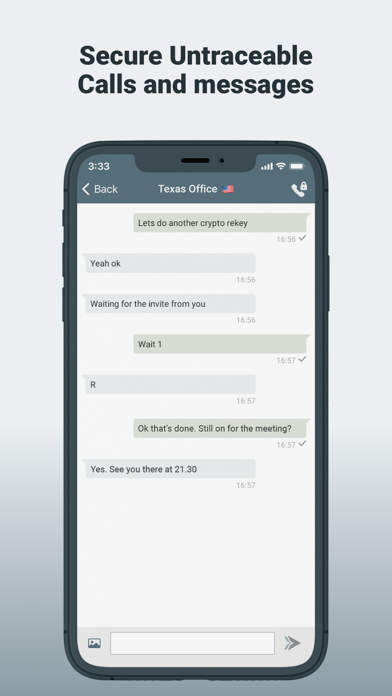
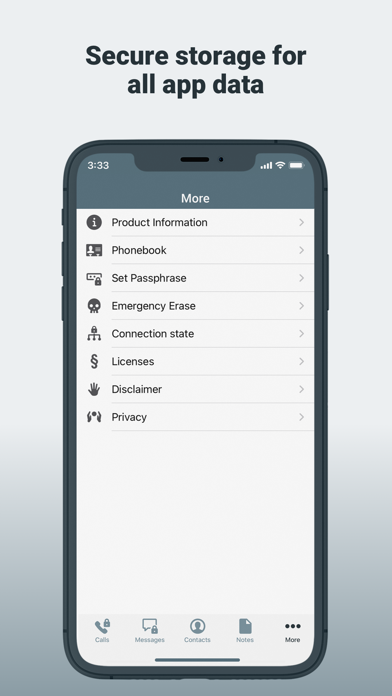
Secure Untraceable Calls over IP together with Secure IM Messages, plus Secure Storage for contacts, call history and messages.
- Secure Voice calls
- Secure IM messages
- Secure notes
- IP based phone number
- No meta-data retained
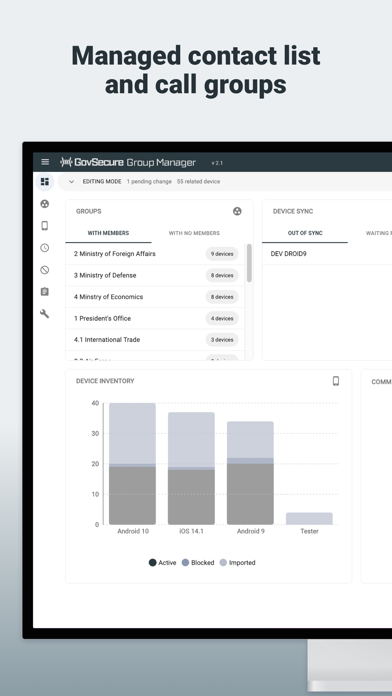
Group Manager allows for the centralized management of secure contacts and call groups in a way that reflects an organization’s communication structures.
- Group Management
- Device Management
- Restricted Call Groups
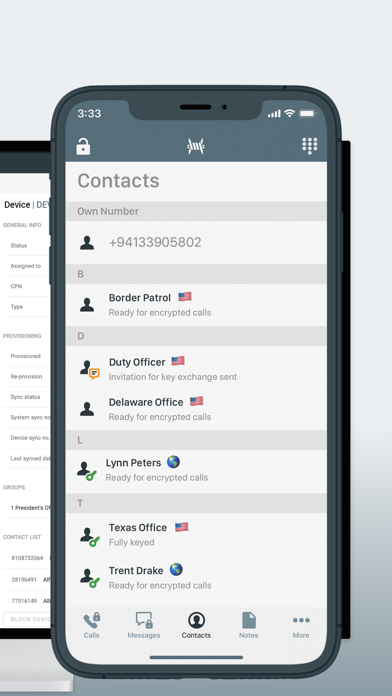
- Contacts Synchronization
Messages
- Untraceable point-to-point encrypted IM messages.
Timeline
- Controls the recording of incoming and outgoing encrypted call log.
Contacts
- Protect all your contact’s names, numbers and personal details.
Storage
- Encrypted storage protects data at rest against unauthorized access.
Secure Calls
- Secure untraceable encrypted calls over IP (not VoIP).
Secure Notes
- Encrypted storage to protect your personal notes.
For support, questions, or more information, please visit:
https://govsecure.app/support/

Secure Untraceable Calls over IP together with Secure IM Messages, plus Secure Storage for contacts, call history and messages.
- Secure Voice calls
- Secure IM messages
- Secure notes
- IP based phone number
- No meta-data retained
Group Manager allows for the centralized management of secure contacts and call groups in a way that reflects an organization’s communication structures.
- Group Management
- Device Management
- Restricted Call Groups
- Contacts Synchronization
Messages
- Untraceable point-to-point encrypted IM messages.
Timeline
- Controls the recording of incoming and outgoing encrypted call log.
Contacts
- Protect all your contact’s names, numbers and personal details.
Storage
- Encrypted storage protects data at rest against unauthorized access.
Secure Calls
- Secure untraceable encrypted calls over IP (not VoIP).
Secure Notes
- Encrypted storage to protect your personal notes.
For support, questions, or more information, please visit:
https://govsecure.app/support/
Show More
What's New in the Latest Version 1.73.4
Last updated on Jan 21, 2022
Old Versions
Minor update to improve compatibility with other platforms
Show More
Version History
1.73.4
Jan 21, 2022
Minor update to improve compatibility with other platforms
1.73.3
Nov 16, 2021
Fixed alignment of text and pictures in message stream
Added pop-up dialog for easier use of PBX conferencing
Improved error message if you fill in wrong activation code
Minor UI fixes
Added pop-up dialog for easier use of PBX conferencing
Improved error message if you fill in wrong activation code
Minor UI fixes
1.73.2
Sep 29, 2021
IMPROVEMENTS
- Add speaker option in call view
- Advanced settings to manually switch call mode and quality (comfort mode is default)
- User should not be able to delete prefix in dial view & add contact view
- Improve splash screen
- More screen: Introduced cleaner structure
- UI redesign of new More screen
- UI redesign of Settings submenu
- UI redesign of Information submenu
- UI redesign of locked state screen
- UI redesign of conferencing screens
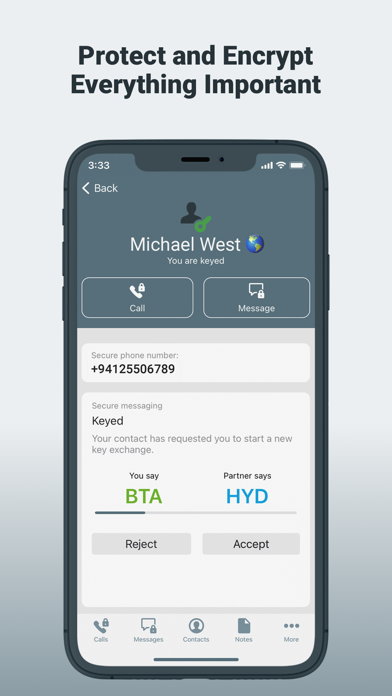
- UI redesign of contacts KEX process and status
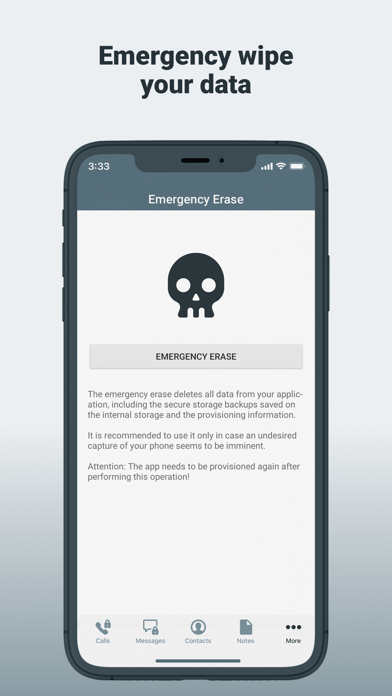
- UI redesign of emergence erase screen
- Allow to zoom into sent pictures when displaying them
- Option to save received images on device
- Make message input field more accessible for small devices
- Integrated new audio logic
- Improve small picture preview in stream
FIXES
- Incorrect blue color on some menu options
- Messages overview - accidentally greyed out contacts
- Updated call icon
- Updated call icon in messaging stream
- Fixed crashes during add to contact
- Tab bar not indicating online status
- Background colour overlays the tab bar on iPhoneX
- Bad audio quality while the partner is talking (came in with new audio logic)
- UI fixes on smaller devices (iPhone SE)
- Add speaker option in call view
- Advanced settings to manually switch call mode and quality (comfort mode is default)
- User should not be able to delete prefix in dial view & add contact view
- Improve splash screen
- More screen: Introduced cleaner structure
- UI redesign of new More screen
- UI redesign of Settings submenu
- UI redesign of Information submenu
- UI redesign of locked state screen
- UI redesign of conferencing screens
- UI redesign of contacts KEX process and status
- UI redesign of emergence erase screen
- Allow to zoom into sent pictures when displaying them
- Option to save received images on device
- Make message input field more accessible for small devices
- Integrated new audio logic
- Improve small picture preview in stream
FIXES
- Incorrect blue color on some menu options
- Messages overview - accidentally greyed out contacts
- Updated call icon
- Updated call icon in messaging stream
- Fixed crashes during add to contact
- Tab bar not indicating online status
- Background colour overlays the tab bar on iPhoneX
- Bad audio quality while the partner is talking (came in with new audio logic)
- UI fixes on smaller devices (iPhone SE)
1.0
Apr 1, 2021
GovSecure FAQ
Click here to learn how to download GovSecure in restricted country or region.
Check the following list to see the minimum requirements of GovSecure.
iPhone
Requires iOS 14.7 or later.
iPod touch
Requires iOS 14.7 or later.
GovSecure supports English