HiProx Multi
Free
1.11for iPhone
Age Rating
HiProx Multi Screenshots
About HiProx Multi
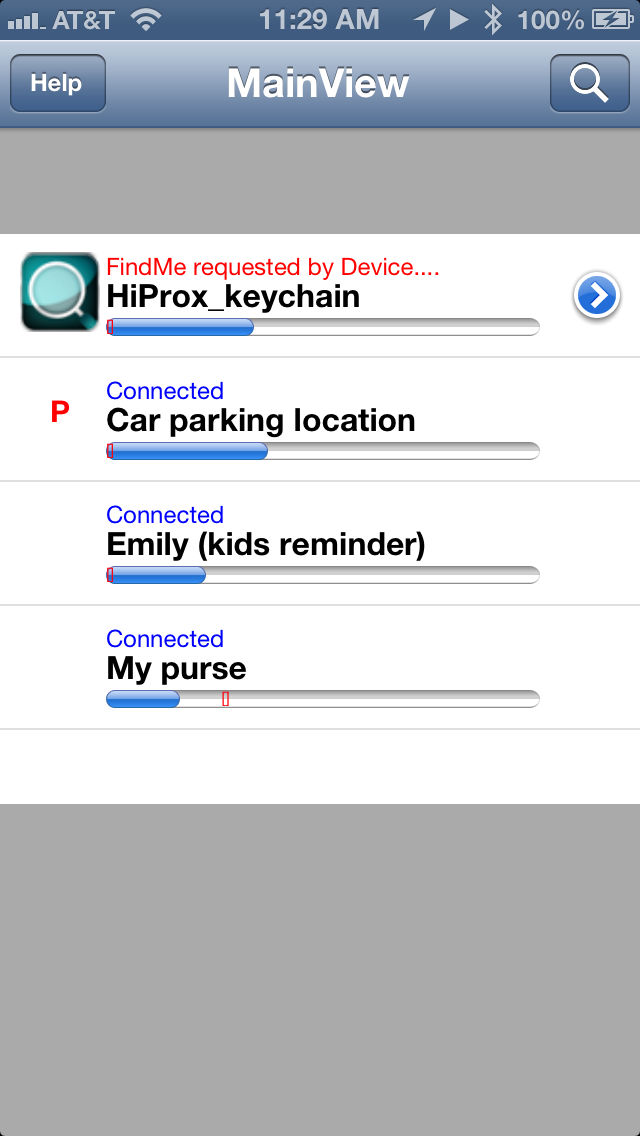
A Bluetooth 4.0 Low Energy application for connecting with any BLE smart wireless devices (support up to 4 smart tags) for immediate, reliable alert and proximity functions. This will provide peace of mind for protecting your iPhone / iPad and Key Tag (i.e. car key, kids or purse / wallet / Passport or any valuables...). The App provides a two way "FindMe" function for locating your iPhone and Key Tag and will automatically (or manually) set Map locations for your important places (i.e. car parking location; or last missing item location).
Key Features:
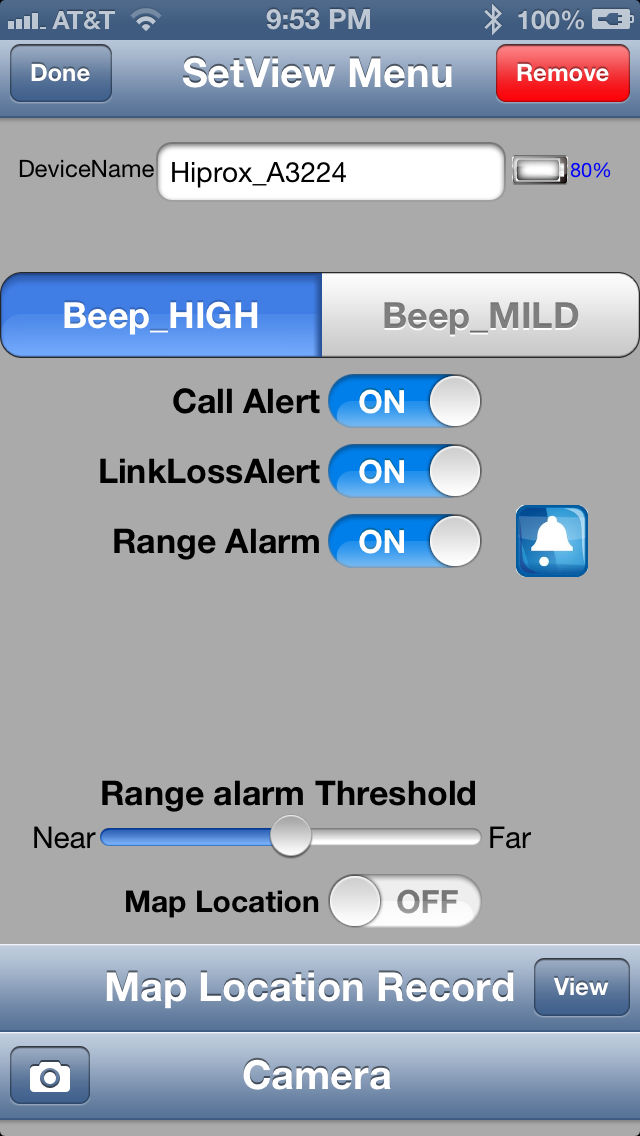
- Support multiple BLE smart devices (Maximum 4 tags), each tag can be configured individually for different application.
- User definable alerting distane.
- Two way FindMe function for iPhone / iPad and Key Tag.
- Automatically reconnect each tag to iPhone / iPad after wakeup from sleep mode.
- Call alert service from the Key Tag in noisy environment or if the iPhone is on mute mode. When a call comes in, the Key Tag will provide a call alert to the user. (Call alert service can be audio, vibrate, or color lights to remind the user).
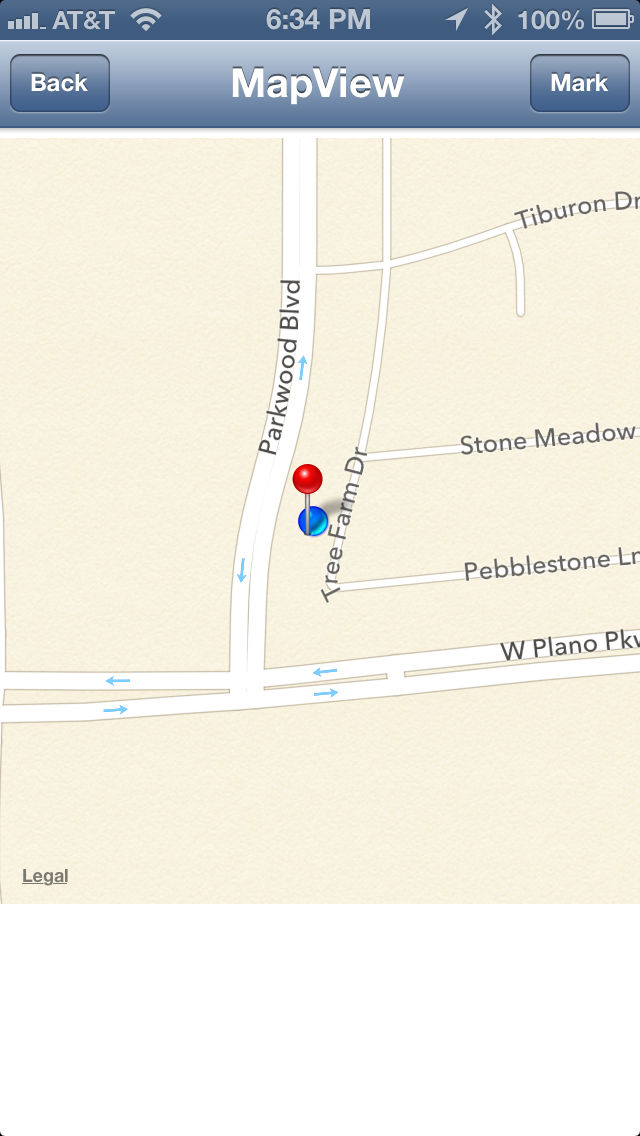
- Automatically set Map location for user when iPhone and Key Tag are out of the "Link Loss" range (i.e. for Can Finder or last missing items locations). If the user does not use the Key Tag "Link Loss" for automatically set functions, you can manually use the App to enable set Map functions for the "PlaceMarkPin" setting. The App will show 'P' message to remind you that smart tag has Map location for you to review.
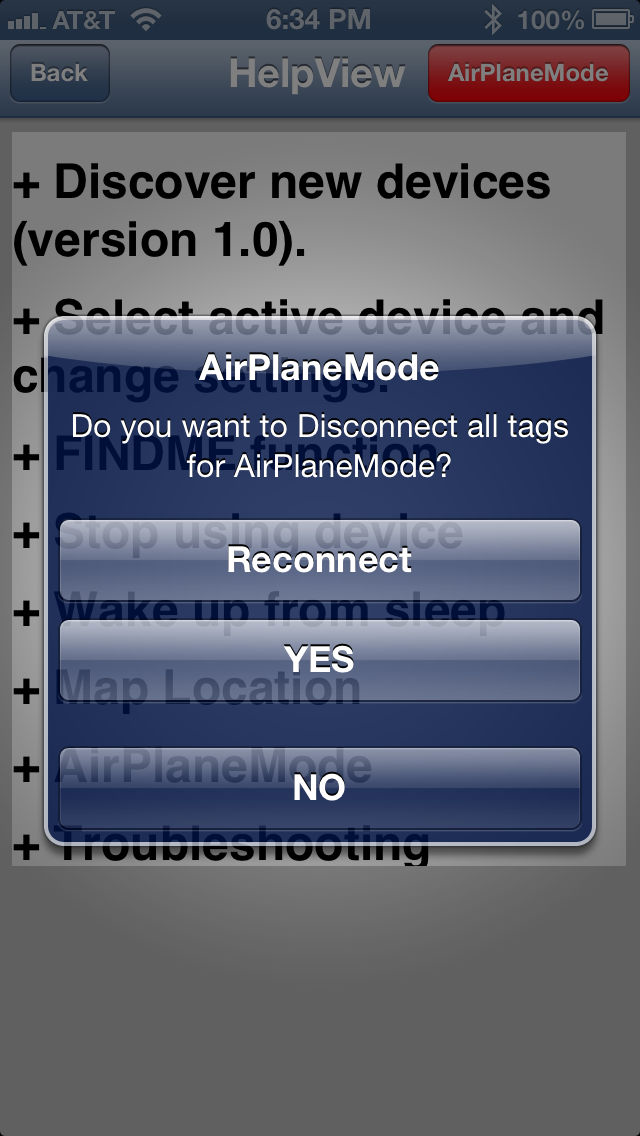
- Support "Airplane Mode".
- Customizable “Alert Tones” for each tag.
- Support “Photo and video capture” remote control functions. You can capture up to 100 photo images from BLE smart tag’s remote control button (limited by your smartphone memory and battery life).
- Built-in advance power saving mode and reliable connection with high sensibility. (Hardware Feature, only optimized for SB10 BLE Smart Tag for maximum power conservation and security).
Special Notes:
- iPhone 5, iPhone 4S, iPod Touch 5th generation or the new iPad is required for Bluetooth Smart functionality.
- iOS 6 require for Multi-tags and "Find my phone" to work.
- Continue use of GPS running in the background can dramatically decrease battery life.

Key Features:
- Support multiple BLE smart devices (Maximum 4 tags), each tag can be configured individually for different application.
- User definable alerting distane.
- Two way FindMe function for iPhone / iPad and Key Tag.
- Automatically reconnect each tag to iPhone / iPad after wakeup from sleep mode.
- Call alert service from the Key Tag in noisy environment or if the iPhone is on mute mode. When a call comes in, the Key Tag will provide a call alert to the user. (Call alert service can be audio, vibrate, or color lights to remind the user).
- Automatically set Map location for user when iPhone and Key Tag are out of the "Link Loss" range (i.e. for Can Finder or last missing items locations). If the user does not use the Key Tag "Link Loss" for automatically set functions, you can manually use the App to enable set Map functions for the "PlaceMarkPin" setting. The App will show 'P' message to remind you that smart tag has Map location for you to review.
- Support "Airplane Mode".
- Customizable “Alert Tones” for each tag.
- Support “Photo and video capture” remote control functions. You can capture up to 100 photo images from BLE smart tag’s remote control button (limited by your smartphone memory and battery life).
- Built-in advance power saving mode and reliable connection with high sensibility. (Hardware Feature, only optimized for SB10 BLE Smart Tag for maximum power conservation and security).
Special Notes:
- iPhone 5, iPhone 4S, iPod Touch 5th generation or the new iPad is required for Bluetooth Smart functionality.
- iOS 6 require for Multi-tags and "Find my phone" to work.
- Continue use of GPS running in the background can dramatically decrease battery life.
Show More
What's New in the Latest Version 1.11
Last updated on Oct 16, 2015
Old Versions
- iOS 9 UUID and localization string bugs fixed
-iOS 9 compatible update note:
Step 1: Please “Forget This Device” from your iPhone Bluetooth setting
Step 2: Re-scan your BLE tag again
-iOS 9 compatible update note:
Step 1: Please “Forget This Device” from your iPhone Bluetooth setting
Step 2: Re-scan your BLE tag again
Show More
Version History
1.11
Oct 16, 2015
- iOS 9 UUID and localization string bugs fixed
-iOS 9 compatible update note:
Step 1: Please “Forget This Device” from your iPhone Bluetooth setting
Step 2: Re-scan your BLE tag again
-iOS 9 compatible update note:
Step 1: Please “Forget This Device” from your iPhone Bluetooth setting
Step 2: Re-scan your BLE tag again
1.10
Nov 3, 2014
- Support iOS 8.1
- Optimize for iPhone 6 and iPhone 6 Plus
1.09
Mar 15, 2014
- fixed GPS and iOS 7 compatible bug
1.08
Nov 14, 2013
- Out of range alert bug fixed
- Add Traditional Chinese Language support
1.07
Nov 4, 2013
- Bug fixed and performance improvement
- compatible with iOS
1.06
Oct 28, 2013
-Bug fixed and improve performance
1.05
Aug 14, 2013
-Support Full Screen Photo function
-Bug Fixed
-Bug Fixed
V1.04
Jun 3, 2013
- Add customizable “Alert Tones” for each tag.
- Add “Photo capture” remote control function. You can capture up to 100 photo images from BLE smart tag’s remote control button (limited by your smartphone memory and battery life).
- Minor bug fixed
- Add “Photo capture” remote control function. You can capture up to 100 photo images from BLE smart tag’s remote control button (limited by your smartphone memory and battery life).
- Minor bug fixed
1.03
Apr 2, 2013
- iOS 6.1 performance optimization
- Minor bug fixed
- Minor bug fixed
1.02
Mar 10, 2013
- Add Traditional Chinese language and Japanese Language support
- Minor bug fixes
- Minor bug fixes
1.01
Jan 22, 2013
-Minor bugs fixed
-Improve performance and stability
1.00
Jan 11, 2013
HiProx Multi FAQ
Click here to learn how to download HiProx Multi in restricted country or region.
Check the following list to see the minimum requirements of HiProx Multi.
iPhone
HiProx Multi supports Chinese, English, Japanese