If you have ever built a home from scratch, you know that organisation is the key to success; You need to know what is happening now, what is planned for next week, and even when something was installed a few weeks back.
There are a lot of Construction Management Systems (CMS) out there, but none are built for ease of use, in the field, as well as the Apps from iBuild.Property.
This version, made only for the iPhone, is the start of a raft of products that the humble and under-appreciated project manager (aka, construction supervisor) will be able to use either on it's own or in conjunction with other applications supplied by your employer. Use iBuild to set your schedule, in a visual and easy-to-understand way (i.e. a calendar), then transfer those dates into your CMS.
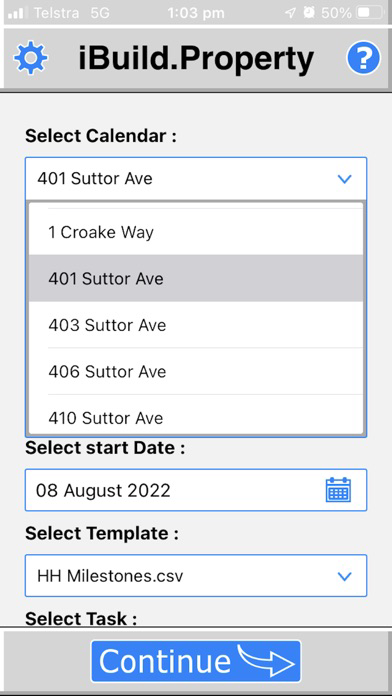
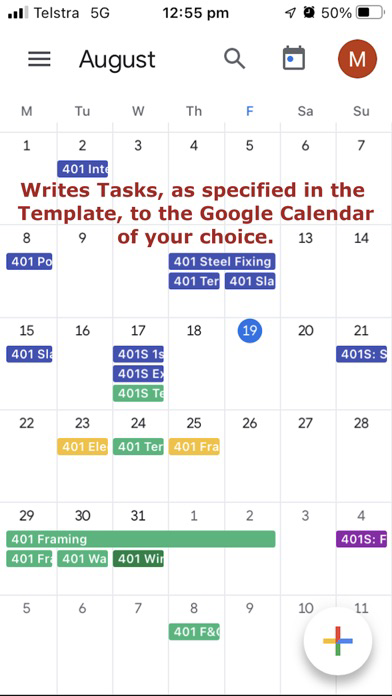
The Calendar Edition of iBuild.Property makes use of Google Calendars. Templates you can easily create are processed to make Events (Tasks) in a Calendar of your choice. Special Tasks can be highlighted in a special color. Press Go and your entire build project is laid out in a shareable Google calendar that can be viewed on any supported platform, include on a desktop computer. Just head to http:\\calendar.google.com to view the results. Then you have the flexibility to move Tasks around as things change on that specific project, change their color when they are completed, or delete them if they don't apply to a particular build.
Although this App was created for the home construction industry in mind, the Templates can contain any description of Tasks. So if you are managing projects that follow a regular, pre-defined, set series of Tasks, this App can be helpful to create a calendar of events that can be shared with team members or even clients. You control who sees your Google Calendar.
Coming soon, an iPad version that lets you view multiple Google Calendars in the App, send booking emails out to trades/suppliers, confirm a Task is done, and move Tasks which are also aware of dependencies, so subsequent Tasks are also moved, automatically.