Immiloop

Immiloop


Free

1.2for iPhone, iPod touch
9.9
2 Ratings
Rajanpreet Singh
Developer
47.5 MB
Size
Jan 12, 2023
Update Date
News
Category
4+
Age Rating
Age Rating
4+
Apps in this category do not contain restricted content.
9+
Apps in this category may contain mild or occasional cartoon, fantasy or real-life violence, as well as occasional or mild adult, sexually suggestive or horrifying content and may not be suitable for children under 9 years of age.
12+
Apps in this category may contain occasional mild indecent language, frequent or intense cartoon or real-life violence, minor or occasional adult or sexually suggestive material, and simulated gambling, and may be for children under 12 years of age.
17+
You must be at least 17 years old to access this App.
Apps in this category may contain frequent and intense offensive language; Frequent and intense cartoon, fantasy or realistic violence: frequent and intense adult, scary and sexually suggestive subjects: as well as sexual content, nudity, tobacco, alcohol and drugs, may not be suitable for children under 17 years of age.
Immiloop Screenshots
Immiloop posterImmiloop posterImmiloop posterImmiloop posterImmiloop posterImmiloop posterImmiloop poster

About Immiloop

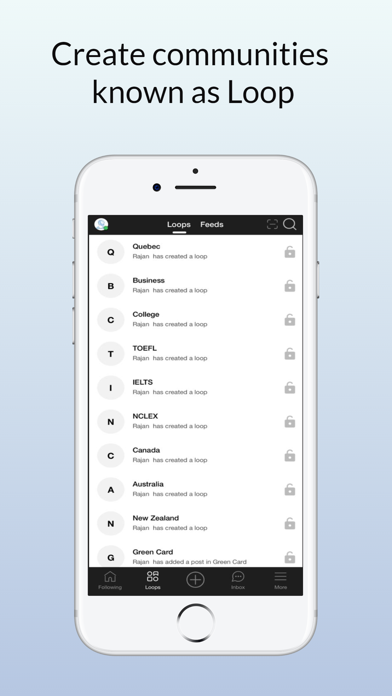
Immiloop is the right platform for the people of immigration interests. It is the first application focusing on all immigration categories. Users can create communities known as Loop. In loop, users can add or save topic(s). Also, they can share their loop with like-minded individuals, coworkers, team members, etc…

The app has an array of features which will increase its usage and attractiveness for the user. From the landing page to the navigation, Immiloop has a classic appearance and and a paced working.

Now, moving on to the other features present in Immiloop:

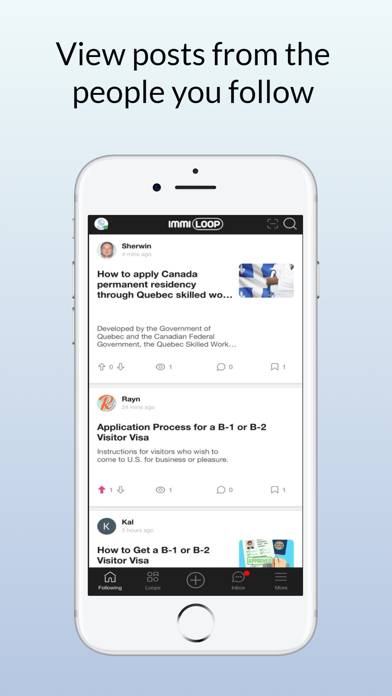
• Following (Home page): This section is the homepage of the app. Users can follow the accounts of the individuals they find relatable interest with and in this section one can view all their followed accounts.

• Search: This section is to search for posts on any specific categories such as tourist visa, student visa, sponsor family member, etc.

• Create – You can create Post and Loop.
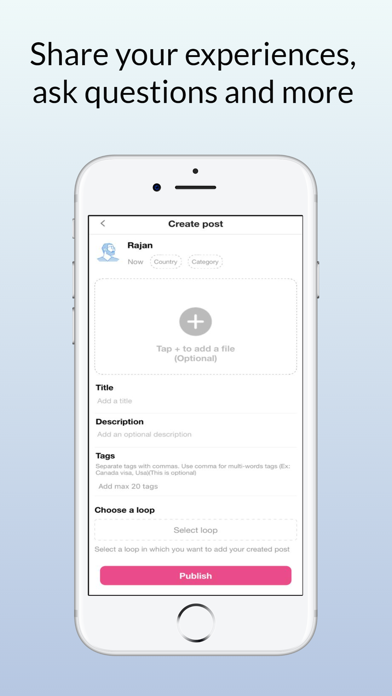
Create Post: This section is to ease the addition of the posts and make them visible to the user.
Create loop: In this section, users can create communities and can add or save post(s), which can be accessed at any time. In addition, users can share their loop with like-minded individuals, coworkers, team members, etc…

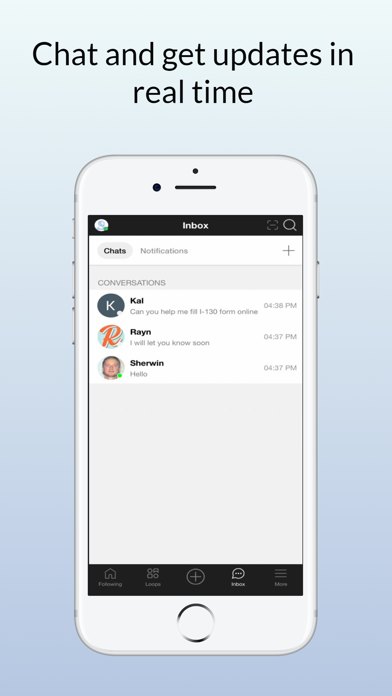
• Inbox – It has two parts:
Chat page: In this section, users will be able to engage in conversation with other users in the form of one-on-one or group chatting. 
Notifications: Users will have the option to turn on/off notifications for the app such as likes, comments, etc… This is to get an on-time notification on any update in the app, or any likes and comments on the post.

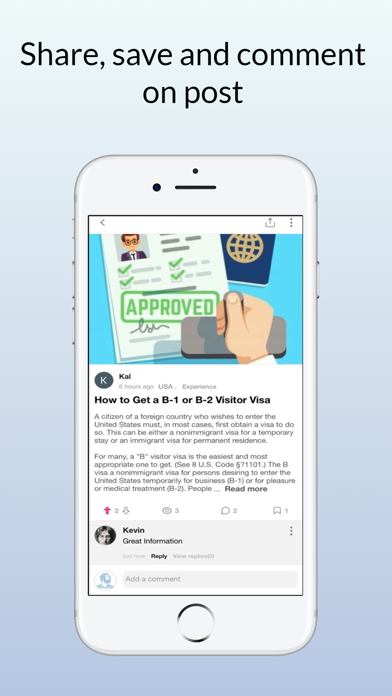
• Details page: In this section, detailed information/description can be accessed for any post, which is available in the feed. This section also contains all the comments regarding the post and everything which has been added.
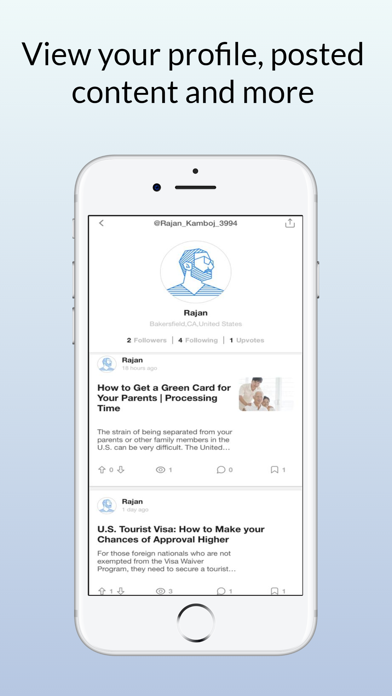
• Profile page: In this section, a user will be able to see created posts which have been added to public loops, your followers, who you are following, and how many likes you have received on your individual posts. 
• Sharing: In this section, there are two different variations as follows:
 In the App: While sharing any post in the app, the users have access to three different features. First, the user can share the posts in public loops. Second, the user can keep the post private by creating a private loop. Third, the user has the option to share the post with specific individuals only by inviting members to the private loop. 
Out of the App: On opening the details of any post, there is an option available for out of app sharing. With this, the user can select the other media handles by which they want to share the post.

In conclusion, not only does the app have these smooth and fast working features, but the app can also be registered using Google, Facebook, and Apple accounts. Furthermore, the app has high security ensured with spam-proof performance. Users can report irrelevant content using the report feature, where the moderation team further investigates the posts integrity. 

For further information/comments, please feel free to reach out to us at support@immiloop.com

Show More

What's New in the Latest Version 1.2

Last updated on Jan 12, 2023
Old Versions
- Minor bug fixes and enhancements.
Show More
Version History
1.2
Jan 12, 2023
- Minor bug fixes and enhancements.
1.1
Dec 24, 2022
Now, moving on to the other features present in Immiloop:

• Following (Home page): This section is the homepage of the app. Users can follow the accounts of the individuals they find relatable interest with and in this section one can view all their followed accounts.

• Search: This section is to search for posts on any specific categories such as tourist visa, student visa, sponsor family member, etc.

• Create – You can create Post and Loop.
Create Post: This section is to ease the addition of the posts and make them visible to the user.
Create loop: In this section, users can create communities and can add or save post(s), which can be accessed at any time. In addition, users can share their loop with like-minded individuals, coworkers, team members, etc…

• Inbox – It has two parts:
Chat page: In this section, users will be able to engage in conversation with other users in the form of one-on-one or group chatting. 
Notifications: Users will have the option to turn on/off notifications for the app such as likes, comments, etc… This is to get an on-time notification on any update in the app, or any likes and comments on the post.

• Details page: In this section, detailed information/description can be accessed for any post, which is available in the feed. This section also contains all the comments regarding the post and everything which has been added.
• Profile page: In this section, a user will be able to see created posts which have been added to public loops, your followers, who you are following, and how many likes you have received on your individual posts. 
• Sharing: In this section, there are two different variations as follows:
 In the App: While sharing any post in the app, the users have access to three different features. First, the user can share the posts in public loops. Second, the user can keep the post private by creating a private loop. Third, the user has the option to share the post with specific individuals only by inviting members to the private loop. 
Out of the App: On opening the details of any post, there is an option available for out of app sharing. With this, the user can select the other media handles by which they want to share the post.
1.0.4
Jan 18, 2021
We update regularly for better user experience.

Fixed other profile list size issue.
1.0.3
Dec 22, 2020
We update regularly for better user experience.

Small bug fixes and UI improvements.
1.0.2
Dec 19, 2020
Improved post upload section.
1.0.1
Dec 17, 2020
This update include improvements for your better experience.
1.0
Dec 16, 2020

Immiloop FAQ

Click here to learn how to download Immiloop in restricted country or region.
Check the following list to see the minimum requirements of Immiloop.
iPhone
Requires iOS 11.0 or later.
iPod touch
Requires iOS 11.0 or later.
Immiloop supports English

Immiloop Alternative

You May Also Like