LookHere!
$149.99
4.8for iPhone, iPad
Age Rating
LookHere! Screenshots
About LookHere!
The mobile tool to have your photos organized into a structured PDF, in real time as you take them.
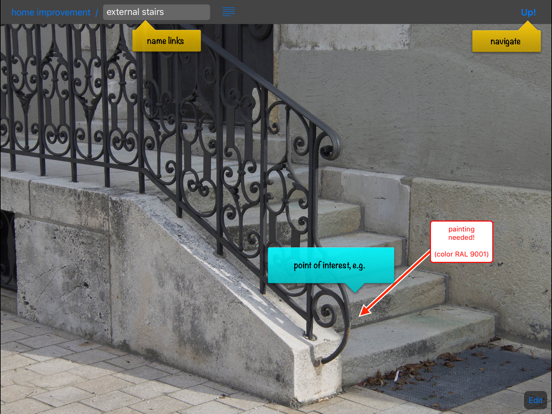
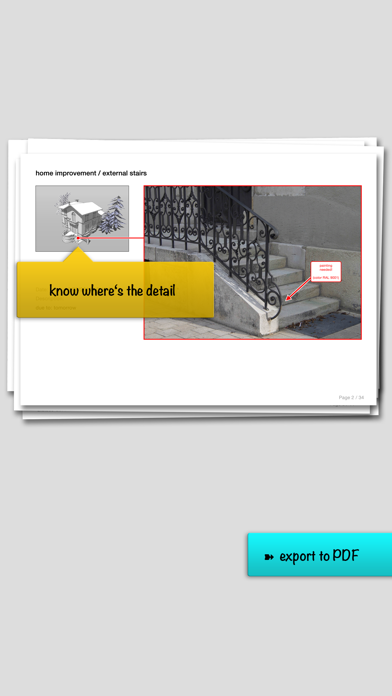
LookHere! is an application for taking photos and putting them into their visual context right on site.
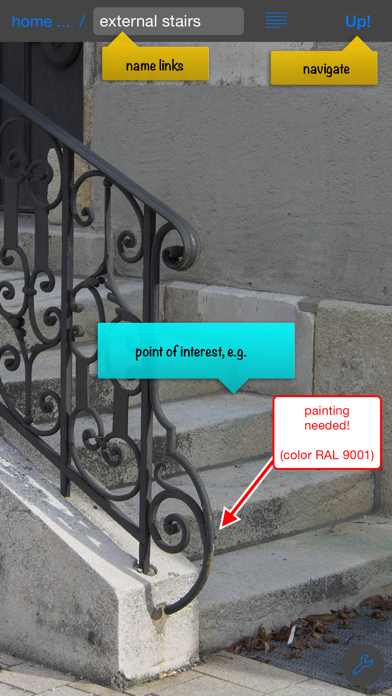
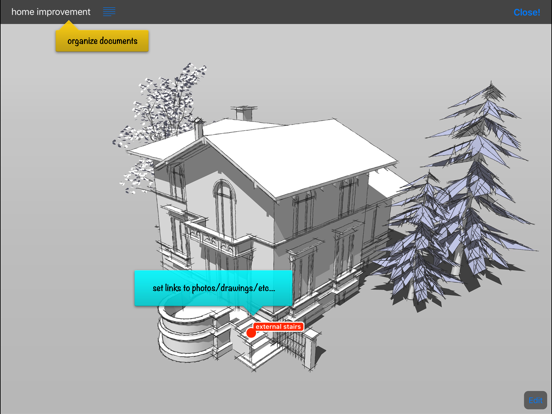
At any time, you can add images from your albums, write descriptions, pin notes, draw arrows, and add dimensions.
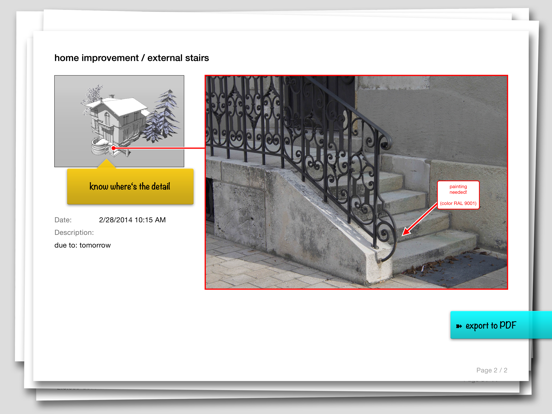
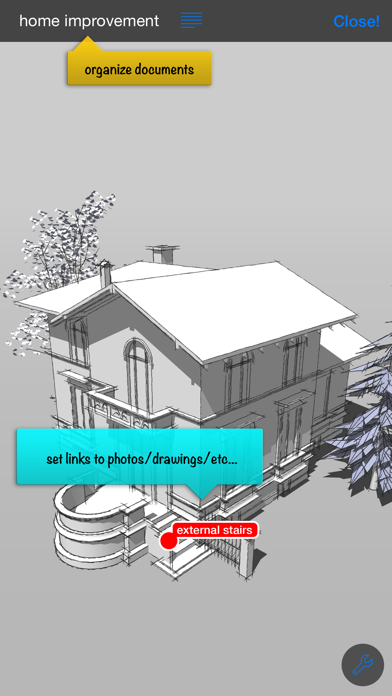
Photos are organized in their individual context - even using maps, plans, screenshots (and much more). LookHere! creates an illustrated protocol.
Finally you can share a navigable PDF document.
We built LookHere!, because we wanted to eliminate the time consuming and error prone process of organizing photos after we took them on site.
For details, a live demo, and a sample PDF, please visit www.lookhere.pro.

LookHere! is an application for taking photos and putting them into their visual context right on site.
At any time, you can add images from your albums, write descriptions, pin notes, draw arrows, and add dimensions.
Photos are organized in their individual context - even using maps, plans, screenshots (and much more). LookHere! creates an illustrated protocol.
Finally you can share a navigable PDF document.
We built LookHere!, because we wanted to eliminate the time consuming and error prone process of organizing photos after we took them on site.
For details, a live demo, and a sample PDF, please visit www.lookhere.pro.
Show More
What's New in the Latest Version 4.8
Last updated on Apr 23, 2026
Old Versions
PDF/A Export
Export documents in the ISO standard for long-term archiving. PDF/A ensures audit-proof, legally compliant records – essential for expert reports, construction files, evidence documentation, incident reports, and official proceedings (the creation of documents in the PDF/A format requires at least iOS14).
New Luminosity Icons
A refreshed icon set for a cleaner, more modern look.
Further Improvements
- Toolbar labels are now hidden on iPhone in portrait mode for a cleaner layout
- Fixed a two-column layout issue on iPad mini
- Board Lens title now always appears in black for better readability across all color themes
And we fixed a few minor bugs that nobody noticed, but that still kept us up at night.
Export documents in the ISO standard for long-term archiving. PDF/A ensures audit-proof, legally compliant records – essential for expert reports, construction files, evidence documentation, incident reports, and official proceedings (the creation of documents in the PDF/A format requires at least iOS14).
New Luminosity Icons
A refreshed icon set for a cleaner, more modern look.
Further Improvements
- Toolbar labels are now hidden on iPhone in portrait mode for a cleaner layout
- Fixed a two-column layout issue on iPad mini
- Board Lens title now always appears in black for better readability across all color themes
And we fixed a few minor bugs that nobody noticed, but that still kept us up at night.
Show More
Version History
4.8
Apr 23, 2026
PDF/A Export
Export documents in the ISO standard for long-term archiving. PDF/A ensures audit-proof, legally compliant records – essential for expert reports, construction files, evidence documentation, incident reports, and official proceedings (the creation of documents in the PDF/A format requires at least iOS14).
New Luminosity Icons
A refreshed icon set for a cleaner, more modern look.
Further Improvements
- Toolbar labels are now hidden on iPhone in portrait mode for a cleaner layout
- Fixed a two-column layout issue on iPad mini
- Board Lens title now always appears in black for better readability across all color themes
And we fixed a few minor bugs that nobody noticed, but that still kept us up at night.
Export documents in the ISO standard for long-term archiving. PDF/A ensures audit-proof, legally compliant records – essential for expert reports, construction files, evidence documentation, incident reports, and official proceedings (the creation of documents in the PDF/A format requires at least iOS14).
New Luminosity Icons
A refreshed icon set for a cleaner, more modern look.
Further Improvements
- Toolbar labels are now hidden on iPhone in portrait mode for a cleaner layout
- Fixed a two-column layout issue on iPad mini
- Board Lens title now always appears in black for better readability across all color themes
And we fixed a few minor bugs that nobody noticed, but that still kept us up at night.
LookHere! FAQ
Click here to learn how to download LookHere! in restricted country or region.
Check the following list to see the minimum requirements of LookHere!.
iPhone
iPad