MeToDo Task Manager

MeToDo Task Manager


Free

1.7for iPhone, iPad
Age Rating
4+
Apps in this category do not contain restricted content.
9+
Apps in this category may contain mild or occasional cartoon, fantasy or real-life violence, as well as occasional or mild adult, sexually suggestive or horrifying content and may not be suitable for children under 9 years of age.
12+
Apps in this category may contain occasional mild indecent language, frequent or intense cartoon or real-life violence, minor or occasional adult or sexually suggestive material, and simulated gambling, and may be for children under 12 years of age.
17+
You must be at least 17 years old to access this App.
Apps in this category may contain frequent and intense offensive language; Frequent and intense cartoon, fantasy or realistic violence: frequent and intense adult, scary and sexually suggestive subjects: as well as sexual content, nudity, tobacco, alcohol and drugs, may not be suitable for children under 17 years of age.
MeToDo Task Manager Screenshots
MeToDo Task Manager posterMeToDo Task Manager posterMeToDo Task Manager posterMeToDo Task Manager poster
MeToDo Task Manager posterMeToDo Task Manager posterMeToDo Task Manager posterMeToDo Task Manager posterMeToDo Task Manager poster

About MeToDo Task Manager

MeToDo Task Manager: Your Ideal Tool for Task Management

MeToDo Task Manager brings a revolutionary approach to managing your daily tasks and projects. Available on both mobile devices and computers, this application ensures that your tasks are always synchronized and within reach, no matter where you are.

Key Features:

- Synchronization Across Devices: With automatic synchronization between devices, MeToDo is perfect for those always on the move. Your tasks and plans remain up-to-date and accessible across all your devices.
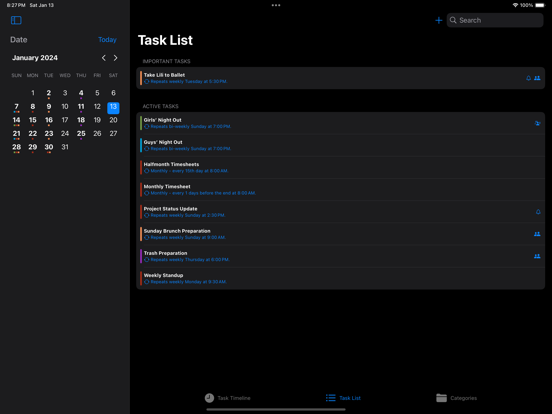
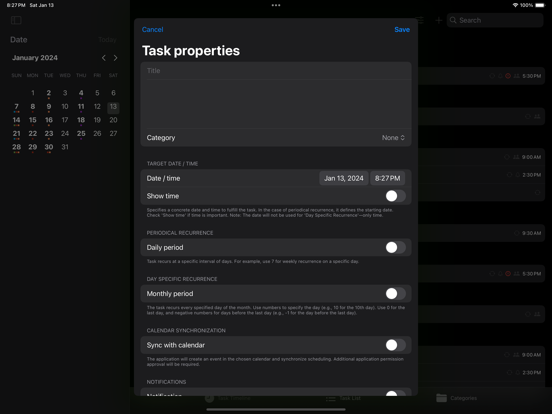
- Advanced Recurring Tasks: Set up regular task repetitions with unparalleled flexibility. MeToDo allows you to schedule tasks daily, weekly, monthly, or according to your own custom pattern, making it ideal for everything from daily routines to complex projects.
- Monthly and Non-Standard Planning: Plan tasks for specific days of the month or for non-standard times, like the day before the month's end. This feature offers exceptional adaptability for those needing to tailor their planning to shifting schedules.
- New Widget Addition: Stay updated with your tasks right from your home screen! The new widget feature provides a quick glance at your daily tasks, ensuring you're always on top of your to-do list.
- Task Notifications: Get timely reminders for your tasks with our new notification system. These alerts keep you informed and on track with all your deadlines and important dates.
Intuitive and User-Friendly Interface: Managing tasks has never been easier. With a straightforward and clear interface, MeToDo lets you effortlessly record, monitor, and complete tasks. From simple reminders to extensive projects, MeToDo has got you covered.

Show More

What's New in the Latest Version 1.7

Last updated on Jan 14, 2024
Old Versions
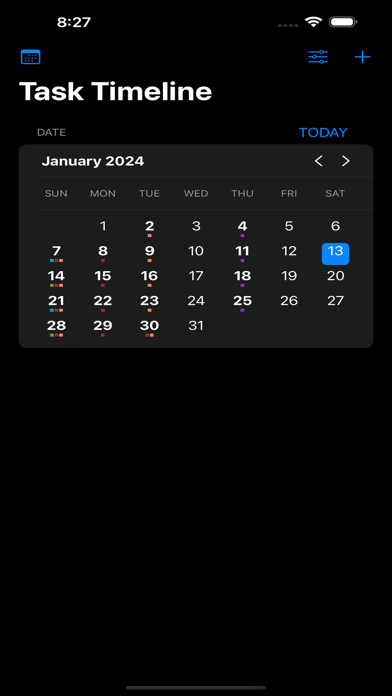
Revamped User Interface: Experience a more organized workflow with our newly divided interface, featuring distinct sections for Task Management and Task Timeline. Navigate effortlessly between managing your tasks and viewing them on a chronological timeline.

Enhanced Recurring Task Planning: We've introduced the ability to specify exceptions in your recurring task schedules. Now, customizing your routine tasks is more flexible than ever, allowing you to skip specific dates without disrupting your overall plan.

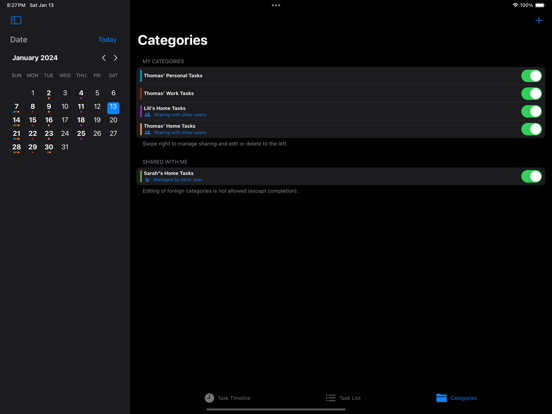
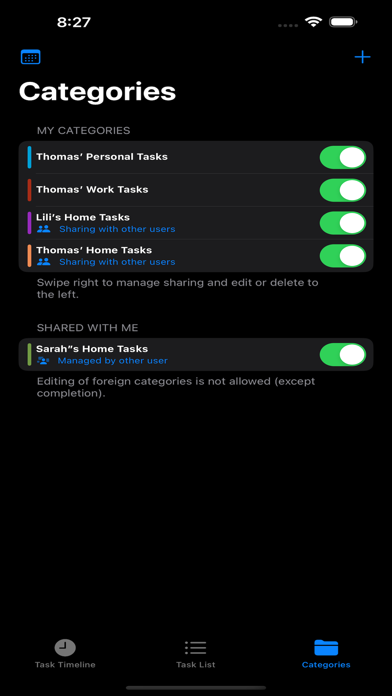
Shareable Task Categories: Collaboration just got easier! You can now share task categories with other users, making it seamless to coordinate and manage shared responsibilities or group projects. Enjoy a more connected and efficient way to work together.
Show More
Version History
1.7
Jan 14, 2024
Revamped User Interface: Experience a more organized workflow with our newly divided interface, featuring distinct sections for Task Management and Task Timeline. Navigate effortlessly between managing your tasks and viewing them on a chronological timeline.

Enhanced Recurring Task Planning: We've introduced the ability to specify exceptions in your recurring task schedules. Now, customizing your routine tasks is more flexible than ever, allowing you to skip specific dates without disrupting your overall plan.

Shareable Task Categories: Collaboration just got easier! You can now share task categories with other users, making it seamless to coordinate and manage shared responsibilities or group projects. Enjoy a more connected and efficient way to work together.

MeToDo Task Manager FAQ

Click here to learn how to download MeToDo Task Manager in restricted country or region.
Check the following list to see the minimum requirements of MeToDo Task Manager.
iPhone
iPad

MeToDo Task Manager Alternative

You May Also Like