Mettle Pro

Mettle Pro


Write. Read. Achieve.


FreeOffers In-App Purchases

5.3for iPhone, iPad and more
8.1
16 Ratings
Dmitry Schavlik
Developer
21.5 MB
Size
Jul 3, 2019
Update Date
Productivity
Category
4+
Age Rating
Age Rating
4+
Apps in this category do not contain restricted content.
9+
Apps in this category may contain mild or occasional cartoon, fantasy or real-life violence, as well as occasional or mild adult, sexually suggestive or horrifying content and may not be suitable for children under 9 years of age.
12+
Apps in this category may contain occasional mild indecent language, frequent or intense cartoon or real-life violence, minor or occasional adult or sexually suggestive material, and simulated gambling, and may be for children under 12 years of age.
17+
You must be at least 17 years old to access this App.
Apps in this category may contain frequent and intense offensive language; Frequent and intense cartoon, fantasy or realistic violence: frequent and intense adult, scary and sexually suggestive subjects: as well as sexual content, nudity, tobacco, alcohol and drugs, may not be suitable for children under 17 years of age.
Mettle Pro Screenshots
Mettle Pro posterMettle Pro posterMettle Pro posterMettle Pro posterMettle Pro poster
Mettle Pro posterMettle Pro posterMettle Pro posterMettle Pro posterMettle Pro posterMettle Pro poster

About Mettle Pro

With Mettle you will have your own personal workspace, where everything is always at hand - your own texts, notes, lists as well as external imported notes. In addition, Mettle allows you to track progress and stay organized.

## Write
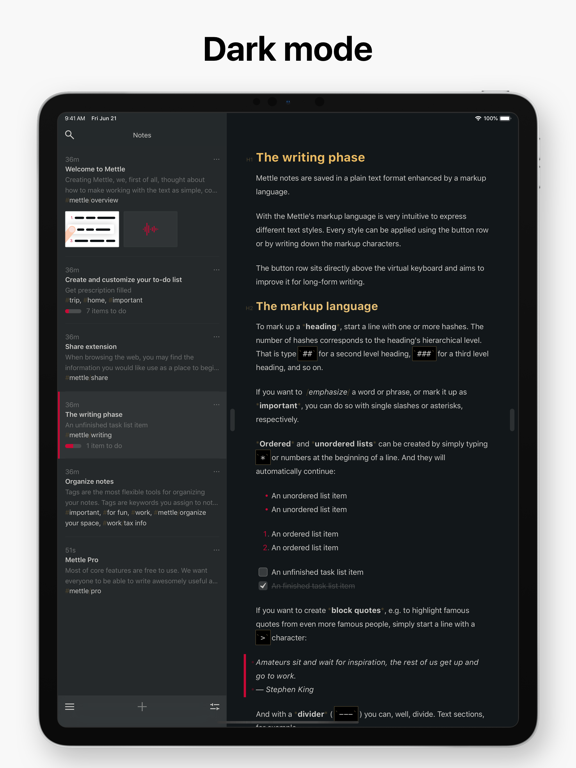
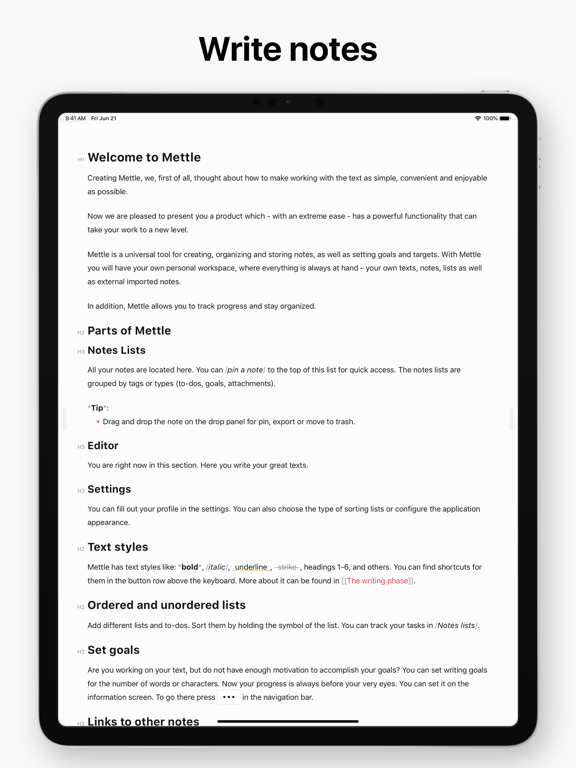
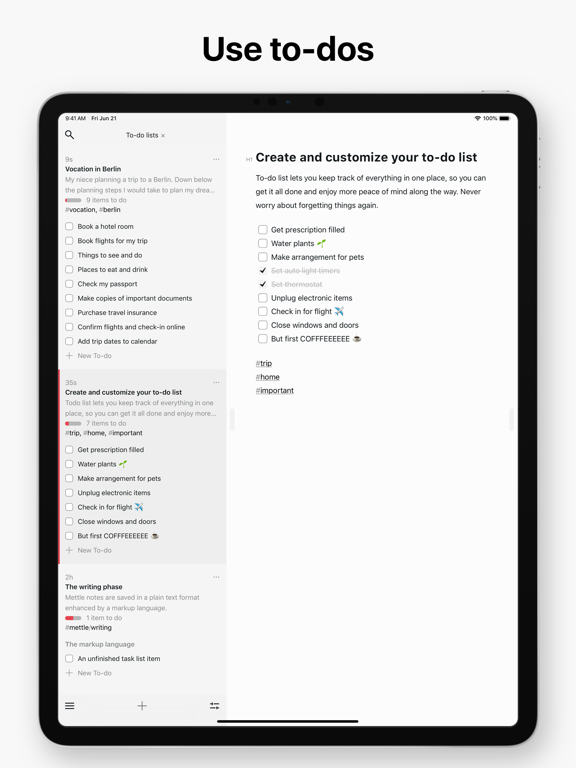
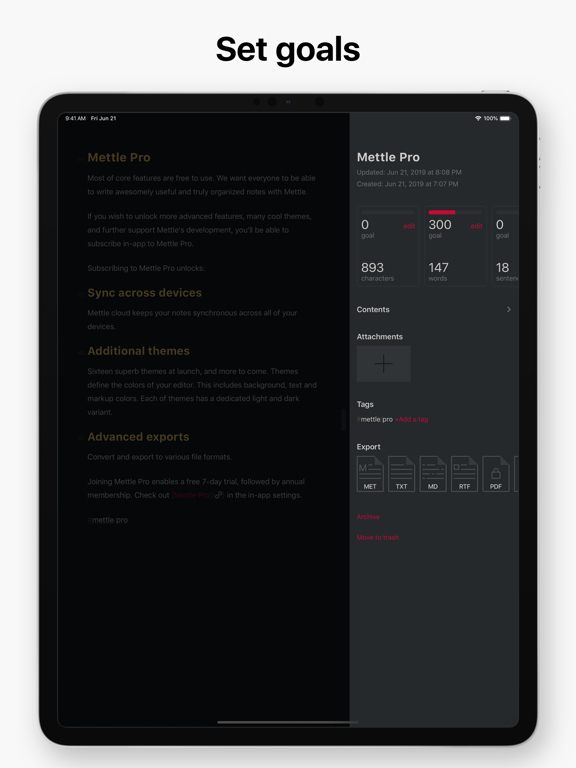
Mettle markup-based editor lets you focus on your most important task: Write, edit, and write some more. A focus mode helps you concentrate, and advanced Markdown and other markup options are an online writer's best friend. Full in-line image support brings your writing to life, and keep yourself on task by adding todos to individual notes.

## Organize
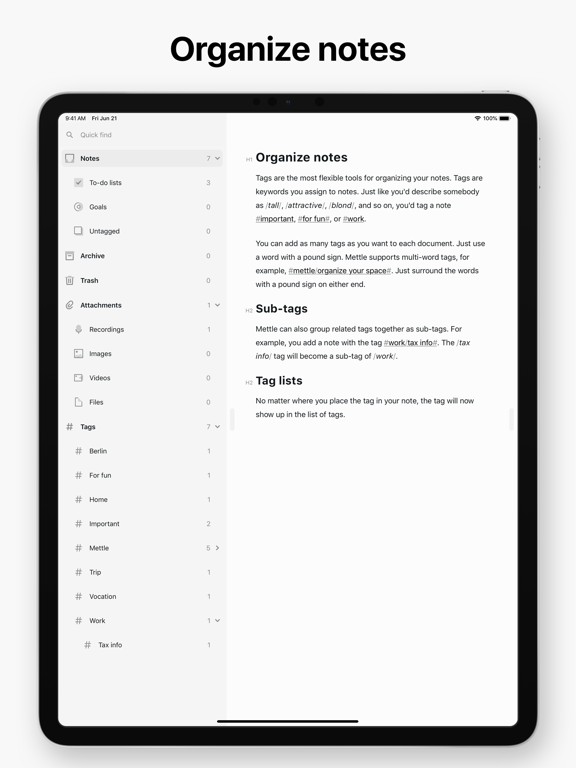
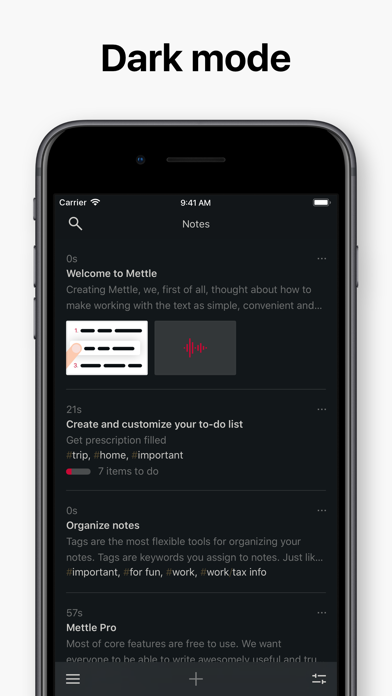
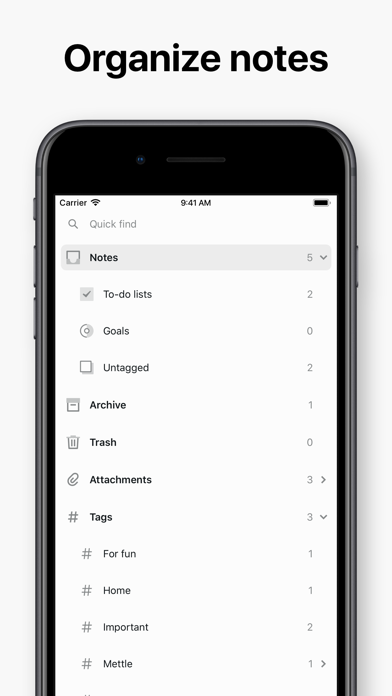
Use hashtags to organize for the way you think. All notes are stored in plain, portable text.

## Save stories for later
Ever run across a great article you didn’t have time to read at that moment but wanted to remember to come back to later? Whether you’re in Safari or inside your favorite news app, just tap the Share button and save anything you want to read for later, even when offline.

## Features
In-line support for images and photos. Advanced Markup Editor. Quickly add to-dos to a note to keep yourself on task. Multiple export options including HTML, PDF, MD, JPG, and more. Smart Data Recognition of elements like links, emails, addresses, phone numbers, dates and more to come. Grab images, text, files and clip web pages with Mettle's iOS App extension. Hashtags to quickly find and organize notes however you like. All app themes have a dark and a light mode.

## Introducing Mettle Pro
Mettle cloud keeps your notes synchronized across all your devices. Advanced export to PDF, HTML, JPG. Personalize your Mettle. App themes to get just the right writing environment. Keep the Mettle updates coming. All for $14.99/year.

Price may vary by location. Subscriptions will be charged to your credit card through your iTunes account. Your subscription will automatically renew unless canceled at least 24 hours before the end of the current period. You will not be able to cancel the subscription once activated. Manage your subscriptions in Account Settings after purchase. Any unused portion of a free trial period will be forfeited when the user purchases a subscription.

Feedback: https://mettle.cloud/contact
Privacy Policy: https://mettle.cloud/privacy
Terms and Conditions: https://mettle.cloud/terms

Show More

What's New in the Latest Version 5.3

Last updated on Jul 3, 2019
Old Versions
We've fixed various bugs and improved overall stability of the app.
Show More
Version History
5.3
Jul 3, 2019
We've fixed various bugs and improved overall stability of the app.
5.0
Jun 21, 2019
Welcome to Mettle 5.0 for iPad and iPhone!

* Revamped interface to fit iPad and iPhone XS Max.
* Updated the way Mettle behaves in various split view scenarios.
* Improved performance when parsing code syntax.
* Support for Drag and Drop throughout the app.
* Fixed bugs and improved overall stability of the app.
3.7
Aug 27, 2018
* Corrected sync problems with iOS 11.
* Fixed bugs and improved overall stability of the app.
3.6
Aug 10, 2018
This update improves the stability of Mettle's in-app subscription.
3.5
Aug 7, 2018
Welcome to Mettle 3.5 for iPad and iPhone!

* Now you can trim your audio recordings.
* We added a new theme "Lecture" for Mettle Pro users.
* Fixed bugs and improved overall stability of the app.
3.1
Jul 24, 2018
Welcome to Mettle 3.1 for iPad and iPhone!

We have a beautiful new theme for Mettle Pro users, Ayu.
Fixed bugs and improved overall stability of the app.
3.0
Jul 19, 2018
Welcome to Mettle 3.0 for iPad and iPhone!

## Recording and attachments
Just got the germ of an idea but cannot write it down? Capture it with the in-app voice recorder.
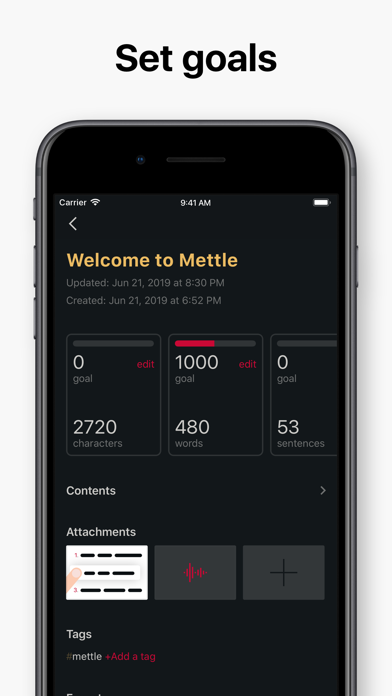
For quick access use the button row. You can also add any file to your document, saving it inside the app. Any attachment can be accompanied by a description. Check how great your attachments look in the section /Documents lists/.

## Ordered lists and not so
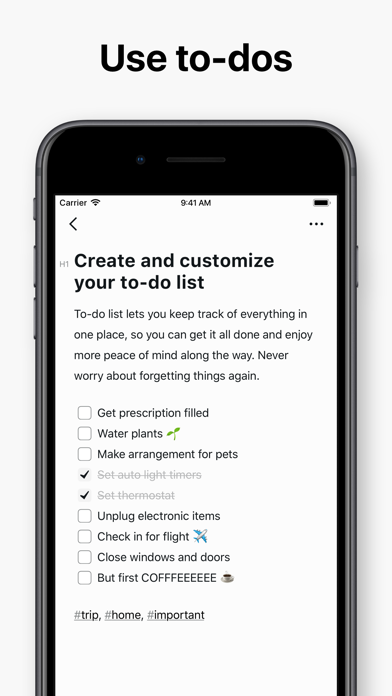
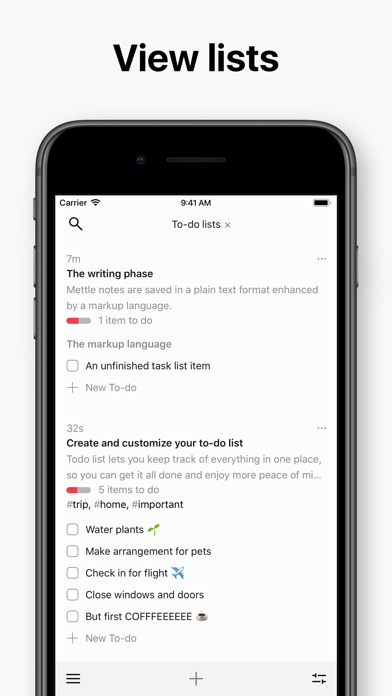
Add different lists and to-dos. Sort them by holding the symbol of the list. You can see the progress in /Documents lists/. Rearrange lists as you want.

## Links to other documents
You can refer to another document by taking its title in quotation marks. You can also use the quick access to the documents list in the button row.

## Today Widgets
View recent documents. View and customize your to-do list.
2.0
May 3, 2018
Link other documents. Mettle will suggest documents for you to instantly link. Example: [[Name of a document@Name of header]].
Scroll to the last position.
Improved Handoff performance.
Fixed bugs and improved overall stability of the app.
1.6
Apr 21, 2018
Support for sublists in your documents.
Mettle implements an​ x-callback-url protocol, allowing other apps to trigger certain actions in Mettle such as opening an ​existing document or creating new documents or tags.
Improved animation when using Split View on iPad.
Fixed bugs and improved overall stability of the app.
1.2.4
Apr 11, 2018
Improved Drag and Drop performance.
Fixed bugs and improved overall stability of the app.
1.2.1
Apr 8, 2018
Support for Drag and Drop throughout the app.
Added Drag and Drop sorting to lists.
Improved PDF export performance.
1.1.0
Mar 31, 2018
Welcome to Mettle 1.1 for iPad and iPhone!

​Start typing a tag, and Mettle will suggest existing tag names.
Drag one or more documents to a drop bar to pin, duplicate or export them.
Add own tabs or rearrange them.
1.0.1
Mar 25, 2018
We've fixed a few bugs.
1.0
Mar 14, 2018

Mettle Pro FAQ

Click here to learn how to download Mettle Pro in restricted country or region.
Check the following list to see the minimum requirements of Mettle Pro.
iPhone
Requires iOS 11.0 or later.
iPad
Requires iPadOS 11.0 or later.
iPod touch
Requires iOS 11.0 or later.
Mettle Pro supports English
Mettle Pro contains in-app purchases. Please check the pricing plan as below:
Yearly Mettle Pro Membership
$14.99

Mettle Pro Alternative

You May Also Like

Get more from Dmitry Schavlik