Apps in this category do not contain restricted content.
9+
Apps in this category may contain mild or occasional cartoon, fantasy or real-life violence, as well as occasional or mild adult, sexually suggestive or horrifying content and may not be suitable for children under 9 years of age.
12+
Apps in this category may contain occasional mild indecent language, frequent or intense cartoon or real-life violence, minor or occasional adult or sexually suggestive material, and simulated gambling, and may be for children under 12 years of age.
17+
You must be at least 17 years old to access this App.
Apps in this category may contain frequent and intense offensive language; Frequent and intense cartoon, fantasy or realistic violence: frequent and intense adult, scary and sexually suggestive subjects: as well as sexual content, nudity, tobacco, alcohol and drugs, may not be suitable for children under 17 years of age.
OptimalHR Screenshots
About OptimalHR
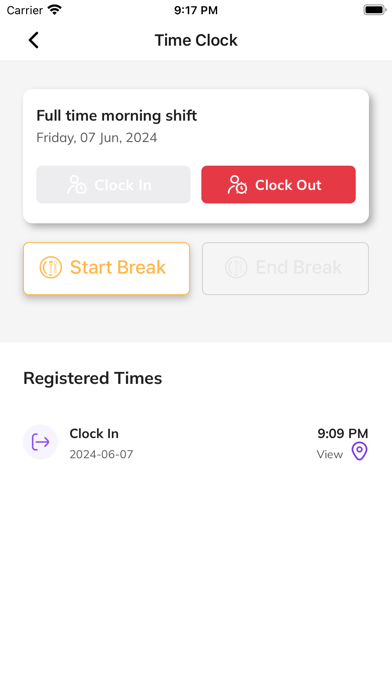
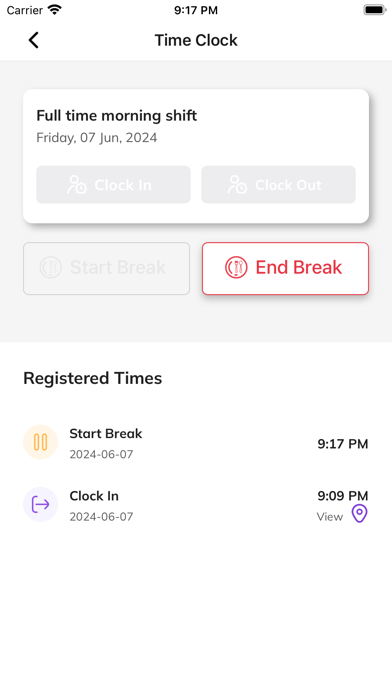
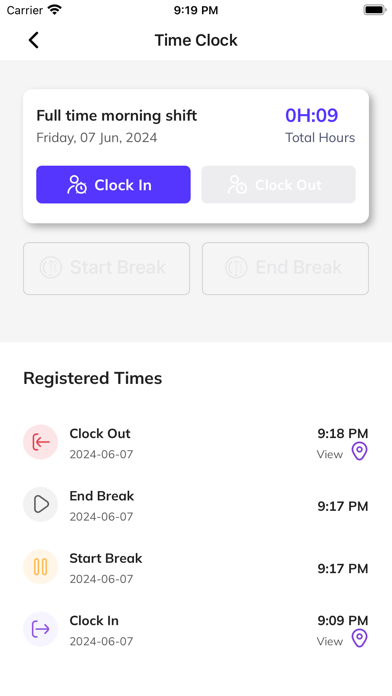
OptimalHR lets employees clock in/out, request time off, resolve attendance issues, and submit resignations. Line managers can view team statuses, track attendance in real time, and review or approve requests.
Show More
Show Less
What's New in the Latest Version 7.8.7
Last updated on Feb 10, 2026
Old Versions
1. Team & Active Employees screens: grouping and filtering by org unit and layer. Added technical optimization. 2. Employee profile: improved display of employee information 3. Canceling an approved maternity leave request 4. Immediate status update after a request is approved (no refresh needed) 5. Filters for “My Requests” 6. Display of clock-in and clock-out times 7. Alert and error message clarity 8. Navigation when opening a request from a shared link 9. Improved leave form and on-screen loading statuses 10. Fixed the issue preventing a new user from successfully changing their password. 11. Improved the displays for summary boxes in Attendance Details screen.
Show More
Show Less
Version History
7.8.7
Feb 10, 2026
1. Team & Active Employees screens: grouping and filtering by org unit and layer. Added technical optimization. 2. Employee profile: improved display of employee information 3. Canceling an approved maternity leave request 4. Immediate status update after a request is approved (no refresh needed) 5. Filters for “My Requests” 6. Display of clock-in and clock-out times 7. Alert and error message clarity 8. Navigation when opening a request from a shared link 9. Improved leave form and on-screen loading statuses 10. Fixed the issue preventing a new user from successfully changing their password. 11. Improved the displays for summary boxes in Attendance Details screen.