Oxbo FleetCommand

Oxbo FleetCommand


Free

1.3.0for iPhone, iPad
Age Rating
4+
Apps in this category do not contain restricted content.
9+
Apps in this category may contain mild or occasional cartoon, fantasy or real-life violence, as well as occasional or mild adult, sexually suggestive or horrifying content and may not be suitable for children under 9 years of age.
12+
Apps in this category may contain occasional mild indecent language, frequent or intense cartoon or real-life violence, minor or occasional adult or sexually suggestive material, and simulated gambling, and may be for children under 12 years of age.
17+
You must be at least 17 years old to access this App.
Apps in this category may contain frequent and intense offensive language; Frequent and intense cartoon, fantasy or realistic violence: frequent and intense adult, scary and sexually suggestive subjects: as well as sexual content, nudity, tobacco, alcohol and drugs, may not be suitable for children under 17 years of age.
Oxbo FleetCommand Screenshots
Oxbo FleetCommand posterOxbo FleetCommand posterOxbo FleetCommand posterOxbo FleetCommand posterOxbo FleetCommand poster

About Oxbo FleetCommand

Oxbo’s FleetCommand system gives you real-time access to important data on your Oxbo fleet, including fleet overview, jobs, and data. The FleetCommand app delivers real-time, critical machine and fleet level information to your mobile device.

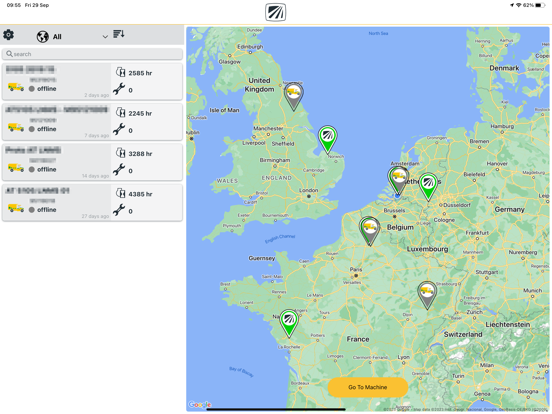
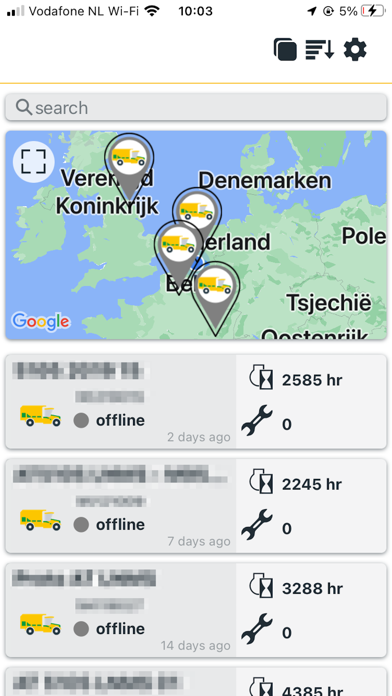
Fleet Overview: The Fleet Overview includes valuable information such as pins for current machine location and helpful color indicators for current machine status information (working, idle, transport, down) allowing you to quickly understand the status of every machine. If you create a group in the web platform, you can view machines by fleet group in the app. Click on any machine to access the Machine Data.

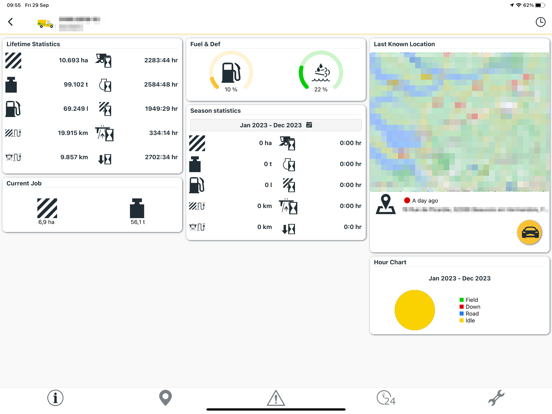
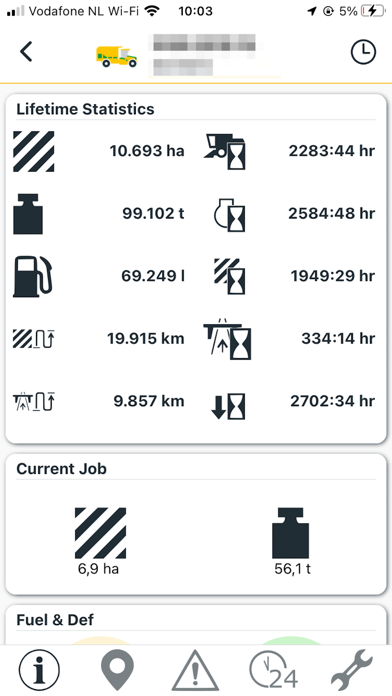
Machine Data: For each machine, view critical statistics and pull up driving directions with a single click. From Machine Data, you can navigate to Machine Location Detail, Event Messages, Productivity, and Service Intervals.

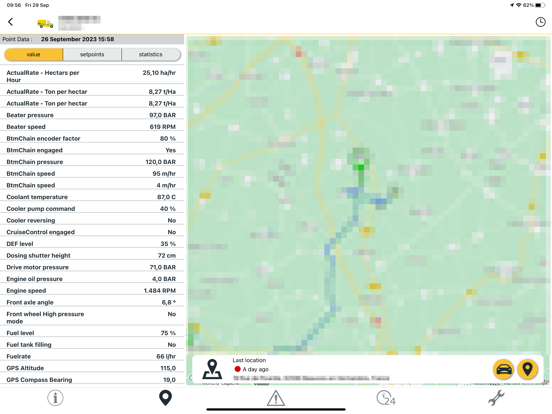
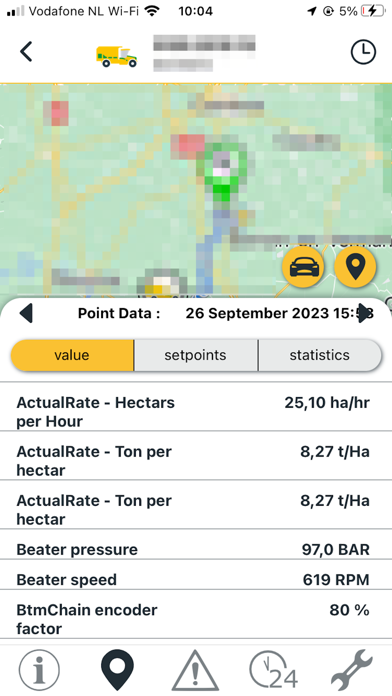
Machine Location Detail: View the path of the machine over time; click on any map point for data/settings at that time/location.

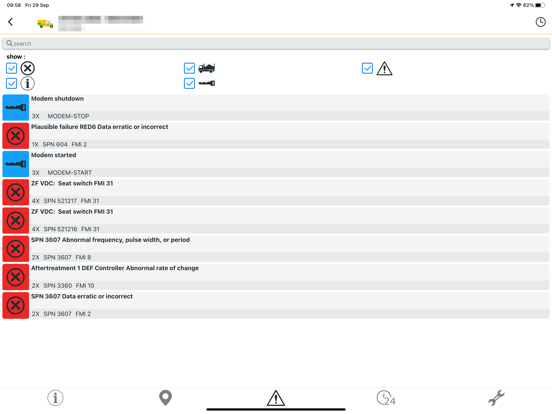
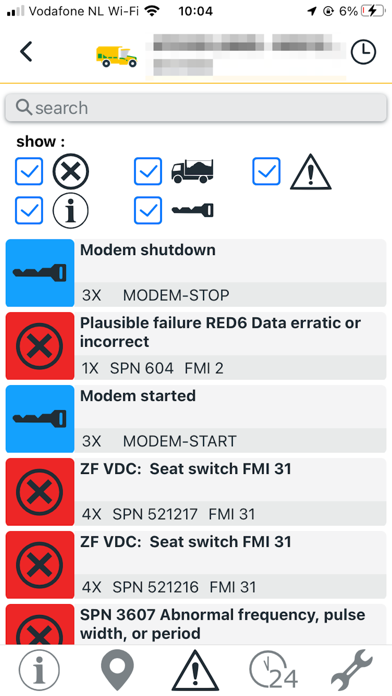
Event Messages: Shows event messages specific to this machine.

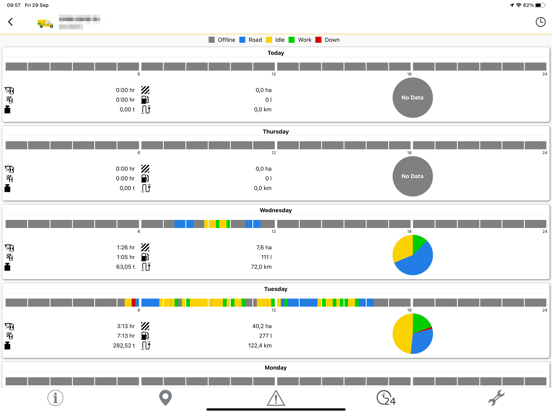
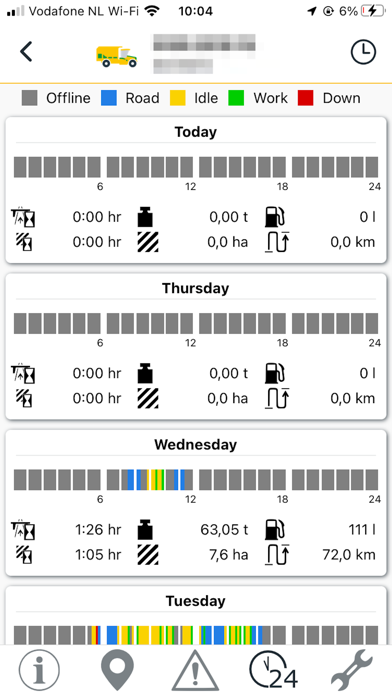
Productivity Chart: Shows machine productivity over time, organized by working, idle, transport, and down time.

Service Intervals: Shows the next or past due service intervals for this machine with the ability to reset the interval.

Show More

What's New in the Latest Version 1.3.0

Last updated on Mar 21, 2024
Version History
1.3.0
Mar 21, 2024

Oxbo FleetCommand FAQ

Click here to learn how to download Oxbo FleetCommand in restricted country or region.
Check the following list to see the minimum requirements of Oxbo FleetCommand.
iPhone
iPad

Oxbo FleetCommand Alternative

You May Also Like

Get more from PloegerOxbo