PadCAD
$14.99
1.9.11for iPhone, iPad and more
Age Rating
PadCAD Screenshots
About PadCAD
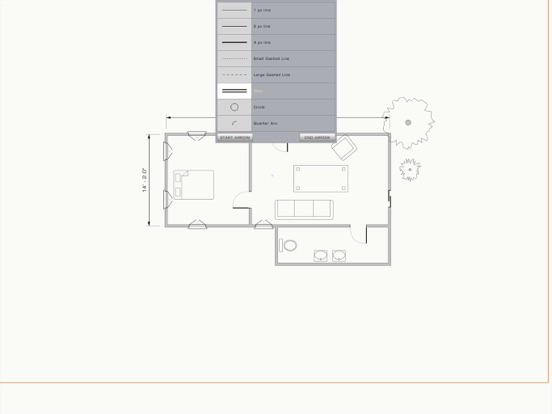
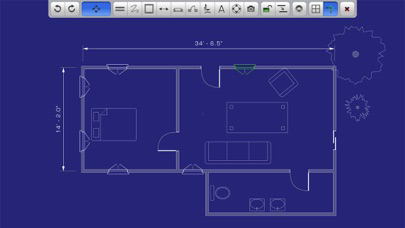
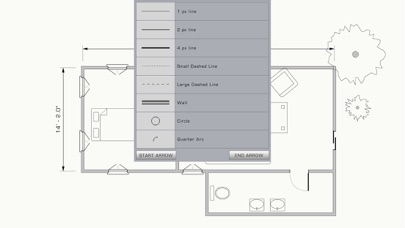
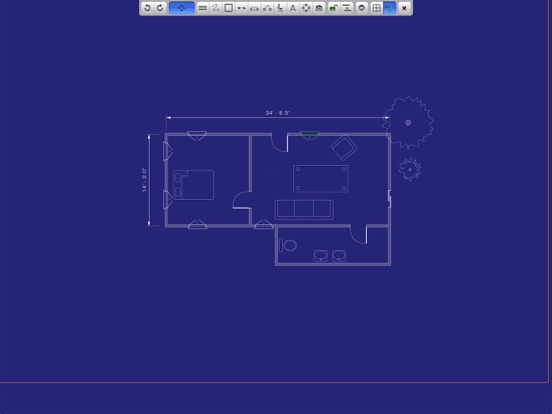
PadCAD is an easy to use CAD application designed for small to medium sized projects such as home additions, remodeling projects, cabinetry work, and site surveys. With PadCAD anyone can produce clean, clear CAD drawings. If you want to save or export your drawings to a professional CAD application like AutoCAD, you can export your drawings in several popular formats, including PDF or DXF files. PadCAD is designed with ease of use, speed and mobility in mind and is NOT a full blown CAD application. It's the prefect starting point for your drafting projects. PadCAD is ideal for general contractors, carpenters, architectural firms, appraisers and real-estate professionals. PadCAD has a very shallow learning curve, and no previous CAD experience is necessary. A comprehensive set of instructions are provided with the app.
Main Features :
1) Intuitive finger-based drawing and editing: Draw walls with your finger, then adjust them by dragging or stretching them.
2) Fine-tune controls: For greater precision, every element can be fine-tuned with numeric values.
3) Unlimited Undo and Redo: You can Undo all the way back to the beginning of your session or Redo to your current state.
4) Take Pictures: From within the app you can use your iPad's built in camera to take a photos and associate them with your CAD drawing. You can also use your iPad's built in microphone to create and include audio annotations in your drawings.
5) Intuitive Zoom & Pan: Use two fingers to zoom in and out of your drawing, just like you would with any other picture on the iPad. You may also pan the drawing simply by dragging your finger. The drawing area is larger than the iPad screen which allows you to export projects as large as 170' x 128'.
Feel free to contact us with any questions: support@plugworks.com
Main Features :
1) Intuitive finger-based drawing and editing: Draw walls with your finger, then adjust them by dragging or stretching them.
2) Fine-tune controls: For greater precision, every element can be fine-tuned with numeric values.
3) Unlimited Undo and Redo: You can Undo all the way back to the beginning of your session or Redo to your current state.
4) Take Pictures: From within the app you can use your iPad's built in camera to take a photos and associate them with your CAD drawing. You can also use your iPad's built in microphone to create and include audio annotations in your drawings.
5) Intuitive Zoom & Pan: Use two fingers to zoom in and out of your drawing, just like you would with any other picture on the iPad. You may also pan the drawing simply by dragging your finger. The drawing area is larger than the iPad screen which allows you to export projects as large as 170' x 128'.
Feel free to contact us with any questions: support@plugworks.com
Show More
What's New in the Latest Version 1.9.11
Last updated on Feb 28, 2017
Old Versions
This app has been updated by Apple to display the Apple Watch app icon.
1 Big Bad Bug Fix
1 Big Bad Bug Fix
Show More
Version History
1.9.11
Feb 28, 2017
This app has been updated by Apple to display the Apple Watch app icon.
1 Big Bad Bug Fix
1 Big Bad Bug Fix
1.9.9
Feb 25, 2017
Bug Fixes & Improved Performance.
1.9.4
Nov 22, 2013
DXF exporting has been fixed and tested with AutoCAD 2014
1.9.3
Nov 13, 2013
Improved export performance and greater stability.
Improved editing of elements.
User Interface refresh to support smaller screens.
Lots of bug fixes.
Added Freeshape tool.
We now have iPhone support but we HIGHLY recommend you use a stylus with the app.
Improved editing of elements.
User Interface refresh to support smaller screens.
Lots of bug fixes.
Added Freeshape tool.
We now have iPhone support but we HIGHLY recommend you use a stylus with the app.
1.9.1
May 16, 2013
Bug Fixes: File saving bugs have been solved. All drawings are now saved locally to your iPad instead of our servers. You are no longer required to have an internet connection to save or load your files. This makes working in the filed without access to the internet a possibility. Due to security & privacy issues, we have disabled the saving of your files to our remote servers. For those who are upgrading, you will still have read and delete access to your remote files until December 31, 2013.
1.9
May 12, 2013
Bug Fixes: File saving bugs have been solved. All drawings are now saved locally to your iPad instead of our servers. You are no longer required to have an internet connection to save or load your files. This makes working in the filed without access to the internet a possibility. Due to security & privacy issues, we have disabled the saving of your files to our remote servers. For those who are upgrading, you will still have read and delete access to your remote files until December 31, 2013.
1.8.4
Jan 11, 2013
Bug Fix: A bug that rendered the icons too small to use has been fixed.
Stairs: We have added the ability to add stairs to your drawings. Once added, they are fully adjustable
Lighter background: If you have difficulty viewing your drawings in the default blue background, you can now change the background color to a lighter one.
More symbols: We've added a whole bunch of new symbols to our library, including plants, security cameras and living room furniture.
Optimization : We've significantly reduced the size of our app and fixed a ton of bugs. Our app now starts faster and crashes less often.
Stairs: We have added the ability to add stairs to your drawings. Once added, they are fully adjustable
Lighter background: If you have difficulty viewing your drawings in the default blue background, you can now change the background color to a lighter one.
More symbols: We've added a whole bunch of new symbols to our library, including plants, security cameras and living room furniture.
Optimization : We've significantly reduced the size of our app and fixed a ton of bugs. Our app now starts faster and crashes less often.
1.8.3
Dec 27, 2012
Stairs: We have added the ability to add stairs to your drawings. Once added, they are fully adjustable
Lighter background: If you have difficulty viewing your drawings in the default blue background, you can now change the background color to a lighter one.
More symbols: We've added a whole bunch of new symbols to our library, including plants, security cameras and living room furniture.
Optimization : We've significantly reduced the size of our app and fixed a ton of bugs. Our app now starts faster and crashes less often.
Lighter background: If you have difficulty viewing your drawings in the default blue background, you can now change the background color to a lighter one.
More symbols: We've added a whole bunch of new symbols to our library, including plants, security cameras and living room furniture.
Optimization : We've significantly reduced the size of our app and fixed a ton of bugs. Our app now starts faster and crashes less often.
1.6.2
Sep 6, 2012
1) File Management : PadCAD used to automate all aspects of file management. This degraded the performance of the app and took control away from the user. We now feature a File Manager panel that allows users to save and load files similar
to a traditional desk-top application.
2) Performance : We have tweaked our application to run smoother and load up faster.
3) Lots and lots of bug fixes. In particular DXF exporting and photo cropping bugs have been fixed.
to a traditional desk-top application.
2) Performance : We have tweaked our application to run smoother and load up faster.
3) Lots and lots of bug fixes. In particular DXF exporting and photo cropping bugs have been fixed.
1.6.1
Jul 24, 2012
1) File Management : PadCAD used to automate all aspects of file management.
This degraded the performance of the app and took control away from the user.
We now feature a File Manager panel that allows users to save and load files similar
to a traditional desk-top application.
2) Performance : We have tweaked our application to run smoother and load up faster.
3) Lots and lots of bug fixes.
This degraded the performance of the app and took control away from the user.
We now feature a File Manager panel that allows users to save and load files similar
to a traditional desk-top application.
2) Performance : We have tweaked our application to run smoother and load up faster.
3) Lots and lots of bug fixes.
1.6.0
Jun 19, 2012
1) File Management : PadCAD used to automate all aspects of file management.
This degraded the performance of the app and took control away from the user.
We now feature a File Manager panel that allows users to save and load files similar
to a traditional desk-top application.
2) Performance : We have tweaked our application to run smoother and load up faster.
3) Lots and lots of bug fixes.
This degraded the performance of the app and took control away from the user.
We now feature a File Manager panel that allows users to save and load files similar
to a traditional desk-top application.
2) Performance : We have tweaked our application to run smoother and load up faster.
3) Lots and lots of bug fixes.
1.5.1
May 12, 2012
Some of the more important features of this release are:
1) Stability : File saving and exporting issues that were causing PadCAD to crash and lose drawings have been largely addressed. We now offer the option to backup
your drawings, free of charge, to our servers. Backups of drawings happen automatically every time you save a file.
2) Numeric Keypad Support : Every attribute can now be edited through a numeric keypad. This allows for a much higher degree of precision and control over every element.
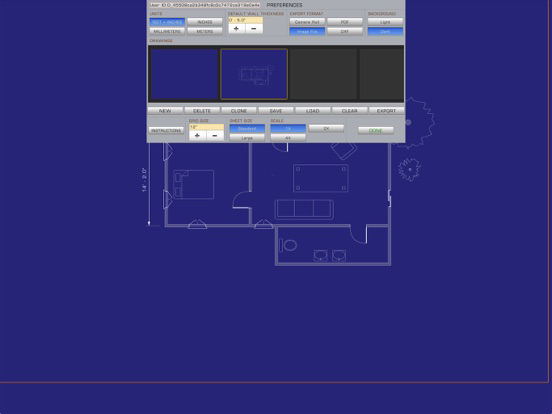
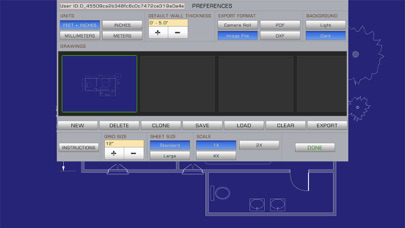
3) Grid Snapping : Every element can now snap to a grid. The size of the snap grid is adjustable and can be accessed through the preferences panel.
4) Screen Re-centering: Occasionally you may want to move the entire drawing without moving each and every element. You can do that now through a re-centering button that
moves the entire page without moving the elements.
1) Stability : File saving and exporting issues that were causing PadCAD to crash and lose drawings have been largely addressed. We now offer the option to backup
your drawings, free of charge, to our servers. Backups of drawings happen automatically every time you save a file.
2) Numeric Keypad Support : Every attribute can now be edited through a numeric keypad. This allows for a much higher degree of precision and control over every element.
3) Grid Snapping : Every element can now snap to a grid. The size of the snap grid is adjustable and can be accessed through the preferences panel.
4) Screen Re-centering: Occasionally you may want to move the entire drawing without moving each and every element. You can do that now through a re-centering button that
moves the entire page without moving the elements.
1.5
May 3, 2012
Some of the more important features of this release are:
1) Stability : File saving and exporting issues that were causing PadCAD to crash and lose drawings have been largely addressed. We now offer the option to backup
your drawings, free of charge, to our servers. Backups of drawings happen automatically every time you save a file.
2) Numeric Keypad Support : Every attribute can now be edited through a numeric keypad. This allows for a much higher degree of precision and control over every element.
3) Grid Snapping : Every element can now snap to a grid. The size of the snap grid is adjustable and can be accessed through the preferences panel.
4) Screen Re-centering: Occasionally you may want to move the entire drawing without moving each and every element. You can do that now through a re-centering button that
moves the entire page without moving the elements.
1) Stability : File saving and exporting issues that were causing PadCAD to crash and lose drawings have been largely addressed. We now offer the option to backup
your drawings, free of charge, to our servers. Backups of drawings happen automatically every time you save a file.
2) Numeric Keypad Support : Every attribute can now be edited through a numeric keypad. This allows for a much higher degree of precision and control over every element.
3) Grid Snapping : Every element can now snap to a grid. The size of the snap grid is adjustable and can be accessed through the preferences panel.
4) Screen Re-centering: Occasionally you may want to move the entire drawing without moving each and every element. You can do that now through a re-centering button that
moves the entire page without moving the elements.
1.4
Feb 7, 2012
You spoke, we listened.
Some of the more important features of this release are:
1) File Sharing: You can now transfer drawings and custom symbols to and from your
tablet through iTunes. See the instructions for more details.
2) DXF Support: You can now export your drawings to a DXF format file.
3) Black & White Images: Image files and PDF files will now automatically export as
black and white images to save on printer toner.
4) Custom Symbols: You can now build your own custom designed symbols. You can
store up to 24 custom symbols on your tablet. Custom symbols, just like drawings,
can be transferred to and from your tablet through iTunes.
5)Cloning: We've added a clone button that lets you easily clone a drawing. This is particularly useful if you want to work on multiple versions of a drawing.
WARNING: For those with an older version of PadCAD: Before you upgrade, make sure to export any drawing you may need as the upgrade process will wipe out all your existing drawings!
Thank you for all the great feedback. Keep them coming at support@plugworks.com
Some of the more important features of this release are:
1) File Sharing: You can now transfer drawings and custom symbols to and from your
tablet through iTunes. See the instructions for more details.
2) DXF Support: You can now export your drawings to a DXF format file.
3) Black & White Images: Image files and PDF files will now automatically export as
black and white images to save on printer toner.
4) Custom Symbols: You can now build your own custom designed symbols. You can
store up to 24 custom symbols on your tablet. Custom symbols, just like drawings,
can be transferred to and from your tablet through iTunes.
5)Cloning: We've added a clone button that lets you easily clone a drawing. This is particularly useful if you want to work on multiple versions of a drawing.
WARNING: For those with an older version of PadCAD: Before you upgrade, make sure to export any drawing you may need as the upgrade process will wipe out all your existing drawings!
Thank you for all the great feedback. Keep them coming at support@plugworks.com
1.3
Dec 13, 2011
You spoke. We listened.
1) Saving files: You now have the ability to save a file you’re working on. You may save up to 20 files. All saved files are loaded automatically when you re-start the application. Unsaved drawings will be erased from memory only if you close the application.
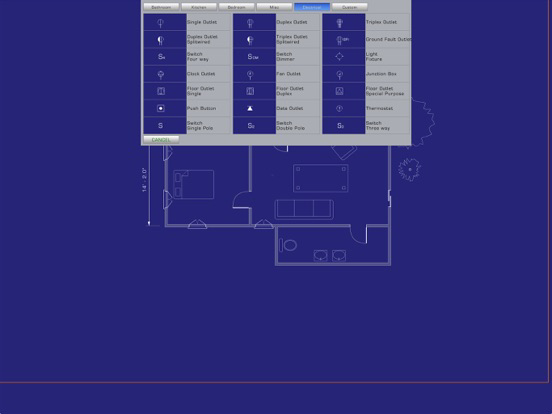
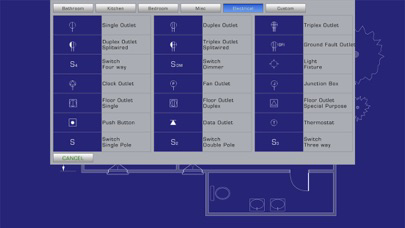
2) Symbols: Many users have requested basic symbols beyond doors and windows. We now have symbols for kitchens, bathrooms, bedrooms and electrical plans. More coming in later versions.
3) Scale: You can now scale your drawing to increase its accuracy. At the highest scale (4x) the accuracy of your drawings can be down to 1/8" or 3mm. Great for kitchen cabinetry work.
4) Audio annotations: In addition to photo annotations you can now insert audio annotations into your drawings. Audio annotations can be up to 60 seconds long. Just double-tap the photo icon to start.
1) Saving files: You now have the ability to save a file you’re working on. You may save up to 20 files. All saved files are loaded automatically when you re-start the application. Unsaved drawings will be erased from memory only if you close the application.
2) Symbols: Many users have requested basic symbols beyond doors and windows. We now have symbols for kitchens, bathrooms, bedrooms and electrical plans. More coming in later versions.
3) Scale: You can now scale your drawing to increase its accuracy. At the highest scale (4x) the accuracy of your drawings can be down to 1/8" or 3mm. Great for kitchen cabinetry work.
4) Audio annotations: In addition to photo annotations you can now insert audio annotations into your drawings. Audio annotations can be up to 60 seconds long. Just double-tap the photo icon to start.
1.2
Dec 1, 2011
1) PDF exports are now much faster and produce a much more accurate version of the drawing.
2) Lines can have arrowheads on either or both ends.
3) We now offer a freehand tool that lets you sketch whatever you like.
4) Dimensions can now snap to the face of a wall instead of the center of a wall.
5) We now offer a square footage tool. Double click the square icon and draw a rectangle to get the square footage.
Thanks for all the feedback.
2) Lines can have arrowheads on either or both ends.
3) We now offer a freehand tool that lets you sketch whatever you like.
4) Dimensions can now snap to the face of a wall instead of the center of a wall.
5) We now offer a square footage tool. Double click the square icon and draw a rectangle to get the square footage.
Thanks for all the feedback.
1.0.1
Nov 21, 2011
Bug fixes:
1) Photo orientation bug now fixed.
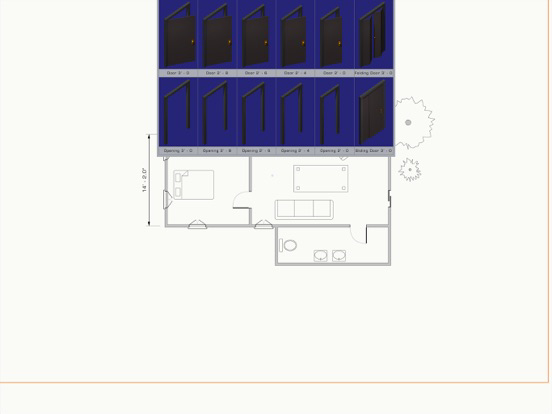
2) Symbols now attach to walls properly.
3) Instruction panel update

1) Photo orientation bug now fixed.
2) Symbols now attach to walls properly.
3) Instruction panel update
1.0
Nov 17, 2011
PadCAD FAQ
Click here to learn how to download PadCAD in restricted country or region.
Check the following list to see the minimum requirements of PadCAD.
iPhone
Requires iOS 6.0 or later.
iPad
Requires iPadOS 6.0 or later.
iPod touch
Requires iOS 6.0 or later.
PadCAD supports English