PayClock

PayClock


Free

1.400for iPhone, iPod touch
4.5
67 Ratings
Lathem Time Corporation
Developer
128.8 MB
Size
May 4, 2023
Update Date
Business
Category
4+
Age Rating
Age Rating
4+
Apps in this category do not contain restricted content.
9+
Apps in this category may contain mild or occasional cartoon, fantasy or real-life violence, as well as occasional or mild adult, sexually suggestive or horrifying content and may not be suitable for children under 9 years of age.
12+
Apps in this category may contain occasional mild indecent language, frequent or intense cartoon or real-life violence, minor or occasional adult or sexually suggestive material, and simulated gambling, and may be for children under 12 years of age.
17+
You must be at least 17 years old to access this App.
Apps in this category may contain frequent and intense offensive language; Frequent and intense cartoon, fantasy or realistic violence: frequent and intense adult, scary and sexually suggestive subjects: as well as sexual content, nudity, tobacco, alcohol and drugs, may not be suitable for children under 17 years of age.
PayClock Screenshots
PayClock posterPayClock posterPayClock posterPayClock poster

About PayClock

The PayClock Mobile app is part of Lathem’s PayClock Online Time and Attendance System. This mobile app allows companies using PayClock Online to easily track worked hours for employees using their iPhone while working remotely or on the go.

FEATURES
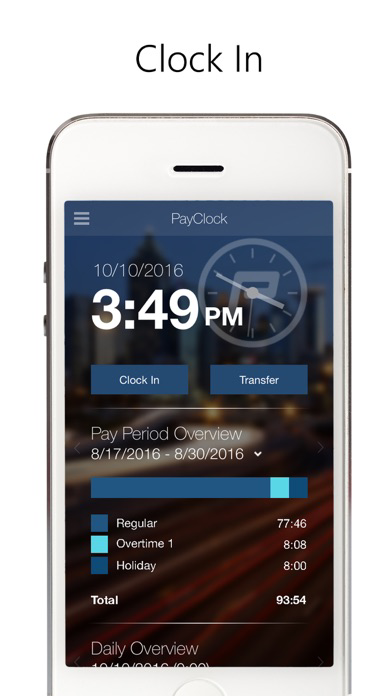
• Easily clock in and out with 1-touch
• GPS tracking of transaction locations
• Transfer departments with department level validation per employee
• View total hours worked by pay code in the current and prior pay periods
• View punches for today and any day previously worked
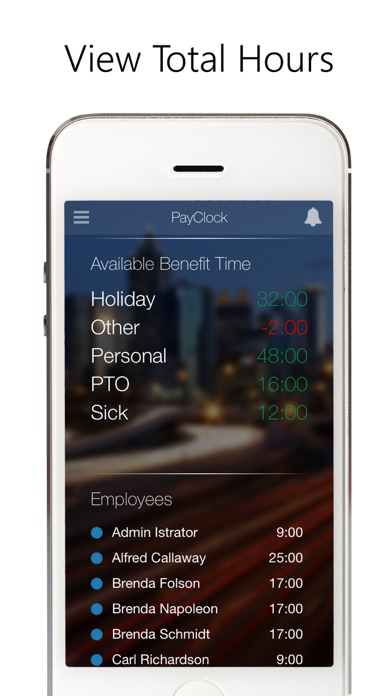
• View up to date benefit time balances
• Continuous operation even when offline
• Supervisors can view their employees’ punches, total hours, and benefit time balances
• PayClock Online Administrators can easily control what parts of the app they would like their employees to have access to

SIGN UP
• This app requires a PayClock Online account, with mobile access enabled for each employee.
• Employees must have a validated email address and password.

WHAT IS PAYCLOCK ONLINE
• PayClock Online is comprehensive online cloud-based time and attendance system
• Automatically calculates worked hours, including overtime, based on customizable work rules
• Employees can clock in and out from their computer, a physical time clock (sold separately), or using this mobile app on their smartphone or tablet
• Integrates hours with the most popular payroll providers and applications such as ADP®, Paychex®, QuickBooks®, and more
• Powerful employee scheduling
• Comprehensive reporting capabilities, including exports to Excel or PDF
• Easy to use benefit time accruals

SUPPORT
• Free customer support is available to all PayClock Online users.

Show More

What's New in the Latest Version 1.400

Last updated on May 4, 2023
Old Versions
With the release of our new PayClock Online app, this update prepares this legacy app to be sunset and transition users over to the new upgraded and modern app.
Show More
Version History
1.400
May 4, 2023
With the release of our new PayClock Online app, this update prepares this legacy app to be sunset and transition users over to the new upgraded and modern app.
1.303
Mar 23, 2021
This release contains a number of minor changes to improve stability, security updates, and feature enhancements including:

New Features:
• The Daily Overview displays the Day of the Week.

Bug Fixes:

• Resolved an issue where the scroll list would not generate for a user to select a date when trying to submit time off.
• Resolved an issue where problems with a user’s password would cause a “cannot log in while offline” message.
• Resolved an issue where users could not read notes/text using dark mode on the mobile device in multiple parts of the app.
1.302
Mar 5, 2021
This release contains a number of minor changes to improve stability, security updates, and feature enhancements including:

New Features:
• The Daily Overview now shows the Day of the Week.

Bug Fixes:
• Resolved an issue where if there was an problem with a user's password they would a get “cannot log in while offline” message.
• Resolved an issue where users could not read notes/text using dark mode on the mobile device in multiple parts of the app.
1.301
Jul 17, 2019
This release contains a number of minor changes to improve stability, security updates, and feature enhancements including:

New Features
•Added the “Need Help?” button in the menu to access help.

Bug Fixes
•Fixed an issue where disabling mobile access does not log the user out.
•Fixed a couple of issues where employees could not submit Time Off Requests in certain situations.
1.290
Nov 12, 2018
This release contains a number of minor changes to improve stability, security updates, and feature enhancements including:

New Features
•Ability to manually sync with PayClock Online.
•A new time stamp to indicate when your app last successfully synced with PayClock Online.

Improvements
•Optimized back-end services for increased performance.

If you find new issues, please let us know by contacting our customer support department or submitting feedback in the PayClock app.
1.280
Dec 5, 2017
This release provides various improvements to the seamless online-offline experience, including:
• Punches recorded offline will automatically be sent in the background as soon as an internet connection is re-established.
• Punch button will display correct In and Out status when offline.
• Punch submission has been optimized and automatically recovers connection on devices with limited resources.
1.27
Mar 6, 2017
Miscellaneous bug fixes.
1.26
Jan 13, 2017
- Able to login as a non-employee user
- Improved HD graphics for Higher Resolution devices
- Added interval lines to help visually pair together IN and OUT punches
- Added the ability to configure GPS coordinates to be sent only if available
- Added a screen that will notify the user when a new update is available
- Fixed some double loading issues that would cause the app to slow down
- Adjusted the app for smaller screen devices
- Polished the gesturing in the Notifications List
- Ability to add Notes
1.24
Oct 14, 2016
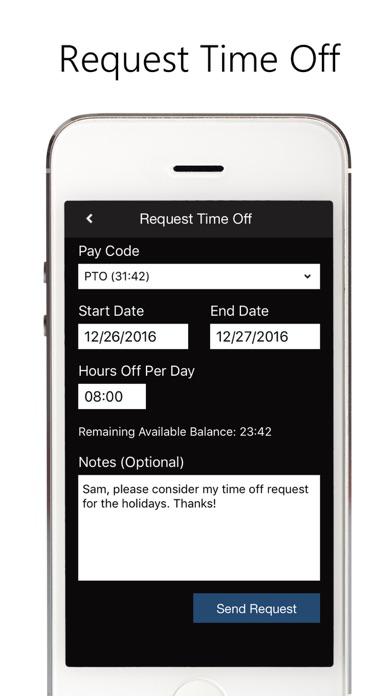
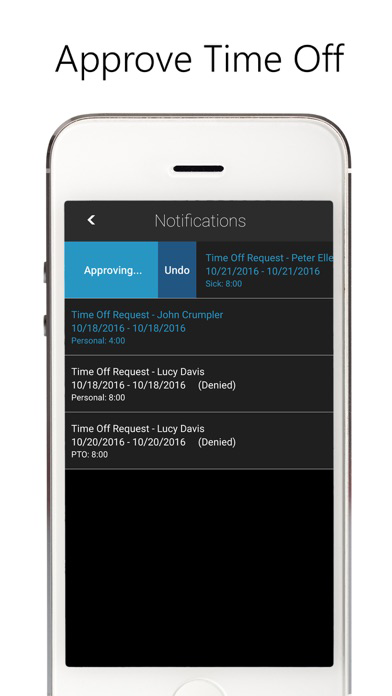
Added support for Time off Requests. Employees can now request time off using the app and supervisors can view and manage their received requests.
1.23
Sep 6, 2016
Miscellaneous bug fixes.
1.22
Aug 29, 2016
Added support for inserting non-work time from within the Daily card. Miscellaneous navigational improvements and bug fixes.
1.21
Aug 2, 2016
Miscellaneous bug fixes.
1.20
Jul 22, 2016
Enhanced navigation within the Pay Period Overview card. Miscellaneous bug fixes.
1.19
Jun 24, 2016
Miscellaneous bug fixes.
1.18
May 6, 2016
Miscellaneous bug fixes and cosmetic improvements.
1.17
Apr 20, 2016
Added the ability for users to edit their own Daily Card if they have the appropriate permissions enabled. Miscellaneous bug fixes and performance improvements.
1.16
Apr 4, 2016
Miscellaneous bug fixes.
1.15
Mar 11, 2016
Miscellaneous bug fixes.
1.14
Feb 19, 2016
Added supervisor login support. Supervisors can see a list of all of their employees, their in/out status, and their total hours for the pay period. Supervisors can also drill down to view employee details such as hours for multiple pay periods and benefit time. A new timeline view lets employees view their punches for a given date and supervisors can add/remove punches for their employees.
1.13
Jan 27, 2016
Miscellaneous bug fixes.
1.11
Jan 22, 2016
Miscellaneous bug fixes.
1.1
Dec 22, 2015
Miscellaneous bug fixes. Added Demo Mode.
1.0
Oct 5, 2015

PayClock FAQ

Click here to learn how to download PayClock in restricted country or region.
Check the following list to see the minimum requirements of PayClock.
iPhone
Requires iOS 13.0 or later.
iPod touch
Requires iOS 13.0 or later.

PayClock Alternative

You May Also Like

Get more from Lathem Time Corporation