Podest Podcast Player
Download fine podcasts
FreeOffers In-App Purchases
10.1for iPhone, iPad and more
Age Rating
Podest Podcast Player Screenshots
About Podest Podcast Player
Wether hundreds of subscriptions or just a quick listen, get your podcasts with Podest. With its familiar user interface and full-text search, it’s easy to find a good show. Podest updates your queue efficiently in the background, without draining your battery. If you love podcasts and look for a simple way to enjoy them, without sign up or tracking, try this streamlined podcast player.
TOP FEATURES
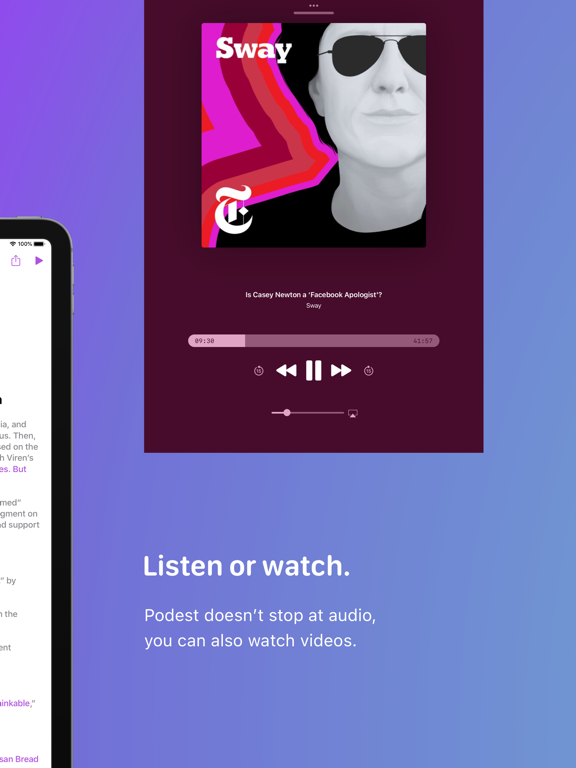
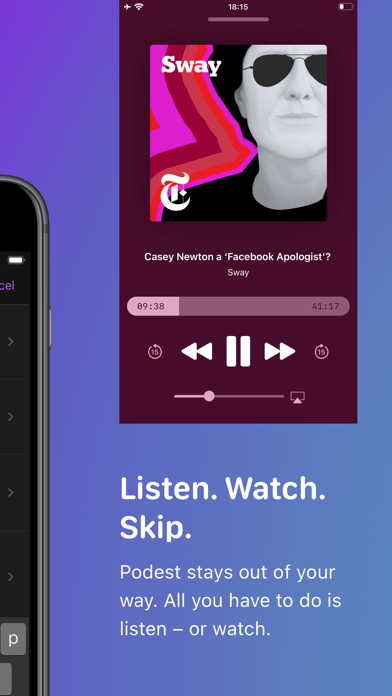
- Audio and video playback
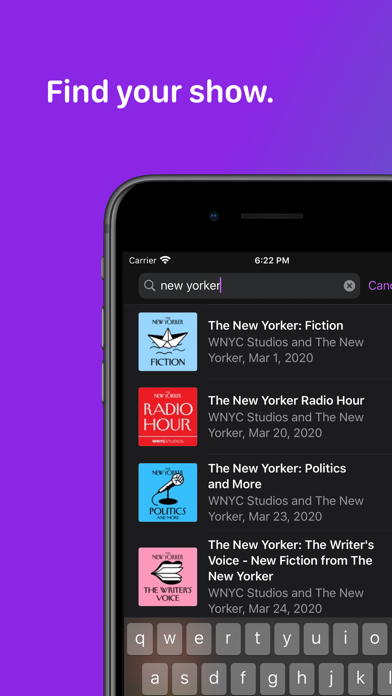
- Powerful search
- Accessible from all your iOS devices
- Energy efficiency
- Open source
AUDIO AND VIDEO PLAYBACK
Native audio and video playback of streaming and preloaded media.
POWERFUL SEARCH
Find podcasts and episodes with the combined iTunes and local full-text search. Import feeds by pasting their URLs into the search bar.
ACCESSIBLE FROM ALL YOUR iOS DEVICES
Queue and subscriptions are synchronized across all your iOS devices using iCloud. Resume playback where you left off.
ENERGY EFFICIENCY
Heavy lifting is offloaded to a shared backend, reducing network and compute time on your device. Podest updates all your favorite shows with a single network request.
OFFLINE FIRST
Built around strong caching, offline capability is built-in, allowing you to browse wherever you are.
BACKGROUND UPDATES
Subscribed shows are updated regularly in the background.
AUTOMATIC DOWNLOADS
Fresh episodes are downloaded automatically. Details can be configured with Settings.
NOW PLAYING CONTROLS
Control playback with external accessories, Apple Watch, and Control Center.
EPISODE FOCUSED BROWSING
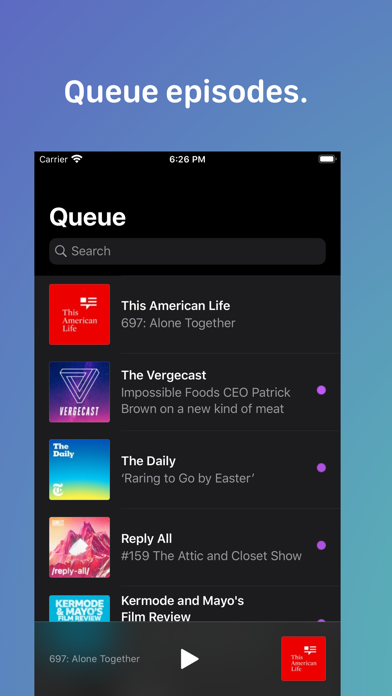
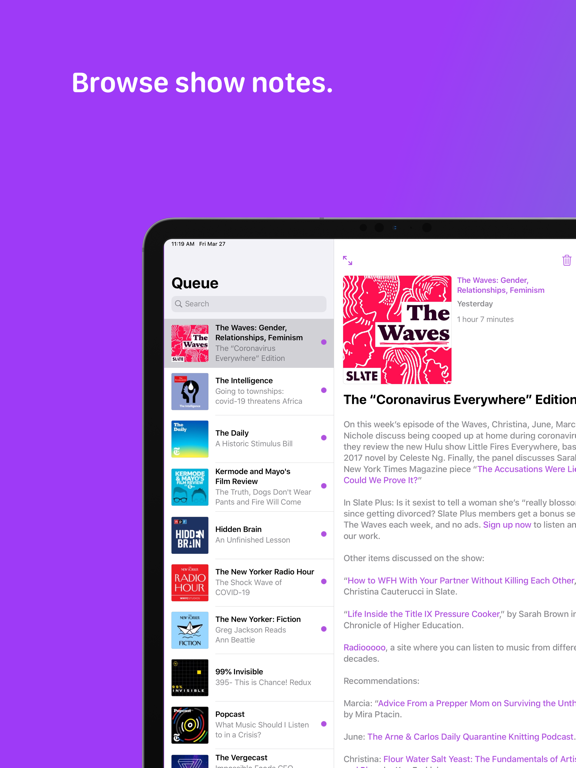
Conceptually focusing the user interface on the episode offers a relaxed browsing experience. Roomy lists give you a quick overview of your listening pallete.
PRAGMATIC QUEUE
Automatic updates only keep the latest episode of a podcast in your queue. This prevents cluttering over time. Episodes that have been added by you are not removed automatically. Also played episodes are kept in the queue, giving you a chance to relisten. Remove an episode to dismiss it or simply wait until it’s replaced by an update.
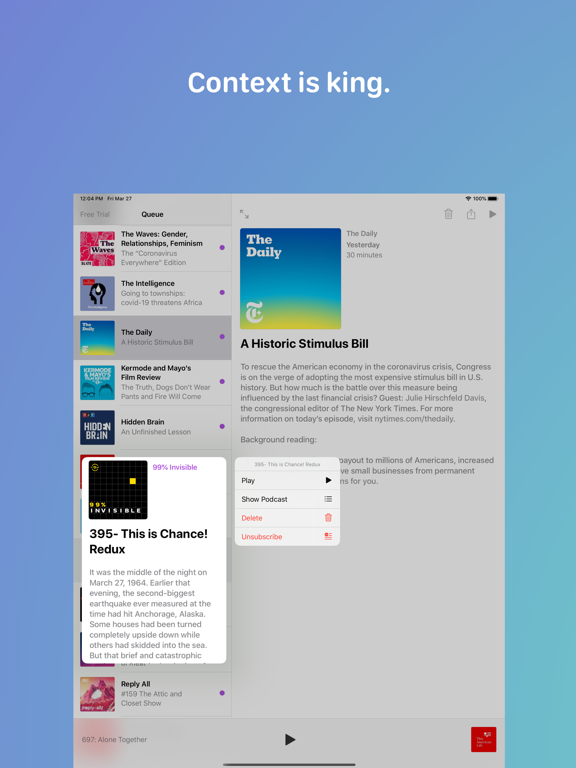
CONTEXT MENUS
Access most functionality directly from onscreen items.
OPEN SOURCE
Podest is open source. Find the source code on GitHub:
https://github.com/michaelnisi/podest
Follow me on Twitter: @michaelnisi
TOP FEATURES
- Audio and video playback
- Powerful search
- Accessible from all your iOS devices
- Energy efficiency
- Open source
AUDIO AND VIDEO PLAYBACK
Native audio and video playback of streaming and preloaded media.
POWERFUL SEARCH
Find podcasts and episodes with the combined iTunes and local full-text search. Import feeds by pasting their URLs into the search bar.
ACCESSIBLE FROM ALL YOUR iOS DEVICES
Queue and subscriptions are synchronized across all your iOS devices using iCloud. Resume playback where you left off.
ENERGY EFFICIENCY
Heavy lifting is offloaded to a shared backend, reducing network and compute time on your device. Podest updates all your favorite shows with a single network request.
OFFLINE FIRST
Built around strong caching, offline capability is built-in, allowing you to browse wherever you are.
BACKGROUND UPDATES
Subscribed shows are updated regularly in the background.
AUTOMATIC DOWNLOADS
Fresh episodes are downloaded automatically. Details can be configured with Settings.
NOW PLAYING CONTROLS
Control playback with external accessories, Apple Watch, and Control Center.
EPISODE FOCUSED BROWSING
Conceptually focusing the user interface on the episode offers a relaxed browsing experience. Roomy lists give you a quick overview of your listening pallete.
PRAGMATIC QUEUE
Automatic updates only keep the latest episode of a podcast in your queue. This prevents cluttering over time. Episodes that have been added by you are not removed automatically. Also played episodes are kept in the queue, giving you a chance to relisten. Remove an episode to dismiss it or simply wait until it’s replaced by an update.
CONTEXT MENUS
Access most functionality directly from onscreen items.
OPEN SOURCE
Podest is open source. Find the source code on GitHub:
https://github.com/michaelnisi/podest
Follow me on Twitter: @michaelnisi
Show More
What's New in the Latest Version 10.1
Last updated on Jan 1, 2022
Old Versions
This version handles redirected podcast feeds more robustly and increases resilience regarding manually added podcasts where missing images caused crashes for some users.
Show More
Version History
10.1
Jan 1, 2022
This version handles redirected podcast feeds more robustly and increases resilience regarding manually added podcasts where missing images caused crashes for some users.
10.0
Dec 19, 2021
Immersive new player user interface with some new features:
- Scrubbing
- Skip 15 seconds forward and backward
- AirPlay Routing Selection
- Volume
- Picture in Picture video playback
Also, Multitasking Slide Over on iPad is fully supported now.
- Scrubbing
- Skip 15 seconds forward and backward
- AirPlay Routing Selection
- Volume
- Picture in Picture video playback
Also, Multitasking Slide Over on iPad is fully supported now.
9.8
Sep 21, 2020
Basic adjustments for iOS 14, especially an updated background mode fetching all your latest episodes more efficiently.
9.7
Jul 13, 2020
Fixes a long-standing bug in search where suggestions haven’t been updated eagerly enough.
9.6
May 25, 2020
Two minor changes for iOS 13.5, adjusting bottom offset in the list and preventing a crash in certain circumstances during background downloading.
9.5
Apr 6, 2020
Use discretionary downloading while Low Power Mode is enabled.
9.4
Apr 4, 2020
This version downloads new episodes immediately, while offering discretionary downloading (the previous configuration) in Settings.
9.3
Apr 2, 2020
Two slight adjustments: one improves queue refreshing for playback status changes, the other displays episode date and length in the context menu preview.
9.2
Mar 31, 2020
This new version brings context menus for accessing most functionality directly from onscreen items. Additionally, the player is presented in default iOS style now.
9.1
Sep 26, 2019
Resolves an issue where the Queue would not be updating reliably.
9
Sep 20, 2019
This version is optimized for iOS 13 and supports Dark Mode.
Additional improvements focus around the Queue:
* Swipe right to play
* Context menus for quick episode actions
* Large title and improved pull-to-refresh
I’d love to get your feedback.
Additional improvements focus around the Queue:
* Swipe right to play
* Context menus for quick episode actions
* Large title and improved pull-to-refresh
I’d love to get your feedback.
8.5
Aug 14, 2019
Less memory use, more effective CPU utilization, and lighter energy impact.
8.4
Aug 1, 2019
Smoother transitions through improved image caching.
8.3
Jul 25, 2019
This patch fixes an embarrassing image glitch and brings better video playback.
Correct aspect ratio of Search Result and Queue images.
Improved video playback integration, animating the mini-player when skipping between audio and video, and allowing seemless remote-controlled skipping from video to video, for example, with Now Playing on Apple Watch.
Plus, no more flickering of the mini-player play button.
Correct aspect ratio of Search Result and Queue images.
Improved video playback integration, animating the mini-player when skipping between audio and video, and allowing seemless remote-controlled skipping from video to video, for example, with Now Playing on Apple Watch.
Plus, no more flickering of the mini-player play button.
8.2
Jul 19, 2019
Good news, everyone! Two long-standing issues have been resolved.
Finally, you can type episode titles into the searchbar to receive matching suggestions. A bug, only summaries were scanned, had been thwarting this until now.
Watching a video on your phone in landscape no longer affects the list header.
Finally, you can type episode titles into the searchbar to receive matching suggestions. A bug, only summaries were scanned, had been thwarting this until now.
Watching a video on your phone in landscape no longer affects the list header.
8.1
Jul 9, 2019
In preparation for iOS 13 this fall, these changes adjust layout timing, improve performance, and install scaffolding for a new player user interface, which should also be dropping this fall.
Improved multitasking on iPad: the list header adjusts according to layout and the player animation maintains the aspect ratio of the episode image.
Higher resolution images and more effective loading and processing.
The mini-player chrome got a gray border at its top edge.
The Queue now indicates which episodes have not been played yet.
Improved performance and effectiveness: using less threads and disabling HTTP pipelining.
Following bugs have been fixed along the way:
List loading displays correct error message when offline, previously this had been incorrectly reported as service unavailable.
In some use cases, during search, the mini-player obscured lists. This has been fixed.
After an episode has been played to its end, Control Center is updated correctly and, played the next time, the episode will resume at the beginning.
Settings.app displays correct version and status.
Improved multitasking on iPad: the list header adjusts according to layout and the player animation maintains the aspect ratio of the episode image.
Higher resolution images and more effective loading and processing.
The mini-player chrome got a gray border at its top edge.
The Queue now indicates which episodes have not been played yet.
Improved performance and effectiveness: using less threads and disabling HTTP pipelining.
Following bugs have been fixed along the way:
List loading displays correct error message when offline, previously this had been incorrectly reported as service unavailable.
In some use cases, during search, the mini-player obscured lists. This has been fixed.
After an episode has been played to its end, Control Center is updated correctly and, played the next time, the episode will resume at the beginning.
Settings.app displays correct version and status.
8
May 2, 2019
This version, the first using a new simplified version number, provides more information about Podest in the Settings app, namely version, subscription, and expiration date for free trials. On iPad, episode images are displayed in the correct size. Large titles are refrained. And while it’s springtime round these parts, it’s time for new icon colors.
From now on versions will be counted in whole numbers, eight, nine, 10, etc., with a relative build number, for example, 8 (2) for version eight, build two. Patches are going to be counted after a dot, 8.1, say. Full-on Semantic Versioning didn’t prove itself practical for this app.
Thanks to ABI stability, app size is down to five megabytes. Good job, Swift team.
From now on versions will be counted in whole numbers, eight, nine, 10, etc., with a relative build number, for example, 8 (2) for version eight, build two. Patches are going to be counted after a dot, 8.1, say. Full-on Semantic Versioning didn’t prove itself practical for this app.
Thanks to ABI stability, app size is down to five megabytes. Good job, Swift team.
7.9.7
Mar 21, 2019
Superfluous spaces in episode summaries have been removed.
Messaging in the Queue has been adjusted and its background set to white. For some users, after the initial iCloud sync, an incorrect message had been displayed, that’s fixed now.
The in-app store layout has been reorganized and the store now features app rating and review incentives.
The clipped search list regression is cleared.
Messaging in the Queue has been adjusted and its background set to white. For some users, after the initial iCloud sync, an incorrect message had been displayed, that’s fixed now.
The in-app store layout has been reorganized and the store now features app rating and review incentives.
The clipped search list regression is cleared.
7.9.6
Feb 28, 2019
Accompanying the previous release to compensate a regression in search, this patch restores correct grouping of search suggestions and reduces latency for a smoother search experience.
Smarter placeholding and prefetching makes image loading almost seemless.
7.9.5
Jan 29, 2019
More generous layout, allowing larger images, increased spacing, and improved support for Dynamic Type. Smoother scrolling and animations.
The in-app store got a more flexible layout, looking better on iPad. Also, the store button has been relabelled and moved from right to left.
Background downloading has been further improved to work more reliably.
The in-app store got a more flexible layout, looking better on iPad. Also, the store button has been relabelled and moved from right to left.
Background downloading has been further improved to work more reliably.
7.9.4
Dec 21, 2018
100% open source, bug fixes, and small improvements. This is a packed update, here’s the rundown:
Prevent rare crash during background downloading by correctly invalidating reachability probes.
Reduce IO by removing stale downloads at more appropriate times.
Better episode summary parsing, correcting spaces, skipping invalid URLs, etc.
Sometimes it was not possible to enqueue an episode. Removing iCloud sync timers resolved this issue. Cleaning this code path, notification observing has been replaced by delegation.
Flipping the device between portrait and landscape while playing video would sometimes impair navigation, this annoyance has been resolved.
Automatic selection when entering landscape with no episode selected now picks the episode currently in the player.
Transitioning animations from mini-player to player and vice versa have been improved.
For larger screens, images in suitable sizes are loaded. A thin gray frame has been added around images.
Typography has been improved by moving to larger font sizes.
Moving between portrait and landscape modes while searching is solid now.
And most importantly, Podest is fully open source now. All source code is on GitHub.
https://github.com/michaelnisi/podest
Prevent rare crash during background downloading by correctly invalidating reachability probes.
Reduce IO by removing stale downloads at more appropriate times.
Better episode summary parsing, correcting spaces, skipping invalid URLs, etc.
Sometimes it was not possible to enqueue an episode. Removing iCloud sync timers resolved this issue. Cleaning this code path, notification observing has been replaced by delegation.
Flipping the device between portrait and landscape while playing video would sometimes impair navigation, this annoyance has been resolved.
Automatic selection when entering landscape with no episode selected now picks the episode currently in the player.
Transitioning animations from mini-player to player and vice versa have been improved.
For larger screens, images in suitable sizes are loaded. A thin gray frame has been added around images.
Typography has been improved by moving to larger font sizes.
Moving between portrait and landscape modes while searching is solid now.
And most importantly, Podest is fully open source now. All source code is on GitHub.
https://github.com/michaelnisi/podest
7.9.3
Oct 16, 2018
Improved image loading and new icon.
7.9.2
Oct 2, 2018
Correct and Faster Queue Images
I’m happy we were able to resolve an annoyingly hard to reproduce issue, where, under specific circumstances, the Queue was mismatching images. https://github.com/kean/Nuke/pull/190#event-1875458494
At the same time redundant image loading requests have been squeezed out for quicker lists.
Update for even smoother scrolling.
I’m happy we were able to resolve an annoyingly hard to reproduce issue, where, under specific circumstances, the Queue was mismatching images. https://github.com/kean/Nuke/pull/190#event-1875458494
At the same time redundant image loading requests have been squeezed out for quicker lists.
Update for even smoother scrolling.
7.9.1
Sep 24, 2018
Better Layout and Hardened Playback
On the occasion of new devices, layout has been revised, with the mini-player now better respecting the notch. While being at it, I’ve added some gestures. You can now swipe for bringing up or dismissing the player. Generally, interaction with the player has been improved.
Apropos player, playback got more stable. Frantically tapping player buttons, while playing locally or streaming should cause no problems anymore. Let me know if you can crash the player.
Another layout patch loads correct image sizes, relative to layout, especially apparent on iPad. Speaking of images, the image loading framework has been updated to Nuke 7.3.2 https://github.com/kean/Nuke
On the occasion of new devices, layout has been revised, with the mini-player now better respecting the notch. While being at it, I’ve added some gestures. You can now swipe for bringing up or dismissing the player. Generally, interaction with the player has been improved.
Apropos player, playback got more stable. Frantically tapping player buttons, while playing locally or streaming should cause no problems anymore. Let me know if you can crash the player.
Another layout patch loads correct image sizes, relative to layout, especially apparent on iPad. Speaking of images, the image loading framework has been updated to Nuke 7.3.2 https://github.com/kean/Nuke
7.9.0
Sep 17, 2018
AirPlay, Scrubbing, and iOS 12
AirPlay for audio and video. Properly supporting both wasn’t clear-cut at first, but I found an OK compromise. Please provide feedback if you should run into any problems with AirPlay in your setup.
Scrubbing. That’s right, from Control Center and the Lock Screen, you can now move playback time position back and forth.
Regaring the queue, playing episodes are always enqueued again and new episodes from pull-to-refresh updates of subscribed podcasts update the queue as well.
Two minor layout issues have been resolved, displaying the video player in landscape mode no longer flashes the status bar and the podcast title in the episode view adjusts its width now.
Optimizing for iOS 12, all code has been updated to Swift 4.2 and CloudKit change token encoding has been adjusted.

AirPlay for audio and video. Properly supporting both wasn’t clear-cut at first, but I found an OK compromise. Please provide feedback if you should run into any problems with AirPlay in your setup.
Scrubbing. That’s right, from Control Center and the Lock Screen, you can now move playback time position back and forth.
Regaring the queue, playing episodes are always enqueued again and new episodes from pull-to-refresh updates of subscribed podcasts update the queue as well.
Two minor layout issues have been resolved, displaying the video player in landscape mode no longer flashes the status bar and the podcast title in the episode view adjusts its width now.
Optimizing for iOS 12, all code has been updated to Swift 4.2 and CloudKit change token encoding has been adjusted.
Podest Podcast Player FAQ
Click here to learn how to download Podest Podcast Player in restricted country or region.
Check the following list to see the minimum requirements of Podest Podcast Player.
iPhone
Requires iOS 14.0 or later.
iPad
Requires iPadOS 14.0 or later.
iPod touch
Requires iOS 14.0 or later.
Podest Podcast Player supports English
Podest Podcast Player contains in-app purchases. Please check the pricing plan as below:
Help
$4.99
Sponsor
$13.99
Love
$6.99