Age Rating
4+
Apps in this category do not contain restricted content.
9+
Apps in this category may contain mild or occasional cartoon, fantasy or real-life violence, as well as occasional or mild adult, sexually suggestive or horrifying content and may not be suitable for children under 9 years of age.
12+
Apps in this category may contain occasional mild indecent language, frequent or intense cartoon or real-life violence, minor or occasional adult or sexually suggestive material, and simulated gambling, and may be for children under 12 years of age.
17+
You must be at least 17 years old to access this App.
Apps in this category may contain frequent and intense offensive language; Frequent and intense cartoon, fantasy or realistic violence: frequent and intense adult, scary and sexually suggestive subjects: as well as sexual content, nudity, tobacco, alcohol and drugs, may not be suitable for children under 17 years of age.
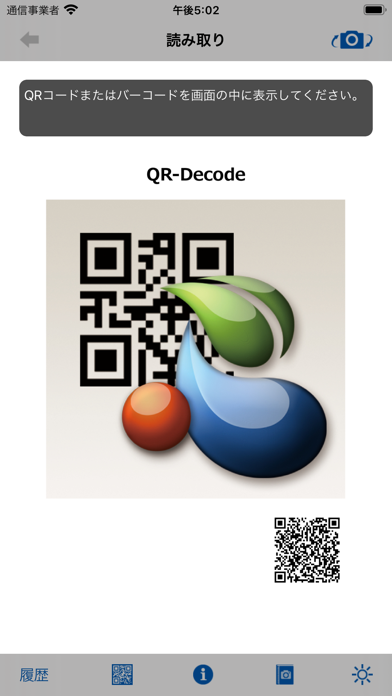
QR-Decode Screenshots
QR-Decode posterQR-Decode posterQR-Decode poster

About QR-Decode

【 特徴 】
・ QRコード、バーコードの読み取り
・ QRコードの作成・保存
・ ウェブページの表示
・ 前面・背面カメラの切り替え
・ LEDライト(iPhone)

 QR-Decodeは、QRコードまたはバーコードを読み取ってその内容を表示します。
 また、読み取ったデータにURLが含まれる場合はそのウェブページを表示します。

 QR-Decodeを起動するとQRコードの読み取りを始めます。
 前面と背面のカメラの切り替えは、画面右上のカメラ切替ボタンで行います。

 ウェブページの表示は、ブラウザまたはアプリ内部のウェブビューで行います。
 ウェブビューで表示した場合は、画面左上の読み取りボタンで読み取り画面に戻ります。

 [設定]アプリケーションで次のパラメータが設定できます。

(1) カメラ位置(前面/背面)
 使用するカメラを設定します。

(2) ブラウズ(なし/Safari/ウェブビュー)
 URLのブラウズ方法を設定します。
 [なし]の場合は、QRコードの内容を表示します。

(3) 履歴(オン/オフ)
 履歴の有無をオン/オフで設定します。


 QR-Decodeは、カスタムURLスキームに対応しています。
 カスタムURLスキームで起動すると、次のような使い方ができます。

(1) 読み取ったQRコードのURLにGETパラメータを追加する。

(2) 画面左上[左矢印]ボタンでブラウザに戻る。(指定したURLを開く。)


 カスタムURLスキームを利用した起動の形式と例を示します。

【起動形式】
  qrdecode://[?追加パラメータ][#戻りURL]


【起動例】
 [ブラウズ]方法を[ウェブビュー]に設定し、ブラウザのリンクをクリックしてQR-Decodeを起動します。

 ブラウザのリンクが
   qrdecode://?a=1&b=2#http://back.xxx/
 読み取ったQRコードが
   http://open.xxx/
の場合、次のような動作になります。

(1) ウェブビューが自動的に開き、http://open.xxx/?a=1&b=2 のウェブページが表示される。

(2) [読み取り]ボタンでQRコード読み取り画面に戻る。

(3) [左矢印]ボタンで http://back.xxx/ のウェブページが表示される。
 このURLがQR-Decodeを起動したページであれば、ブラウザに戻ったようになります。

【 個人情報 】
 QR-Decodeは、個人情報を収集いたしません。

Show More

What's New in the Latest Version 2.7.2

Last updated on Jun 24, 2020
Old Versions
WKWebViewに対応しました。
Show More
Version History
2.7.2
Jun 24, 2020
WKWebViewに対応しました。

QR-Decode FAQ

Click here to learn how to download QR-Decode in restricted country or region.
Check the following list to see the minimum requirements of QR-Decode.
iPhone
iPad

QR-Decode Alternative

You May Also Like