QuantaCorp
Free
1.18.1for iPhone, iPad and more
Age Rating
QuantaCorp Screenshots
About QuantaCorp
QuantaCorp - Body measurement as a service
Scan a person and get body measurements within seconds.
Taking body measurements manually is time consuming and inconvenient. The QuantaCorp app allows you to efficiently measure people, by taking just two pictures. When you need to measure up a group of people and provide them with the correct size of garments, this is the fastest and most portable solution.
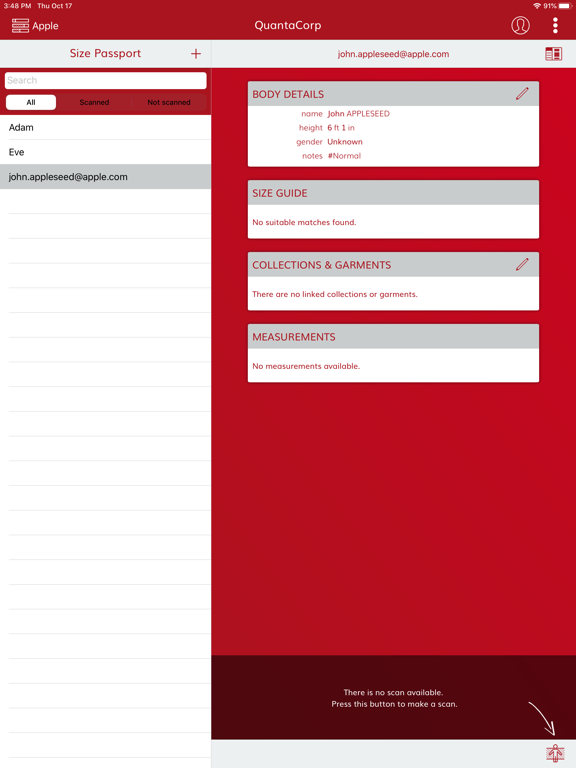
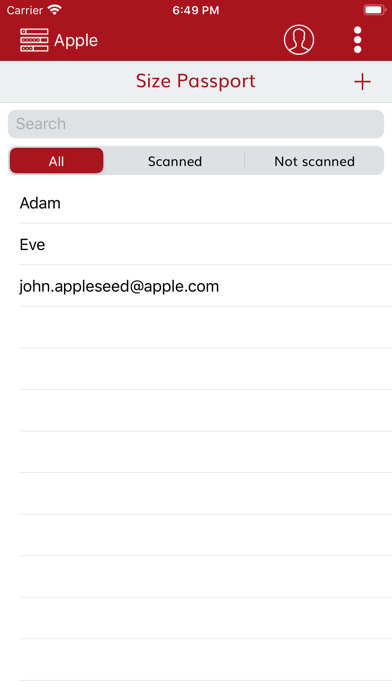
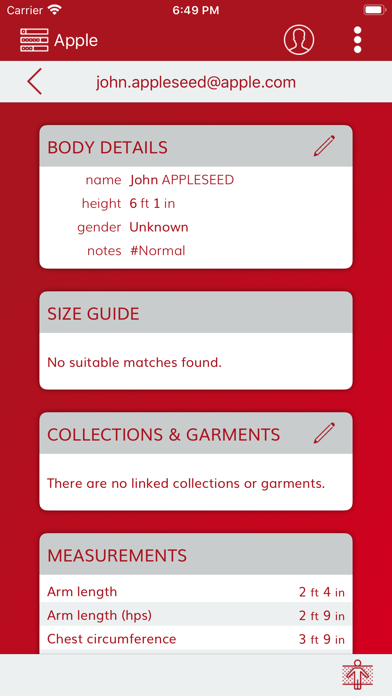
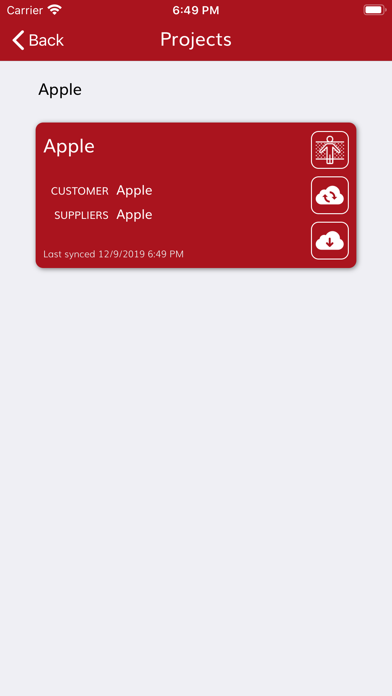
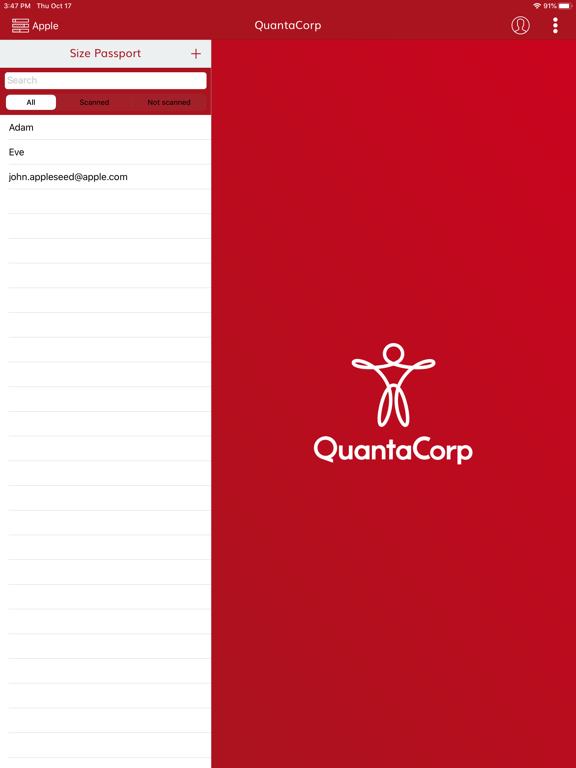
The app allows you to easily manage the measured persons, and consult their measurements.
The quality of the pictures used for the measurement can be enhanced by using the Structure Sensor™ during the scanning process.
Main features:
- Scan a body using the intuitive scan interface
- Manage the QuantaCorp 'Size Passports'
- View body measurements in the unit of measure of your choice (metric, or imperial)
This app is only accessible for B2B clients and API clients. Interested? Get in touch through quantacorp.io.
Built for use with the Structure Sensor by Occipital (http://structure.io/).
Icons provided by Icons8 (https://icons8.com/).
Scan a person and get body measurements within seconds.
Taking body measurements manually is time consuming and inconvenient. The QuantaCorp app allows you to efficiently measure people, by taking just two pictures. When you need to measure up a group of people and provide them with the correct size of garments, this is the fastest and most portable solution.
The app allows you to easily manage the measured persons, and consult their measurements.
The quality of the pictures used for the measurement can be enhanced by using the Structure Sensor™ during the scanning process.
Main features:
- Scan a body using the intuitive scan interface
- Manage the QuantaCorp 'Size Passports'
- View body measurements in the unit of measure of your choice (metric, or imperial)
This app is only accessible for B2B clients and API clients. Interested? Get in touch through quantacorp.io.
Built for use with the Structure Sensor by Occipital (http://structure.io/).
Icons provided by Icons8 (https://icons8.com/).
Show More
What's New in the Latest Version 1.18.1
Last updated on Apr 5, 2022
Old Versions
- Add support for the async scan architecture
- Add support for fixed setup scans on the iPhone 12 Pro
- Add debug setting to preserve all captured data
- Add support for fixed setup scans on the iPhone 12 Pro
- Add debug setting to preserve all captured data
Show More
Version History
1.18.1
Apr 5, 2022
- Add support for the async scan architecture
- Add support for fixed setup scans on the iPhone 12 Pro
- Add debug setting to preserve all captured data
- Add support for fixed setup scans on the iPhone 12 Pro
- Add debug setting to preserve all captured data
1.17.0
Dec 22, 2020
- Display size variations for garment groups and collections
- Enable static setup and fit classification by default for iPads
- Add support for high volume projects (projects with over a thousand size passports)
- Fixed a bug with updates of custom body fields
- Fixed a bug in the detection of the charucoboard
- Fixed a bug in the pose estimation based on charucoboard
- Enable static setup and fit classification by default for iPads
- Add support for high volume projects (projects with over a thousand size passports)
- Fixed a bug with updates of custom body fields
- Fixed a bug in the detection of the charucoboard
- Fixed a bug in the pose estimation based on charucoboard
1.16.1
Nov 12, 2020
Fixed a bug where the app would crash on devices using a version of iOS prior to iOS 13.
1.16.0
Nov 9, 2020
This version includes the following new features and bug fixes:
- Added a setting that allows users to hide the measurements card.
- Added a page for scan configuration to the settings.
- Added support for the charucoboard inspired mat.
- Updated the visualisation of garment groups.
- Fixed an issue with the height-based viewport.
- Added a setting that allows users to hide the measurements card.
- Added a page for scan configuration to the settings.
- Added support for the charucoboard inspired mat.
- Updated the visualisation of garment groups.
- Fixed an issue with the height-based viewport.
1.15.2
Oct 21, 2020
Fixed a bug with the Project page's responsiveness for iOS 14 and up.
1.15.1
Oct 16, 2020
Fixed a bug where garments without conversion sizes made synchronisation fail.
1.15.0
Sep 17, 2020
Size variations are now shown in the size advice.
Fixed some bugs and introduced some minor UI changes.
1.14.0
Jun 10, 2020
Fixed some bugs and introduced some minor UI changes.
1.13.0
May 22, 2020
This version includes the following new features:
- Added a setting to activate camera autofocus.
- Added support for additional Apple devices.
- Added a setting to activate camera autofocus.
- Added support for additional Apple devices.
1.12.0
May 14, 2020
This version includes the following new features:
- Added support for additional custom fields.
- Updated scan GUI with a new silhouette design.
- Fixed a bug where the app would crash when logging out.
- Added support for additional custom fields.
- Updated scan GUI with a new silhouette design.
- Fixed a bug where the app would crash when logging out.
1.11.1
Mar 18, 2020
This version includes the following bug fixes:
- Fixed a memory leak on the Scan page
1.11.0
Mar 3, 2020
This version includes the following new features and bug fixes:
- Significantly reduced synchronisation time for large projects.
- Introduced a new scanning silhouette for camera-only scans.
- Added a setting to enable high resolution image capture.
- Increased a size passport’s notes character count to 2048.
- Made the height property optional when creating a new size passport. User will be prompted for height when taking a scan.
- The scan button is now disabled for a short period of time when transitioning from front to side pose.
- Fixed a bug where the app would crash when hiding the preferred size modal.
- Minor GUI fixes.
- Significantly reduced synchronisation time for large projects.
- Introduced a new scanning silhouette for camera-only scans.
- Added a setting to enable high resolution image capture.
- Increased a size passport’s notes character count to 2048.
- Made the height property optional when creating a new size passport. User will be prompted for height when taking a scan.
- The scan button is now disabled for a short period of time when transitioning from front to side pose.
- Fixed a bug where the app would crash when hiding the preferred size modal.
- Minor GUI fixes.
1.10.0
Jan 23, 2020
This version includes the following new features and bug fixes:
- Users are now able to refresh size passports individually.
- Fixed a bug where scans were being sent without masks.
- Fixed a bug where scans for the same size passport were not uploaded in the order they were taken.
- Fixed a bug where the app crashes at login.
- Minor GUI fixes.
- Users are now able to refresh size passports individually.
- Fixed a bug where scans were being sent without masks.
- Fixed a bug where scans for the same size passport were not uploaded in the order they were taken.
- Fixed a bug where the app crashes at login.
- Minor GUI fixes.
1.9.0
Dec 16, 2019
This version includes the following new features and bug fixes:
- Users are now able to share feedback on preferred garment size advices.
- Users are now asked to set height on the scan page, when height is not set during bulk import.
- Minor GUI fixes.
- Users are now able to share feedback on preferred garment size advices.
- Users are now asked to set height on the scan page, when height is not set during bulk import.
- Minor GUI fixes.
1.8.0
Oct 25, 2019
This version includes several bug fixes and performance improvements:
- Fixed a bug where the silhouette status colour was incorrect.
- Fixed a bug where the side pose evaluation failed.
- Fixed a bug where the preferred size could not be set for garments provided by an external supplier.
- Searches now ignore diacritics. (e.g. é æ ü ø ...)
- Pending scans are now marked with an hourglass.
- Increased synchronisation speed significantly.
- Fixed a bug where the silhouette status colour was incorrect.
- Fixed a bug where the side pose evaluation failed.
- Fixed a bug where the preferred size could not be set for garments provided by an external supplier.
- Searches now ignore diacritics. (e.g. é æ ü ø ...)
- Pending scans are now marked with an hourglass.
- Increased synchronisation speed significantly.
1.7.0
Aug 13, 2019
This version includes several bug fixes and performance improvements.
1.6.0
Jul 11, 2019
New features
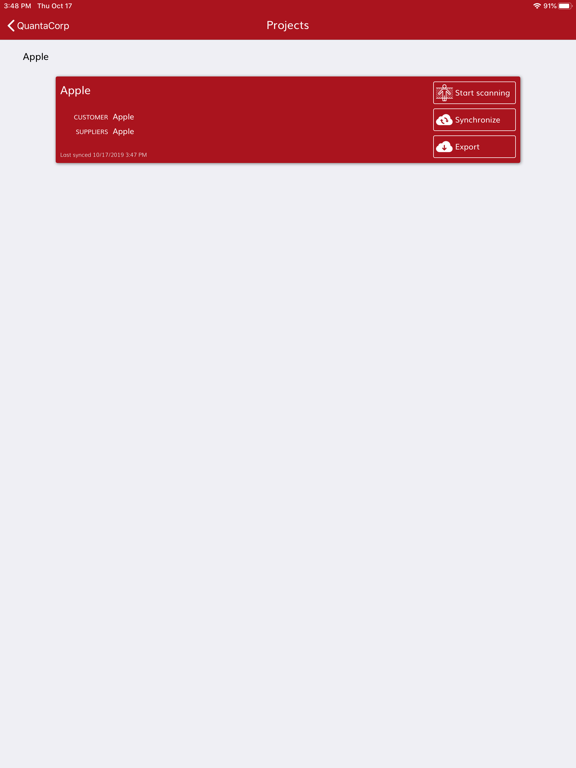
- Users can now export their project from within the app, and share it through email.
Bug fixes
- Fixed a bug where occasionally incorrect scan data was sent when no valid pose was found.
- Users can now export their project from within the app, and share it through email.
Bug fixes
- Fixed a bug where occasionally incorrect scan data was sent when no valid pose was found.
1.5.0
Jun 25, 2019
- New Features
The size advice now only shows the name of the specific garment from a garment-group.
The difference between a garment and a garment-group is indicated with an icon.
It is possible to set the order quantity of a garment to 0.
The scan page has been reworked, the view has been simplified and the processing time for pose detection has decreased. This results in a more fluent scan experience.
It is now possible to continue scanning when the silhouette has not turned green after 30s.
- Fixed Bugs
After a scan the size advice for a garment-group is not updated.
Adding garments, garment-groups or collections after a scan did not show a size advice.
A crash occurs when no size passport is selected before changing the active project.
A newly created passport in the app is incorrectly filtered by the scannend/not scanned filter
- Fixed Bugs iPhone
The app crashes when going to the user page on an iPhone.
The text color of the height picker causes it to be unreadable on an iPhone.
The size advice now only shows the name of the specific garment from a garment-group.
The difference between a garment and a garment-group is indicated with an icon.
It is possible to set the order quantity of a garment to 0.
The scan page has been reworked, the view has been simplified and the processing time for pose detection has decreased. This results in a more fluent scan experience.
It is now possible to continue scanning when the silhouette has not turned green after 30s.
- Fixed Bugs
After a scan the size advice for a garment-group is not updated.
Adding garments, garment-groups or collections after a scan did not show a size advice.
A crash occurs when no size passport is selected before changing the active project.
A newly created passport in the app is incorrectly filtered by the scannend/not scanned filter
- Fixed Bugs iPhone
The app crashes when going to the user page on an iPhone.
The text color of the height picker causes it to be unreadable on an iPhone.
1.4.1
Apr 8, 2019
- Improved synchronisation of body configurations
1.4.0
Mar 25, 2019
- Add support for garment group configurations
- Improved offline mode
- Improved overall stability
- Improved offline mode
- Improved overall stability
1.3.2
Jan 27, 2019
- The size passport filter 'scanned' now includes size passports who's garments have a preferred size set.
- Improved offline mode
- Improved overall stability
- Improved offline mode
- Improved overall stability
1.3.1
Jan 14, 2019
- Filter the size guide to only show linked garments and collections
- Improved the snapshot button and tweaked the arm angles for a better scan experience
- Enable 3D by default for all user roles
- Improved offline mode
- Improved overall stability
- Minor GUI fixes
- Improved the snapshot button and tweaked the arm angles for a better scan experience
- Enable 3D by default for all user roles
- Improved offline mode
- Improved overall stability
- Minor GUI fixes
1.3.0
Dec 16, 2018
New features & improvements:
- Added French translations
- Added a control to quickly select comfort size
- Added a version check at login
- Increased the arm angle for front-pose, and redesigned scan silhouettes, for improved results
- The app can now be used when offline, or when the connection is bad
Bug fixes:
- Fixed a bug with the scan results in the project page
- Minor GUI fixes
- Added French translations
- Added a control to quickly select comfort size
- Added a version check at login
- Increased the arm angle for front-pose, and redesigned scan silhouettes, for improved results
- The app can now be used when offline, or when the connection is bad
Bug fixes:
- Fixed a bug with the scan results in the project page
- Minor GUI fixes
1.2.4
Sep 7, 2018
New features & improvements:
- Added German language
- The list of size passports can now be collapsed
- The preferred size can now be set to "Forcé"
- The order quantity when linking garments to a passport now defaults to the order quantity configured on project level
- Added German language
- The list of size passports can now be collapsed
- The preferred size can now be set to "Forcé"
- The order quantity when linking garments to a passport now defaults to the order quantity configured on project level
1.2.3
Aug 24, 2018
New features & improvements:
- This version supports the upcoming new user roles that will be available soon.
- The project page is now grouped according to customer
Bug fixes:
- Fixed a bug that prevented to save custom fields on a newly created size passport

- This version supports the upcoming new user roles that will be available soon.
- The project page is now grouped according to customer
Bug fixes:
- Fixed a bug that prevented to save custom fields on a newly created size passport
QuantaCorp FAQ
Click here to learn how to download QuantaCorp in restricted country or region.
Check the following list to see the minimum requirements of QuantaCorp.
iPhone
Requires iOS 10.0 or later.
iPad
Requires iPadOS 10.0 or later.
iPod touch
Requires iOS 10.0 or later.
QuantaCorp supports English, Dutch, French, German