ScribblePost: Notes & Tasks

ScribblePost: Notes & Tasks


Free

1.3.19for iPhone, iPad
Age Rating
4+
Apps in this category do not contain restricted content.
9+
Apps in this category may contain mild or occasional cartoon, fantasy or real-life violence, as well as occasional or mild adult, sexually suggestive or horrifying content and may not be suitable for children under 9 years of age.
12+
Apps in this category may contain occasional mild indecent language, frequent or intense cartoon or real-life violence, minor or occasional adult or sexually suggestive material, and simulated gambling, and may be for children under 12 years of age.
17+
You must be at least 17 years old to access this App.
Apps in this category may contain frequent and intense offensive language; Frequent and intense cartoon, fantasy or realistic violence: frequent and intense adult, scary and sexually suggestive subjects: as well as sexual content, nudity, tobacco, alcohol and drugs, may not be suitable for children under 17 years of age.
ScribblePost: Notes & Tasks Screenshots
ScribblePost: Notes & Tasks poster

About ScribblePost: Notes & Tasks

ScribblePost is the fastest way to take notes and get things done.

Built with entrepreneurs in mind, ScribblePost is perfect for keeping track of projects, ideas and tasks. Scribble anything and everything, then track and manage all your actions in one place.

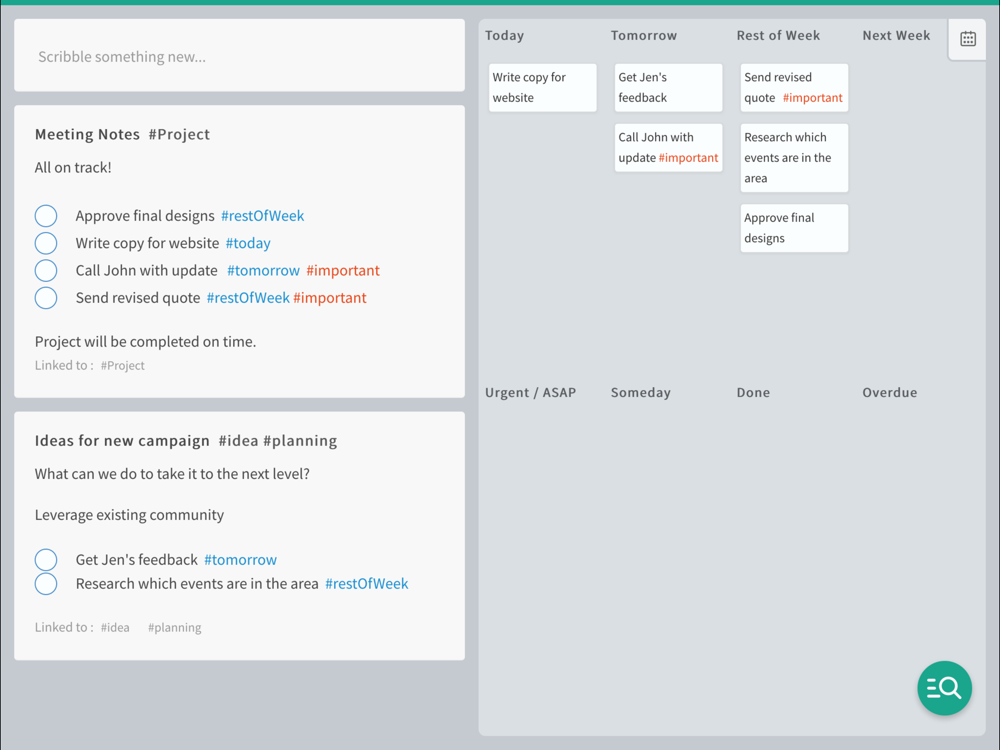
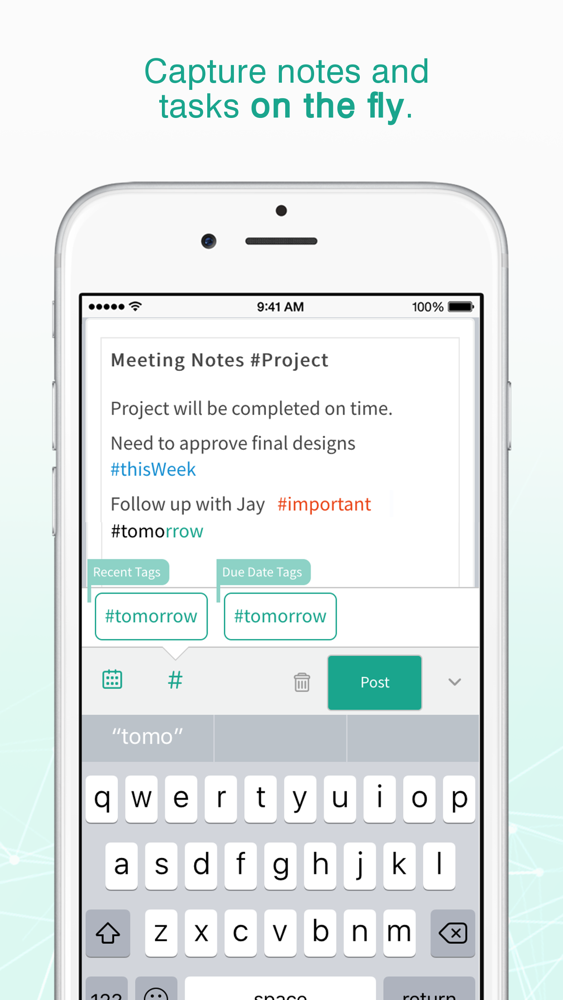
ScribblePost is blazing fast because you can use intelligent tags while you type e.g. #today, #thisWeek, #important etc., then post your notes and watch ScribblePost automatically keep track. For example:

Get ScribblePost and keep track of everything #today

It’s that simple.

Why build another productivity app?
Today's productivity tools are not getting the job done! Note taking apps don't track to-do items; task apps take too long to update; and project tools are way too structured and rigid. ScribblePost is modeled on the way people naturally scribble notes on paper, so it's extremely fast, flexible and easy to use.

ScribblePost enables you to:
- Keep track of notes and tasks in one easy-to-use app
- Capture anything - thoughts, issues, notes, tasks
- Use intelligent hashtags (#) to track important, actionable items
- Create tags on the fly to categorize and track project and customer work
- Search your data quickly; find the right information at the right time
- Mark off #done items with a single tap

Here’s what our users are saying:

"ScribblePost is a faster way to manage my information. I can capture and classify on the fly. Then I can go back and quickly see what I need to get done."
Steven P. Delivery Lead. New Jersey.

"I have ScribblePost open all day, during meetings and calls. It helps me sleep at night knowing everything I tag is going to get done."
Neal D. Chief Operating Officer. North Carolina.

"ScribblePost helps me be more productive without needing to think about it."
Hope W. Marketing Consultant, New York.

We love hearing from our users! Contact us at support@scribblepost.com.

Our Terms of Use: http://www.scribblepost.com/terms
Our Privacy Policy: http://www.scribblepost.com/privacy-policy

Show More

What's New in the Latest Version 1.3.19

Last updated on Sep 22, 2017
Old Versions
ScribblePost now lets you share notes, track teamwork and chat with others! Work with colleagues, customers, suppliers, friends…anyone.

New Shared Notes and Conversations ensure your team is always on the same page. Once you share a post, team members can view and update tasks, and share comments right there in ScribblePost!

Look for the ‘Share’ option on the ‘Post’ button, or the add icon in the top right of any note to start sharing.
Show More
Version History
1.3.19
Sep 22, 2017
ScribblePost now lets you share notes, track teamwork and chat with others! Work with colleagues, customers, suppliers, friends…anyone.

New Shared Notes and Conversations ensure your team is always on the same page. Once you share a post, team members can view and update tasks, and share comments right there in ScribblePost!

Look for the ‘Share’ option on the ‘Post’ button, or the add icon in the top right of any note to start sharing.

ScribblePost: Notes & Tasks FAQ

Click here to learn how to download ScribblePost: Notes & Tasks in restricted country or region.
Check the following list to see the minimum requirements of ScribblePost: Notes & Tasks.
iPhone
iPad
ScribblePost: Notes & Tasks supports English

ScribblePost: Notes & Tasks Alternative

You May Also Like