Seque - Deep work and focus
Free
3.3.1for iPhone, iPad
Age Rating
Seque - Deep work and focus Screenshots
About Seque - Deep work and focus
Plan your time better.
Focus for longer.
Optimize the way you work.
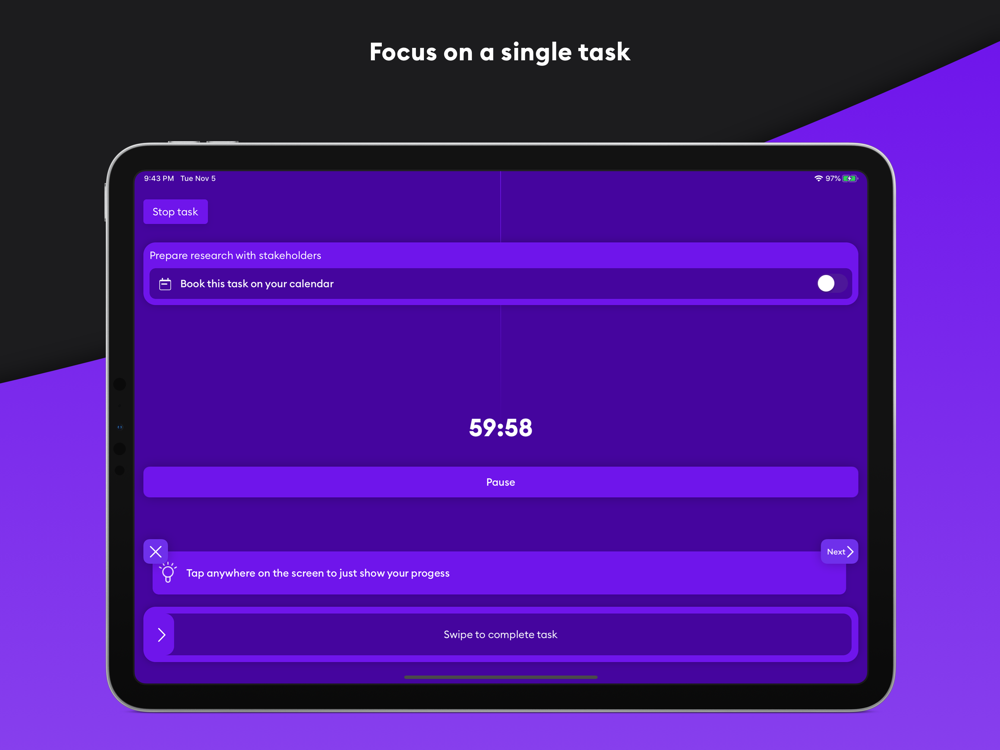
Helping you to focus on one task at a time, and do your best work.
Increase your productivity with intense focus blocks and single-tasking.
Features:
PLAN
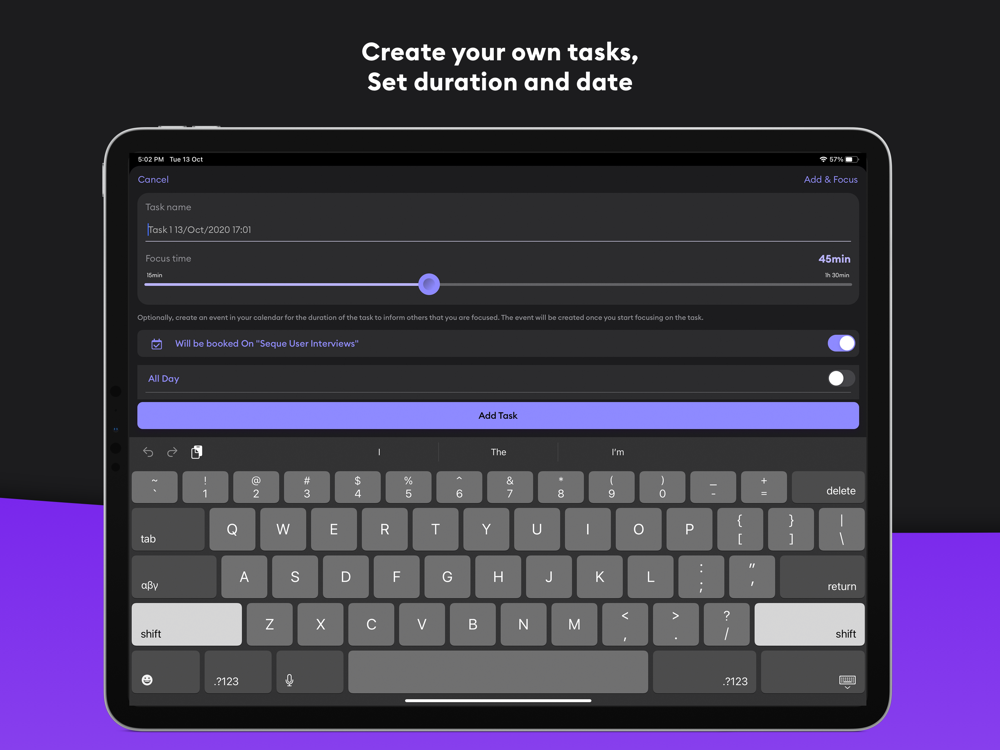
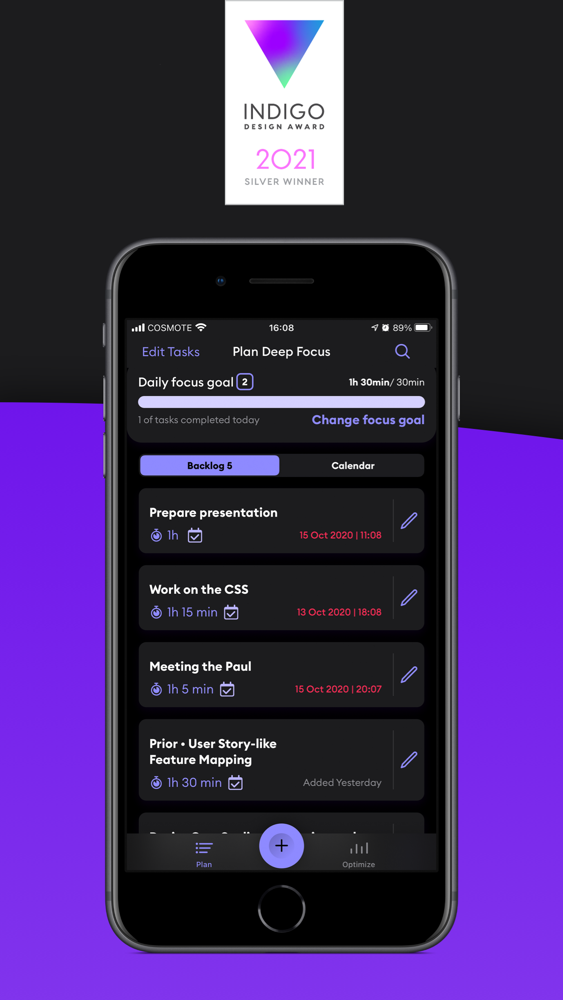
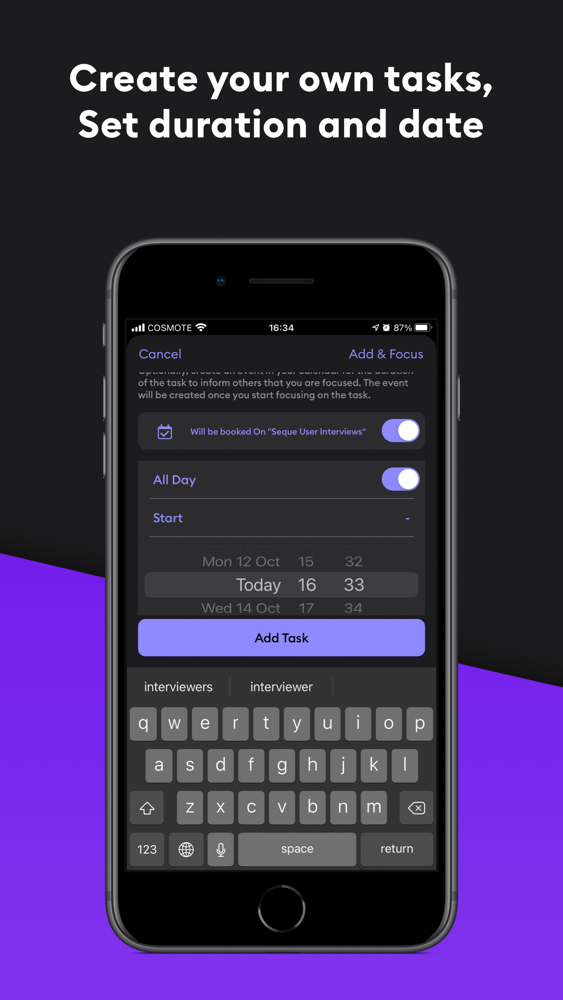
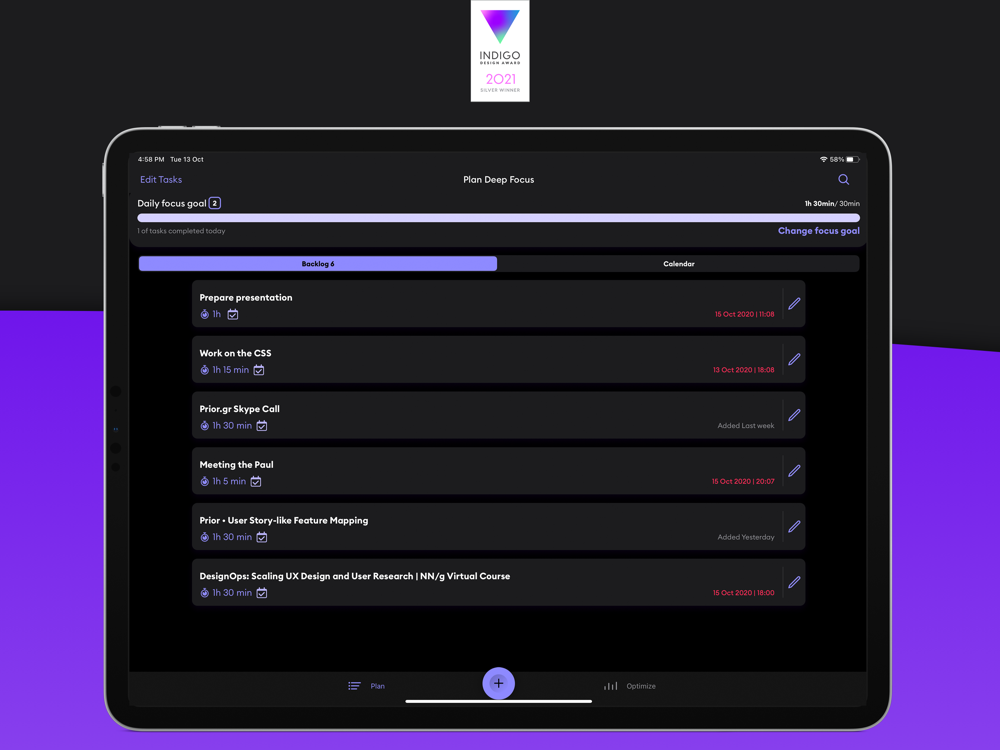
Input and manage tasks.
Individual task times lets you decide how long to spend on each task.
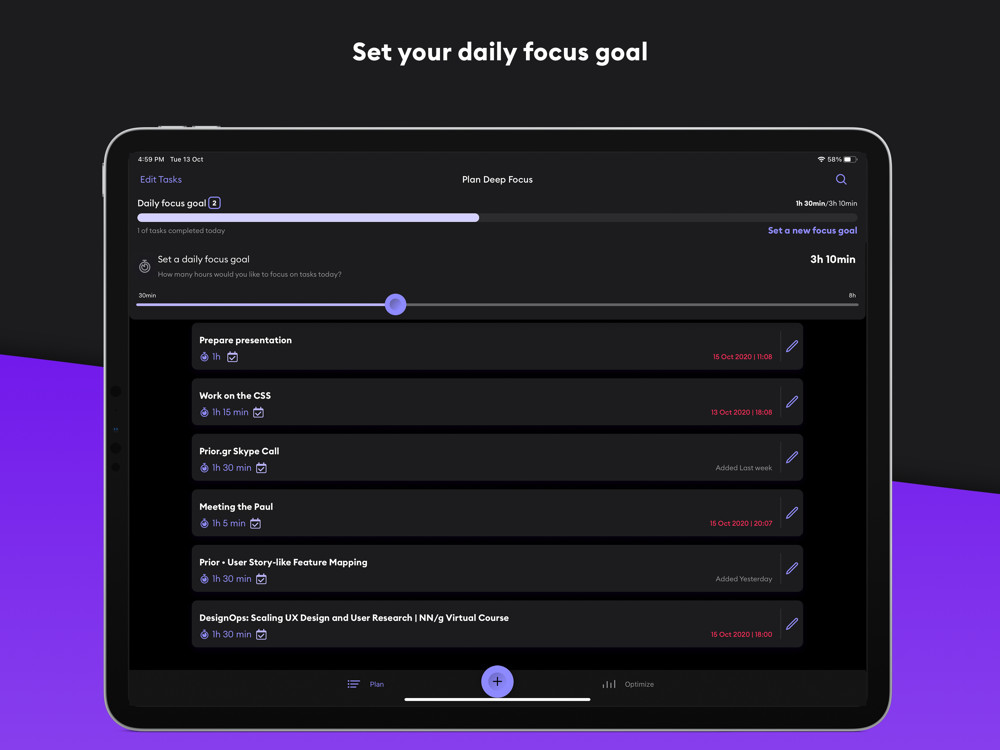
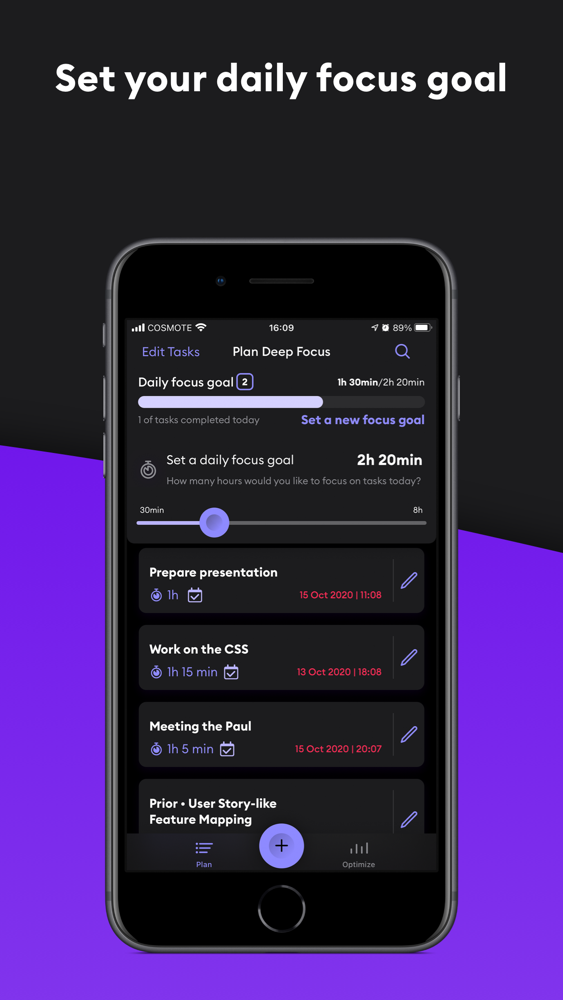
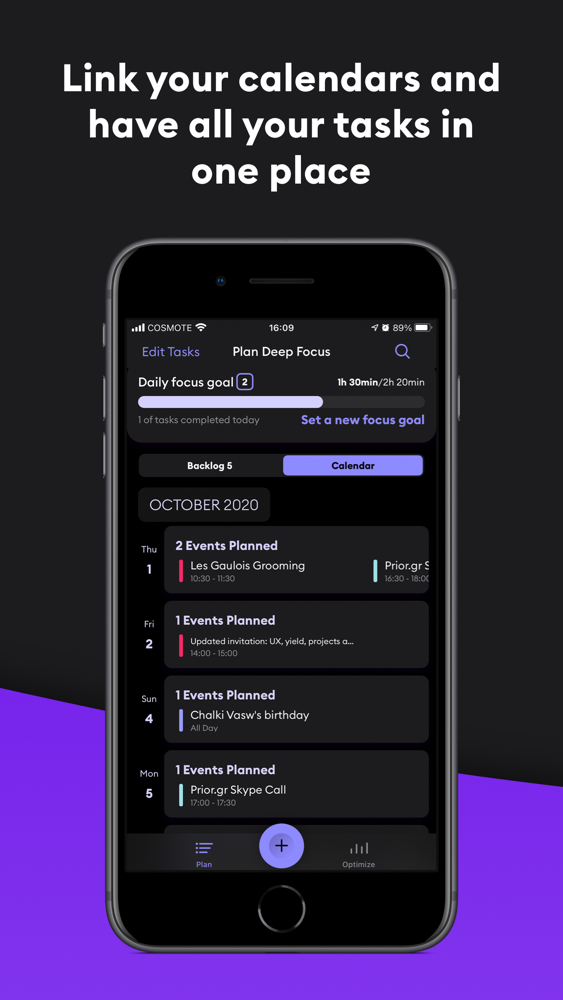
Set your daily focus goal and control your productivity.
CALENDAR
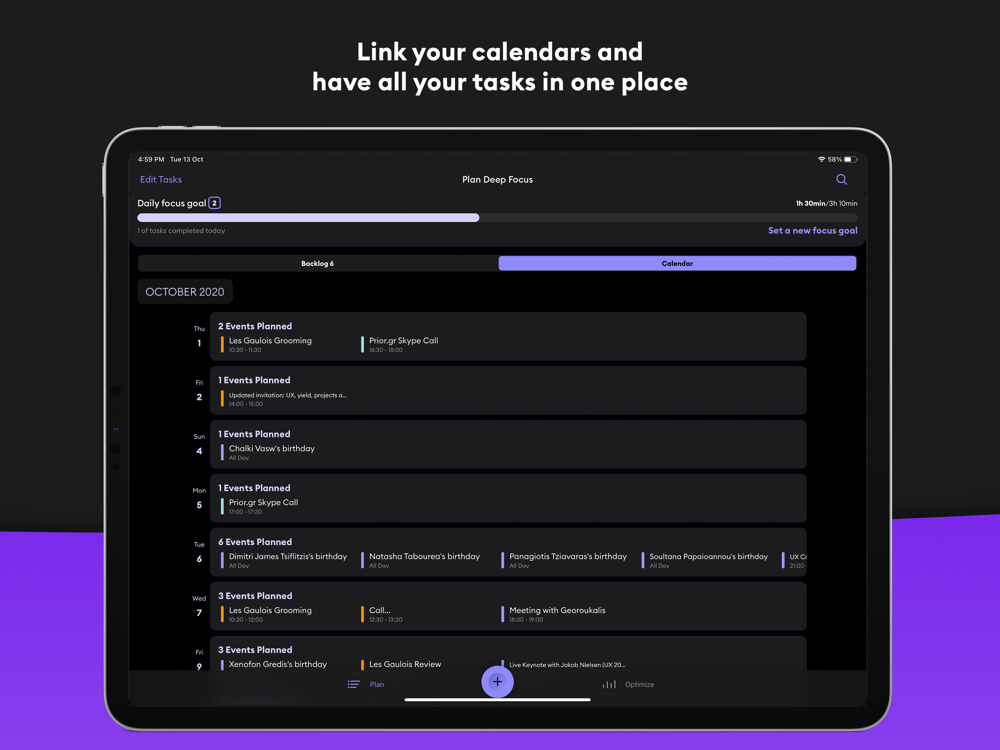
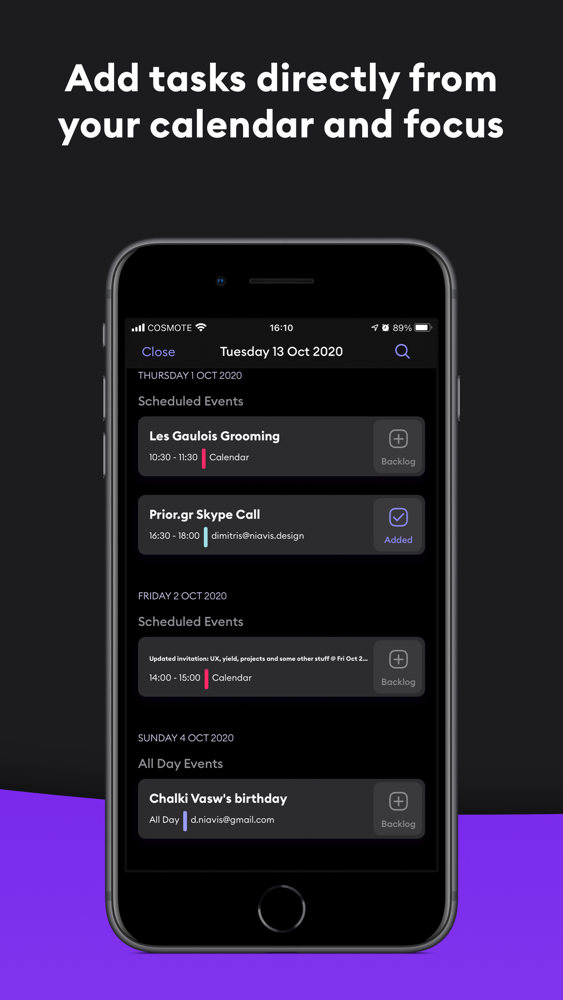
Focus on your Calendar events from within Seque.
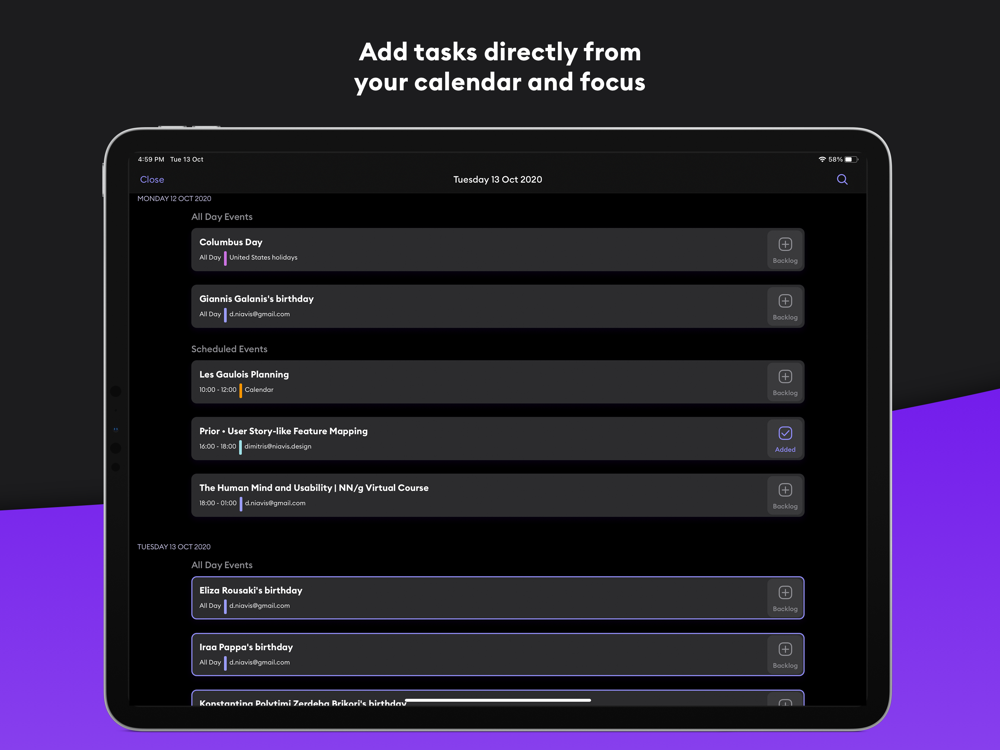
With one tap on any of your calendar events start your journey towards your daily focus goal.
FOCUS
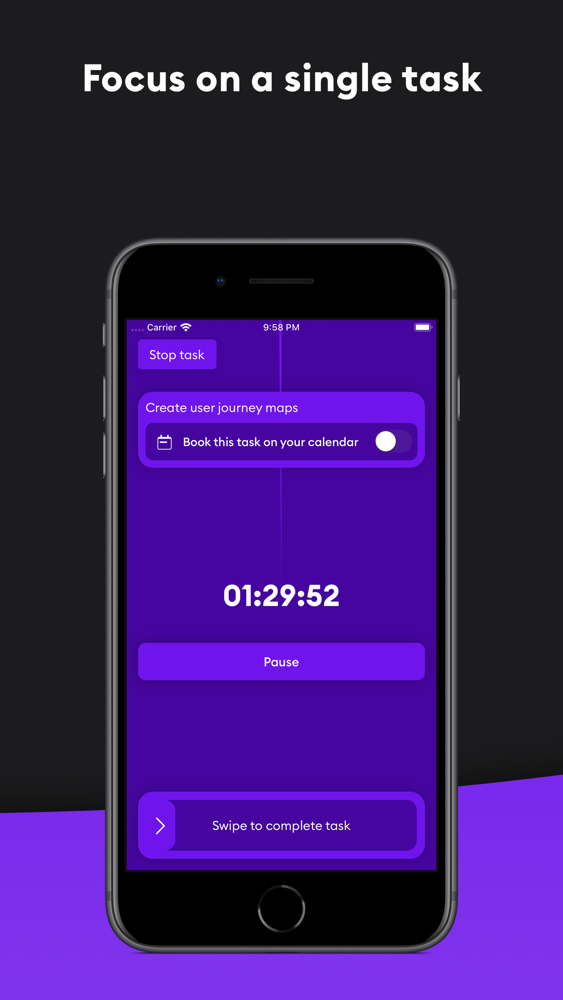
Calendar integration lets others know you are focused.
Full-screen timer view blocks out in-person distractions.
Focus streaks encourage you to use the app every day to continue to increase your overall productivity.
OPTIMIZE
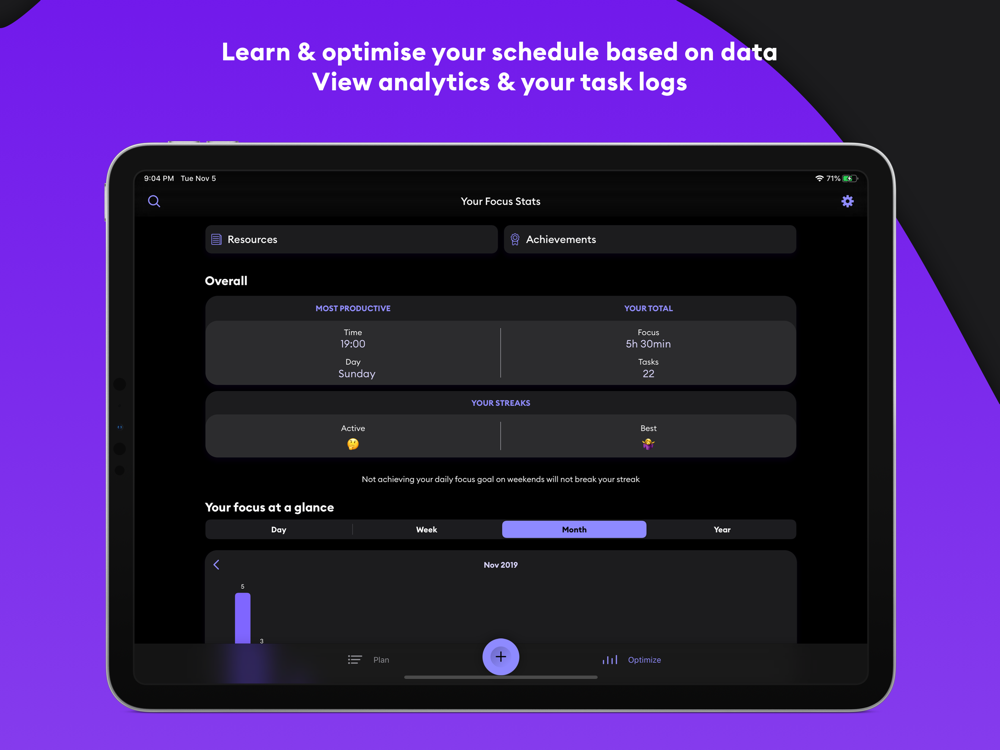
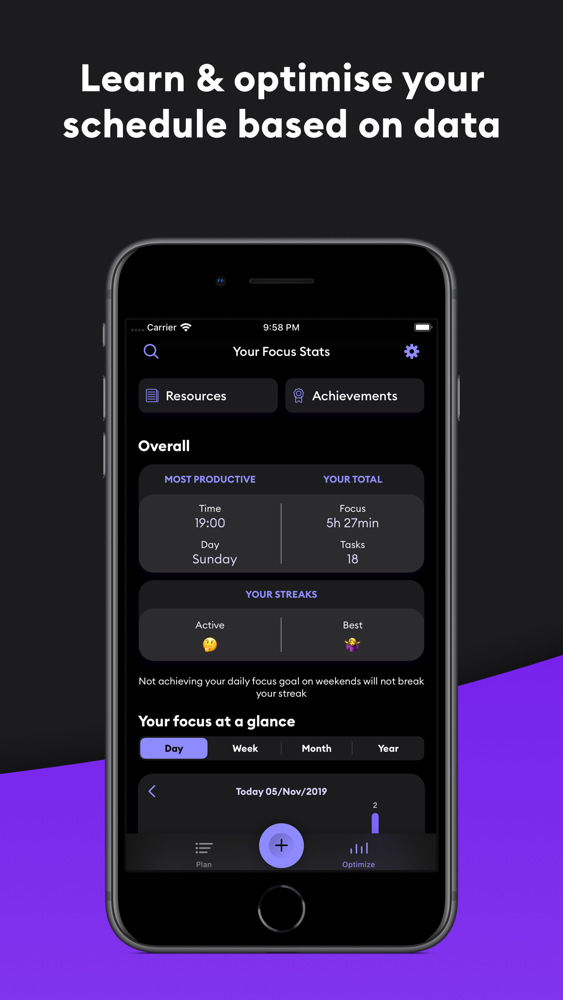
Get progress reports and productivity trends to see when you work best.
Plan your day around when and how you get the most done.
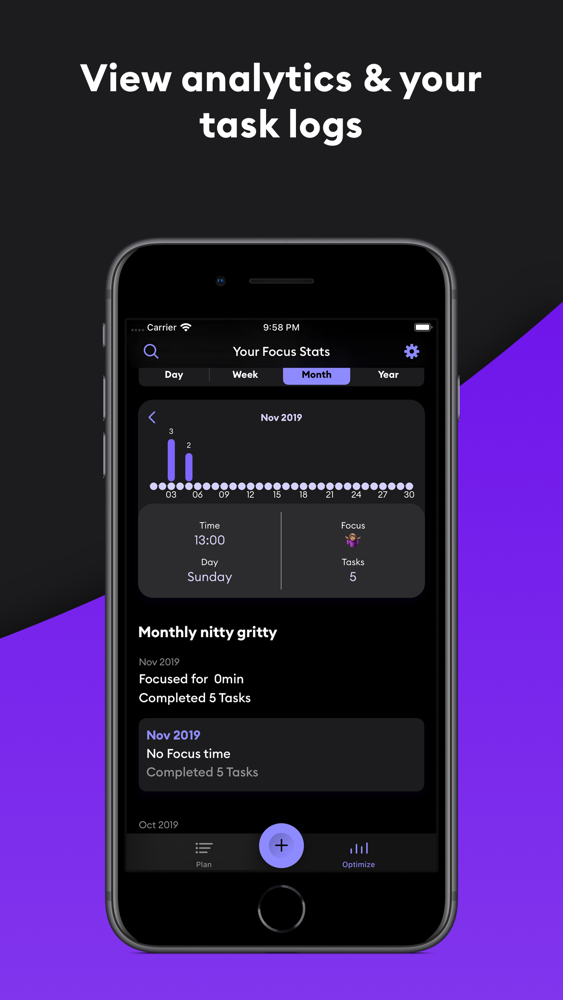
See analytic charts by day, week, month, and year so you can drill down into your productivity.
WIDGETS
Create tasks, quick focus for 30’, and view your backlog right from your device home screen.
PLUS
No logins or registrations. Just start using it and we’ll make sure that all your iOS devices are synced.
Fully optimized to accessibility standards .
Dark mode available.
Starter FAQs
Is the app free?
When you sign up for a 14-day trial, you’ll get access to the app’s full feature list. After that, you can continue your subscription to keep focusing for longer.
What happens if I cancel my subscription?
You will be able to access all your app data, your task logs and analytics till the moment you canceled your subscription. You won’t be able to create new tasks or focus on existing ones though. Resubscribing will let you continue where you left off.
How does the “book to calendar” feature work?
You’ll need to select a calendar that you wish to book your focus time on. After that, whenever you start focusing on a task that has the feature enabled, Seque will create an event to your calendar for the set duration of the task at hand. Plain and simple. You will be able to let your teammates know that you’re unavailable for meetings and avoid interruptions.
Can I send you feedback?
We built Seque for you to get the most out of your time. We’d love to hear how the app is working for you, and other ways in which we can support you to get more done. Your feedback is invaluable! Go to the support section in the app settings to send us your thoughts.
Subscription Pricing and Terms
Seque requires a subscription for full access and offers three auto-renewing subscription options:
- 2 weeks free trial, no subscription needed. Experience the complete app, plus all updates.
- A monthly auto-renewing subscription at $1.99 per month
- A yearly auto-renewing subscription at $16.99 per year
Payment will be charged to your iTunes account at confirmation of purchase. Subscriptions automatically renew unless auto-renew is turned off at least 24 hours before the end of the current period. Your account will be charged for renewal within 24-hours prior to the end of the current period and identify the cost of the renewal. You can manage your subscriptions and auto-renewal may be turned off by going into your Account Settings after purchase. Any unused portion of the free trial will be forfeited when you purchase a subscription.
Seque helps you plan, focus and optimize your time so that you can get more done in less time. Work distraction-free immersed in deep focus blocks. One task at a time. Increase your productivity by knowing when you work at peak performance. Get started today and see an immediate improvement in the way you work.
Privacy Policy: https://www.seque.app/seque-privacy-policy
Terms and Conditions: https://www.seque.app/seque-terms-and-conditions

Focus for longer.
Optimize the way you work.
Helping you to focus on one task at a time, and do your best work.
Increase your productivity with intense focus blocks and single-tasking.
Features:
PLAN
Input and manage tasks.
Individual task times lets you decide how long to spend on each task.
Set your daily focus goal and control your productivity.
CALENDAR
Focus on your Calendar events from within Seque.
With one tap on any of your calendar events start your journey towards your daily focus goal.
FOCUS
Calendar integration lets others know you are focused.
Full-screen timer view blocks out in-person distractions.
Focus streaks encourage you to use the app every day to continue to increase your overall productivity.
OPTIMIZE
Get progress reports and productivity trends to see when you work best.
Plan your day around when and how you get the most done.
See analytic charts by day, week, month, and year so you can drill down into your productivity.
WIDGETS
Create tasks, quick focus for 30’, and view your backlog right from your device home screen.
PLUS
No logins or registrations. Just start using it and we’ll make sure that all your iOS devices are synced.
Fully optimized to accessibility standards .
Dark mode available.
Starter FAQs
Is the app free?
When you sign up for a 14-day trial, you’ll get access to the app’s full feature list. After that, you can continue your subscription to keep focusing for longer.
What happens if I cancel my subscription?
You will be able to access all your app data, your task logs and analytics till the moment you canceled your subscription. You won’t be able to create new tasks or focus on existing ones though. Resubscribing will let you continue where you left off.
How does the “book to calendar” feature work?
You’ll need to select a calendar that you wish to book your focus time on. After that, whenever you start focusing on a task that has the feature enabled, Seque will create an event to your calendar for the set duration of the task at hand. Plain and simple. You will be able to let your teammates know that you’re unavailable for meetings and avoid interruptions.
Can I send you feedback?
We built Seque for you to get the most out of your time. We’d love to hear how the app is working for you, and other ways in which we can support you to get more done. Your feedback is invaluable! Go to the support section in the app settings to send us your thoughts.
Subscription Pricing and Terms
Seque requires a subscription for full access and offers three auto-renewing subscription options:
- 2 weeks free trial, no subscription needed. Experience the complete app, plus all updates.
- A monthly auto-renewing subscription at $1.99 per month
- A yearly auto-renewing subscription at $16.99 per year
Payment will be charged to your iTunes account at confirmation of purchase. Subscriptions automatically renew unless auto-renew is turned off at least 24 hours before the end of the current period. Your account will be charged for renewal within 24-hours prior to the end of the current period and identify the cost of the renewal. You can manage your subscriptions and auto-renewal may be turned off by going into your Account Settings after purchase. Any unused portion of the free trial will be forfeited when you purchase a subscription.
Seque helps you plan, focus and optimize your time so that you can get more done in less time. Work distraction-free immersed in deep focus blocks. One task at a time. Increase your productivity by knowing when you work at peak performance. Get started today and see an immediate improvement in the way you work.
Privacy Policy: https://www.seque.app/seque-privacy-policy
Terms and Conditions: https://www.seque.app/seque-terms-and-conditions
Show More
What's New in the Latest Version 3.3.1
Last updated on Apr 6, 2022
Old Versions
Boost your productivity! Seque is now available on Apple Watch. Create and immediately focus on your tasks with one tap on your wrist! Seque will notify you when it's time!
Show More
Version History
3.3.1
Apr 6, 2022
Boost your productivity! Seque is now available on Apple Watch. Create and immediately focus on your tasks with one tap on your wrist! Seque will notify you when it's time!
3.2.0
Mar 22, 2022
Boost your productivity! Seque is now available on Apple Watch. Create and immediately focus on your tasks with one tap on your wrist! Seque will notify you when it's time!
3.0.1
Nov 16, 2021
Boost your productivity! Seque is now available on Apple Watch. Create and immediately focus on your tasks with one tap on your wrist! Seque will notify you when it's time!
2.1.2
Jun 19, 2021
Boost your productivity! Your tasks now integrate perfectly with your calendar. All your calendar tasks, with your explicit permission of course, now appear in their own dedicated section in the app. With a single tap, you can start focusing on a calendar event right away. With an extra tap or two, you can review your entire calendar list and choose when to focus. Seque will notify you when it's time!
2.0.2
Dec 19, 2020
Welcome to our biggest update so far!
Seque now works perfectly with your own calendar. All your calendar tasks, with your explicit permission of course, now appear in their own dedicated section in the app. With a single tap, you can start focusing on a calendar event right away. With an extra tap or two, you can review your entire calendar list and choose when to focus. Seque will notify you when it's time!
Note: Choosing to work with your calendar on Seque is our recommended way to get the most out of our app, however, it is also completely optional and you can choose to use the original experience which we have kept intact.
We are very proud to release this update and we hope you enjoy it!
Seque now works perfectly with your own calendar. All your calendar tasks, with your explicit permission of course, now appear in their own dedicated section in the app. With a single tap, you can start focusing on a calendar event right away. With an extra tap or two, you can review your entire calendar list and choose when to focus. Seque will notify you when it's time!
Note: Choosing to work with your calendar on Seque is our recommended way to get the most out of our app, however, it is also completely optional and you can choose to use the original experience which we have kept intact.
We are very proud to release this update and we hope you enjoy it!
2.0.1
Nov 27, 2020
Welcome to our biggest update so far!
Seque now works perfectly with your own calendar. All your calendar tasks, with your explicit permission of course, now appear in their own dedicated section in the app. With a single tap, you can start focusing on a calendar event right away. With an extra tap or two, you can review your entire calendar list and choose when to focus. Seque will notify you when it's time!
Note: Choosing to work with your calendar on Seque is our recommended way to get the most out of our app, however, it is also completely optional and you can choose to use the original experience which we have kept intact.
We are very proud to release this update and we hope you enjoy it!
Seque now works perfectly with your own calendar. All your calendar tasks, with your explicit permission of course, now appear in their own dedicated section in the app. With a single tap, you can start focusing on a calendar event right away. With an extra tap or two, you can review your entire calendar list and choose when to focus. Seque will notify you when it's time!
Note: Choosing to work with your calendar on Seque is our recommended way to get the most out of our app, however, it is also completely optional and you can choose to use the original experience which we have kept intact.
We are very proud to release this update and we hope you enjoy it!
2.0.0
Nov 17, 2020
Welcome to our biggest update so far!
Seque now works perfectly with your own calendar. All your calendar tasks, with your explicit permission of course, now appear in their own dedicated section in the app. With a single tap, you can start focusing on a calendar event right away. With an extra tap or two, you can review your entire calendar list and choose when to focus. Seque will notify you when it's time!
Note: Choosing to work with your calendar on Seque is our recommended way to get the most out of our app, however, it is also completely optional and you can choose to use the original experience which we have kept intact.
We are very proud to release this update and we hope you enjoy it!
Seque now works perfectly with your own calendar. All your calendar tasks, with your explicit permission of course, now appear in their own dedicated section in the app. With a single tap, you can start focusing on a calendar event right away. With an extra tap or two, you can review your entire calendar list and choose when to focus. Seque will notify you when it's time!
Note: Choosing to work with your calendar on Seque is our recommended way to get the most out of our app, however, it is also completely optional and you can choose to use the original experience which we have kept intact.
We are very proud to release this update and we hope you enjoy it!
1.4.5
Jul 8, 2020
- Stability and performance improvements.
1.4.1
May 27, 2020
- Improved syncing between your devices.
- Stability and performance improvements.
1.4.0
May 6, 2020
- Streamlined your onboarding experience.
- Stability and performance improvements.
1.3.0
Mar 15, 2020
- Stability and performance improvements
Seque - Deep work and focus FAQ
Click here to learn how to download Seque - Deep work and focus in restricted country or region.
Check the following list to see the minimum requirements of Seque - Deep work and focus.
iPhone
iPad
Seque - Deep work and focus supports English, Greek, Spanish