Wavey - record with Wave
recording - remembering easily
Free
1.3.4for iPhone, Apple Watch and more
Age Rating
Wavey - record with Wave Screenshots
About Wavey - record with Wave
Everyone has a sound they want to remember. The sound of summer cicadas, the sound of cold rain
Or your favorite song of the day that you sang well
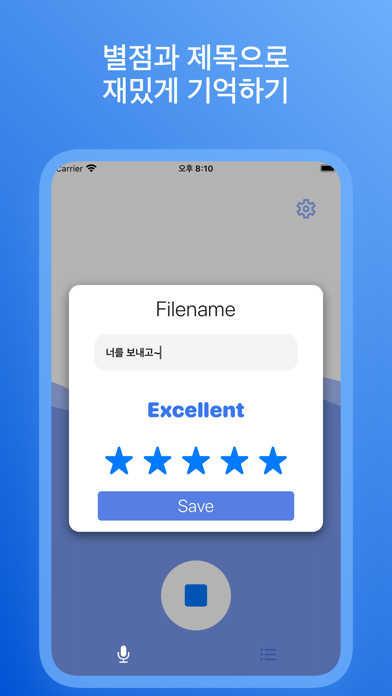
Title and save those memories through Wavey and add your own satisfaction.
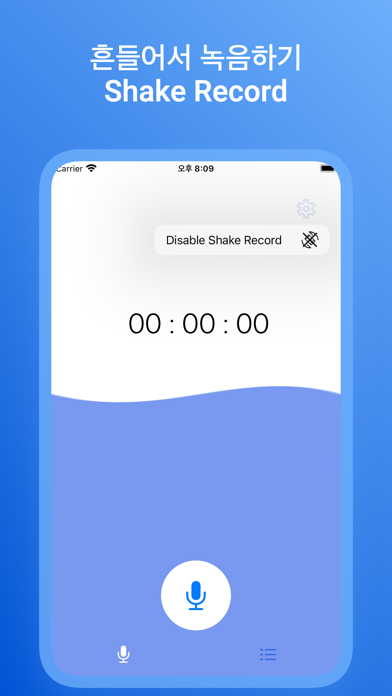
There is also a 'Shake Record' that helps you not to miss those moments!
# Key Features
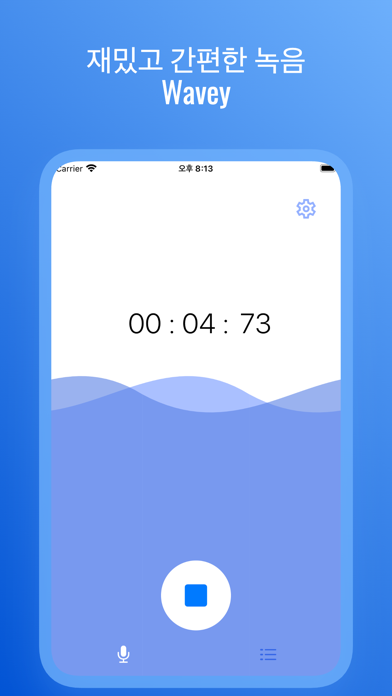
1. You can start and end recording by pressing the button or shaking the device.
- You can turn the 'Shake Record' function on or off by clicking on the settings picture.
- If the recording is in progress, the waves will move more vigorously.
2. After recording, you can save it with your name and star rating.
- If you leave the Recording page without ending the recording, the recording automatically ends and is saved as the default.
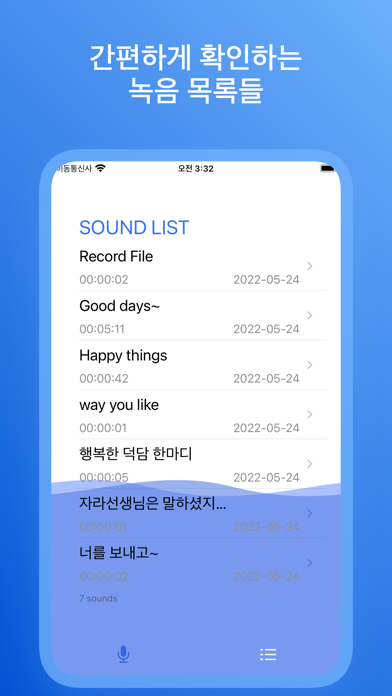
3. Recorded files are listed in chronological order.
- You can delete it if you slide to the left.
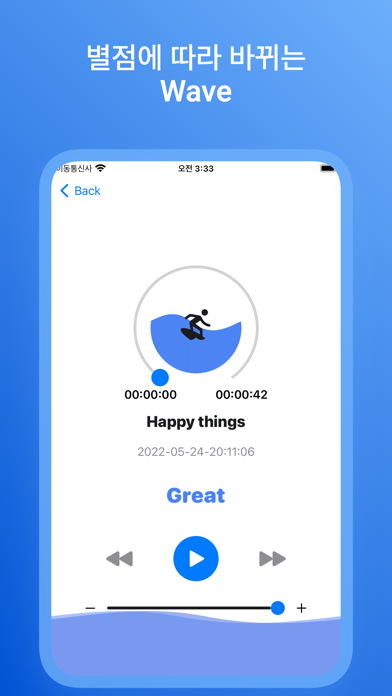
4. Click the listed file to move to the player where you can play the file.
- The height of the wave changes and the color becomes darker depending on the horoscope you give.
- If the recorded file is running, the waves will overflow more vigorously.
- You can move the slide bar to adjust the volume level or the progress of the recording.
# Points to Note
- When you leave the recording screen in progress, the recording automatically ends and is saved.
- When you delete the app, the recorded file stored in the app is also deleted.

Or your favorite song of the day that you sang well
Title and save those memories through Wavey and add your own satisfaction.
There is also a 'Shake Record' that helps you not to miss those moments!
# Key Features
1. You can start and end recording by pressing the button or shaking the device.
- You can turn the 'Shake Record' function on or off by clicking on the settings picture.
- If the recording is in progress, the waves will move more vigorously.
2. After recording, you can save it with your name and star rating.
- If you leave the Recording page without ending the recording, the recording automatically ends and is saved as the default.
3. Recorded files are listed in chronological order.
- You can delete it if you slide to the left.
4. Click the listed file to move to the player where you can play the file.
- The height of the wave changes and the color becomes darker depending on the horoscope you give.
- If the recorded file is running, the waves will overflow more vigorously.
- You can move the slide bar to adjust the volume level or the progress of the recording.
# Points to Note
- When you leave the recording screen in progress, the recording automatically ends and is saved.
- When you delete the app, the recorded file stored in the app is also deleted.
Show More
What's New in the Latest Version 1.3.4
Last updated on Oct 29, 2022
Old Versions
* when AppleWatch is smaller than 40mm, some text was cut by screen.
In this version, fix that case.
* Update App promotion page.
In this version, fix that case.
* Update App promotion page.
Show More
Version History
1.3.4
Oct 29, 2022
* when AppleWatch is smaller than 40mm, some text was cut by screen.
In this version, fix that case.
* Update App promotion page.
In this version, fix that case.
* Update App promotion page.
1.3.3
Sep 18, 2022
* It is now work properly on iOS16 !
1.3.2
Aug 25, 2022
* Waveform was added to appleWatch
1.3.1
Aug 23, 2022
You can adjust the permissions of the Wavey installed on the Apple Watch by using your iPhone.
1.3
Aug 22, 2022
* From now on, Wavey is available on AppleWatch!
1.2
Jul 22, 2022
The hour, minute, and second notes of the saved date and time of the listed file are deleted to allow you to focus on the date!
The length notation of the file is added to allow you to check the length of the file without clicking it.
The file's playback screen has been changed to display more than minutes in time units.
The length notation of the file is added to allow you to check the length of the file without clicking it.
The file's playback screen has been changed to display more than minutes in time units.
1.1
Jun 22, 2022
The title of the file and the creation time were horizontally aligned.
The update has been vertically aligned and the size has been modified.
1.0
May 25, 2022
Wavey - record with Wave FAQ
Click here to learn how to download Wavey - record with Wave in restricted country or region.
Check the following list to see the minimum requirements of Wavey - record with Wave.
iPhone
Requires iOS 15.0 or later.
Apple Watch
Requires watchOS 8.0 or later.
iPod touch
Requires iOS 15.0 or later.
Wavey - record with Wave supports English