Split Screen Multitasking
Browse on Dual Window View
FreeOffers In-App Purchases
1.0.4for iPhone, iPod touch
8.7
40 Ratings
ZEYNEP AYYCE CAY
Developer
49.1 MB
Size
Feb 17, 2025
Update Date
Productivity
Category
17+
Age Rating
Age Rating
Split Screen Multitasking Screenshots
About Split Screen Multitasking
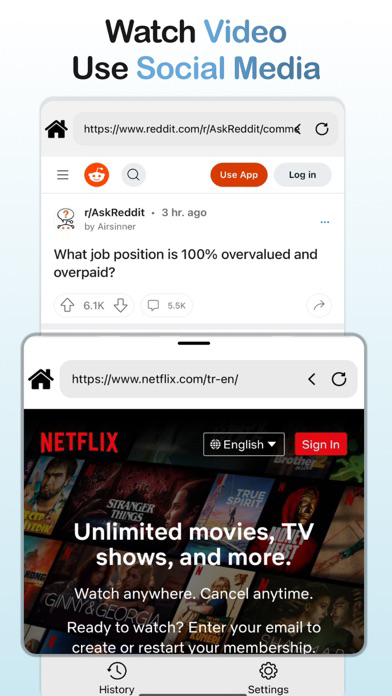
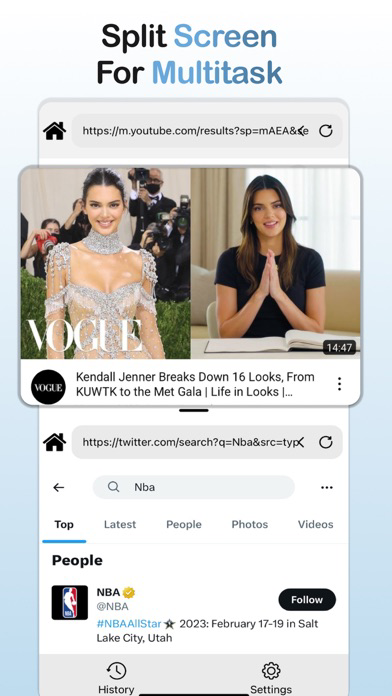
With Split View, you can work on two tasks at once without having to switch back and forth between different apps or tabs. This means you can browse your favorite websites, watch videos, and stay connected on social media all at the same time.
Features:
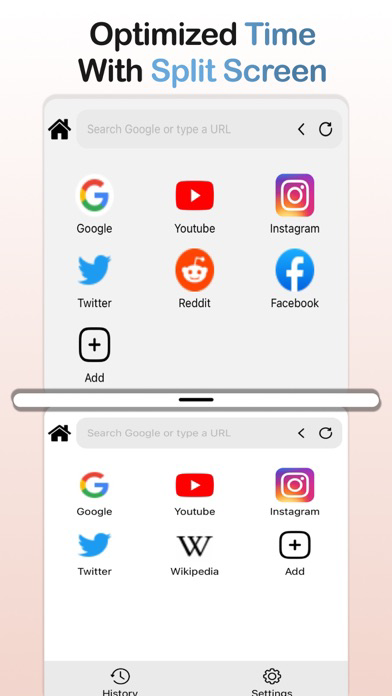
Multi-tasking made easy: Split View App allows you to use multiple panes to work on different tasks simultaneously, making it easier and more efficient to multitask.
More productive: With access to advanced tools and customization options, Split View App can help you be more productive and get more done in less time.
Improved workflow: Split View App streamlines your workflow by allowing you to work on multiple tasks at once without having to switch between different apps or windows.
Enhanced creativity: With the ability to use more than two panes in Split View, you can explore new ideas and be more creative with your work.
Better collaboration: Split View App makes it easier to collaborate with others by allowing you to work on the same project together in real-time.
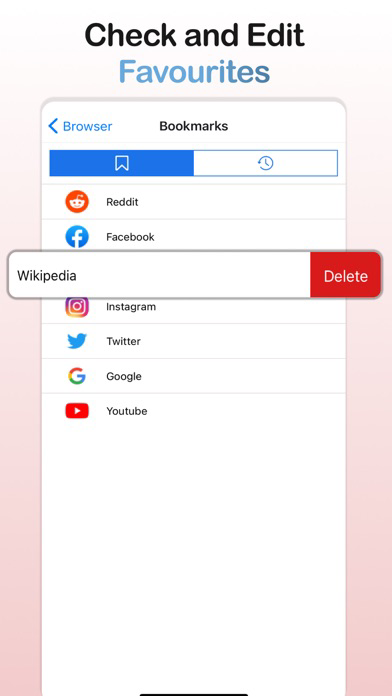
Personalized experience: With advanced settings and customization options, you can personalize Split View App to fit your unique needs and preferences.
Priority support: As a subscriber, you'll have access to priority support from our customer service team, ensuring that any issues you encounter are resolved quickly and efficiently.
Subscription Options:
Monthly subscription: $4.99/month Auto-renewal
Yearly subscription: $19.99/year 3 days Free Trial, Auto-renewal
Terms of Use: https://drive.google.com/file/d/14CUr-txsGw8z72GijWwaGcU9fZUdcHnC/view?usp=sharing
Privacy Policy: https://drive.google.com/file/d/1DalJURLpSYGIRTetCSvBSdVe043HJ1Ju/view
Subscription Details:
Payment will be charged to your App Store account upon confirmation of purchase.
Your subscription will automatically renew unless auto-renew is turned off at least 24 hours before the end of the current period.
Your account will be charged for renewal within 24 hours prior to the end of the current period, at the monthly or yearly rate depending on your chosen subscription.
You can manage or turn off auto-renew in your App Store account settings at any time.
Any unused portion of a free trial period, if offered, will be forfeited when you purchase a subscription.

Features:
Multi-tasking made easy: Split View App allows you to use multiple panes to work on different tasks simultaneously, making it easier and more efficient to multitask.
More productive: With access to advanced tools and customization options, Split View App can help you be more productive and get more done in less time.
Improved workflow: Split View App streamlines your workflow by allowing you to work on multiple tasks at once without having to switch between different apps or windows.
Enhanced creativity: With the ability to use more than two panes in Split View, you can explore new ideas and be more creative with your work.
Better collaboration: Split View App makes it easier to collaborate with others by allowing you to work on the same project together in real-time.
Personalized experience: With advanced settings and customization options, you can personalize Split View App to fit your unique needs and preferences.
Priority support: As a subscriber, you'll have access to priority support from our customer service team, ensuring that any issues you encounter are resolved quickly and efficiently.
Subscription Options:
Monthly subscription: $4.99/month Auto-renewal
Yearly subscription: $19.99/year 3 days Free Trial, Auto-renewal
Terms of Use: https://drive.google.com/file/d/14CUr-txsGw8z72GijWwaGcU9fZUdcHnC/view?usp=sharing
Privacy Policy: https://drive.google.com/file/d/1DalJURLpSYGIRTetCSvBSdVe043HJ1Ju/view
Subscription Details:
Payment will be charged to your App Store account upon confirmation of purchase.
Your subscription will automatically renew unless auto-renew is turned off at least 24 hours before the end of the current period.
Your account will be charged for renewal within 24 hours prior to the end of the current period, at the monthly or yearly rate depending on your chosen subscription.
You can manage or turn off auto-renew in your App Store account settings at any time.
Any unused portion of a free trial period, if offered, will be forfeited when you purchase a subscription.
Show More
What's New in the Latest Version 1.0.4
Last updated on Feb 17, 2025
Old Versions
- improve app functionality
Show More
Version History
1.0.4
Feb 17, 2025
- improve app functionality
1.0.3
Mar 22, 2023
Improved app icon
1.0.2
Mar 15, 2023
Improved split screen usage
1.0.1
Mar 13, 2023
Optimized browser usage
1.0
Mar 5, 2023
Split Screen Multitasking FAQ
Click here to learn how to download Split Screen Multitasking in restricted country or region.
Check the following list to see the minimum requirements of Split Screen Multitasking.
iPhone
Requires iOS 15.1 or later.
iPod touch
Requires iOS 15.1 or later.
Split Screen Multitasking supports English
Split Screen Multitasking contains in-app purchases. Please check the pricing plan as below:
Split View Pro
$29.99
split montly
$9.99