SteelCoded
Free
8.7.22for iPhone, iPad
Age Rating
SteelCoded Screenshots
About SteelCoded
Designed specifically for steel fabricators, say goodbye to cumbersome manual processes and embrace the efficiency of digital automation.
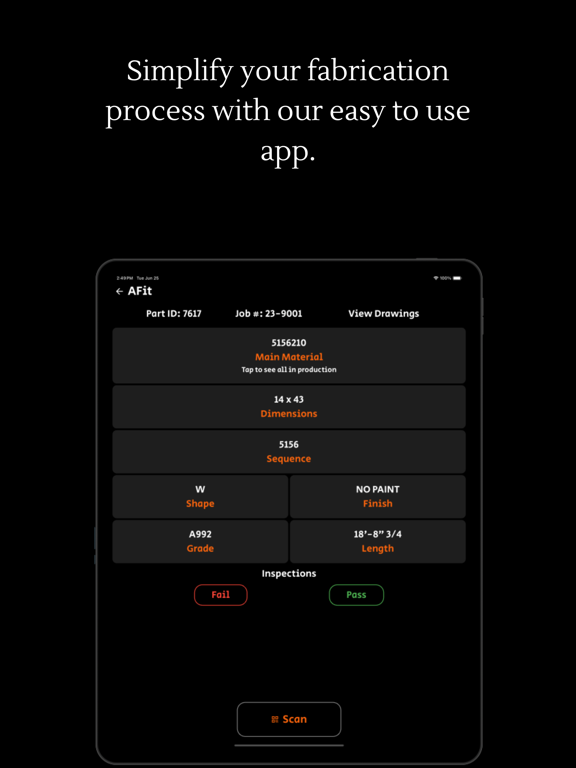
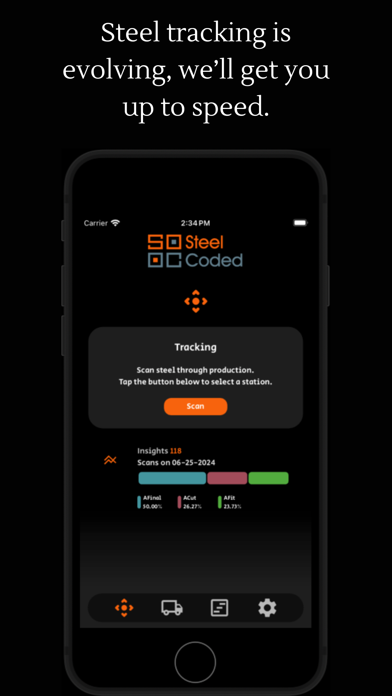
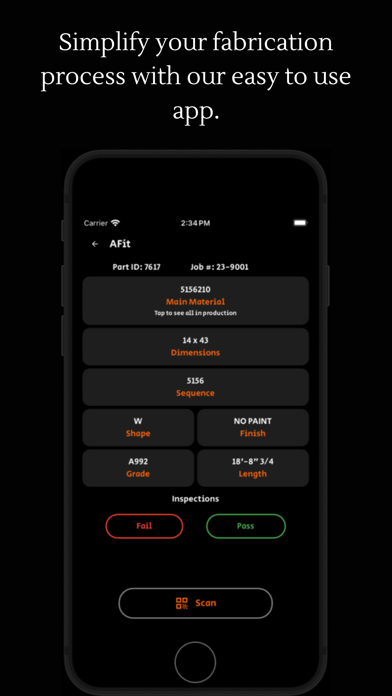
Our app empowers you to seamlessly manage the location, inspection, and loading of steel within your fabrication shop. Utilizing QR codes affixed to steel labels, simply scan with your device to instantly update the steel's location within your desktop app. Whether it's moving from one workstation to another or being loaded onto a truck for delivery, tracking steel has never been easier.
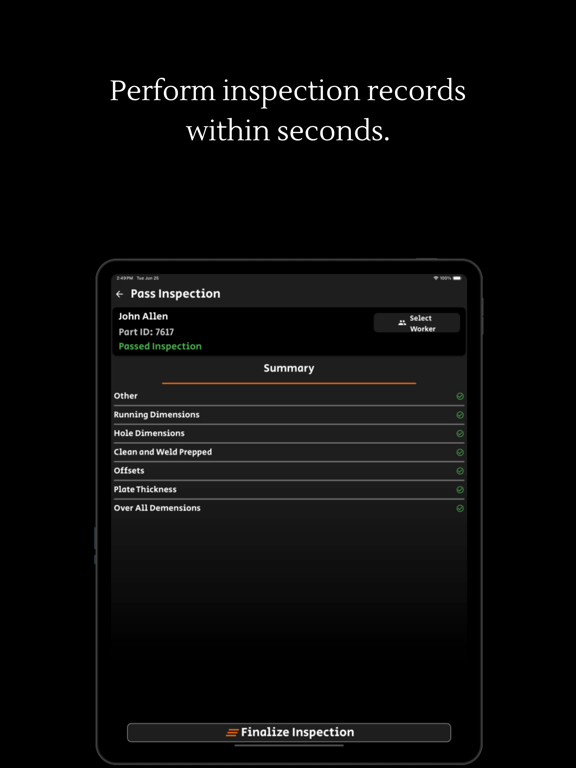
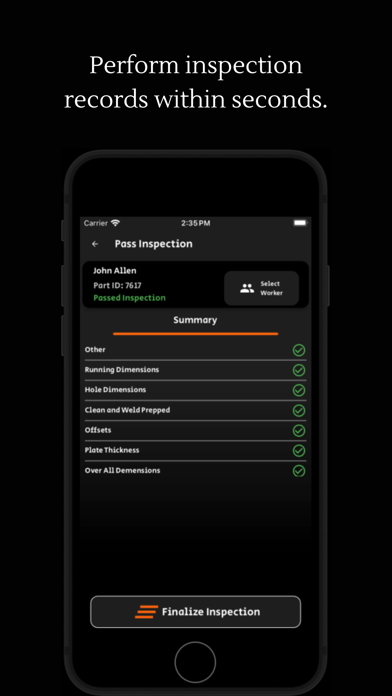
But that's not all – our app goes beyond basic tracking. It integrates seamlessly with Tekla PowerFab, allowing you to upload inspection data directly from the field. Perform on-the-spot inspections by scanning QR codes on steel labels, with inspection results automatically syncing with Tekla PowerFab for comprehensive project management.
At the heart of our app is its user-friendly interface and intuitive design. We understand the demands of the steel fabrication industry, and our goal is to provide modern tools that simplify your daily operations. No more struggling with outdated software or convoluted processes – our app is designed to streamline your workflow and maximize productivity.
Join the ranks of leading steel fabricators who are embracing the future of fabrication. Embrace the power of digital innovation and transform your fabrication shop with our app. Modernize your operations, enhance efficiency, and stay ahead of the competition. Try it today and experience the difference for yourself.

Our app empowers you to seamlessly manage the location, inspection, and loading of steel within your fabrication shop. Utilizing QR codes affixed to steel labels, simply scan with your device to instantly update the steel's location within your desktop app. Whether it's moving from one workstation to another or being loaded onto a truck for delivery, tracking steel has never been easier.
But that's not all – our app goes beyond basic tracking. It integrates seamlessly with Tekla PowerFab, allowing you to upload inspection data directly from the field. Perform on-the-spot inspections by scanning QR codes on steel labels, with inspection results automatically syncing with Tekla PowerFab for comprehensive project management.
At the heart of our app is its user-friendly interface and intuitive design. We understand the demands of the steel fabrication industry, and our goal is to provide modern tools that simplify your daily operations. No more struggling with outdated software or convoluted processes – our app is designed to streamline your workflow and maximize productivity.
Join the ranks of leading steel fabricators who are embracing the future of fabrication. Embrace the power of digital innovation and transform your fabrication shop with our app. Modernize your operations, enhance efficiency, and stay ahead of the competition. Try it today and experience the difference for yourself.
Show More
What's New in the Latest Version 8.7.22
Last updated on May 18, 2026
Old Versions
What's New in 8.7.22
• Load Labels: Create a single QR for a group of items and load them all in one scan.
• New TFS Mode (Beta): A rebuilt Take From Stock flow focused on reliability. Enable per device in Settings.
• More feedback when cutlist material is missing in SteelCoded.
• Fix: Tapping back when selecting a Job in TFS no longer clears your current job.
• General bug fixes and UI polish.
• Load Labels: Create a single QR for a group of items and load them all in one scan.
• New TFS Mode (Beta): A rebuilt Take From Stock flow focused on reliability. Enable per device in Settings.
• More feedback when cutlist material is missing in SteelCoded.
• Fix: Tapping back when selecting a Job in TFS no longer clears your current job.
• General bug fixes and UI polish.
Show More
Version History
8.7.22
May 18, 2026
What's New in 8.7.22
• Load Labels: Create a single QR for a group of items and load them all in one scan.
• New TFS Mode (Beta): A rebuilt Take From Stock flow focused on reliability. Enable per device in Settings.
• More feedback when cutlist material is missing in SteelCoded.
• Fix: Tapping back when selecting a Job in TFS no longer clears your current job.
• General bug fixes and UI polish.
• Load Labels: Create a single QR for a group of items and load them all in one scan.
• New TFS Mode (Beta): A rebuilt Take From Stock flow focused on reliability. Enable per device in Settings.
• More feedback when cutlist material is missing in SteelCoded.
• Fix: Tapping back when selecting a Job in TFS no longer clears your current job.
• General bug fixes and UI polish.
SteelCoded FAQ
Click here to learn how to download SteelCoded in restricted country or region.
Check the following list to see the minimum requirements of SteelCoded.
iPhone
iPad