StreamBeing - Voice for Twitch
Voice Powered AI for Twitch
Free
1.1.1for iPhone, iPod touch
9.5
74 Ratings
Gamefuly, Inc.
Developer
48.7 MB
Size
Oct 26, 2019
Update Date
Productivity
Category
4+
Age Rating
Age Rating
StreamBeing - Voice for Twitch Screenshots
About StreamBeing - Voice for Twitch
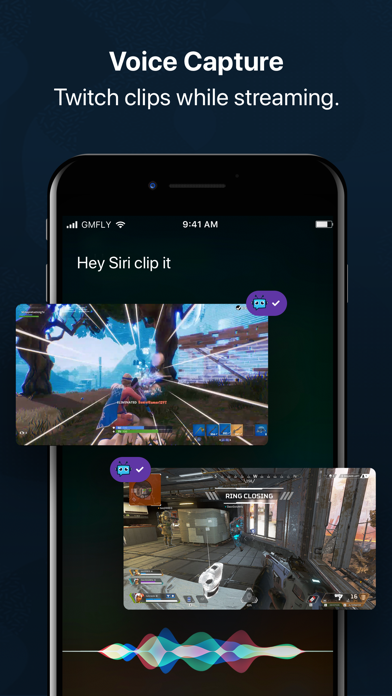
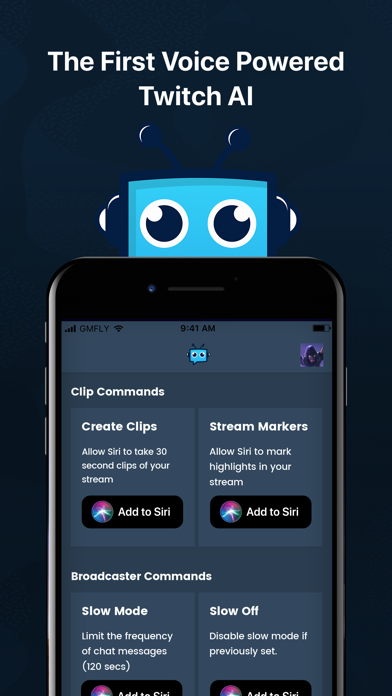
StreamBeing is your Voice Activated Mod. Clip and share your Twitch Content at the speed of Voice with Siri
Use the tool that top Twitch Streamers, Content Creators, Influencers and eSports competitors are choosing to create amazing content, reach more people and grow their audiences faster while avoiding the hassle of searching for and manually sharing some of their greatest in-stream moments on Social Media.
StreamBeing is for you if:
• You want to build a business streaming
• You want to grow your stream faster
• You create content
• You want more Twitch followers
• You want more Twitter followers
• You want local access to your mp4 clips
• You want to consistently engage your audience
• You want a personal mod
• You want to take your content creation and social media strategy to the next level!
StreamBeing helps you:
• Create 30 second Twitch Clips with custom Voice commands or simply say “Clip It!”
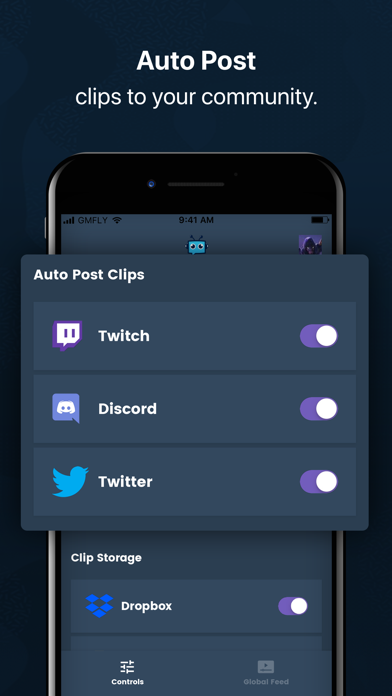
• Share your best Twitch moments by Voice on Twitter, Twitch and Discord
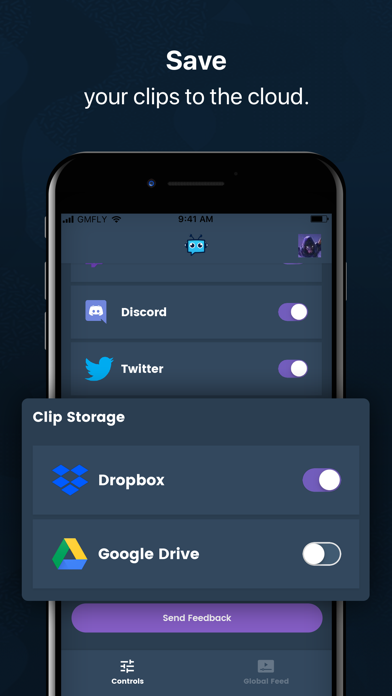
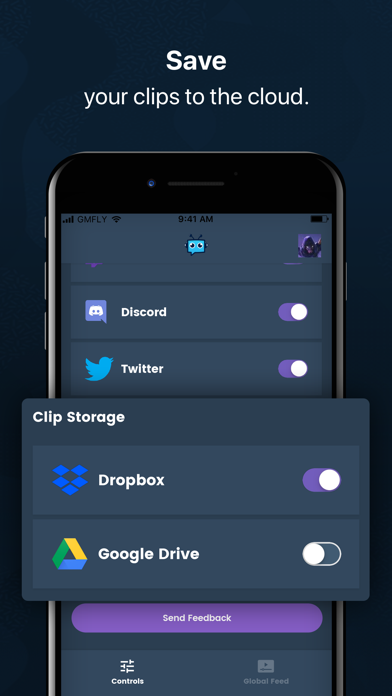
• Automatically upload your mp4 Clips to Google Drive and or Dropbox
• Mark and Highlight your Twitch Stream by Voice
There's tons more!!!
Better than a Mod! With StreamBeing there’s no more inconvenient or manual work involved in creating and sharing great content. StreamBeing is the ultimate streamer tool that helps Twitch Streamers capture their most memorable moments without ever having to lift a finger off of the keyboard, mouse or controller. Clip and share instantly at the speed of Voice!
Terms of Use : https://streambeing.io/tos.html
Privacy Policy: https://streambeing.io/privacy.html
Subscription DIsclaimer:
Subscriptions will be charged to your credit card through your iTunes account. Your subscription will automatically renew unless canceled at least 24 hours before the end of the current period. You will not be-able to cancel the subscription once activated. Manage your subscriptions in Account Settings after purchase.

Use the tool that top Twitch Streamers, Content Creators, Influencers and eSports competitors are choosing to create amazing content, reach more people and grow their audiences faster while avoiding the hassle of searching for and manually sharing some of their greatest in-stream moments on Social Media.
StreamBeing is for you if:
• You want to build a business streaming
• You want to grow your stream faster
• You create content
• You want more Twitch followers
• You want more Twitter followers
• You want local access to your mp4 clips
• You want to consistently engage your audience
• You want a personal mod
• You want to take your content creation and social media strategy to the next level!
StreamBeing helps you:
• Create 30 second Twitch Clips with custom Voice commands or simply say “Clip It!”
• Share your best Twitch moments by Voice on Twitter, Twitch and Discord
• Automatically upload your mp4 Clips to Google Drive and or Dropbox
• Mark and Highlight your Twitch Stream by Voice
There's tons more!!!
Better than a Mod! With StreamBeing there’s no more inconvenient or manual work involved in creating and sharing great content. StreamBeing is the ultimate streamer tool that helps Twitch Streamers capture their most memorable moments without ever having to lift a finger off of the keyboard, mouse or controller. Clip and share instantly at the speed of Voice!
Terms of Use : https://streambeing.io/tos.html
Privacy Policy: https://streambeing.io/privacy.html
Subscription DIsclaimer:
Subscriptions will be charged to your credit card through your iTunes account. Your subscription will automatically renew unless canceled at least 24 hours before the end of the current period. You will not be-able to cancel the subscription once activated. Manage your subscriptions in Account Settings after purchase.
Show More
What's New in the Latest Version 1.1.1
Last updated on Oct 26, 2019
Old Versions
• Several Crash related Bug Fixes.
• UX Improvement - Local Clip Downloads no longer Block UI.
• Discord Auth. crash fix
• Automatic discord clip post's working
• UX Improvement - Local Clip Downloads no longer Block UI.
• Discord Auth. crash fix
• Automatic discord clip post's working
Show More
Version History
1.1.1
Oct 26, 2019
• Several Crash related Bug Fixes.
• UX Improvement - Local Clip Downloads no longer Block UI.
• Discord Auth. crash fix
• Automatic discord clip post's working
• UX Improvement - Local Clip Downloads no longer Block UI.
• Discord Auth. crash fix
• Automatic discord clip post's working
1.1
Sep 28, 2019
• Profiles - View your own, and any users Clip Library.
• Local Downloads - Download your Clips directly into your Camera Roll and share anywhere!
• Improved On-boarding experience.
• Bug Fixes
• Local Downloads - Download your Clips directly into your Camera Roll and share anywhere!
• Improved On-boarding experience.
• Bug Fixes
1.0.1
Jul 16, 2019
• Improved Error Handling
• Additional Chat Bot Commands: !lastclip, !clip, !highlight
• !lastclip - Repost's last Clip into Twitch Chat. Access: Broadcaster, Mods, Subs
• !clip - Creates a Clip automatically from current stream. Access: Broadcaster, Mods, Subs
• !highlight (optional description) - Creates a Twitch Stream Marker with optional Description. Access: Broadcaster, Mods, Subs
• Re-Requested Push Notification access to fix a bug.
• Additional Chat Bot Commands: !lastclip, !clip, !highlight
• !lastclip - Repost's last Clip into Twitch Chat. Access: Broadcaster, Mods, Subs
• !clip - Creates a Clip automatically from current stream. Access: Broadcaster, Mods, Subs
• !highlight (optional description) - Creates a Twitch Stream Marker with optional Description. Access: Broadcaster, Mods, Subs
• Re-Requested Push Notification access to fix a bug.
1.0
Jun 21, 2019
StreamBeing - Voice for Twitch FAQ
Click here to learn how to download StreamBeing - Voice for Twitch in restricted country or region.
Check the following list to see the minimum requirements of StreamBeing - Voice for Twitch.
iPhone
Requires iOS 12.0 or later.
iPod touch
Requires iOS 12.0 or later.
StreamBeing - Voice for Twitch supports English, Danish, French, German, Japanese, Portuguese, Simplified Chinese, Spanish, Traditional Chinese, Vietnamese