Syncopate

Syncopate


Free

1.1.0for iPhone, iPad
Age Rating
4+
Apps in this category do not contain restricted content.
9+
Apps in this category may contain mild or occasional cartoon, fantasy or real-life violence, as well as occasional or mild adult, sexually suggestive or horrifying content and may not be suitable for children under 9 years of age.
12+
Apps in this category may contain occasional mild indecent language, frequent or intense cartoon or real-life violence, minor or occasional adult or sexually suggestive material, and simulated gambling, and may be for children under 12 years of age.
17+
You must be at least 17 years old to access this App.
Apps in this category may contain frequent and intense offensive language; Frequent and intense cartoon, fantasy or realistic violence: frequent and intense adult, scary and sexually suggestive subjects: as well as sexual content, nudity, tobacco, alcohol and drugs, may not be suitable for children under 17 years of age.
Syncopate Screenshots
Syncopate poster
Syncopate poster

About Syncopate

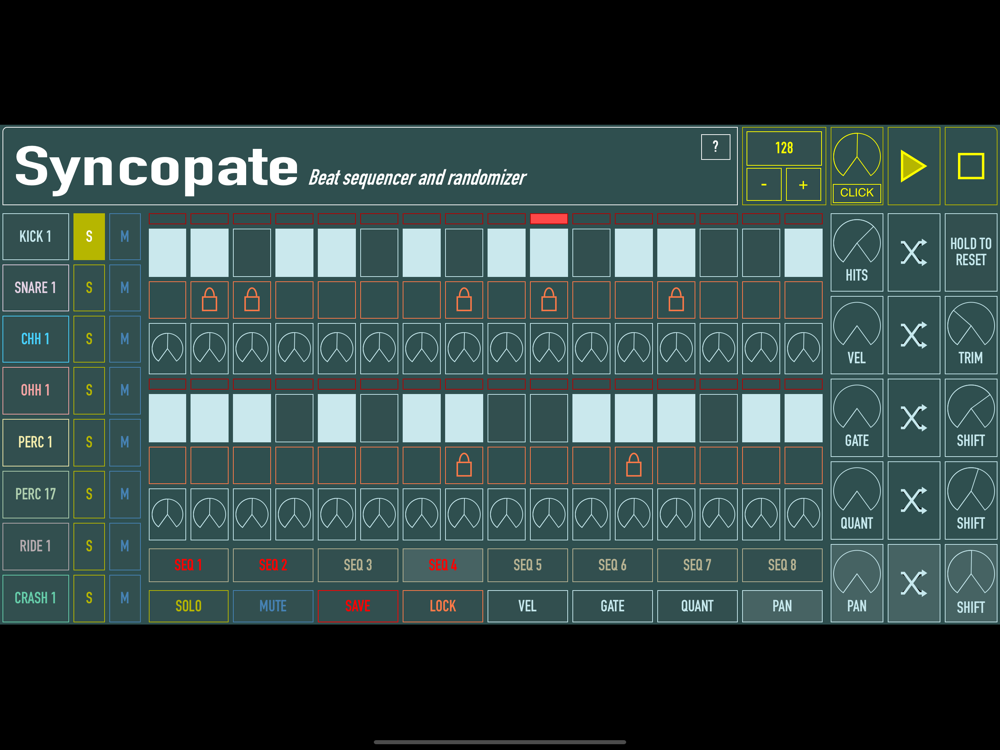
AudioToys 'Syncopate' is designed as a fun to use tool, which can achieve great results without the often time consuming aspect of tweaking parameters manually.

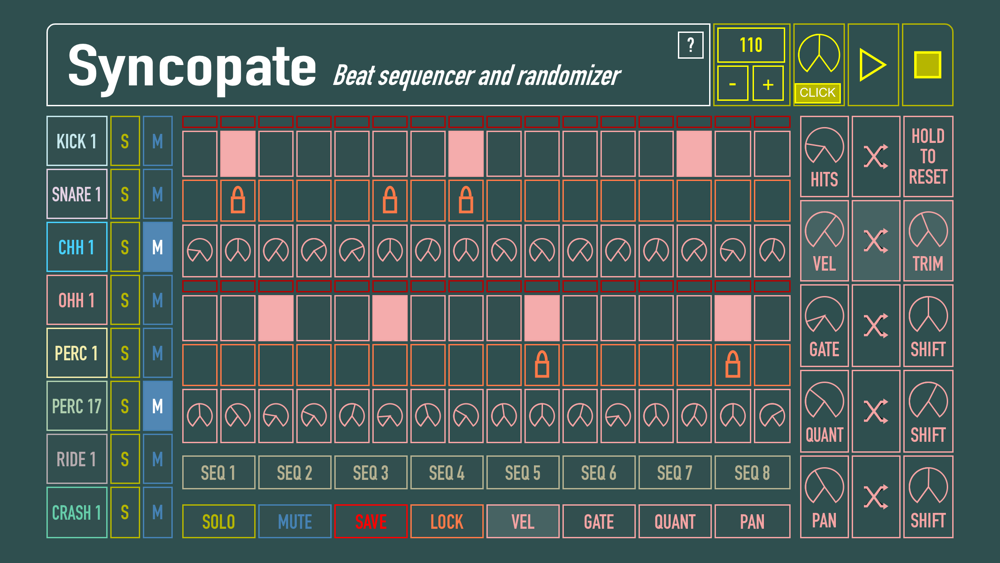
The step sequencer has 8 available drum channels, each of which has a selection of samples to choose from (128 in total). 

Notes can be added manually by activating the pads, or they can be added to random positions in the loop once you have selected how many in the note randomizer.

Velocity, Gate Time, Quantize and Pan settings can also be adjusted manually, or by using each of their individual randomize sections. They work by firstly choosing a range to within which the setting will be randomized. The shift/trim dial on the far right forms the centre point of this range. 

Beats can be locked so no further editing can take place on that step. So you can randomize a few things, then when you land on a section you like the sound of, lock those beats, then continue editing the rest of the loop some more.

It has a single screen GUI making it really easy to use, and it's almost difficult to not create something interesting within the first minute of use once you have got used to the controls.

Check the info in the ? button for a slightly more detailed description of the features.

Show More

What's New in the Latest Version 1.1.0

Last updated on Dec 9, 2021
Old Versions
All sequences now save automatically. 
'COPY' function allows duplicating of loops.
Every sample is now selectable from each channel, so more than one sample can be utilised from each bank.
Various interface improvements.
Show More
Version History
1.1.0
Dec 9, 2021
All sequences now save automatically. 
'COPY' function allows duplicating of loops.
Every sample is now selectable from each channel, so more than one sample can be utilised from each bank.
Various interface improvements.

Syncopate FAQ

Click here to learn how to download Syncopate in restricted country or region.
Check the following list to see the minimum requirements of Syncopate.
iPhone
iPad

Syncopate Alternative

You May Also Like

Get more from Daniel Kelly