The Converted
A New Way to Convert
$4.99
2.6.0for iPhone, iPad and more
Age Rating
The Converted Screenshots
About The Converted
— The Converted is even better with a Digital Crown. Fully functional converter on the Apple Watch.
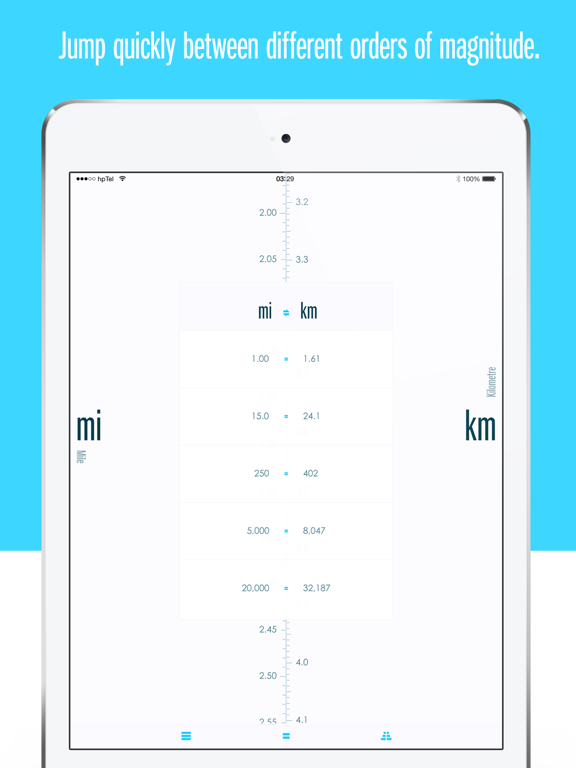
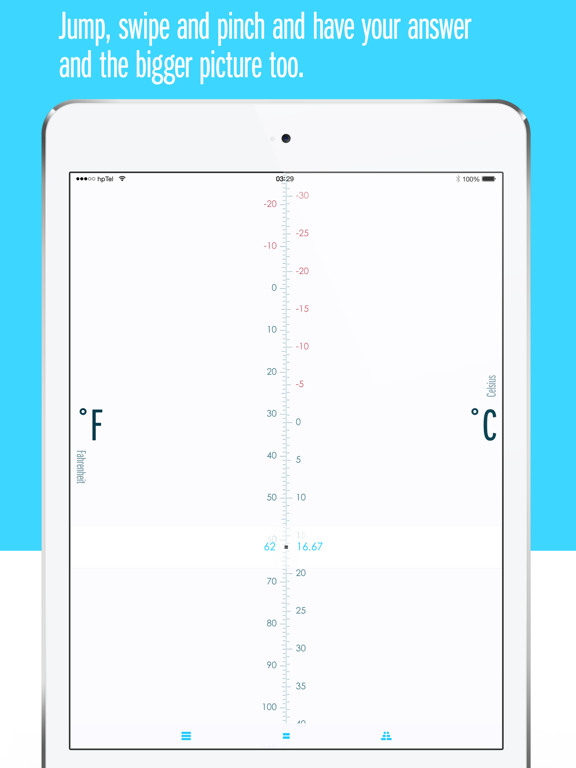
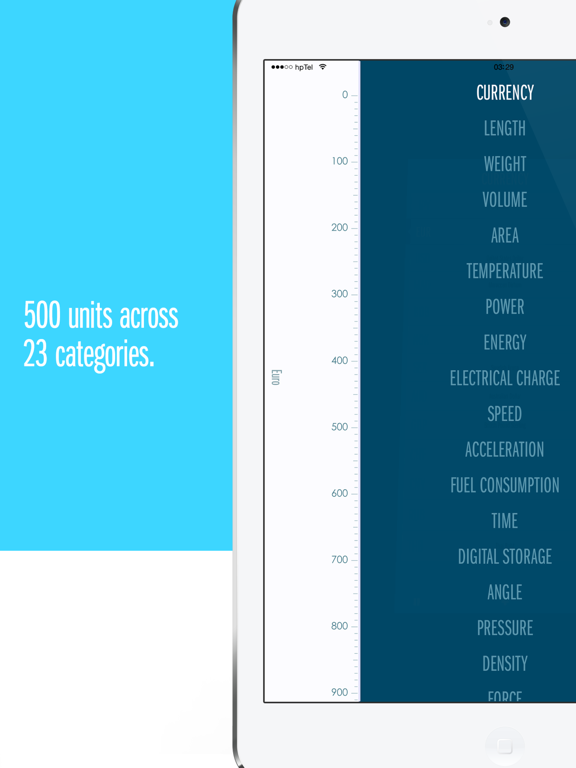
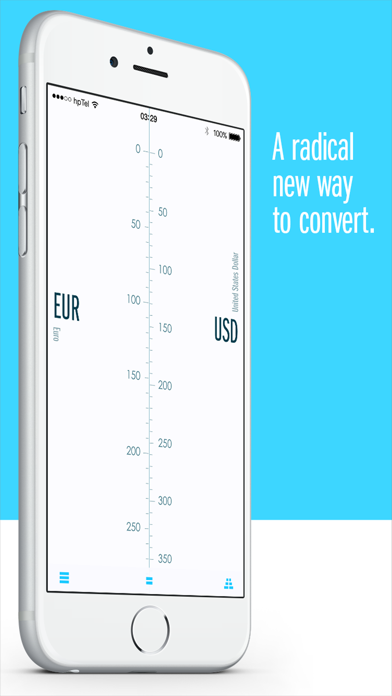
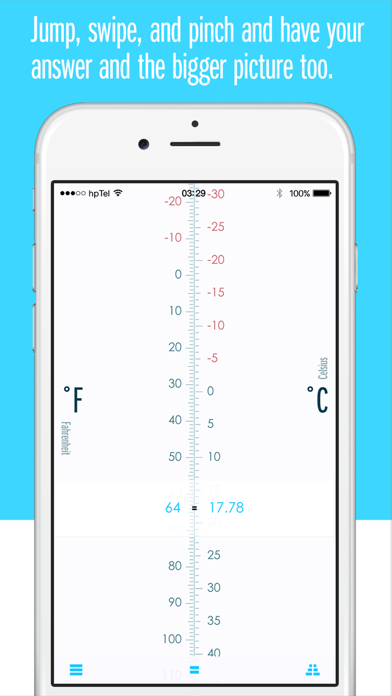
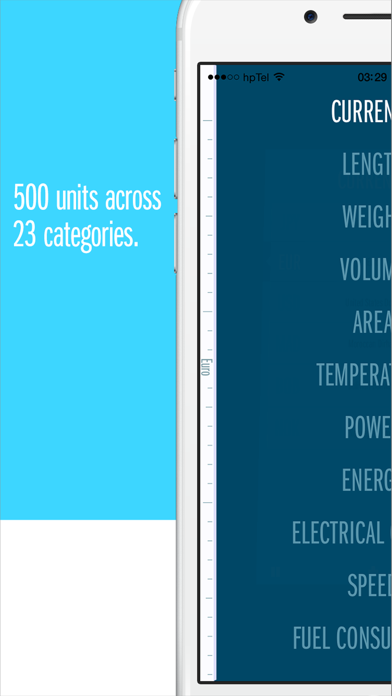
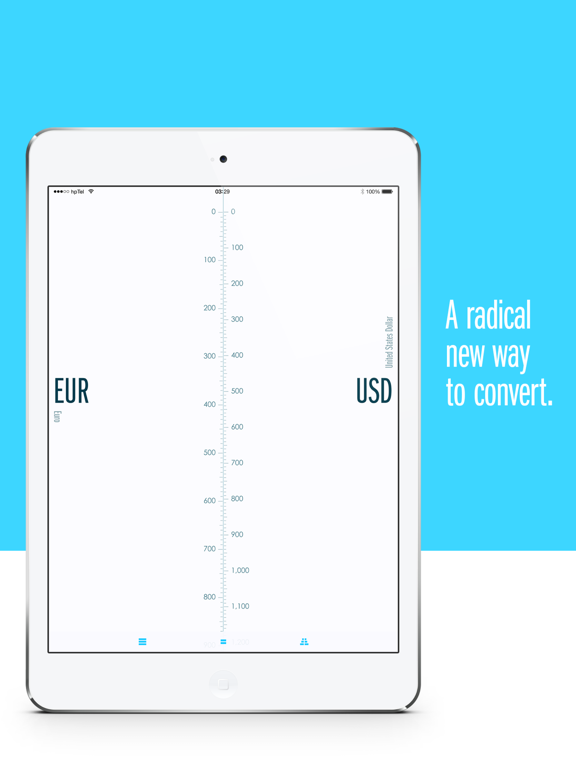
— Convert between 500 units across 23 categories in an unique visual interface.
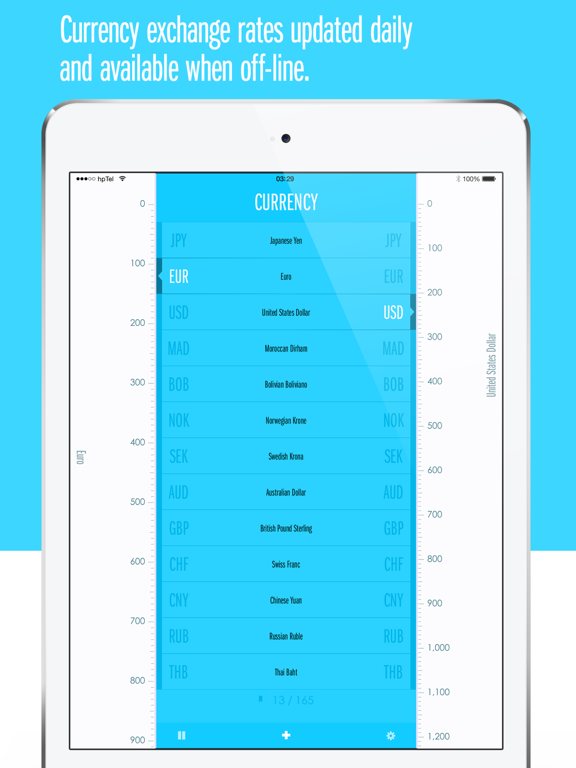
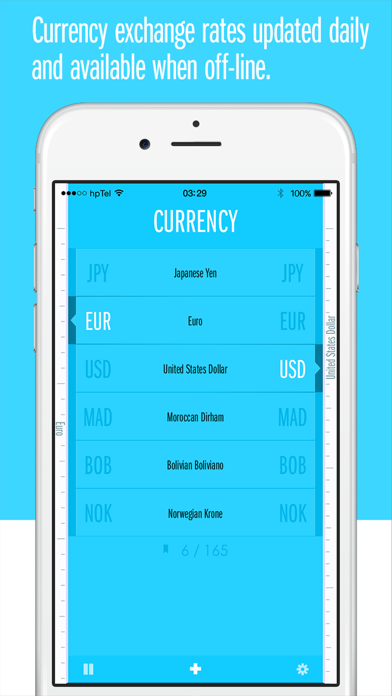
— Exchange rates for 165 currencies updated daily when connected to the internet.
— Off-line and On: Fully functional without the internet.
— Currency exchange rates are updated when online and stored for off-line use.
— Location Aware: Highlights common currencies in use where you are.
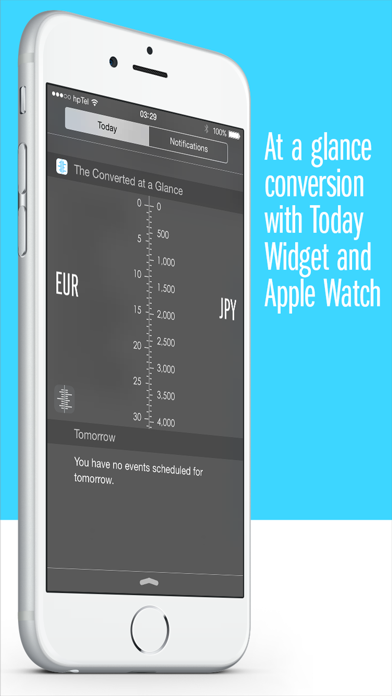
— Today View Extension provides at a glance conversion, always reflecting what's set in the app.
Current categories are: Currency, Length, Mass, Volume, Area, Temperature, Power, Energy, Electrical Charge, Speed, Acceleration, Fuel Consumption, Time, Digital Storage, Angle, Pressure, Density, Force, Torque, Volumetric Flow, Mass Flow, Luminance and Illuminance.

— Convert between 500 units across 23 categories in an unique visual interface.
— Exchange rates for 165 currencies updated daily when connected to the internet.
— Off-line and On: Fully functional without the internet.
— Currency exchange rates are updated when online and stored for off-line use.
— Location Aware: Highlights common currencies in use where you are.
— Today View Extension provides at a glance conversion, always reflecting what's set in the app.
Current categories are: Currency, Length, Mass, Volume, Area, Temperature, Power, Energy, Electrical Charge, Speed, Acceleration, Fuel Consumption, Time, Digital Storage, Angle, Pressure, Density, Force, Torque, Volumetric Flow, Mass Flow, Luminance and Illuminance.
Show More
What's New in the Latest Version 2.6.0
Last updated on Oct 24, 2017
Old Versions
This app has been updated by Apple to display the Apple Watch app icon.
Updated for iOS 11
Updated for iOS 11
Show More
Version History
2.6.0
Oct 24, 2017
This app has been updated by Apple to display the Apple Watch app icon.
Updated for iOS 11
Updated for iOS 11
2.5.1
Oct 28, 2016
2.5.1 Fixes an issue where the Today Widget would not activate.
2.5
Oct 6, 2016
The Converted is completely reimagined for watchOS 3 and even better with a Digital Crown.
— Scroll and and zoom freely. Finally a unshackled converting experience on the Watch.
— Fully functional even when you don't bring the phone.
— Quick access to recent and favorite conversions directly on the watch.
— When the phone is connected you can access conversions through dictation or scribble search.
— Scroll and and zoom freely. Finally a unshackled converting experience on the Watch.
— Fully functional even when you don't bring the phone.
— Quick access to recent and favorite conversions directly on the watch.
— When the phone is connected you can access conversions through dictation or scribble search.
2.2.3
Sep 5, 2016
2.2.3 fixes an iOS 7 crash bug. Otherwise identical to 2.2.2:
Small bugfix update. This will be the last update for iOS 7 and 8, next one will require iOS 9 or later.
— Support for iPad multitasking.
— Fix clipped values in Today View Extension.
— Fix problem with numbers formatting in iOS9.
Small bugfix update. This will be the last update for iOS 7 and 8, next one will require iOS 9 or later.
— Support for iPad multitasking.
— Fix clipped values in Today View Extension.
— Fix problem with numbers formatting in iOS9.
2.2.2
Aug 31, 2016
Small bugfix update. This will be the last update for iOS 7 and 8, next one will require iOS 9 or later.
— Support for iPad multitasking.
— Fix clipped values in Today View Extension.
— Fix problem with numbers formatting in iOS9.
— Support for iPad multitasking.
— Fix clipped values in Today View Extension.
— Fix problem with numbers formatting in iOS9.
2.2.1
Apr 17, 2015
The Converted is ready for Apple Watch!
— Convert directly from your wrist with the Apple Watch.
— Perform any conversion simply by talking to your Apple Watch.
— Quick access to favorite conversions.
Other updates
— Maximum value raised to 1 billion.
— Two new categories luminance and illuminance.
— Weight category renamed to Mass.
— Two new units in mass category; grain and metric carat.
— Added ability to unlist units in search mode.
— Fixed occasional and bitterly vexing display glitch in select category transition.
— Fixed crash bugs in email sheet and share panel on iPad.
Version 2.2.1 includes improved functionality for Apple Watch.
— Convert directly from your wrist with the Apple Watch.
— Perform any conversion simply by talking to your Apple Watch.
— Quick access to favorite conversions.
Other updates
— Maximum value raised to 1 billion.
— Two new categories luminance and illuminance.
— Weight category renamed to Mass.
— Two new units in mass category; grain and metric carat.
— Added ability to unlist units in search mode.
— Fixed occasional and bitterly vexing display glitch in select category transition.
— Fixed crash bugs in email sheet and share panel on iPad.
Version 2.2.1 includes improved functionality for Apple Watch.
2.2
Apr 10, 2015
The Converted Apple Watch Edition!
— Convert directly from your wrist with the Apple Watch.
— Perform any conversion simply by talking to your Apple Watch.
— Quick access to favorite conversions.
Other updates
— Maximum value raised to 1 billion.
— Two new categories luminance and illuminance.
— Weight category renamed to Mass.
— Two new units in mass category; grain and metric carat.
— Added ability to unlist units in search mode.
— Fixed occasional and bitterly vexing display glitch in select category transition.
— Fixed crash bugs in email sheet and share panel on iPad.
— Convert directly from your wrist with the Apple Watch.
— Perform any conversion simply by talking to your Apple Watch.
— Quick access to favorite conversions.
Other updates
— Maximum value raised to 1 billion.
— Two new categories luminance and illuminance.
— Weight category renamed to Mass.
— Two new units in mass category; grain and metric carat.
— Added ability to unlist units in search mode.
— Fixed occasional and bitterly vexing display glitch in select category transition.
— Fixed crash bugs in email sheet and share panel on iPad.
2.1
Nov 2, 2014
New Today View Extension always reflects the conversion set in the app.
• At a glance conversion is now just a swipe away (iOS8.)
• New dynamic unit: Imperial weight (st,lb,oz.)
• Fixed some minor display glitches.
Thanks for using The Converted. Feedback is always welcome; theconverted@ideon.co or @hpeikemo on twitter.
Please leave a review on the App Store if you like The Converted –it's a great way to support upcoming versions.
• At a glance conversion is now just a swipe away (iOS8.)
• New dynamic unit: Imperial weight (st,lb,oz.)
• Fixed some minor display glitches.
Thanks for using The Converted. Feedback is always welcome; theconverted@ideon.co or @hpeikemo on twitter.
Please leave a review on the App Store if you like The Converted –it's a great way to support upcoming versions.
2.0.2
Sep 27, 2014
• Updated for iOS8.0 and optimized for iPhone 6 and 6 Plus.
• Lifts the curse of the disappearing numbers in iOS8.
• Adds kilovolt ampere to power category and ounce-force per square inch to pressure.
• Fixes crash bug related to reordering of units and categories.
• Display name reverted to The Converted. (It truncates in seven, yet looks great in eight.)
Thanks for using The Converted. Feedback is always welcome; theconverted@ideon.co or @hpeikemo on twitter.
Please leave a review on the App Store if you like The Converted –it's a great way to support upcoming versions.
• Lifts the curse of the disappearing numbers in iOS8.
• Adds kilovolt ampere to power category and ounce-force per square inch to pressure.
• Fixes crash bug related to reordering of units and categories.
• Display name reverted to The Converted. (It truncates in seven, yet looks great in eight.)
Thanks for using The Converted. Feedback is always welcome; theconverted@ideon.co or @hpeikemo on twitter.
Please leave a review on the App Store if you like The Converted –it's a great way to support upcoming versions.
2.0.1
Aug 9, 2014
(2.0.1 fixes a bug where slamming the doors shut made the app crash.)
This is 2.0 and you're the ones who made it possible. Thank you so much for all feedback along the way and though I've been able to accommodate a lot of requests it shouldn't stop here. So keep sending them in to theConverted@ideon.co and @hpeikemo on Twitter.
What's new:
• A lot more to convert. 21 categories and 479 units in total.
• With a spiffy new way to change categories.
• And refined visuals with a simpler and even more efficient user interface.
• Settings have been brought in-app.
• And the guide has been left out cold. Instead a few hints are dispersed throughout the app.
• Tweaks and improvements across the board.
• And introducing dynamic units that change in relation to scale.
Dynamic units include Metric length, Imperial length, Metric area, Metric volume and Metric weight for now. And I plan to add more based on your feedback.
I've instructed the app to remain nag free. Instead, and very fashionably, I'll do it here instead: Both the app and I would love a nice review in iTunes. Thanks!
This is 2.0 and you're the ones who made it possible. Thank you so much for all feedback along the way and though I've been able to accommodate a lot of requests it shouldn't stop here. So keep sending them in to theConverted@ideon.co and @hpeikemo on Twitter.
What's new:
• A lot more to convert. 21 categories and 479 units in total.
• With a spiffy new way to change categories.
• And refined visuals with a simpler and even more efficient user interface.
• Settings have been brought in-app.
• And the guide has been left out cold. Instead a few hints are dispersed throughout the app.
• Tweaks and improvements across the board.
• And introducing dynamic units that change in relation to scale.
Dynamic units include Metric length, Imperial length, Metric area, Metric volume and Metric weight for now. And I plan to add more based on your feedback.
I've instructed the app to remain nag free. Instead, and very fashionably, I'll do it here instead: Both the app and I would love a nice review in iTunes. Thanks!
2.0
Aug 6, 2014
This is 2.0 and you're the ones who made it possible.
Thank you so much for all feedback along the way and though I've been able to accommodate a lot of requests it shouldn't stop here. So keep sending them in to theConverted@ideon.co and @hpeikemo on Twitter.
What's new:
• A lot more to convert. 21 categories and 479 units in total.
• With a spiffy new way to change categories.
• And refined visuals with a simpler and even more efficient user interface.
• Settings have been brought in-app.
• And the guide has been left out cold. Instead a few hints are dispersed throughout the app.
• Tweaks and improvements across the board.
• And introducing dynamic units that change in relation to scale.
Dynamic units include Metric length, Imperial length, Metric area, Metric volume and Metric weight for now. And I plan to add more based on your feedback.
I've instructed the app to remain nag free. Instead, and very fashionably, I'll do it here instead: Both the app and I would love a nice review in iTunes. Thanks!
Thank you so much for all feedback along the way and though I've been able to accommodate a lot of requests it shouldn't stop here. So keep sending them in to theConverted@ideon.co and @hpeikemo on Twitter.
What's new:
• A lot more to convert. 21 categories and 479 units in total.
• With a spiffy new way to change categories.
• And refined visuals with a simpler and even more efficient user interface.
• Settings have been brought in-app.
• And the guide has been left out cold. Instead a few hints are dispersed throughout the app.
• Tweaks and improvements across the board.
• And introducing dynamic units that change in relation to scale.
Dynamic units include Metric length, Imperial length, Metric area, Metric volume and Metric weight for now. And I plan to add more based on your feedback.
I've instructed the app to remain nag free. Instead, and very fashionably, I'll do it here instead: Both the app and I would love a nice review in iTunes. Thanks!
1.0.3
Nov 8, 2013
Previously the area and speed categories were hidden by default. They are still hidden when upgrading but you can enable them under 'Converted' in iOS settings.
• New pressure category.
• Added a bunch of barrels to volume category.
• All categories visible by default for new users.
• Registered 'theconverted://' URL scheme to launch the app.
• Tweaks and improvements.
• New pressure category.
• Added a bunch of barrels to volume category.
• All categories visible by default for new users.
• Registered 'theconverted://' URL scheme to launch the app.
• Tweaks and improvements.
1.0.2
Sep 16, 2013
• Built and Ready for iOS 7.
• Fixes and Refinements.
1.0.1
Sep 4, 2013
• Times are a changin and the icon have too.
• Displayed name on home screen shortened to 'Converted' to avoid truncation on some devices.
• Minor tweaks.
• You can has Bitcoin.
• Displayed name on home screen shortened to 'Converted' to avoid truncation on some devices.
• Minor tweaks.
• You can has Bitcoin.
1.0
Aug 13, 2013
Welcome to the new way to convert.
0.7.5
Jul 29, 2013
The Converted FAQ
Click here to learn how to download The Converted in restricted country or region.
Check the following list to see the minimum requirements of The Converted.
iPhone
Requires iOS 9.3 or later.
iPad
Requires iPadOS 9.3 or later.
Apple Watch
Requires watchOS 3.0 or later.
iPod touch
Requires iOS 9.3 or later.
The Converted supports English