Tickmi - Enjoy your difference:
1. The pioneering platform to create and sell QR Code tickets in many fields.
Tickmi creates and sells QR Code tickets for check-in events, trains, planes, seminars, courses, tracking examination, treatment and many other fields.
2. Aspiration to bring great value to the community
Tickmi always keeps in mind and makes unremitting efforts to create a digital platform of great value for the community and the country. Help customers create smarter, more economical tickets.
3. Enjoy the difference and high security
Tickmi aims at a new and different experience but always gives the highest priority to the security of Customer's information and data.
4. Check In how is the event going?
Event organization is an activity held regularly at each business, organization or association with a large number of guests. The requirements for professional, accurate and thoughtful requirements are always the top concern of event organizers.
A successful event, leaving a good impression in the hearts of guests will be carefully cared for by the organizer, in which the guest check-in stage is one of the most important and interested stages. Leading by the traditional way of ticket control is facing many major limitations such as:
– No control over the number of guests, no statistical reports after the event
– Guests have to wait a long time, leading to traffic jams outside
– Error in Check In stage of information and number of tickets
– Spending a lot of money on printing and sending invitations
– Guests may forget or lose their tickets, leading to difficulties in the Check-in process
Why use Event Check In Software with QR Code (Tickmi)?
– Check In the event with a professional QR code, following the trend of the 4.0 technology era
– Manage guests to the event via QR code
– Statistics on the number of guests who have checked in, not checked in, invalid tickets
– Track the time history of guests arriving at the event accurately
– Professional, modern, cost-effective, easy management
– Simple in dividing tickets, giving tickets to event guests
– Easy to use tickets, not afraid of forgetting tickets, not afraid of losing, breaking or tearing tickets like traditional tickets
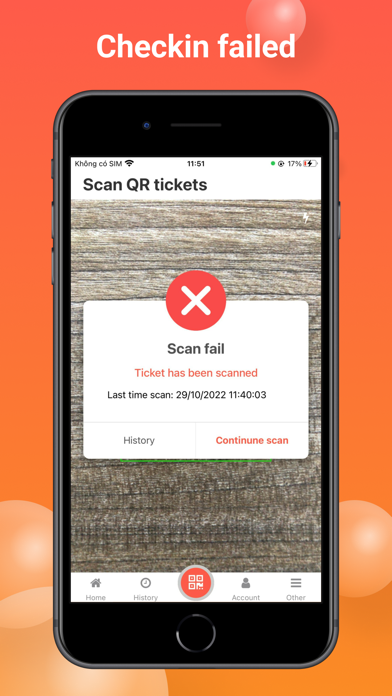
– The event check-in software by phone QR code is simple to operate, the ticket conductor only needs to scan the QR code on the guest ticket.
– Manage, statistics, organize many events at the same time, easily
– The software is scanned on the app, which is convenient for event ticketing staff in a simple and automatic way
Free support, consultation, training, and implementation during the process of guests using the event Check-in software by QR code (Tickmi).
Register Tickmi account: https://tickmi.com
(Tickmi is an upgraded version of MasterCheckin software)