TimeB - Planner, To-do, Notes
Fun, simple & social planner
Free
0.1.9for iPhone, iPod touch
Age Rating
TimeB - Planner, To-do, Notes Screenshots
About TimeB - Planner, To-do, Notes
Use Time B to:
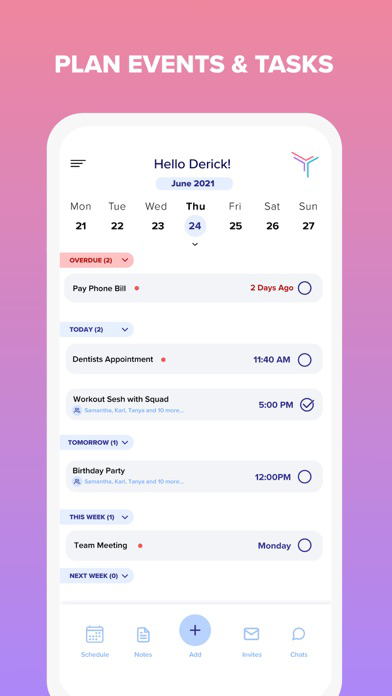
• Plan, create, and organize events and tasks.
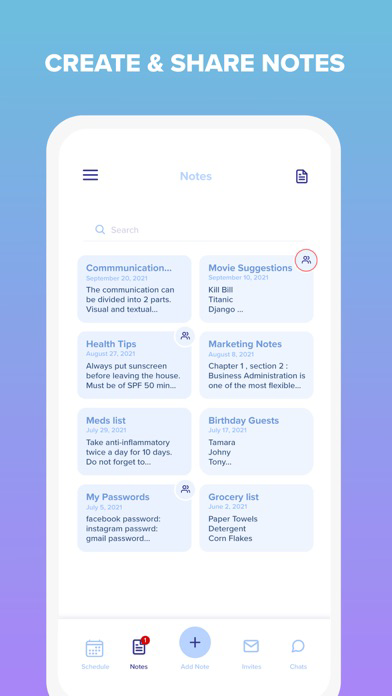
• Write notes, create lists, and share them with others.
• Remember deadlines and due dates with reminders.
• Plan recurring events.
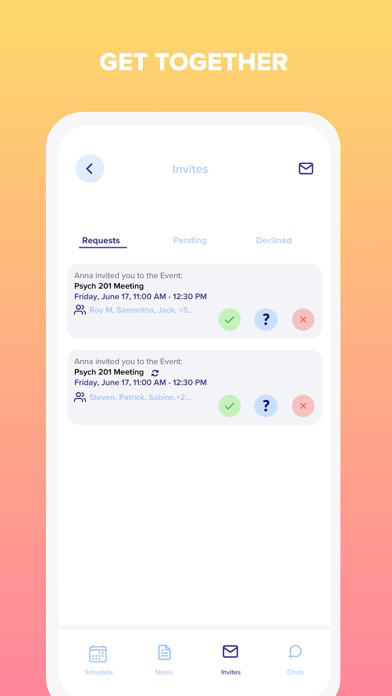
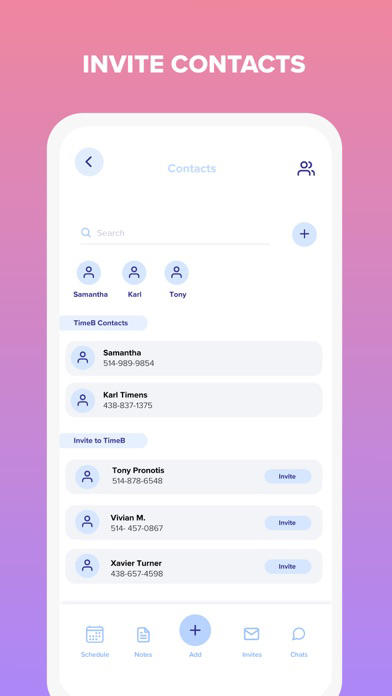
• Invite your contacts to events.
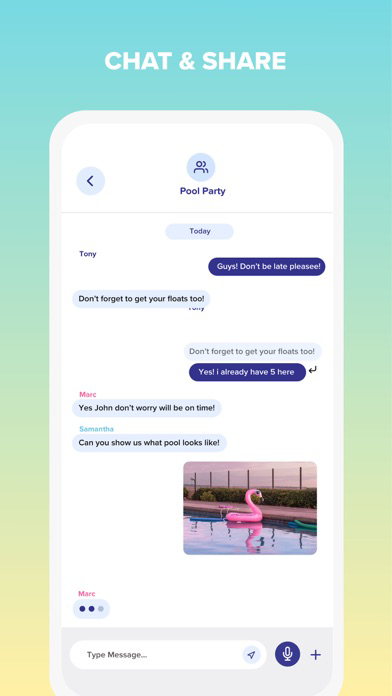
• Start messaging, create group chats, and share photos.
• Invite new members to use TimeB.
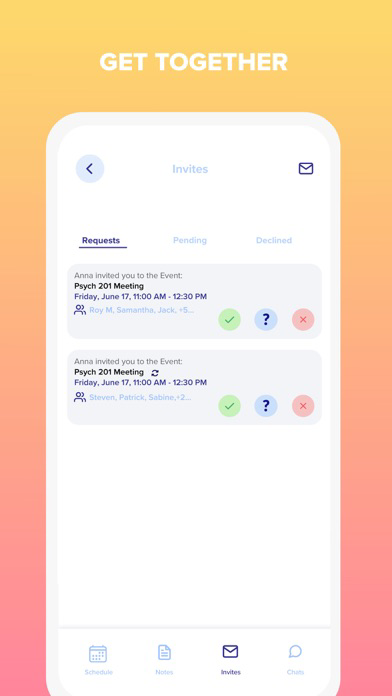
• Respond to event invitations.
• Stay connected with push notifications.
Other features:
• Schedule, daily, and monthly view.
• ENG and FR versions.
• Dark mode.

• Plan, create, and organize events and tasks.
• Write notes, create lists, and share them with others.
• Remember deadlines and due dates with reminders.
• Plan recurring events.
• Invite your contacts to events.
• Start messaging, create group chats, and share photos.
• Invite new members to use TimeB.
• Respond to event invitations.
• Stay connected with push notifications.
Other features:
• Schedule, daily, and monthly view.
• ENG and FR versions.
• Dark mode.
Show More
What's New in the Latest Version 0.1.9
Last updated on Dec 1, 2021
Old Versions
Planning your day? We make it simple. You make it count.
We are always making improvements to make your experience better.
Follow us on Instagram @timeb.app for news and updates!
If you have any questions, comments, or just want to say hello, email us at admin@timeb.ca.
• You can now add notes in TimeB.
• Updated UI.
• Dark mode is now the default mode.
• You can now swipe left for notes and right for chats.
• The bottom navigation bar was updated for all screens.
We are always making improvements to make your experience better.
Follow us on Instagram @timeb.app for news and updates!
If you have any questions, comments, or just want to say hello, email us at admin@timeb.ca.
• You can now add notes in TimeB.
• Updated UI.
• Dark mode is now the default mode.
• You can now swipe left for notes and right for chats.
• The bottom navigation bar was updated for all screens.
Show More
Version History
0.1.9
Dec 1, 2021
Planning your day? We make it simple. You make it count.
We are always making improvements to make your experience better.
Follow us on Instagram @timeb.app for news and updates!
If you have any questions, comments, or just want to say hello, email us at admin@timeb.ca.
• You can now add notes in TimeB.
• Updated UI.
• Dark mode is now the default mode.
• You can now swipe left for notes and right for chats.
• The bottom navigation bar was updated for all screens.
We are always making improvements to make your experience better.
Follow us on Instagram @timeb.app for news and updates!
If you have any questions, comments, or just want to say hello, email us at admin@timeb.ca.
• You can now add notes in TimeB.
• Updated UI.
• Dark mode is now the default mode.
• You can now swipe left for notes and right for chats.
• The bottom navigation bar was updated for all screens.
0.1.8
Nov 6, 2021
Thanks for using TimeB! We are always making improvements to make your experience better.
Follow us on Instagram @timebofficial for news and updates!
If you have any questions, comments, or just want to say hello, email us at admin@timeb.ca.
* You can now add notes in Timeb.
* Added swipe left for notes screen and right for chat screen from home screen.
* Updated overall UI of the Timeb.
* Dark mode as the default mode for the Timeb.
* Updated bottom navigation bar for all the screens.
Follow us on Instagram @timebofficial for news and updates!
If you have any questions, comments, or just want to say hello, email us at admin@timeb.ca.
* You can now add notes in Timeb.
* Added swipe left for notes screen and right for chat screen from home screen.
* Updated overall UI of the Timeb.
* Dark mode as the default mode for the Timeb.
* Updated bottom navigation bar for all the screens.
0.1.7
Oct 6, 2021
Thanks for using TimeB! We are always making improvements to make your experience better.
Follow us on Instagram @timebofficial for news and updates!
If you have any questions, comments, or just want to say hello, email us at admin@timeb.ca.
Follow us on Instagram @timebofficial for news and updates!
If you have any questions, comments, or just want to say hello, email us at admin@timeb.ca.
0.1.6
Sep 14, 2021
Thanks for using TimeB! We are always making improvements to make your experience better.
Follow us on Instagram @timebofficial for news and updates!
If you have any questions, comments, or just want to say hello, email us at admin@timeb.ca.
Follow us on Instagram @timebofficial for news and updates!
If you have any questions, comments, or just want to say hello, email us at admin@timeb.ca.
0.1.5
Aug 31, 2021
Thanks for using TimeB! We are always making improvements to make your experience better.
Follow us on Instagram @timebofficial for news and updates!
If you have any questions, comments, or just want to say hello, email us at admin@timeb.ca.
Follow us on Instagram @timebofficial for news and updates!
If you have any questions, comments, or just want to say hello, email us at admin@timeb.ca.
0.1.4
Aug 25, 2021
Hey! How are you?
Thanks for using TimeB! We are always making improvements to make your experience better.
Follow us on Instagram @timebofficial for news and updates!
If you have any questions, comments, or just want to say hello, email us at admin@timeb.ca.
Thanks for using TimeB! We are always making improvements to make your experience better.
Follow us on Instagram @timebofficial for news and updates!
If you have any questions, comments, or just want to say hello, email us at admin@timeb.ca.
0.1.3
Aug 21, 2021
Hey! How are you? for the what’s new section on the app store:
Thanks for using TimeB! We are always making improvements to make your experience better.
Follow us on Instagram @timebofficial for news and updates!
If you have any questions, comments, or just want to say hello, email us at admin@timeb.ca.
Thanks for using TimeB! We are always making improvements to make your experience better.
Follow us on Instagram @timebofficial for news and updates!
If you have any questions, comments, or just want to say hello, email us at admin@timeb.ca.
0.1.2
Aug 6, 2021
1. Fix the white screen when the new user login.
2. Added restriction for new user to see old chat of event.
3. Added the in-chat notifications when a new user is added.
TroubleShoot.
For existing users, If you are unable to log in with an Apple account please follow the step below.
1. Go to settings.
2. Click on your profile.
3. Choose Password & Security.
4. Click on Apps using Apple ID.
5. Click on TimeB.
6. Stop using AppleID.
7. Open the TimeB application and try Apple Login.
2. Added restriction for new user to see old chat of event.
3. Added the in-chat notifications when a new user is added.
TroubleShoot.
For existing users, If you are unable to log in with an Apple account please follow the step below.
1. Go to settings.
2. Click on your profile.
3. Choose Password & Security.
4. Click on Apps using Apple ID.
5. Click on TimeB.
6. Stop using AppleID.
7. Open the TimeB application and try Apple Login.
0.1.1
Jul 30, 2021
• Resolve the chat badge increment issue.
• Added the Location field for the event.
• Background notification debugged to reflect in-app changes
• Added the Location field for the event.
• Background notification debugged to reflect in-app changes
1.0
Jul 24, 2021
TimeB - Planner, To-do, Notes FAQ
Click here to learn how to download TimeB - Planner, To-do, Notes in restricted country or region.
Check the following list to see the minimum requirements of TimeB - Planner, To-do, Notes.
iPhone
Requires iOS 10.0 or later.
iPod touch
Requires iOS 10.0 or later.
TimeB - Planner, To-do, Notes supports English