Timer Pro Professional

Timer Pro Professional


Free

15.00for iPhone, iPad and more
7.9
3 Ratings
Applied Computer Services, Inc.
Developer
17.3 MB
Size
Mar 6, 2019
Update Date
Productivity
Category
4+
Age Rating
Age Rating
4+
Apps in this category do not contain restricted content.
9+
Apps in this category may contain mild or occasional cartoon, fantasy or real-life violence, as well as occasional or mild adult, sexually suggestive or horrifying content and may not be suitable for children under 9 years of age.
12+
Apps in this category may contain occasional mild indecent language, frequent or intense cartoon or real-life violence, minor or occasional adult or sexually suggestive material, and simulated gambling, and may be for children under 12 years of age.
17+
You must be at least 17 years old to access this App.
Apps in this category may contain frequent and intense offensive language; Frequent and intense cartoon, fantasy or realistic violence: frequent and intense adult, scary and sexually suggestive subjects: as well as sexual content, nudity, tobacco, alcohol and drugs, may not be suitable for children under 17 years of age.
Timer Pro Professional Screenshots
Timer Pro Professional posterTimer Pro Professional posterTimer Pro Professional poster

About Timer Pro Professional

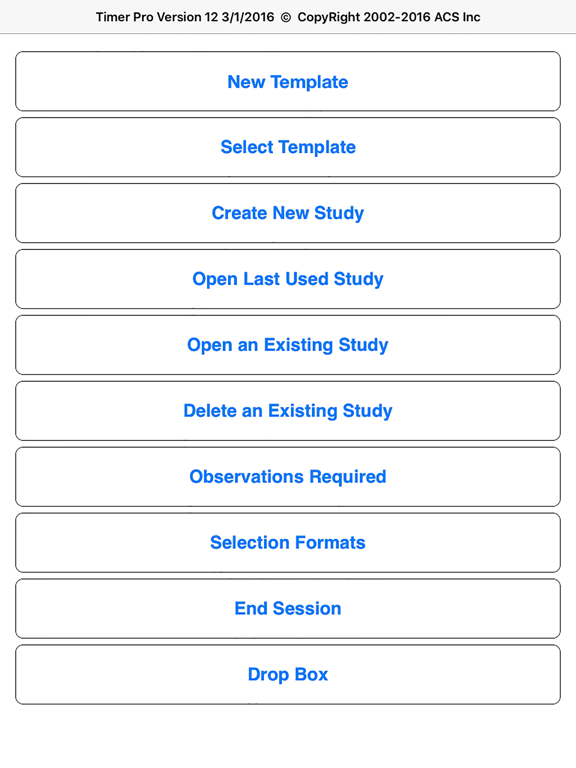
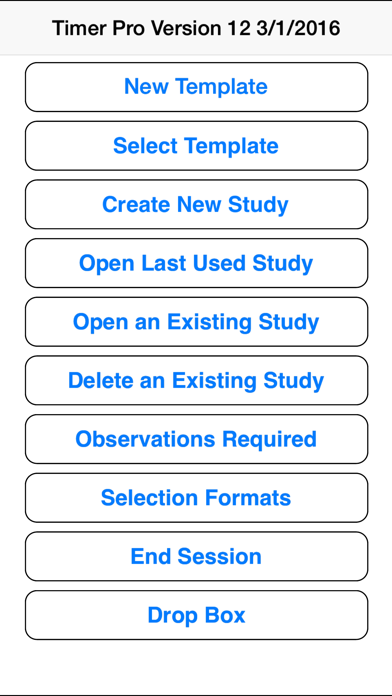
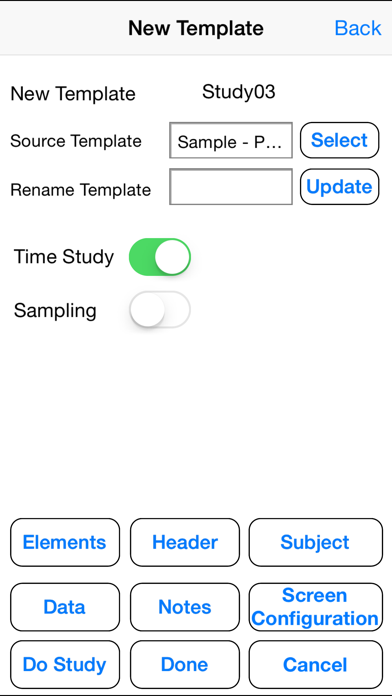
Timer Pro Professional offers industrial time study.

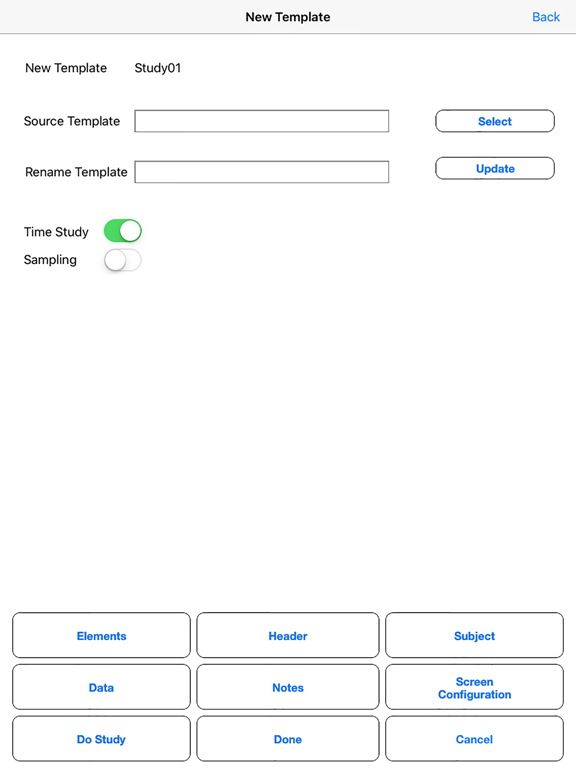
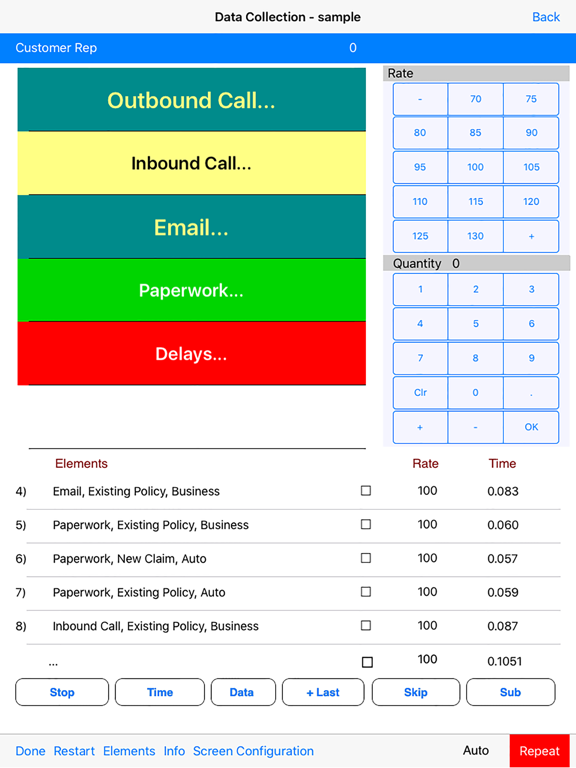
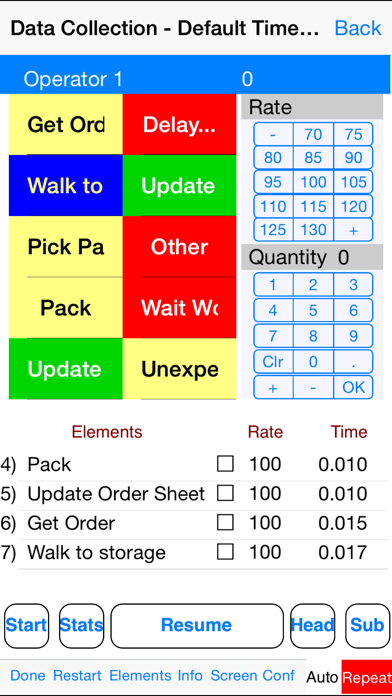
Any number of time study templates can be used in the application to cover all your operations. Add header data to identify the study, additional data and notes by observation to capture full details of the study. You can performance rate every observation and easily handle interruptions and fumbles. Missing some elements – then add and edit elements in real time on the device.

At any time you can instantly access summary statistics and see required observations, operator performance an the final standard for review while at the work station.

Download templates from Excel and send collected data back to Excel for final summarization in the full Timer Pro Professional package for use in line balancing, data libraries and work instructions.

Show More

What's New in the Latest Version 15.00

Last updated on Mar 6, 2019
Old Versions
Fixed UI issue for iPhone x
Show More
Version History
15.00
Mar 6, 2019
Fixed UI issue for iPhone x
14.05
Feb 7, 2019
iPhone Delete study did not show up the list and that was fixed.
14.00
Apr 1, 2018
Version 14 Release

Updated Dropbox interface and a number of usability enhancements.
12.02
Dec 22, 2016
Fixed Issues for IOS10
12.01
Jul 19, 2016
Fixed minor bugs and UI tweeks
12.00
May 3, 2016
NewTemplate
UI tweaks
1.6.3
Oct 16, 2015
Issue with selecting existing study resolved.
selecting a row item and changing the selected task was malfunctioning this is resolved.
1.6.2
Sep 10, 2015
Fix:
The time entry malfunctioning is fixed, When notes are added and the operator is changed.
1.6.1
Apr 22, 2015
Set the Subject sort order as per the database
1.6.0
Apr 9, 2015
1.5.0
Jun 30, 2014
1.Included Drop-box to upload or download database files.
1.4.9
Mar 8, 2014
1.Universal app (iPhone / iPad)
2.UI Changes - Sliders for Data collection screen
1.4.8
Dec 18, 2013
Minor Bug Fixes
1.4.7
Nov 26, 2013
UI Improvements and Minor Bug fixes
1.4.6
Jul 23, 2013
Minor bug fixes
1.4.5
Dec 16, 2012
we had a bug in our previous Version 1.4 where Stop button failed capturing the Quantity on the Data collection Screen like when you open last used study and start a time study and enter quantity from on screen keypad and stop the application the quantity is not saved, this is resolved in this release.
1.4
Nov 9, 2012
This is enable with Quantity and Rating on Screen Keys.
1.2
Sep 11, 2012
Fixed Auto stop issue and auto start issue
1.1
Aug 15, 2012
Issues resolved on selection of list and setting its value
1.0
Jun 14, 2012

Timer Pro Professional FAQ

Click here to learn how to download Timer Pro Professional in restricted country or region.
Check the following list to see the minimum requirements of Timer Pro Professional.
iPhone
Requires iOS 8.0 or later.
iPad
Requires iPadOS 8.0 or later.
iPod touch
Requires iOS 8.0 or later.
Timer Pro Professional supports English

Timer Pro Professional Alternative

You May Also Like