Tweak Presentation
Improve your practice
Free
1.0.0for iPhone, Apple Watch
Age Rating
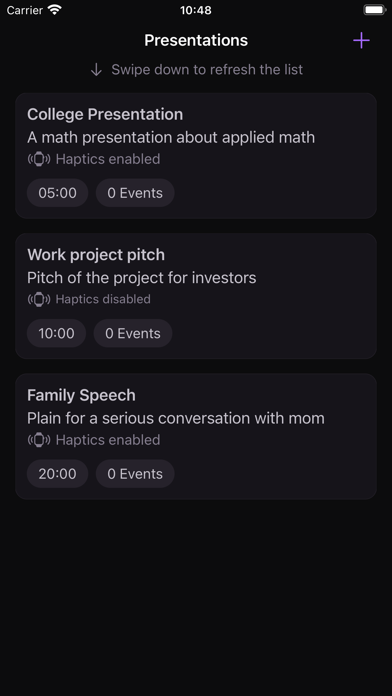
Tweak Presentation Screenshots
About Tweak Presentation
With memory triggers in a timeline, you can improve a speech, a talk, or any other planned presentation.
You’ll only need your phone to set up your presentation timeline and memory triggers, and your smartwatch to practice your presentation, minimizing distractions.
TIMELINE
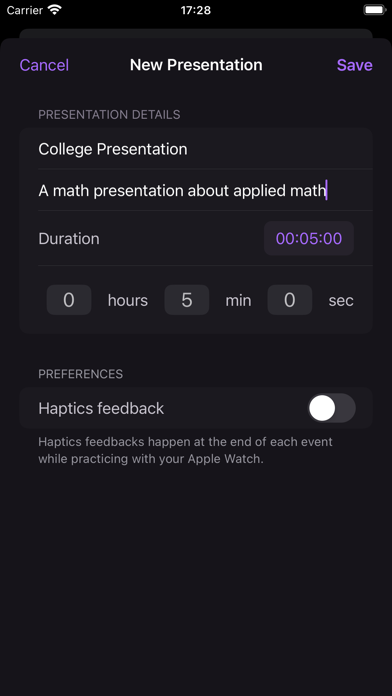
When adding your presentation, you inform the time limit and the app provides an editable timeline within that time box.
EVENTS
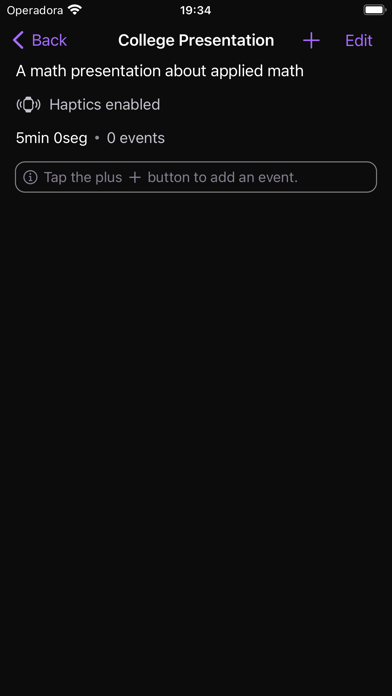
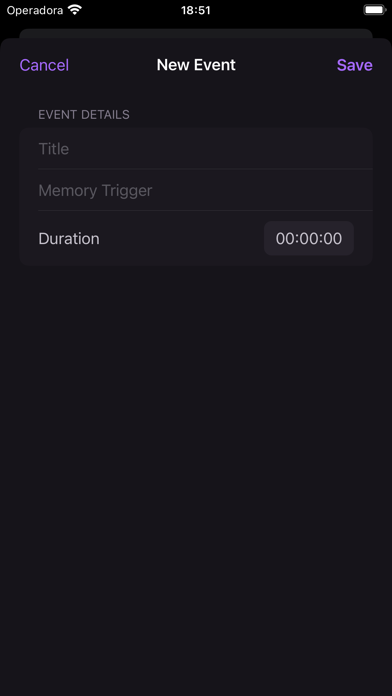
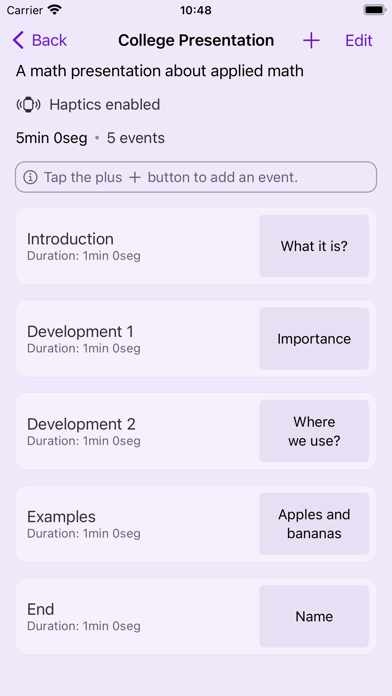
Add events to the timeline. Events are moments when you want to be reminded of something during your presentation training wearing your Apple Watch. The events usually mark the shift between topics or some interaction with the audience. You can reorganize the order of the existing events.
MEMORY TRIGGER
For each event, you can define a memory trigger, like keywords, that will appear on your Watch according to the timeline. It will help you remember to do or say something important.
TIMER
When you start a practice on your watch, the app displays a timer according to the presentation timeline. To help you be aware of your remaining time, the timer changes color to orange when you're running out of time and red to indicate the time is up.
HAPTICS
While practicing your presentation with your Apple Watch, you will receive haptic feedback to alert you about events and time limits. This way, you can tweak your time management without checking your Watch randomly.
LIGHT AND DARK MODES
According to your system preferences, the app adapts its appearance mode to the one you prefer.

You’ll only need your phone to set up your presentation timeline and memory triggers, and your smartwatch to practice your presentation, minimizing distractions.
TIMELINE
When adding your presentation, you inform the time limit and the app provides an editable timeline within that time box.
EVENTS
Add events to the timeline. Events are moments when you want to be reminded of something during your presentation training wearing your Apple Watch. The events usually mark the shift between topics or some interaction with the audience. You can reorganize the order of the existing events.
MEMORY TRIGGER
For each event, you can define a memory trigger, like keywords, that will appear on your Watch according to the timeline. It will help you remember to do or say something important.
TIMER
When you start a practice on your watch, the app displays a timer according to the presentation timeline. To help you be aware of your remaining time, the timer changes color to orange when you're running out of time and red to indicate the time is up.
HAPTICS
While practicing your presentation with your Apple Watch, you will receive haptic feedback to alert you about events and time limits. This way, you can tweak your time management without checking your Watch randomly.
LIGHT AND DARK MODES
According to your system preferences, the app adapts its appearance mode to the one you prefer.
Show More
What's New in the Latest Version 1.0.0
Last updated on Dec 4, 2022
Version History
1.0.0
Dec 4, 2022
Tweak Presentation FAQ
Click here to learn how to download Tweak Presentation in restricted country or region.
Check the following list to see the minimum requirements of Tweak Presentation.
iPhone
Requires iOS 16.0 or later.
Apple Watch
Requires watchOS 9.0 or later.
Tweak Presentation supports English