Weather Widgets`

Weather Widgets`


Change Lock Screen Icon Themes


Free

1.0.2for iPhone, iPod touch
星 陈
Developer
81.9 MB
Size
Jun 27, 2023
Update Date
Utilities
Category
4+
Age Rating
Age Rating
4+
Apps in this category do not contain restricted content.
9+
Apps in this category may contain mild or occasional cartoon, fantasy or real-life violence, as well as occasional or mild adult, sexually suggestive or horrifying content and may not be suitable for children under 9 years of age.
12+
Apps in this category may contain occasional mild indecent language, frequent or intense cartoon or real-life violence, minor or occasional adult or sexually suggestive material, and simulated gambling, and may be for children under 12 years of age.
17+
You must be at least 17 years old to access this App.
Apps in this category may contain frequent and intense offensive language; Frequent and intense cartoon, fantasy or realistic violence: frequent and intense adult, scary and sexually suggestive subjects: as well as sexual content, nudity, tobacco, alcohol and drugs, may not be suitable for children under 17 years of age.
Weather Widgets` Screenshots
Weather Widgets` posterWeather Widgets` posterWeather Widgets` poster

About Weather Widgets`

Welcome to Weather Widgets!

Weather Widgets is a multi-functional application that provides two kinds of practical tools, lock screen widget and desktop widget, for your mobile phone. Let's dive into the functionality of the widget:

1. Lock screen widget:
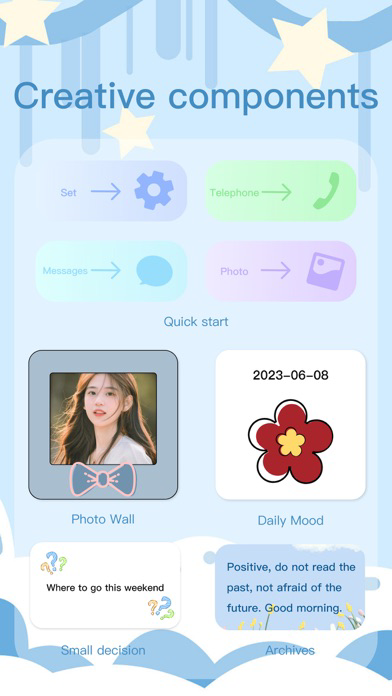
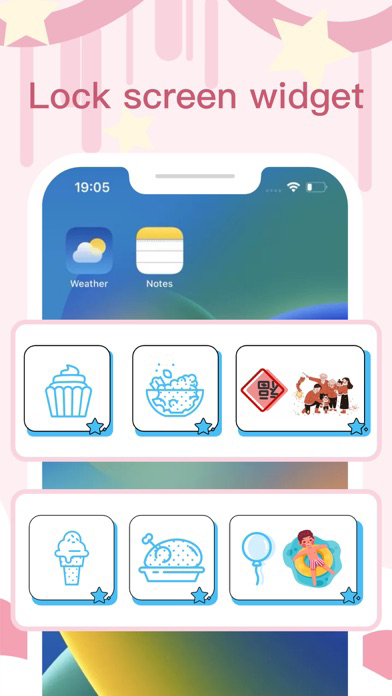
Quick Launch: Through lock screen widgets, you can easily access frequently used applications, saving your precious time.
Decorative patterns: We provide you with a variety of exquisite decorative patterns, you can freely choose the style you like to beautify your lock screen interface and make it more personalized.
Copywriting: You can add custom copywriting on the lock screen widget, such as famous quotes, reminders, etc., to remind and motivate yourself.
Countdown: The widget also provides a countdown function, you can set the countdown to important events, such as birthdays, holidays, etc., so that you can always pay attention to the countdown to the goal.

2. Desktop widgets:
Quick launch: The desktop widget provides you with a convenient way to quickly launch applications, allowing you to access your most frequently used applications directly from the home screen, eliminating the tedious search steps.
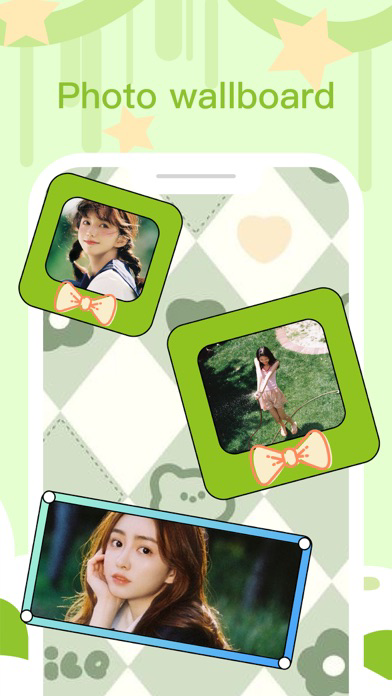
Photo Wall: You can set your favorite photos as the background of desktop widgets to create your own personalized photo wall. Enjoy your precious memories every time you turn on your phone.

The design of Weather Widgets is simple and practical, aiming to provide you with a more efficient and enjoyable mobile phone experience. Whether it is a lock screen or a desktop, we are committed to creating an interface full of personality and convenience for you. Come and download the widget app and give your phone a new life!

Show More

What's New in the Latest Version 1.0.2

Last updated on Jun 27, 2023
Old Versions
fix bugs
Show More
Version History
1.0.2
Jun 26, 2023
fix bugs
1.0.1
Jun 22, 2023
fix bugs
1.0.0
Jun 21, 2023

Weather Widgets` FAQ

Click here to learn how to download Weather Widgets` in restricted country or region.
Check the following list to see the minimum requirements of Weather Widgets`.
iPhone
Requires iOS 14.0 or later.
iPod touch
Requires iOS 14.0 or later.
Weather Widgets` supports English, French, Japanese, Russian, Simplified Chinese, Traditional Chinese

Weather Widgets` Alternative

You May Also Like