WorkMax
Free
1.41.6for iPhone, iPad
Age Rating
WorkMax Screenshots
About WorkMax
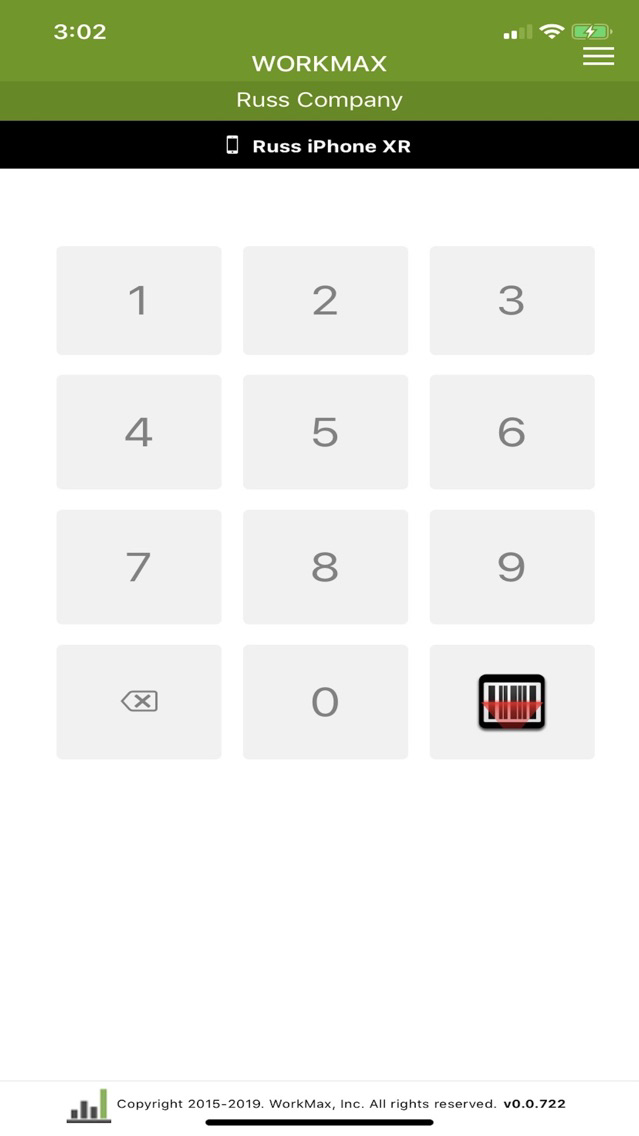
WorkMax is a cloud-based Modern Resource Management Platform. WorkMax is the easiest all-inclusive platform for real-time management of labor, assets, forms and InSight with accurate business intelligence for better decision making on any device, anytime, anywhere. WorkMax’s cloud-based resource management platform provides instant, accurate answers in real-time by connecting local, remote, and mobile employees of any size business from small businesses to enterprise organizations. The WorkMax COMPLETE SUITE is an entire platform of cutting-edge modules for TIME, ASSETS, FORMS, and INSIGHT(Coming Soon!). WorkMax modules are powerful on their own and even more valuable together. WorkMax’s simplicity allows users to personalize WorkMax for their business, their industry, and employees without coders or programmers. Modules in the current release include:
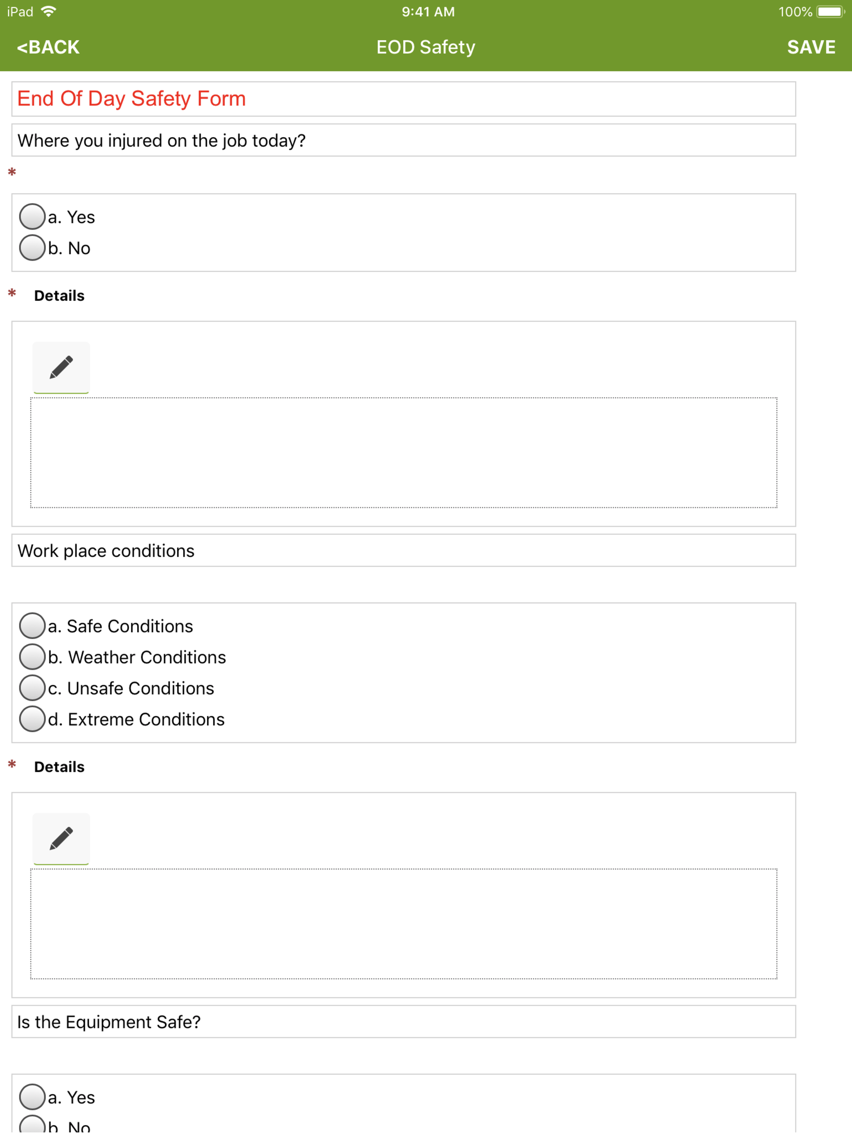
Mobile Forms for Business:
- Create UNLIMITED mobile forms with a drag-and-drop to automate and simplify business processes in the field or office.
- Apply powerful business logic to digital forms with conditional logic
- Trigger a nested form within a form based on responses
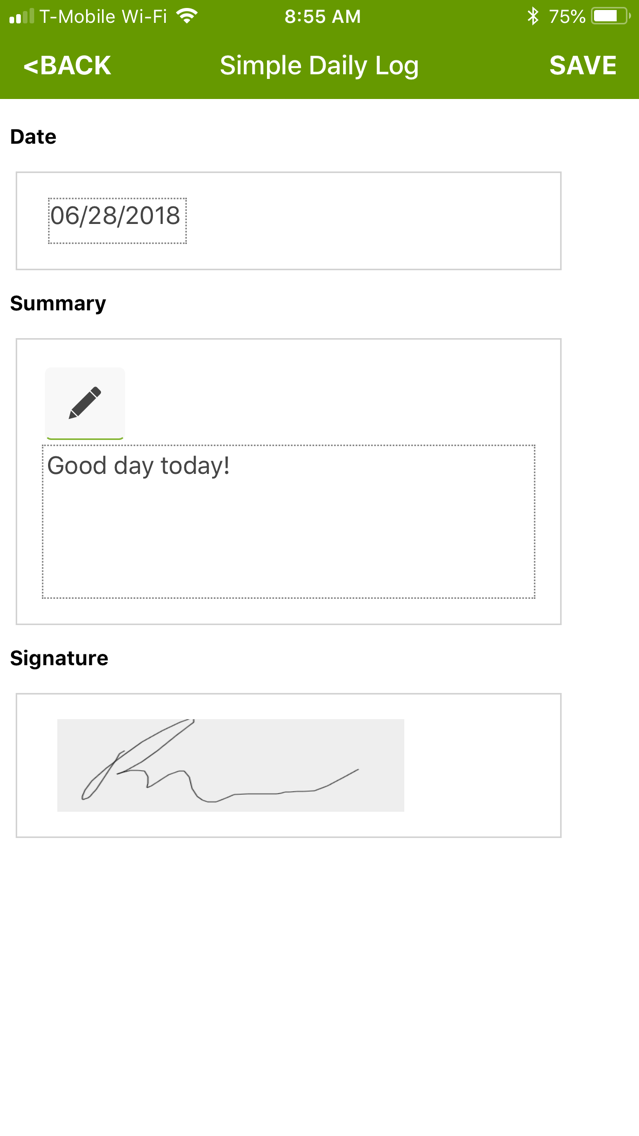
- Collect e-signature, photos, video, voice notes, and sketches
- Embed tables and calculations
- Easily print, share, and export forms or create PDFs
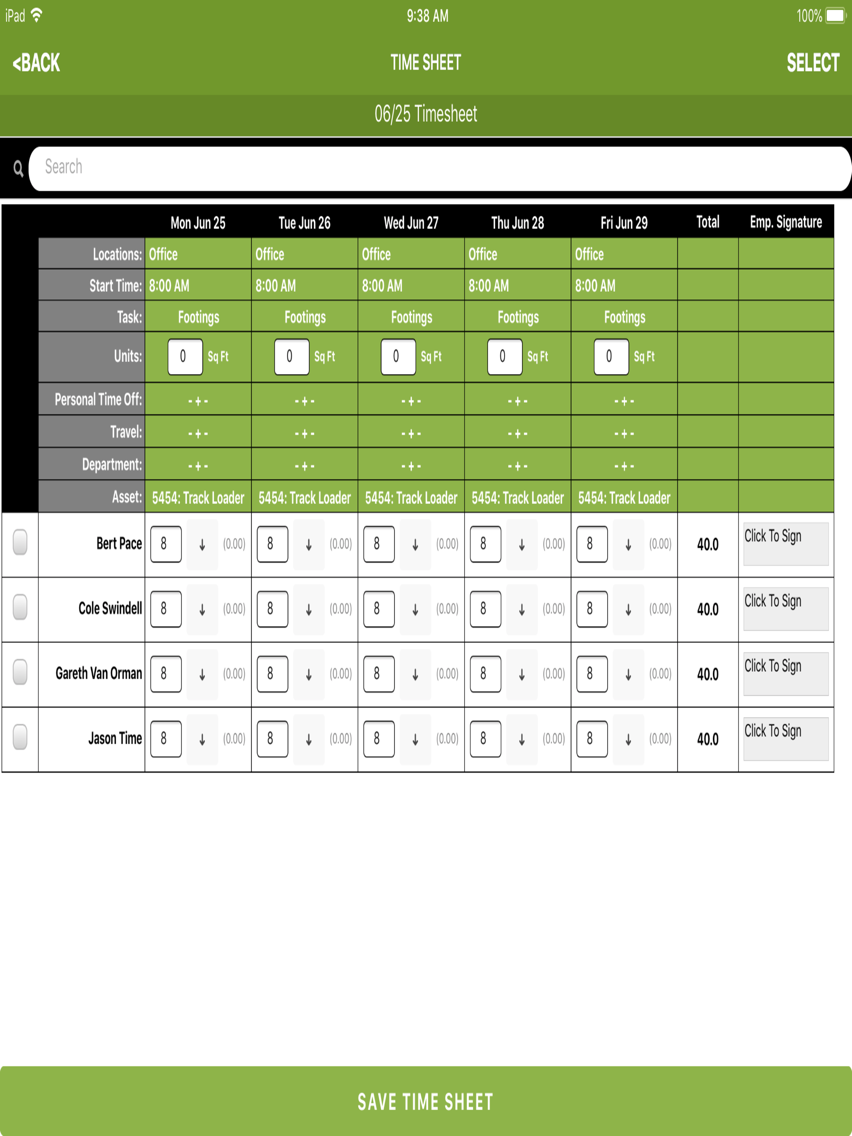
Timesheet for Workforce Management:
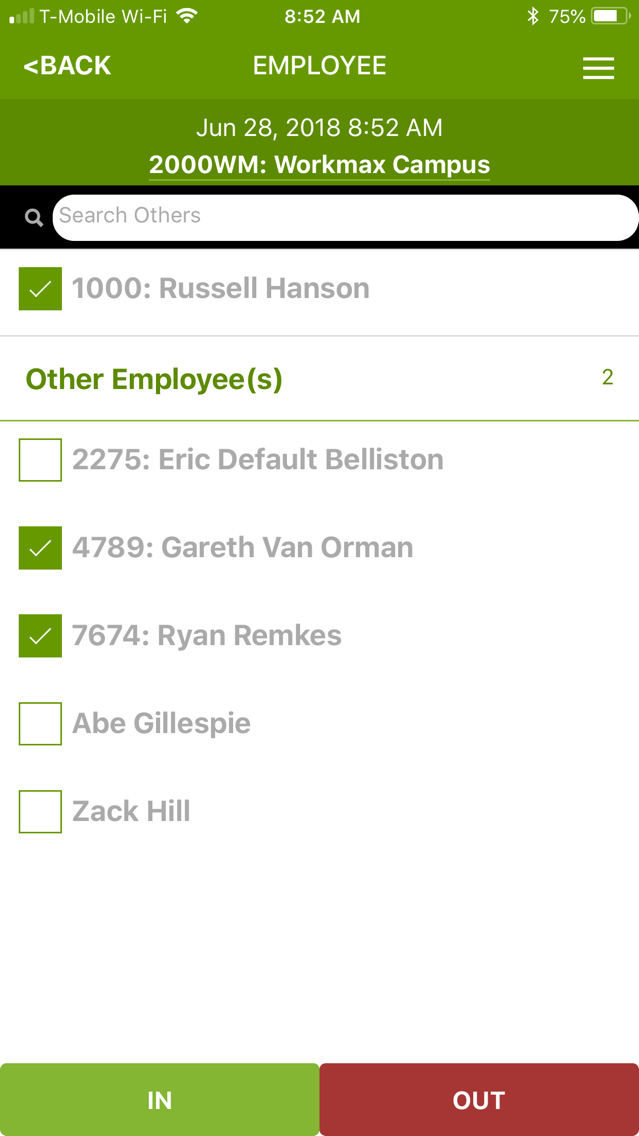
- Flexibility to enter time on any mobile device in real-time, after the fact, or for a whole crew by supervisors.
- Visually allocate employees tasks between IN/OUT punches.
- Track units completed, task completed per shift and per project,
- Employees and supervisors can review, approve with digital signatures from anywhere including GPS stamps and geo-fencing.
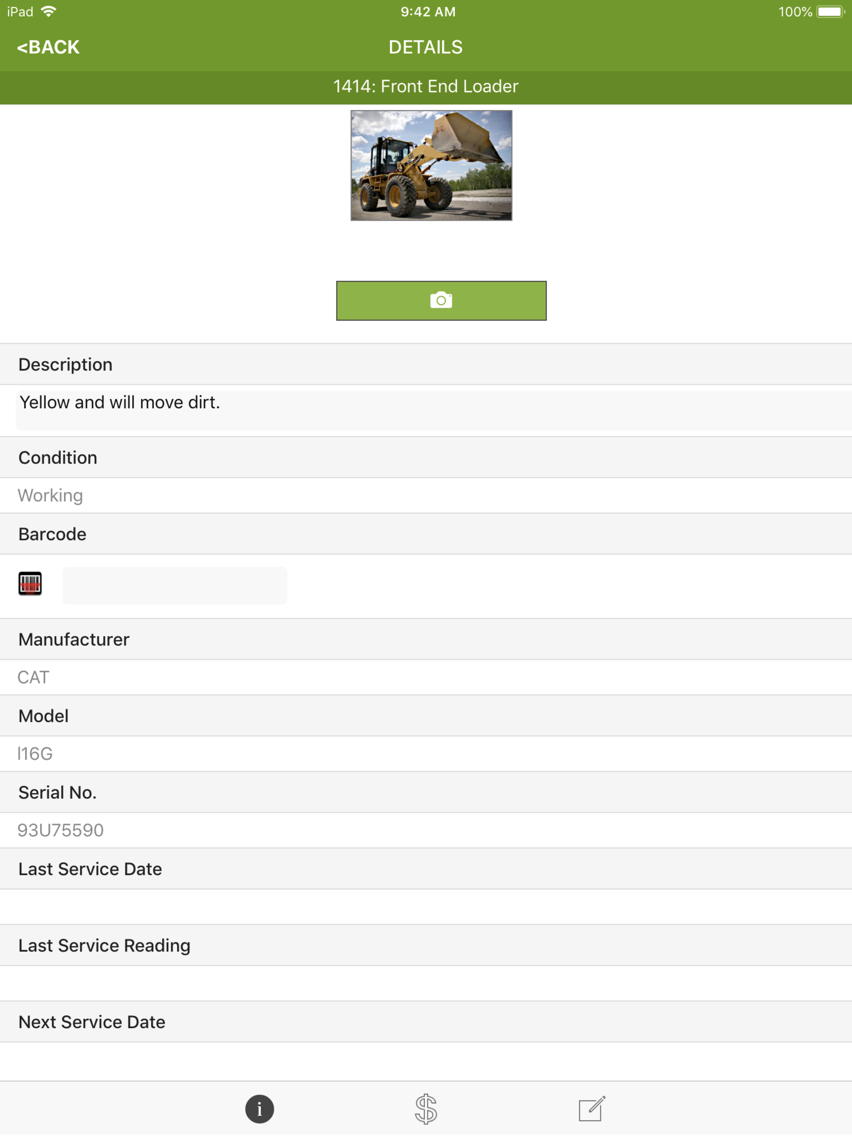
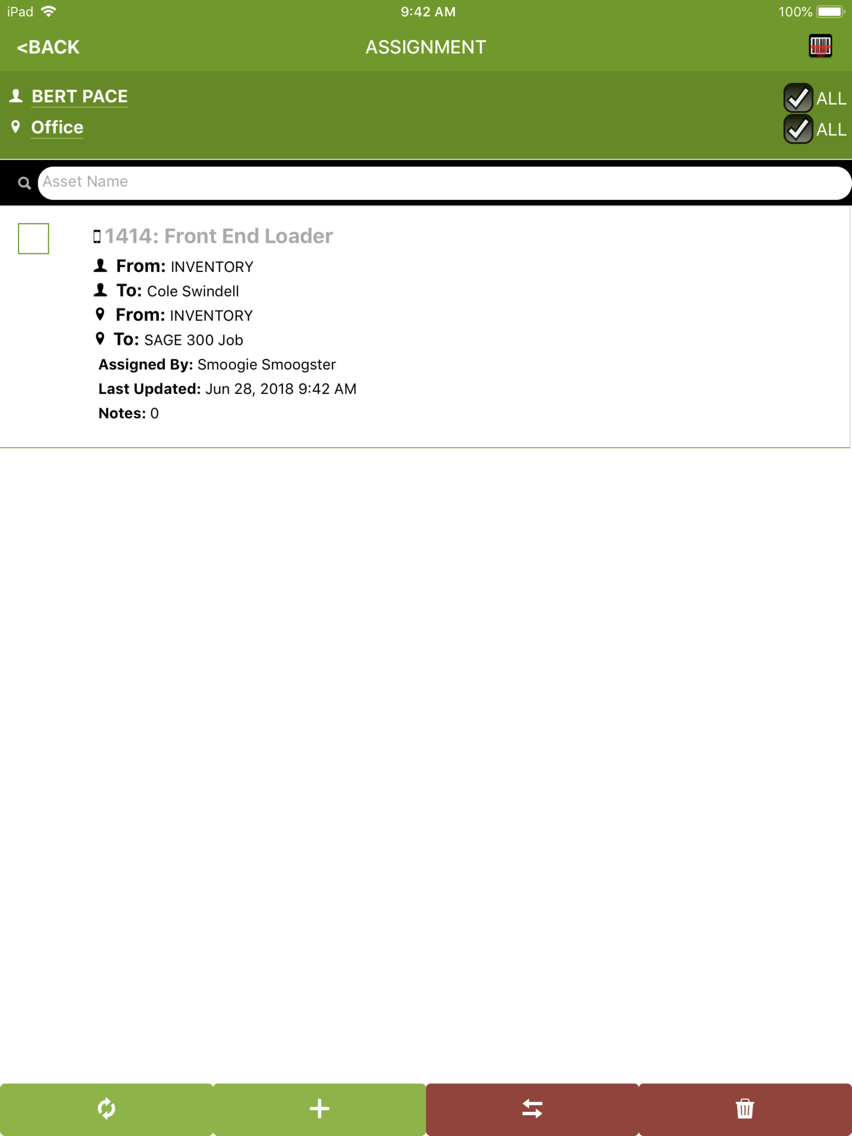
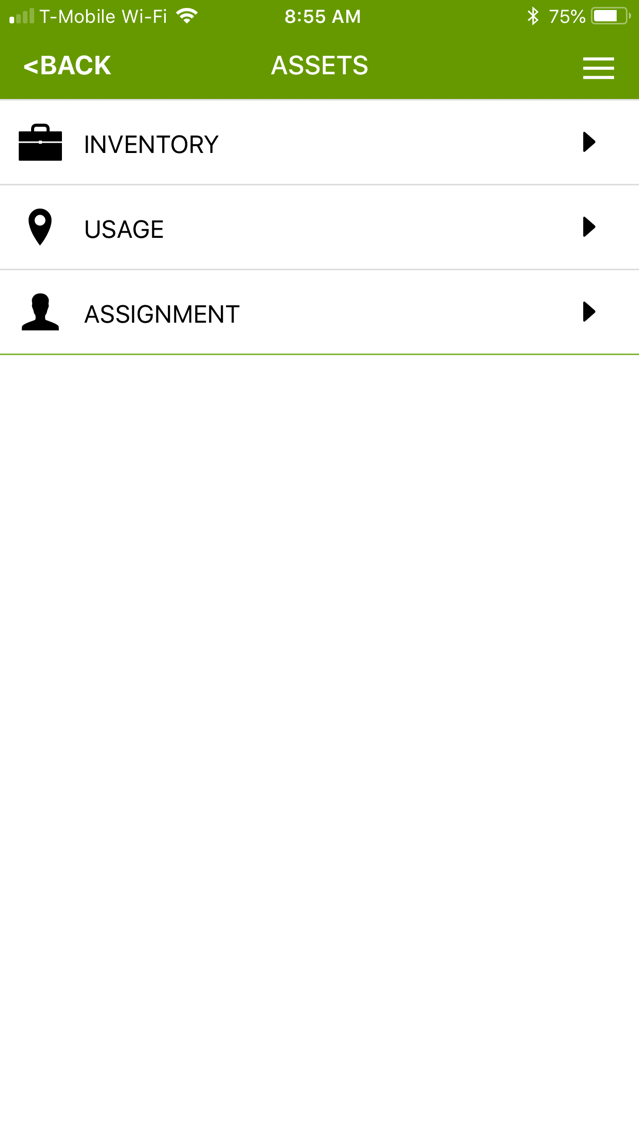
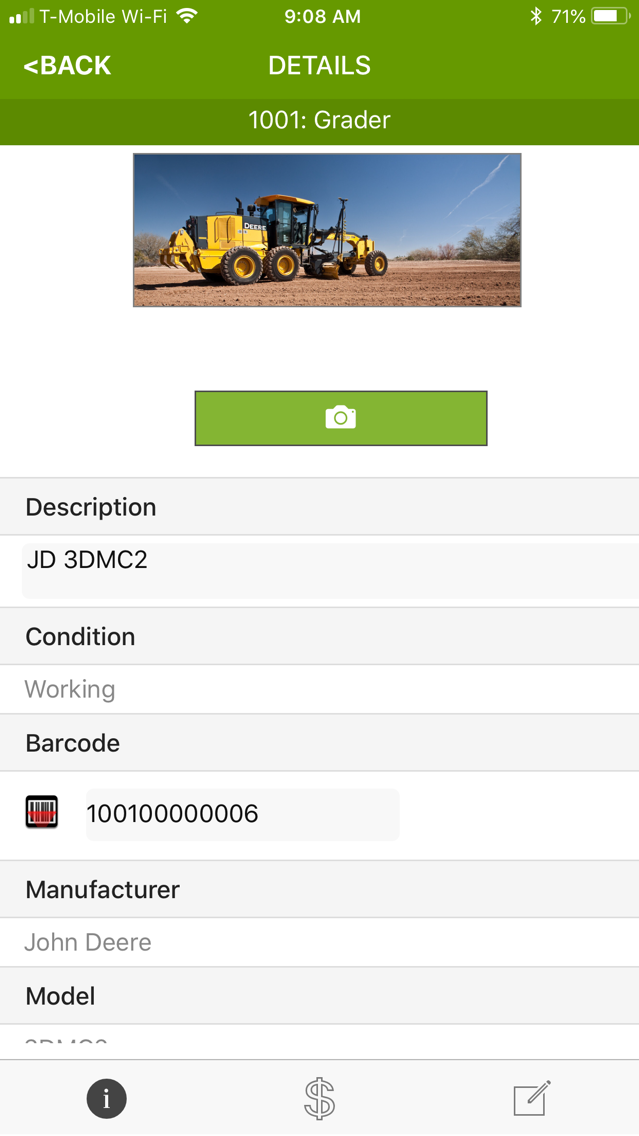
Asset Management -
- Track Assets and equipment to employees and/or locations to eliminate asset loss or theft.
- Combine with TIME to allow employees to select assets as they punch IN/OUT.
- Optimize asset utilization to extend the life of your assets and equipment.
- Track accurate Asset usage for billing.
Insight Business Intelligence (Coming Soon!)
- Operate at peak efficiency for labor, assets, electronic forms, service scheduling, dispatch, productivity and budgets anytime, anywhere, on any device with visual business intelligence.
- With interactive visualizations of dashboards and map views, instantly know what’s going on with your projects, your people and your assets to make better decisions faster with rich media capture of video, photos, audio, sketches and annotations.
- See real-time productivity when combined with TIME to compare real-time actuals to budget
- Powerful forecasting metrics to budget future jobs.
Already Built into the Platform:
- Visual dashboards.
- Very powerful reports engine with scheduling built-in for all modules.
- Message Center for messaging between users in the field and the office.
- Integration engine built-in based on a connector architecture to import/export data in each module from/to 3rd party systems.

Mobile Forms for Business:
- Create UNLIMITED mobile forms with a drag-and-drop to automate and simplify business processes in the field or office.
- Apply powerful business logic to digital forms with conditional logic
- Trigger a nested form within a form based on responses
- Collect e-signature, photos, video, voice notes, and sketches
- Embed tables and calculations
- Easily print, share, and export forms or create PDFs
Timesheet for Workforce Management:
- Flexibility to enter time on any mobile device in real-time, after the fact, or for a whole crew by supervisors.
- Visually allocate employees tasks between IN/OUT punches.
- Track units completed, task completed per shift and per project,
- Employees and supervisors can review, approve with digital signatures from anywhere including GPS stamps and geo-fencing.
Asset Management -
- Track Assets and equipment to employees and/or locations to eliminate asset loss or theft.
- Combine with TIME to allow employees to select assets as they punch IN/OUT.
- Optimize asset utilization to extend the life of your assets and equipment.
- Track accurate Asset usage for billing.
Insight Business Intelligence (Coming Soon!)
- Operate at peak efficiency for labor, assets, electronic forms, service scheduling, dispatch, productivity and budgets anytime, anywhere, on any device with visual business intelligence.
- With interactive visualizations of dashboards and map views, instantly know what’s going on with your projects, your people and your assets to make better decisions faster with rich media capture of video, photos, audio, sketches and annotations.
- See real-time productivity when combined with TIME to compare real-time actuals to budget
- Powerful forecasting metrics to budget future jobs.
Already Built into the Platform:
- Visual dashboards.
- Very powerful reports engine with scheduling built-in for all modules.
- Message Center for messaging between users in the field and the office.
- Integration engine built-in based on a connector architecture to import/export data in each module from/to 3rd party systems.
Show More
What's New in the Latest Version 1.41.6
Last updated on Oct 28, 2021
Old Versions
Fixed:
- Older iPads that can only update to iOS 9.5 had permission issues on some accounts afar pin in.
- Detection for online/offline was not working and showing sync options still when offline.
- Adjustments to Copy 2.0 Upgrade ID functionality.
- Older iPads that can only update to iOS 9.5 had permission issues on some accounts afar pin in.
- Detection for online/offline was not working and showing sync options still when offline.
- Adjustments to Copy 2.0 Upgrade ID functionality.
Show More
Version History
1.41.6
Oct 28, 2021
Fixed:
- Older iPads that can only update to iOS 9.5 had permission issues on some accounts afar pin in.
- Detection for online/offline was not working and showing sync options still when offline.
- Adjustments to Copy 2.0 Upgrade ID functionality.
- Older iPads that can only update to iOS 9.5 had permission issues on some accounts afar pin in.
- Detection for online/offline was not working and showing sync options still when offline.
- Adjustments to Copy 2.0 Upgrade ID functionality.
1.41.4
Apr 13, 2021
Fixed:
- Not all Form conditionals get removed once made visible and then reverted back based on the original answer where they don't show.
- Defaults not working in Time/Forms workflow for form data.
- Permissions for division/department not honored properly for Time.
- Not all Form conditionals get removed once made visible and then reverted back based on the original answer where they don't show.
- Defaults not working in Time/Forms workflow for form data.
- Permissions for division/department not honored properly for Time.
1.41.2
Jan 7, 2021
- On Time record edit, set permissions to the employee pinned into the device but to the location of the selected record vs the one currently set on the device.
1.41.1
Dec 28, 2020
NEW:
- Barcode on authentication can now use the front-facing camera.
Fixed:
- Real time IN should take the time when IN button is hit.
- Time Sheet employee restrictions not being honored in some cases.
- Additional fixes to remedy face recognition mismatch of 0% and broken images.
- Time review and edit of records should only show Assets, Custom List Items, and/or Tasks based on the record's employee and location.
- Employees not showing up in subform or table lists.
- Barcode on authentication can now use the front-facing camera.
Fixed:
- Real time IN should take the time when IN button is hit.
- Time Sheet employee restrictions not being honored in some cases.
- Additional fixes to remedy face recognition mismatch of 0% and broken images.
- Time review and edit of records should only show Assets, Custom List Items, and/or Tasks based on the record's employee and location.
- Employees not showing up in subform or table lists.
1.40.0
Aug 27, 2020
New:
- Honor new Forms user role option for delete of a non-admin user of their own form or not.
- Employee lists now an option within a form as a drop-down.
Fixed:
- No longer send unnecessary data on Diagnostics for Employees.
- Simple IN/OUT Time with Forms workflow was showing forms on both IN and OUT.
- GPS accuracy improvements on Time punches.
- Editing a time record's date to a previous week, same day and same time should be valid if time doesn't already exist.
- Honor new Forms user role option for delete of a non-admin user of their own form or not.
- Employee lists now an option within a form as a drop-down.
Fixed:
- No longer send unnecessary data on Diagnostics for Employees.
- Simple IN/OUT Time with Forms workflow was showing forms on both IN and OUT.
- GPS accuracy improvements on Time punches.
- Editing a time record's date to a previous week, same day and same time should be valid if time doesn't already exist.
1.39.5
Jun 15, 2020
Fixed:
Allow next users to authenticate and clock IN/OUT immediately even if auto-send is on instead of waiting for the sync to complete.
Asset assignments not push syncing from the Assignment window.
Asset relationship on Forms UI selection.
Allow next users to authenticate and clock IN/OUT immediately even if auto-send is on instead of waiting for the sync to complete.
Asset assignments not push syncing from the Assignment window.
Asset relationship on Forms UI selection.
1.39.4
May 11, 2020
Fixed:
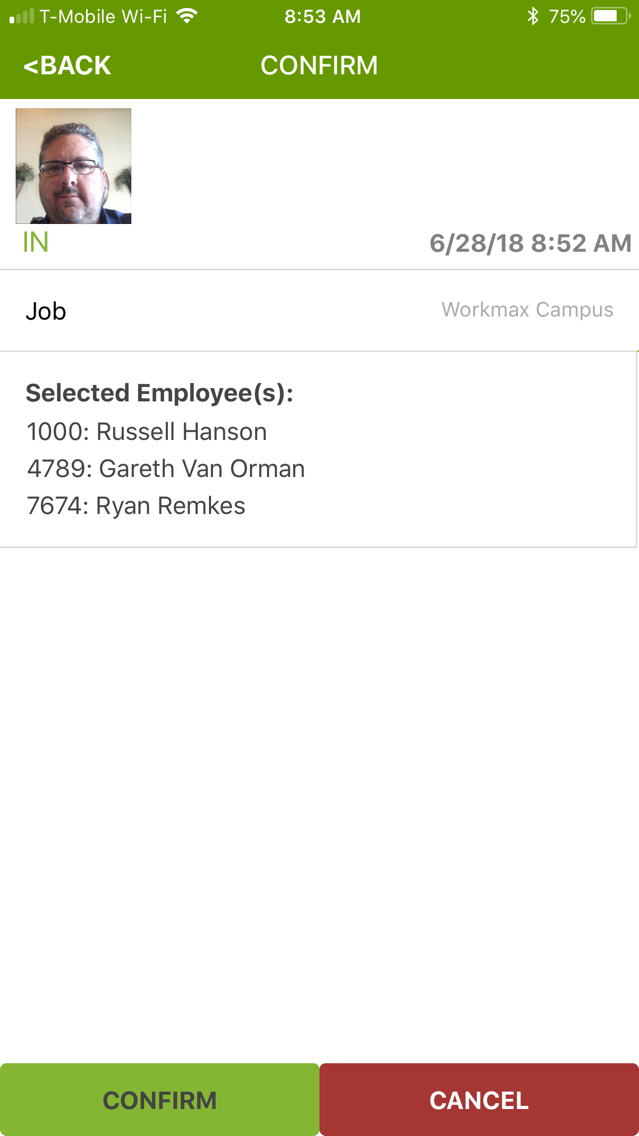
- Added ability to flip the camera direction on face capture in the Time IN and OUT confirmation screens.
- Forms table scroll when the keypad is up over the top of a long list of table items.
- Search employees in groups working in clock IN/OUT Others employee selection screen.
- Added ability to flip the camera direction on face capture in the Time IN and OUT confirmation screens.
- Forms table scroll when the keypad is up over the top of a long list of table items.
- Search employees in groups working in clock IN/OUT Others employee selection screen.
1.39.3
May 4, 2020
Fixed Forms not able to scroll and edit some text fields in some forms when the keyboard is up.
1.39.2
Apr 29, 2020
Fixed:
- Face photos on Time IN/OUT punches not coming across if the app shuts down before completion of sync.
- On Time clock IN/OUT others, allow the selection of a non-foreman to invoke the camera for face capture if they have privileges.
- Form tables not editable after adding rows initially with formulas and not all columns filled out with valid data.
- Face photos on Time IN/OUT punches not coming across if the app shuts down before completion of sync.
- On Time clock IN/OUT others, allow the selection of a non-foreman to invoke the camera for face capture if they have privileges.
- Form tables not editable after adding rows initially with formulas and not all columns filled out with valid data.
1.39.1
Apr 9, 2020
Fixed:
- Cleanup/optimize extra commit transaction calls on sync.
- Missing face pictures on some time records.
- Cleanup/optimize extra commit transaction calls on sync.
- Missing face pictures on some time records.
1.39.0
Mar 30, 2020
NEW:
- Mass edit of real time records.
- Ability to flip face capture camera to the rear camera vs front for clocking in crews.
- Add/Remove employee entries on a saved Time Sheet.
Fixed:
- Long form list scrolling.
- Time Sheet allocation not allowing more hours than the day total per employee.
- Cleanup Time Sheet email UI.
- Enhanced logging around facial pics on time records.
- Mass edit of real time records.
- Ability to flip face capture camera to the rear camera vs front for clocking in crews.
- Add/Remove employee entries on a saved Time Sheet.
Fixed:
- Long form list scrolling.
- Time Sheet allocation not allowing more hours than the day total per employee.
- Cleanup Time Sheet email UI.
- Enhanced logging around facial pics on time records.
1.38.0
Dec 19, 2019
Data permission performance across the entire application.
Move time sync success to after photos are processed.
Set Location and Set Task height for longer names that wrap.
Longer name/path supports for Clock In Self workflow.
Employee Avatar Update button not always showing.
Asset Inventory barcode needs to go right to the item found.
Forms with table aggregates won't email.
Optimize Forms with drop-down defaults for assets, locations, tasks.
Custom List workflow on Real Time and Time Sheet.
Simple In/Out workflow not setting location.
Move time sync success to after photos are processed.
Set Location and Set Task height for longer names that wrap.
Longer name/path supports for Clock In Self workflow.
Employee Avatar Update button not always showing.
Asset Inventory barcode needs to go right to the item found.
Forms with table aggregates won't email.
Optimize Forms with drop-down defaults for assets, locations, tasks.
Custom List workflow on Real Time and Time Sheet.
Simple In/Out workflow not setting location.
1.37.3
Oct 17, 2019
Force light mode in WorkMax so plugins like the date picker, status bar, etc show up in either mode.
1.37.2
Oct 11, 2019
Fixes for new 13.x iOS update.
My time is editable if only View My Time role is checked.
Refresh of an invalid token not working.
Forms drop-down data loading performance.
Forms signatures not showing up immediately.
Form table column aggregation.
Time Sheet level assets not coming over on sync.
Time Sheet create then back hides locations, tasks, assets.
Time Sheet asset changes are remembering the default selections.
My time is editable if only View My Time role is checked.
Refresh of an invalid token not working.
Forms drop-down data loading performance.
Forms signatures not showing up immediately.
Form table column aggregation.
Time Sheet level assets not coming over on sync.
Time Sheet create then back hides locations, tasks, assets.
Time Sheet asset changes are remembering the default selections.
1.37.1
Sep 12, 2019
Customers with Full Access permissions were not able to see non-admin employees when clocking IN/OUT Others.
Time Sheet creation and editing was not allowing certain fields to be editable because of a new privilege system enhancement.
1.37.0
Sep 9, 2019
NEW:
Show Device name in authentication screen
Ask for permission on Location Services and Camera access at registration time.
Honor new specific Time editing privileges
FIXED:
Cleanup user interface menu and button spacing on all screens for iOS X and higher devices.
Performance enhancements on permission profiles.
Time features disappear if location(job) is set on the device but marked inactive in the Control Center.
Form radio button selection not saving.
Better messaging if a new device registration invite code is wrong.
Show Device name in authentication screen
Ask for permission on Location Services and Camera access at registration time.
Honor new specific Time editing privileges
FIXED:
Cleanup user interface menu and button spacing on all screens for iOS X and higher devices.
Performance enhancements on permission profiles.
Time features disappear if location(job) is set on the device but marked inactive in the Control Center.
Form radio button selection not saving.
Better messaging if a new device registration invite code is wrong.
1.36.2
Jul 8, 2019
Codes aren't showing in front of root level Assets, Locations, Tasks.
1.36.1
Jul 2, 2019
Fixed:
- Tasks not restricting on certain locations(jobs) properly.
- Proper task restrictions for changing the location(job) when creating a time sheet and in allocations.
- Tasks not restricting on certain locations(jobs) properly.
- Proper task restrictions for changing the location(job) when creating a time sheet and in allocations.
1.36.0
Jul 1, 2019
Ability to view forms that have synced off the device.
Ability to flatten Location/Task lists for some workflows.
All permitted Locations not showing up in Form drop-downs.
Required forms signature was allowed if you cleared the signature and saved.
Form table formula field was editable.
Honor restricted employee info.
Ability to flatten Location/Task lists for some workflows.
All permitted Locations not showing up in Form drop-downs.
Required forms signature was allowed if you cleared the signature and saved.
Form table formula field was editable.
Honor restricted employee info.
1.35.0
May 28, 2019
- New informative dashboard in Home screen on time, forms, and asset sync data as well as new sync progress bars throughout.
Fixed:
- Forms not restricting properly in main Forms manager
- Time workflow based Forms were not auto-syncing.
- Permission graph performance enhancements
- Attempt to sync failed face photos at application start up.
Fixed:
- Forms not restricting properly in main Forms manager
- Time workflow based Forms were not auto-syncing.
- Permission graph performance enhancements
- Attempt to sync failed face photos at application start up.
1.34.2
May 1, 2019
Application won't launch on iOS 9.x devices.
1.34.1
Apr 29, 2019
Fixed:
- Tasks(Cost Codes) not restricting in all cases on real time workflow and forms.
1.33.2
Feb 5, 2016
- Permission fixes and performance enhancements.
- UTC from server not being set on Time records.
- Employee Group modifications don't show up immediately after PULL sync.
WorkMax FAQ
Click here to learn how to download WorkMax in restricted country or region.
Check the following list to see the minimum requirements of WorkMax.
iPhone
iPad
WorkMax supports English