24/7 Software Communicator
Free
6.9for iPhone
Age Rating
لقطات الشاشة لـ 24/7 Software Communicator
About 24/7 Software Communicator
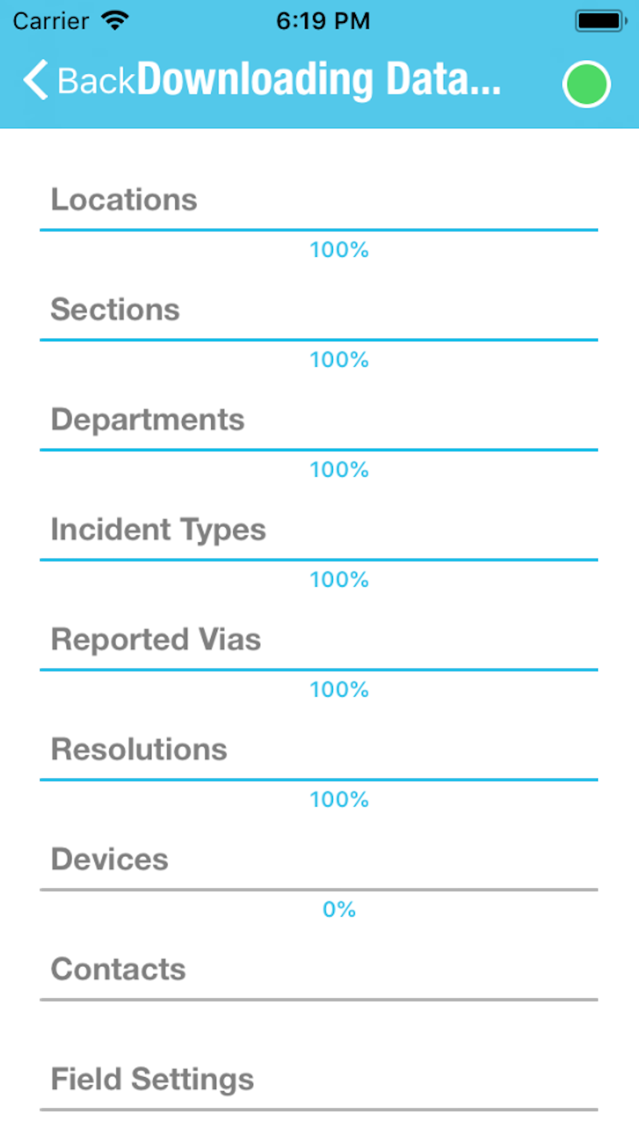
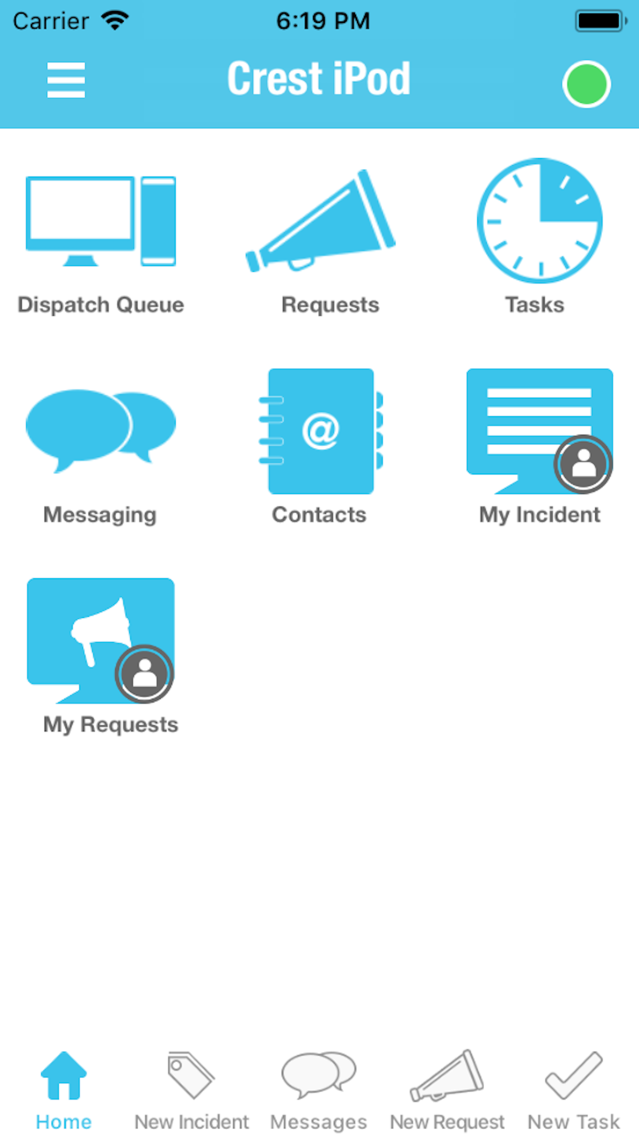
The 24/7 Software Communicator gives you the ultimate tool to report and manage incidents and requests, send task reminders, and communicate with other operators.
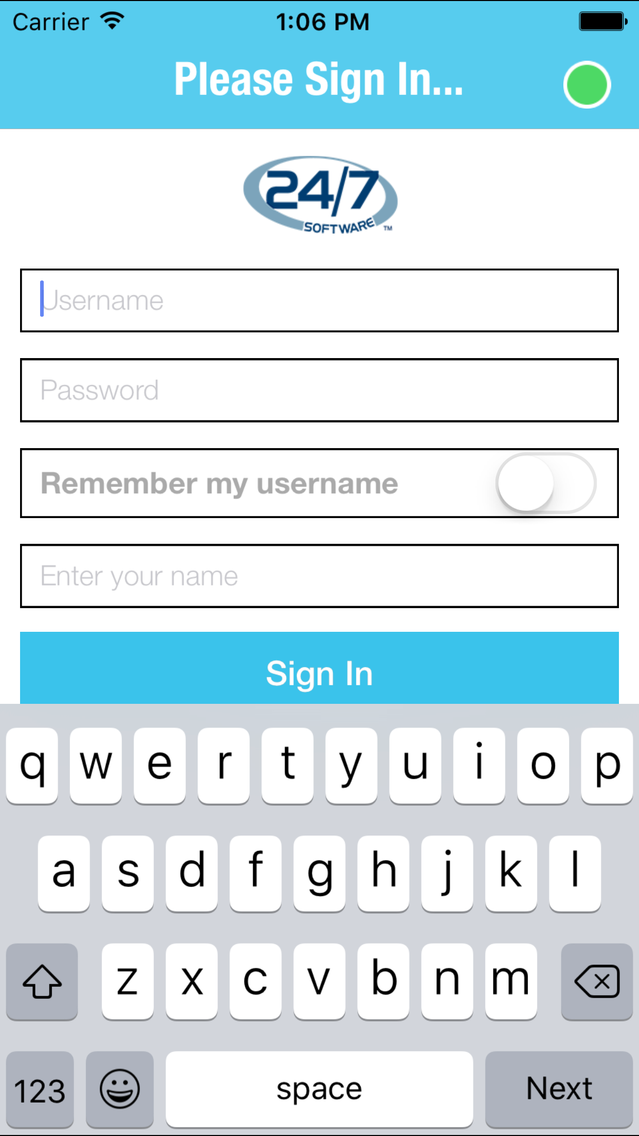
This app integrates with the 24/7 Software IMS (Incident Management System). Access to the app is restricted.
Show More
تحديث لأحدث إصدار 6.9
Last updated on 21/01/2020
الإصدارات القديمة
Fixed the following issues:
1. Nothing was displayed when typing notes when reporting new incidents on iOS v13.2.2.
2. When reporting a new incident, the data entered in the Row and Seat fields were showing up on the web as switched.
1. Nothing was displayed when typing notes when reporting new incidents on iOS v13.2.2.
2. When reporting a new incident, the data entered in the Row and Seat fields were showing up on the web as switched.
Show More
Version History
6.9
21/01/2020
Fixed the following issues:
1. Nothing was displayed when typing notes when reporting new incidents on iOS v13.2.2.
2. When reporting a new incident, the data entered in the Row and Seat fields were showing up on the web as switched.
1. Nothing was displayed when typing notes when reporting new incidents on iOS v13.2.2.
2. When reporting a new incident, the data entered in the Row and Seat fields were showing up on the web as switched.
6.8
31/12/2019
Fixed the following issues:
1. Nothing is displayed when typing notes nor were they saved on latest version of iOS 13.2.2 when reporting new incidents.
2. Unable to play audio file on web when added from Communicator.
1. Nothing is displayed when typing notes nor were they saved on latest version of iOS 13.2.2 when reporting new incidents.
2. Unable to play audio file on web when added from Communicator.
6.7
27/06/2019
Fixed the following issues:
1. The names of checkboxes and radio buttons were getting cutoff when reporting new incidents.
2. Several crashes.
1. The names of checkboxes and radio buttons were getting cutoff when reporting new incidents.
2. Several crashes.
6.6
11/04/2019
Fixed the following issues:
1. Resolved a background crash issue and also maintained the user’s login session.
2. Improved the performance of the application by optimizing the incident queue loading. This resolved freezing issues and duplicate incident creations that were occurring when these processes were occurring.
1. Resolved a background crash issue and also maintained the user’s login session.
2. Improved the performance of the application by optimizing the incident queue loading. This resolved freezing issues and duplicate incident creations that were occurring when these processes were occurring.
6.5
09/01/2019
Fixed the following issues:
1. App logging out frequently when in background.
2. App freezing while saving and updating incident data for accounts having many incidents.
3. When saving an incident the "created" date/time may have been a future date/time rather than the current.
4. Splash screen not shown for iOS versions above iOS 11.
1. App logging out frequently when in background.
2. App freezing while saving and updating incident data for accounts having many incidents.
3. When saving an incident the "created" date/time may have been a future date/time rather than the current.
4. Splash screen not shown for iOS versions above iOS 11.
6.4
25/10/2018
Fixed the following issues:
1. Event markers not populated in Incident Log.
2. Chat message missing and app crashes when switching from Wi-Fi to mobile data.
3. Incident Status not appearing when editing an incident from the long form.
4. Section downloading percentage issue on template download.
5. Blank messages shown in message thread.
6. Other miscellaneous bug and crash fixes.
1. Event markers not populated in Incident Log.
2. Chat message missing and app crashes when switching from Wi-Fi to mobile data.
3. Incident Status not appearing when editing an incident from the long form.
4. Section downloading percentage issue on template download.
5. Blank messages shown in message thread.
6. Other miscellaneous bug and crash fixes.
6.3
20/09/2018
Fixed the following:
1. Multiple updates were being recording in the History for associated persons if an incident was updated.
2. Associated person records were duplicated.
3. Unassigned incidents were displayed in ‘My Incidents’ queue for admin devices.
4. Miscellaneous issues.
1. Multiple updates were being recording in the History for associated persons if an incident was updated.
2. Associated person records were duplicated.
3. Unassigned incidents were displayed in ‘My Incidents’ queue for admin devices.
4. Miscellaneous issues.
6.2
11/08/2018
Fixed an issue preventing the Linked Location/Section functionality from working when reporting new incidents.
6.1
09/08/2018
Fixed the following:
1. Several reported crashes.
2. UI Issues when using an iPhone X.
3. Several other bug fixes.
1. Several reported crashes.
2. UI Issues when using an iPhone X.
3. Several other bug fixes.
6.0
28/05/2018
Minor bug fixes
5.9
04/05/2018
Minor bug fixes
5.8
05/04/2018
Fixed the following:
1. Incident notifications were not being displayed for Incidents assigned from a TrackPad.
2. Audio/Video messages were sometimes not being played on the device.
3. Several application crashes when the app was in the background or when the witness details were being deleted from an incident.
4. Miscellaneous bug fixes.
1. Incident notifications were not being displayed for Incidents assigned from a TrackPad.
2. Audio/Video messages were sometimes not being played on the device.
3. Several application crashes when the app was in the background or when the witness details were being deleted from an incident.
4. Miscellaneous bug fixes.
5.7
09/03/2018
Added:
1. The ability to add a "Section" to a task. Previously only Locations were available.
Fixed:
1. A crash that was occurring when selecting a department that had a high density icon uploaded.
1. The ability to add a "Section" to a task. Previously only Locations were available.
Fixed:
1. A crash that was occurring when selecting a department that had a high density icon uploaded.
5.6
16/02/2018
1. Fixed an issue with the keyboard not appearing when trying to add notes to a new incident.
5.5
03/02/2018
1. Fixed the Swipe Down to Refresh on the Dispatch Queue screen.
2. Enhancements to Audio Recording, allowing user to leave the recording screen without having to stop the playback.
3. Fixed a crash that occurred when a push notification was received.
2. Enhancements to Audio Recording, allowing user to leave the recording screen without having to stop the playback.
3. Fixed a crash that occurred when a push notification was received.
5.4
30/01/2018
1. Advanced Editor now available when adding/editing an incident.
2. Removed duplicate sound notifications when receiving a message.
3. Fixed audio recording so that it continues to record even after screen sleeps.
4. Fixed an issue causing the application to log out when in the background.
5. Several other bug and crash fixes.
2. Removed duplicate sound notifications when receiving a message.
3. Fixed audio recording so that it continues to record even after screen sleeps.
4. Fixed an issue causing the application to log out when in the background.
5. Several other bug and crash fixes.
5.3
03/01/2018
1. Fixed an issue causing the incorrect list of contacts to be displayed when assigning a task.
2. Fixed an issue causing the notes field to be hidden by the keyboard on the task screen.
3. Fixed an issue causing some media attached to an incident to not sync with the server.
4. Other bug fixes and improvements.
2. Fixed an issue causing the notes field to be hidden by the keyboard on the task screen.
3. Fixed an issue causing some media attached to an incident to not sync with the server.
4. Other bug fixes and improvements.
5.2
17/11/2017
1. Fixed an issue causing images uploaded to an Incident on the web to not be download to the app.
5.1
15/11/2017
Added the following:
1. Ability to download an attachment to the local storage of the device.
2. When device is offline, notifications for when a request is due will still occur.
3. Increased video upload time to 3 minutes and 15 minutes for audio.
4. Push notification popup has been added for daily tasks.
Fixed the following:
1. Daily tasks displayed on the app were different than the list of tasks on the web.
2. Reduced application size and increased performance.
3. Fixed an issue causing the Image selection icon to be missing after an image was deleted from the photo gallery on the device.
4. Fixed an issue causing the Request notification to show "Null" when the creator and assignee were the same device.
5. Fixed an issue causing uploaded signatures to be lost after an incident has been synced with the web.
6. Fixed an application crash when opening up the custom field accordion.
7. Fixed an application crash when deleting an Associated Person's photo.
8. Fixed miscellaneous crash reports.
9. Fixed an issue causing deleted event markers to not be removed from the device.
10. Fixed an issue with the photo and signature upload button being overlapped by other fields in the Associated Person grid.
11. Fixed an issue with how history was recorded on an incident when the incident was carried over to a new day.
12. Fixed an issue causing images sent through the Announcements module to not display on the devices.
1. Ability to download an attachment to the local storage of the device.
2. When device is offline, notifications for when a request is due will still occur.
3. Increased video upload time to 3 minutes and 15 minutes for audio.
4. Push notification popup has been added for daily tasks.
Fixed the following:
1. Daily tasks displayed on the app were different than the list of tasks on the web.
2. Reduced application size and increased performance.
3. Fixed an issue causing the Image selection icon to be missing after an image was deleted from the photo gallery on the device.
4. Fixed an issue causing the Request notification to show "Null" when the creator and assignee were the same device.
5. Fixed an issue causing uploaded signatures to be lost after an incident has been synced with the web.
6. Fixed an application crash when opening up the custom field accordion.
7. Fixed an application crash when deleting an Associated Person's photo.
8. Fixed miscellaneous crash reports.
9. Fixed an issue causing deleted event markers to not be removed from the device.
10. Fixed an issue with the photo and signature upload button being overlapped by other fields in the Associated Person grid.
11. Fixed an issue with how history was recorded on an incident when the incident was carried over to a new day.
12. Fixed an issue causing images sent through the Announcements module to not display on the devices.
5.0
01/09/2017
Added the following:
1. Location field now on the New Task screen.
2. Deleted incidents will keep their current status color, just like the web side, whereas previously the color would change to the “Closed” color.
3. Unapproved incidents will show in blue color to easily distinguish between approved incidents.
4. Added the Section/Location linking on the New Request page for the pickup and drop-off locations.
Fixed the following:
1. Deferred time was not getting synced with web for Daily Tasks.
2. Preview buttons for attachments were being displayed although there was no attachments.
3. Audio file playback continued to play when application was put into the background.
4. Screen was turning black after a user dismissed a push notification.
5. Application was crashing on preview of an image attached to a Daily Task.
6. Preview button was not being displayed for the Associated Person image.
7. Updated media was not being received on the device after a data refresh.
8. Password was not case-sensitive and has now been updated to be case-sensitive.
9. Changing of a task name was not getting synced to the web.
10. Deleted media from the web was still being downloaded to the app.
11. When app is offline and an attachment/signature was deleted on the device, the same attachment/signature was not being deleted on the web once the device came online.
12. Section dropdown was not working correctly when the Location field was disabled from the Incident Field Settings.
13. Custom Field header expand/collapse animation was not correct.
14. Video being received on the device was closing after 1 second of playing.
15. Saving an incident from an iOS and Android device at the same time caused the incident saved from the Android device to not appear on the iOS device.
16. Sound notification was not playing for incoming announcements.
17. Incident Media/Notes were not being updated unless the user first saved the notes, then saved the incident.
18. If the priority of an incident was being updated by the device user and a web user at the same time, then the details of the incident could no longer be viewed on the device and the user was redirected back to the queue.
19. Delete button was missing on the media preview popup.
20. With photo uploading disabled, users were still able to upload photos to an Associated Person.
21. With signature upload disabled, users were still able to upload signatures to a Comment.
22. Daily tasks were disappearing from the device after the user manually refreshed the screen.
23. Add Media button was appearing on requests that were Read Only.
24. Many other bug fixes and improvements.
1. Location field now on the New Task screen.
2. Deleted incidents will keep their current status color, just like the web side, whereas previously the color would change to the “Closed” color.
3. Unapproved incidents will show in blue color to easily distinguish between approved incidents.
4. Added the Section/Location linking on the New Request page for the pickup and drop-off locations.
Fixed the following:
1. Deferred time was not getting synced with web for Daily Tasks.
2. Preview buttons for attachments were being displayed although there was no attachments.
3. Audio file playback continued to play when application was put into the background.
4. Screen was turning black after a user dismissed a push notification.
5. Application was crashing on preview of an image attached to a Daily Task.
6. Preview button was not being displayed for the Associated Person image.
7. Updated media was not being received on the device after a data refresh.
8. Password was not case-sensitive and has now been updated to be case-sensitive.
9. Changing of a task name was not getting synced to the web.
10. Deleted media from the web was still being downloaded to the app.
11. When app is offline and an attachment/signature was deleted on the device, the same attachment/signature was not being deleted on the web once the device came online.
12. Section dropdown was not working correctly when the Location field was disabled from the Incident Field Settings.
13. Custom Field header expand/collapse animation was not correct.
14. Video being received on the device was closing after 1 second of playing.
15. Saving an incident from an iOS and Android device at the same time caused the incident saved from the Android device to not appear on the iOS device.
16. Sound notification was not playing for incoming announcements.
17. Incident Media/Notes were not being updated unless the user first saved the notes, then saved the incident.
18. If the priority of an incident was being updated by the device user and a web user at the same time, then the details of the incident could no longer be viewed on the device and the user was redirected back to the queue.
19. Delete button was missing on the media preview popup.
20. With photo uploading disabled, users were still able to upload photos to an Associated Person.
21. With signature upload disabled, users were still able to upload signatures to a Comment.
22. Daily tasks were disappearing from the device after the user manually refreshed the screen.
23. Add Media button was appearing on requests that were Read Only.
24. Many other bug fixes and improvements.
4.9
25/07/2017
1. Fixed an issue that was preventing the Locations and Sections from downloading to the device.
4.8
12/07/2017
Fixed an issue with the Section dropdown not working properly when the Location dropdown was disabled.
4.7
06/07/2017
Added the following:
1. Added Linked Location/Section functionality
2. Auto-Hide Header for IMS Custom Fields
3. Added the Incident Disclaimer Signature
Fixed the following:
1. Priorities are now arranged based on how they are configured on the web.
2. Incidents were appearing for departments not enabled for certain facilities.
3. Push notifications were still being received when app was logged out.
4. Unapproved filter was not working as intended.
5. Chronological Validation added to the timeline on the Incident Details.
6. Request Time Incorrect for some users during the submission of a request.
7. Some users were unable to see completed requests.
8. Additional bug fixes…
1. Added Linked Location/Section functionality
2. Auto-Hide Header for IMS Custom Fields
3. Added the Incident Disclaimer Signature
Fixed the following:
1. Priorities are now arranged based on how they are configured on the web.
2. Incidents were appearing for departments not enabled for certain facilities.
3. Push notifications were still being received when app was logged out.
4. Unapproved filter was not working as intended.
5. Chronological Validation added to the timeline on the Incident Details.
6. Request Time Incorrect for some users during the submission of a request.
7. Some users were unable to see completed requests.
8. Additional bug fixes…
4.6
04/05/2017
1. Fixed an issue causing Event and 24/7 Mode Tasks to not sync properly with the web
2. Fixed an issue causing the application to freeze when menu popup is opened and closed multiple times.
3. Fixed an issue causing linked incidents to unlink after incident was being edited from the device.
2. Fixed an issue causing the application to freeze when menu popup is opened and closed multiple times.
3. Fixed an issue causing linked incidents to unlink after incident was being edited from the device.
4.5
20/04/2017
1. Fixed an issue causing a user to not be able to update the incident's status when the incident was created and assigned to the same device ID.
2. Fixed an issue that was causing duplicate tasks to be displayed on the device.
3. Fixed an issue causing the Assigned To of a Task to not get updated on the Web when updated on the device.
4. Fixed an issue causing the Event Marker filter to not update the Dispatch Queue with the correct Incidents.
5. Fixed an issue causing the Completed and Deferred buttons to continue to appear after a Task was completed.
2. Fixed an issue that was causing duplicate tasks to be displayed on the device.
3. Fixed an issue causing the Assigned To of a Task to not get updated on the Web when updated on the device.
4. Fixed an issue causing the Event Marker filter to not update the Dispatch Queue with the correct Incidents.
5. Fixed an issue causing the Completed and Deferred buttons to continue to appear after a Task was completed.
4.4
06/11/2016
1. Fixed an issue where comments where still appearing on the app even when disabled from the IMS Field settings.
2. Fixed an issue with the Update/Dispatch/On Scene/Closed buttons not working correctly.
3. Fixed an issue where the Custom Fields were not in the proper order.
4. Fixed an issue where ushers were unable to update the incident status when it was created by and assigned to the same Device ID.
5. Fixed miscellaneous issues with the Task feature.
6. Several improvements have been made to the messaging feature.
2. Fixed an issue with the Update/Dispatch/On Scene/Closed buttons not working correctly.
3. Fixed an issue where the Custom Fields were not in the proper order.
4. Fixed an issue where ushers were unable to update the incident status when it was created by and assigned to the same Device ID.
5. Fixed miscellaneous issues with the Task feature.
6. Several improvements have been made to the messaging feature.
4.3
03/10/2016
1. Modified the Assigned To section on the device.
2. Fixed Bug: When a Push Notification was received and if the user clicked on the message it was not opening the app message window.
3. Fixed Bug: If the device was reset then the push notifications were not received.
4. Added Compatibility for iOS 10 Push notifications.
2. Fixed Bug: When a Push Notification was received and if the user clicked on the message it was not opening the app message window.
3. Fixed Bug: If the device was reset then the push notifications were not received.
4. Added Compatibility for iOS 10 Push notifications.
4.2
15/09/2016
1. When a new message is sent to communicator it allows the user to upload PDF & Word Documents.
2. Bug Fix: Contacts were sometimes appearing twice on the device.
3. Bug Fix: The photo upload field settings was not working correctly for request tracker.
4. Bug Fix: Amazon device registration issue fixed for push notification messages.
5. Bug Fix: When closing an incident changed the word Close to Closed
6. Bug Fix: Unable to view attachments (Request module).
2. Bug Fix: Contacts were sometimes appearing twice on the device.
3. Bug Fix: The photo upload field settings was not working correctly for request tracker.
4. Bug Fix: Amazon device registration issue fixed for push notification messages.
5. Bug Fix: When closing an incident changed the word Close to Closed
6. Bug Fix: Unable to view attachments (Request module).
4.1
22/06/2016
1. Fixed issue when sending a message which was sending duplicate Push Notifications.
2. Added a temporary fix for the delay in receiving messages by showing a rotating wheel.
3. Resolved minor bugs found during testing.

2. Added a temporary fix for the delay in receiving messages by showing a rotating wheel.
3. Resolved minor bugs found during testing.
24/7 Software Communicator FAQ
انقر هنا لمعرفة كيفية تنزيل 24/7 Software Communicator في بلد أو منطقة محظورة.
تحقق من القائمة التالية لمعرفة الحد الأدنى من المتطلبات 24/7 Software Communicator.
iPhone
24/7 Software Communicator هي مدعومة على اللغات English