Happy Coding
Coding Happy
Gratis
1.3.9for iPhone, iPad and more
Age Rating
لقطات الشاشة لـ Happy Coding
About Happy Coding
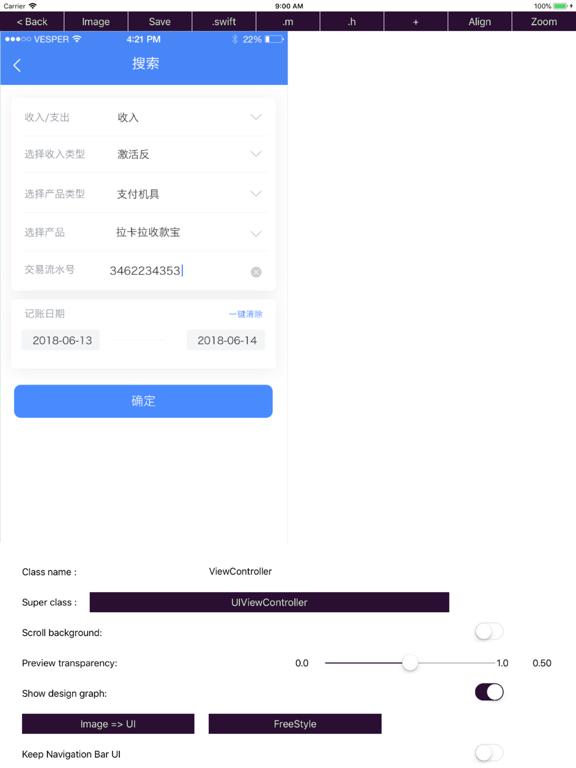
This app is an useful tool to improve efficiency of app development by using an iPhone or iPad.
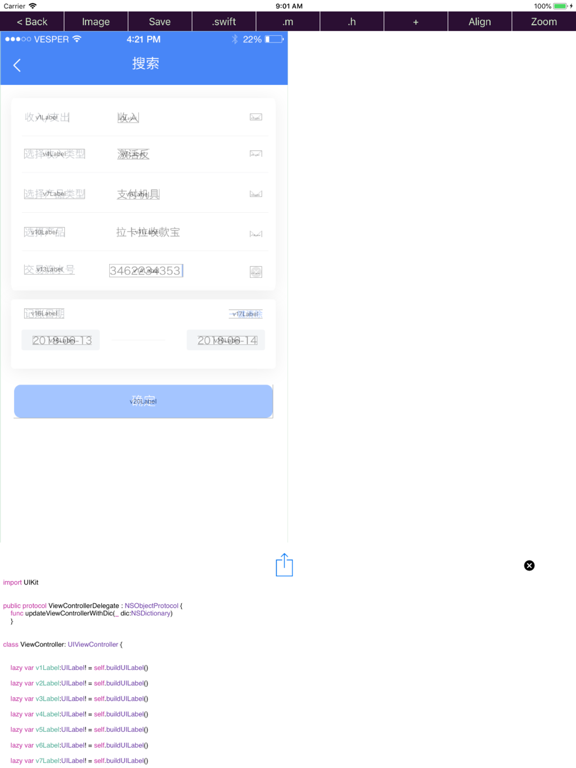
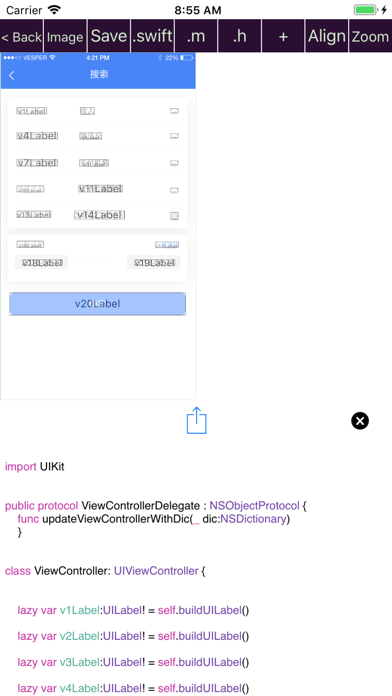
The app can generate "human readable and human editable" source code of "Objective C/Swift" in the following 5 ways:
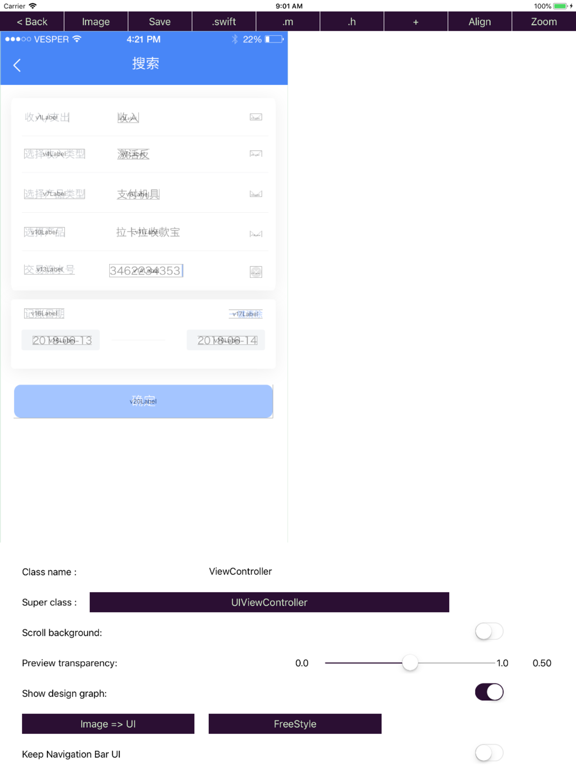
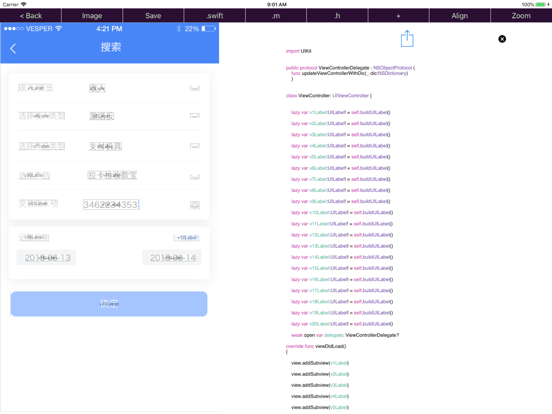
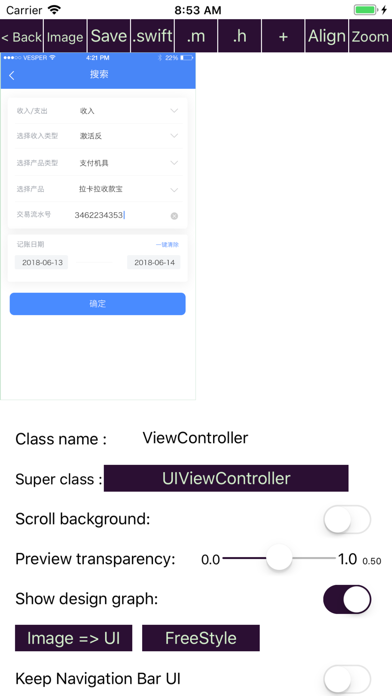
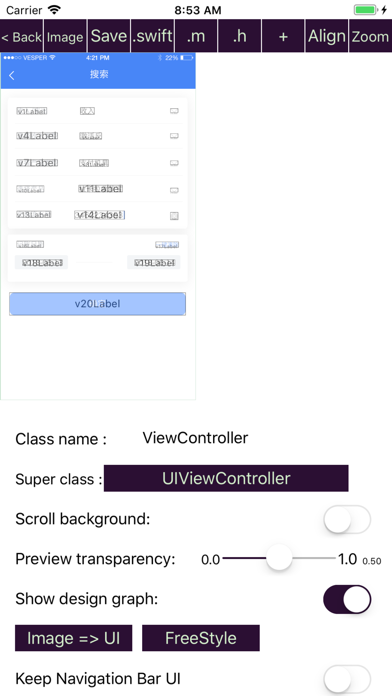
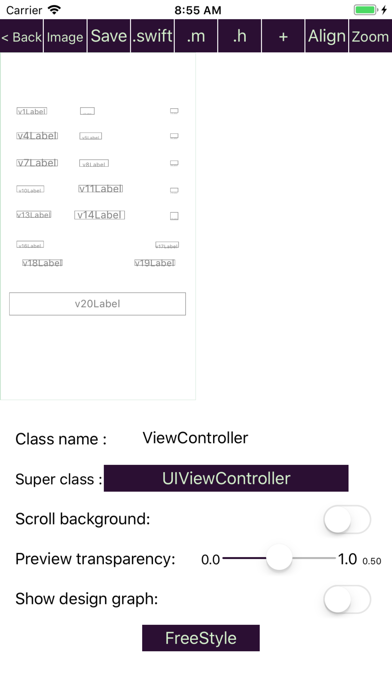
1).Import UI design image and press "Image => UI" button to see the result.
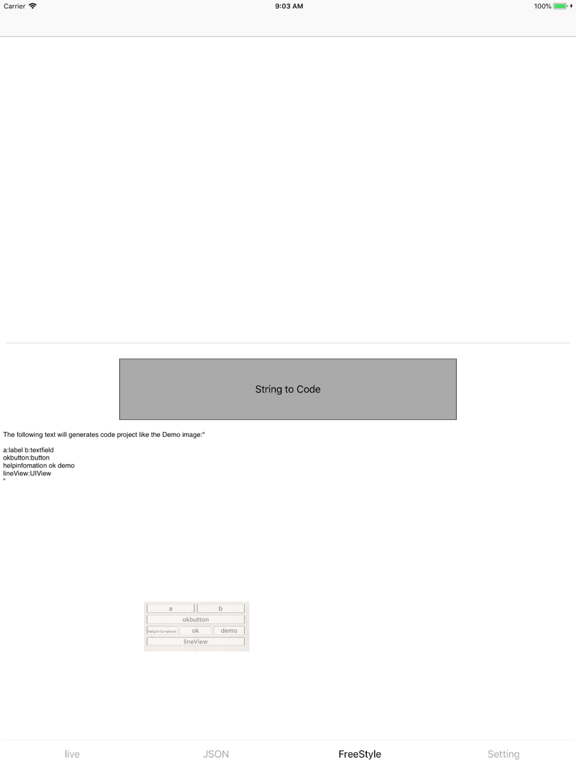
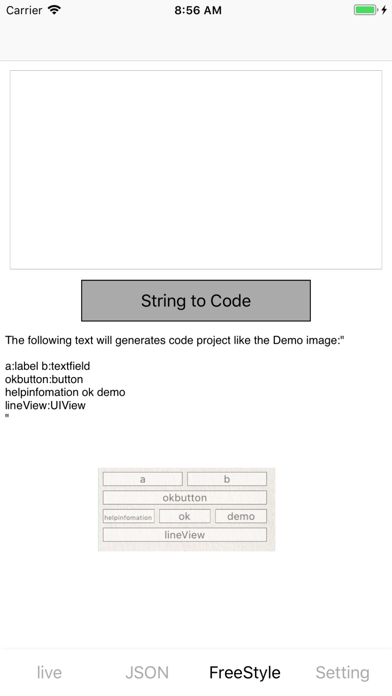
2).By text strings like "aView:UIView" .
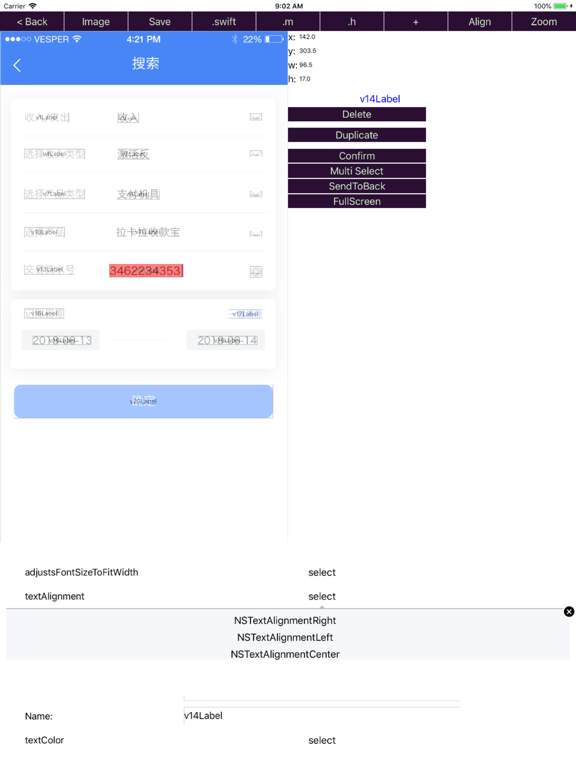
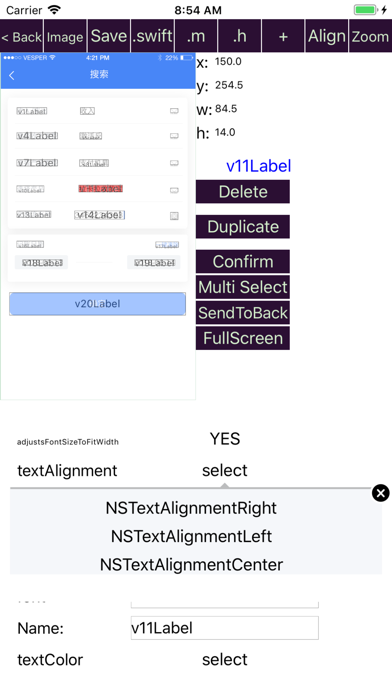
3).By your finger.(drag and drop)
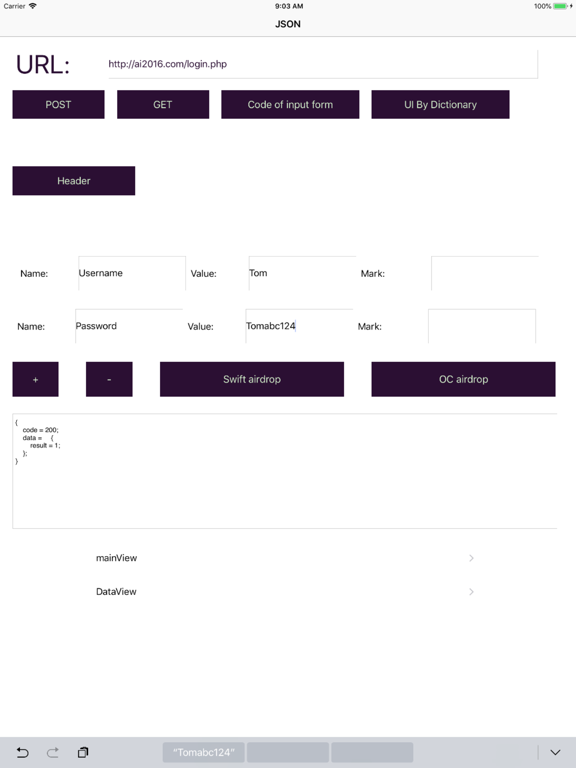
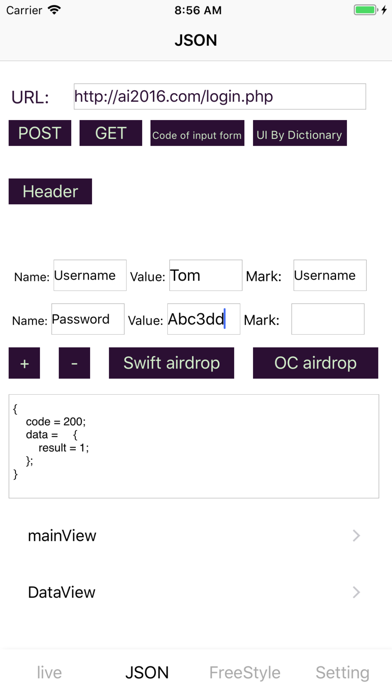
4).By the built-in web service api manager.
5).By URL Schemes:"vcoder://data=base64String".
The app support to transfer data between iOS device and Mac through airDrop.
All the template codes are carefully designed, but if you are not satisfied of those codes, you can edit your own code template at “setting” page.
It’s free to backup your projects to server.
If you have any criticism and suggestions ,please do not hesitate to enter setting page, select Feedback option, you can write your suggestions and and send it to us.

The app can generate "human readable and human editable" source code of "Objective C/Swift" in the following 5 ways:
1).Import UI design image and press "Image => UI" button to see the result.
2).By text strings like "aView:UIView" .
3).By your finger.(drag and drop)
4).By the built-in web service api manager.
5).By URL Schemes:"vcoder://data=base64String".
The app support to transfer data between iOS device and Mac through airDrop.
All the template codes are carefully designed, but if you are not satisfied of those codes, you can edit your own code template at “setting” page.
It’s free to backup your projects to server.
If you have any criticism and suggestions ,please do not hesitate to enter setting page, select Feedback option, you can write your suggestions and and send it to us.
Show More
تحديث لأحدث إصدار 1.3.9
Last updated on 28/08/2019
الإصدارات القديمة
Fixed swift code.
Show More
Version History
1.3.9
28/08/2019
Fixed swift code.
1.3.8
23/01/2019
Add support for CollectionView
1.3.7
28/09/2018
bug fixes.
1.3.6
20/09/2018
Bug fixes.
New feature: Support to generate source code for Mac OS app development(Objective c/swift).
1.3.5
28/08/2018
Bug fixes.
1.3.4
24/08/2018
bugs fixed.
Change "Developer Mode:" to "Debug Mode".
1.3.3
16/08/2018
Add "developer mode", you can export the configuration information from the existing code, and then transfer it back to the app,
by call "[self uiCodeExport];". The relevant code will be automatically generated in Objective C in "developer mode".
Bugs fixed.
by call "[self uiCodeExport];". The relevant code will be automatically generated in Objective C in "developer mode".
Bugs fixed.
1.3.2
14/07/2018
New feature: Painting to UI.
Bugs fixed.
Bugs fixed.
1.3.1
05/07/2018
User interactive improvement in Zoom In mode for both portrait and landscape.
Merge UI Objects.
Quick change UI Class type for selected UI.
Merge UI Objects.
Quick change UI Class type for selected UI.
1.3.0
27/06/2018
New feature:
Generate UI and code from UI Design Image automatically.
Support open '.txt' from airdrop.
Generate UI and code from UI Design Image automatically.
Support open '.txt' from airdrop.
1.2.2
21/06/2018
Working with URL Schemes by "vcoder://data=base64String"
Add new feature called "freestyle" to support "turn strings directly into UI"
1.2.1
22/05/2018
Bugs fixed.
1.2.0
17/05/2018
Bugs fixed.
1.1.9
18/04/2018
New Features:
The Duplicate feature can easily duplicate the selected UI object.
Full-screen operation supports UI layout in full screen, which makes it easier to place the UI object.
Optimize the logic to generate UI according to the result of http request, UILabel and UITextField will be generated for Key and Value of the json dictionary respectively.
The http request parameter form code edit config can be generated automatically.
The http request form adds a comment field.
You can edit a dictionary and its description first, and then generate a UI code config to the dictionary based on the dictionary description.
The color style of button can be configured in the settings menu.
Other:
Bug fixes.
The Duplicate feature can easily duplicate the selected UI object.
Full-screen operation supports UI layout in full screen, which makes it easier to place the UI object.
Optimize the logic to generate UI according to the result of http request, UILabel and UITextField will be generated for Key and Value of the json dictionary respectively.
The http request parameter form code edit config can be generated automatically.
The http request form adds a comment field.
You can edit a dictionary and its description first, and then generate a UI code config to the dictionary based on the dictionary description.
The color style of button can be configured in the settings menu.
Other:
Bug fixes.
1.1.8
11/04/2018
Bugs fixed.
1.1.7
03/04/2018
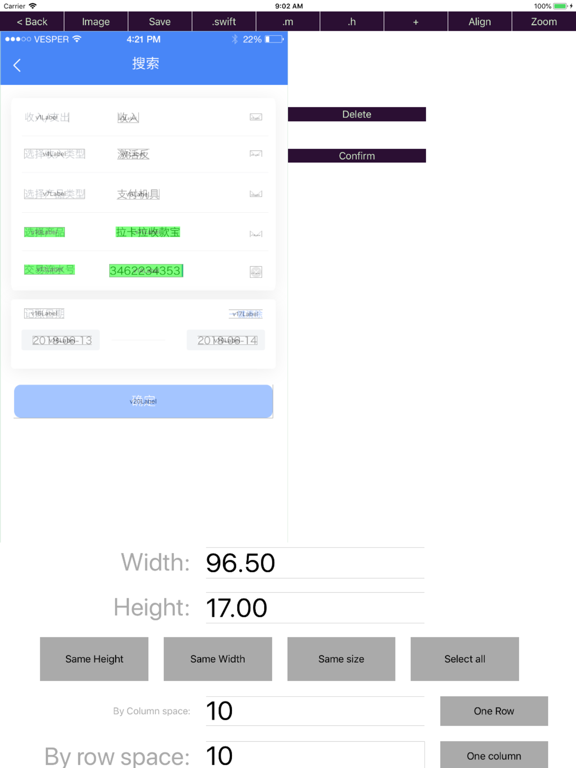
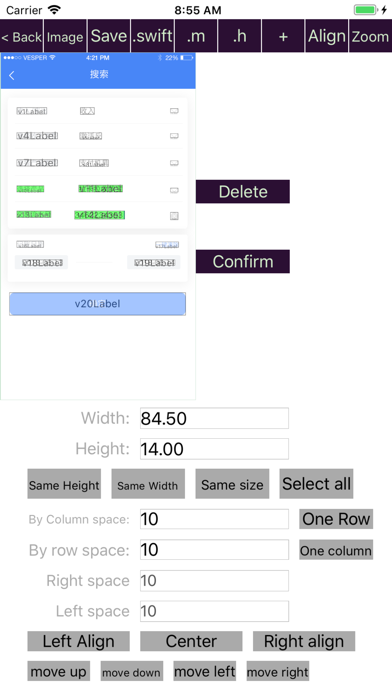
Support select multi UI element, to adjust the their position quickly .
Including centering, alignment and other operations.
1.1.6
28/03/2018
Adding pinch gestures makes it easy to resize the user interface.
The type and name of the property can be changed on the code generation page.
Adding new attributes is easier, just press the "+" button.
Bug fixes.
The type and name of the property can be changed on the code generation page.
Adding new attributes is easier, just press the "+" button.
Bug fixes.
1.1.5
23/03/2018
Objective C code improved.
Bugs fixed.
Bugs fixed.
1.1.4
17/03/2018
Bug fixes of can't save UIs position.
1.1.3
16/03/2018
New feature: Organise code by project.
Bug fixed.
Bug fixed.
1.1.2
09/02/2018
Bug fixed.
Allow user to edit template code of Object initialization code and http request code.
1.1.1
24/10/2017
Generate code of http request automatically.
1.1.0
03/10/2017
Fix bug of http GET.
1.0.9
23/09/2017
Add feature of convert JSON to ui code.
Support iOS11 and iPhoneX.
1.0.8
07/09/2017
Fix layout code.
Happy Coding FAQ
انقر هنا لمعرفة كيفية تنزيل Happy Coding في بلد أو منطقة محظورة.
تحقق من القائمة التالية لمعرفة الحد الأدنى من المتطلبات Happy Coding.
iPhone
Requiere iOS 9.0 o posterior.
iPad
Requiere iPadOS 9.0 o posterior.
iPod touch
Requiere iOS 9.0 o posterior.
Happy Coding هي مدعومة على اللغات Español, Alemán, Chino simplificado, Coreano, Francés, Indonesio, Inglés, Italiano, Japonés, Malayo, Neerlandés, Ruso, Tailandés, Vietnamita