Bytes

Bytes


Gratis

1.3.1for iPhone, iPod touch
Bharat Iyer
Developer
19,1 MB
Size
Jul 31, 2017
Update Date
Utilities
Category
Age Rating
4+
Apps in this category do not contain restricted content.
9+
Apps in this category may contain mild or occasional cartoon, fantasy or real-life violence, as well as occasional or mild adult, sexually suggestive or horrifying content and may not be suitable for children under 9 years of age.
12+
Apps in this category may contain occasional mild indecent language, frequent or intense cartoon or real-life violence, minor or occasional adult or sexually suggestive material, and simulated gambling, and may be for children under 12 years of age.
17+
You must be at least 17 years old to access this App.
Apps in this category may contain frequent and intense offensive language; Frequent and intense cartoon, fantasy or realistic violence: frequent and intense adult, scary and sexually suggestive subjects: as well as sexual content, nudity, tobacco, alcohol and drugs, may not be suitable for children under 17 years of age.
Bytes Screenshots
Bytes PlakatBytes PlakatBytes PlakatBytes PlakatBytes Plakat

About Bytes

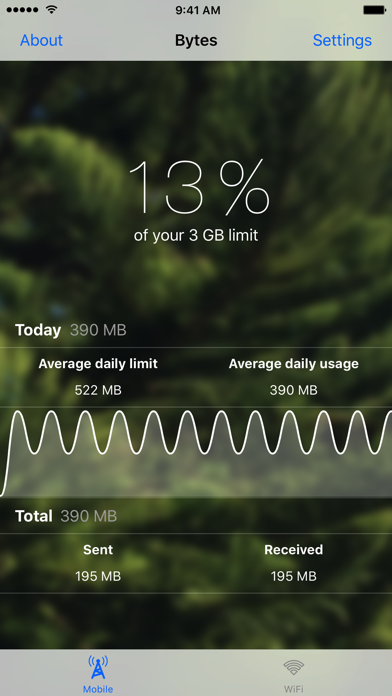
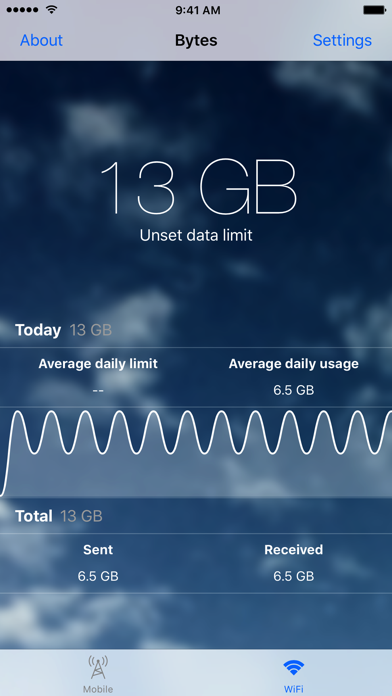
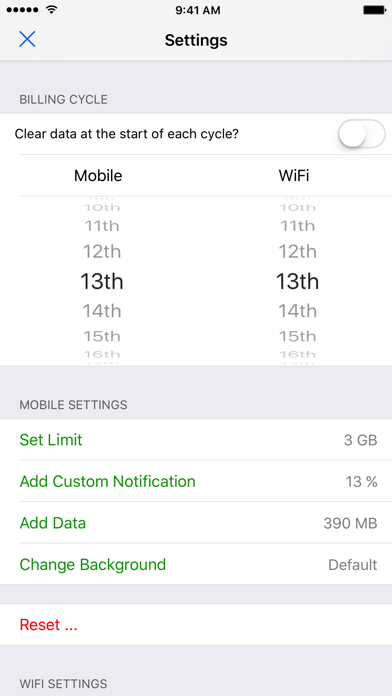
Bytes helps you keep track of your data usage. It shows you how much data you’ve used on both the mobile network (3G, 4G, LTE, etc.) and WiFi. Updated for iOS 10, the app features a beautiful minimalist design. With the ability to set data limits, monitor your daily data usage, send nightly notifications and more, Bytes helps you stay informed about your data usage.

Bytes uses Background App Refresh to keep track of your data usage - it works best when left open in the background.

Tab bar icons by Icons8 (http://www.icons8.com/).

Note: Bytes does not take into account any carrier-specific promotions. Furthermore, your carrier and / or ISP reserves the final word regarding how much data your device consumed over any given period of time. Bytes works best on 64-bit devices.

Show More

Was ist neu in der neuesten Version 1.3.1

Last updated on Jul 31, 2017
Alte Versionen
This app has been updated by Apple to display the Apple Watch app icon.

- View the data used during each interval by selecting any point on the graph
- Tapping on the Bytes widget now opens the app
- Graph discrepancies are accounted for with a new estimation feature, denoted by a line with a dot
- Improvements to graph plotting data
- Fixed average daily limit and average daily usage bugs
Show More
Version History
1.3.1
Jul 31, 2017
This app has been updated by Apple to display the Apple Watch app icon.

- View the data used during each interval by selecting any point on the graph
- Tapping on the Bytes widget now opens the app
- Graph discrepancies are accounted for with a new estimation feature, denoted by a line with a dot
- Improvements to graph plotting data
- Fixed average daily limit and average daily usage bugs
1.3
Mar 8, 2017
- 'Today' graph: plots how much data you've used for each hour of the day
- The Mobile and WiFi pages can now be viewed in landscape and are scrollable
- New icon, launch image and default backgrounds
- Fixed a bug that previously caused average daily usage to be calculated incorrectly
1.2.3
Nov 14, 2016
- While viewing the widget, Bytes now automatically updates the data usage values once per second
- The widget can now be customised to display either daily or total data usage, via the settings view
- Replaced the term 'cellular' with 'mobile'
- Bug fixes
1.2.2
Oct 10, 2016
- A button that displays the price of the 'Remove Ads' purchase has been added to the in-app purchase section of the settings pane
1.2.1
Oct 3, 2016
- Added in-app purchase to remove banner ads. Open the settings pane and scroll to the bottom of the list to find the 'Remove Ads' option.
1.2
Sep 21, 2016
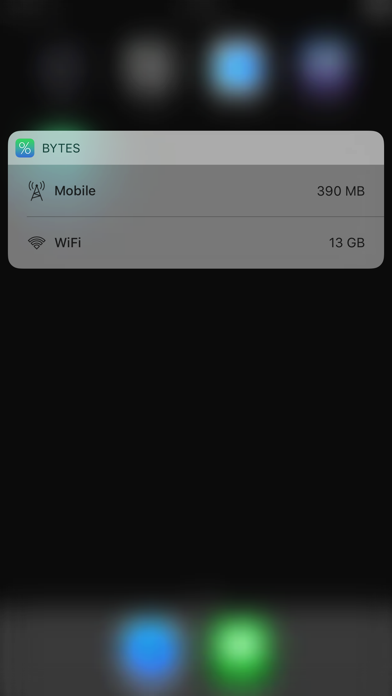
- Notification Center widget: add the new Bytes widget for quick access to today's data usage
- Custom notifications: choose to be notified when you reach a certain percentage of your data limit
- Average daily limit now takes into account your previous data usage, showing you how much extra data you can use per day
- While in the app, Bytes now automatically updates the data usage values once per second
- New icon, launch images and default backgrounds (photos courtesy of Ruzaini Haron)
- Redesigned About page
- New banner ad provider
- Minor tweaks to tab bar icons
- Bug fixes
1.1.1
Jun 19, 2015
New features:
- The settings page now displays your details next to the cellular and WiFi options, such as the currently set limit, total data usage, and whether or not you have set a custom background.
- Notifications are automatically cleared when Bytes is reopened
- Support for the 'Bold Text' accessibility option

Bug fixes:
- No longer displays large or negative (incorrect) numbers. If you experienced issues with large or negative numbers, please reset your settings within the app.
- No longer sends an exceed notification if you remove your limit
- Fixed a bug that previously caused crashes
1.1
Apr 9, 2015
New features:
- Custom backgrounds! In the redesigned settings page, you can now select images of your own choosing as the backgrounds of the Cellular and WiFi screens.
- New default wallpapers, and a refreshed app icon, to fit in with iOS 8
- iPhone 6 and 6 Plus support
- Average daily data usage statistic, allowing you to compare your current data usage to your average
- 'Unset' is now an option when picking a billing date, for those who want to remove theirs, or do not want to set one
- Multiple reset options: reset limits, backgrounds, data usage statistics, or everything
- If you have not set a limit, the large percentage text will now display your total data usage instead

Bug fixes:
- No longer crashes if the app is reopened from the app switcher (while in the background). Should also prevent the large number issues previously experienced by some.
- In iOS 8, asks for permission to send local notifications
1.0.1
Sep 8, 2014
- Nightly notifications are sent only for networks on which you have sent / received data throughout the day
- Status bar removed from launch image
- The billing date pickers, on the Settings page, have been updated to display ordinal numbers
- When you change your cellular or WiFi data limit/s, your changes will be saved only if you press the 'Done' button in the top right. Otherwise (i.e. if you press the 'Cancel' button), your changes will be reverted.
- Bug fix: on a billing day, the 'Today' label will now correctly display your data usage throughout the day
- Now you can add unaccounted for data usage with the new Add Data buttons in the Settings page. This is useful for those who started using Bytes midway through a billing cycle.

I've been made aware of a bug regarding the amount of data shown under ' Total WiFi Received'. In these very few cases, the amount shown is unrealistically large and not indicative of proper data usage. Unfortunately, I am unable to replicate the issue, delaying a proper fix. Please let me know if you are suffering from this bug (my contact details are available on the About page). My only solution so far is to tap the Reset button, confirm your choice, and use the Add Data buttons to 'restore' the data usage recorded before you were affected by the bug.
1.0
Aug 22, 2014

Bytes FAQ

Klicken Sie hier, um zu erfahren, wie Sie Bytes in eingeschränkten Ländern oder Regionen herunterladen können.
Überprüfen Sie die folgende Liste, um die Mindestanforderungen von Bytes zu sehen.
iPhone
Erfordert iOS 8.0 oder neuer.
iPod touch
Erfordert iOS 8.0 oder neuer.
Bytes unterstützt Englisch

Bytes Alternative

Das könnte Ihnen auch gefallen

Erhalte mehr von Bharat Iyer