Gatebook Access

Gatebook Access


Gratis

1.4.19for iPhone, iPad and more
Jeremy Malherbe
Developer
51,3 MB
Size
Jul 2, 2021
Update Date
Lifestyle
Category
Age Rating
4+
Apps in this category do not contain restricted content.
9+
Apps in this category may contain mild or occasional cartoon, fantasy or real-life violence, as well as occasional or mild adult, sexually suggestive or horrifying content and may not be suitable for children under 9 years of age.
12+
Apps in this category may contain occasional mild indecent language, frequent or intense cartoon or real-life violence, minor or occasional adult or sexually suggestive material, and simulated gambling, and may be for children under 12 years of age.
17+
You must be at least 17 years old to access this App.
Apps in this category may contain frequent and intense offensive language; Frequent and intense cartoon, fantasy or realistic violence: frequent and intense adult, scary and sexually suggestive subjects: as well as sexual content, nudity, tobacco, alcohol and drugs, may not be suitable for children under 17 years of age.
Gatebook Access Screenshots
Gatebook Access PlakatGatebook Access PlakatGatebook Access PlakatGatebook Access PlakatGatebook Access Plakat
Gatebook Access PlakatGatebook Access PlakatGatebook Access PlakatGatebook Access Plakat

About Gatebook Access

GATEBOOK has developed a Visitor and Contractor Management System that can be managed online via the Gatebook Web Access and also the GATEBOOK Handheld Devices that the Security Guards will carry at the entrance to the Estate. As part of the checking in of a visitor into the Estate, your Estate Rules may require all your Guests to be Pre-Authorised and therefore the residents will need to be able to Generate and issue a PIN Number through the Gatebook System. The Gatebook Phone App - is a free download that can be used by residents of an estate to generate a PIN Number for their visitors to use when they enter into your Estate from the simple to use Gatebook Smartphone App. The Gatebook Smartphone App must be used in conjunction with the GATEBOOK Visitor and Contractor Management Portal and The Gatebook Handheld Scanners used by the Security Guards at the Guardhouse.
Once you have downloaded the Smartphone App and installed it on your Smartphone - your device will automatically connect to our system, at this point in time your Smartphone will not be able to generate PIN numbers for your estate, as your device will need to be registered and then approval by your estate manager.

THE REGISTRATION PROCESS
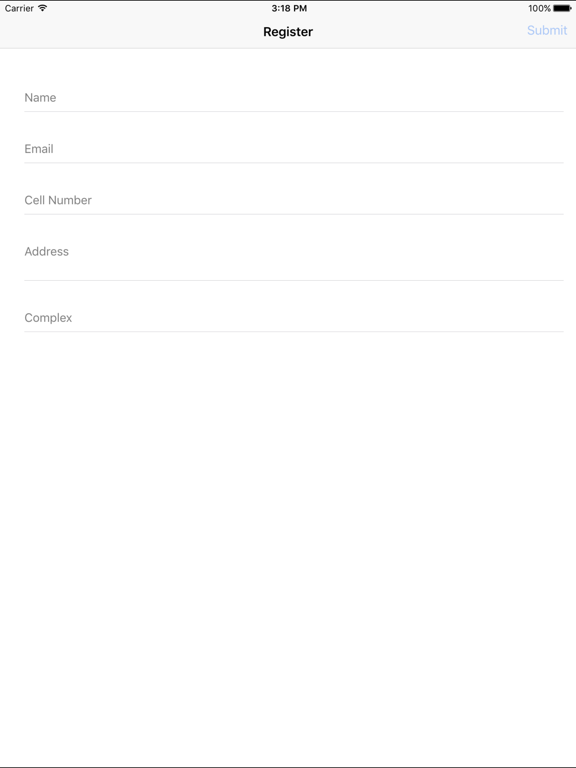
When the GATEBOOK App is started for the first time it will open the registration screen which asks you to fill in your details and most importantly ask you what you Complex ID is - this will be given to you by your Estate Manager, if you do not know what this is please contact your Estate Manager.

THE AUTHORISATION PROCESS
Once you have sent in the registration information your device will receive a message back stating your device is in the registration Queue. and please be patient as the Autorisation Process is a Manual Process.

USING THE APP
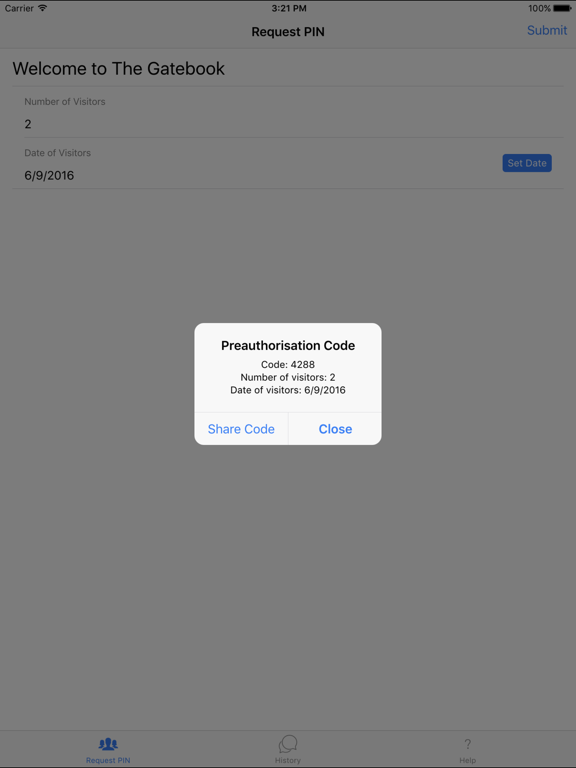
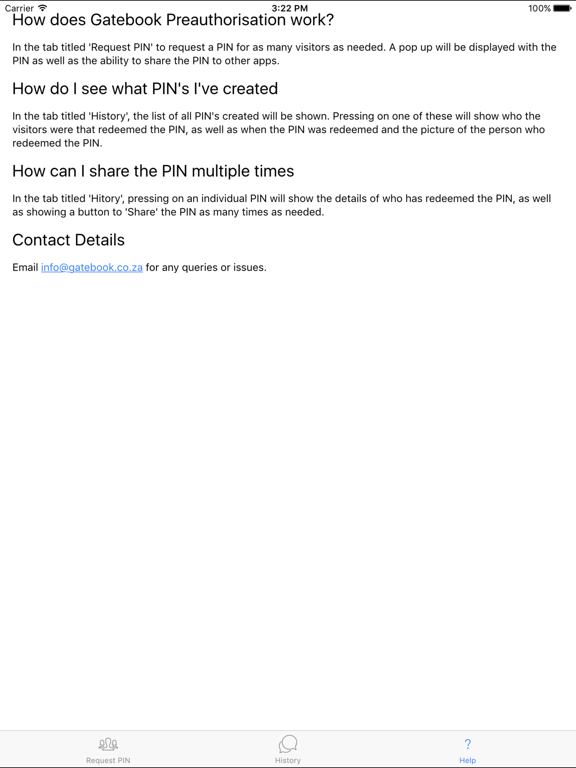
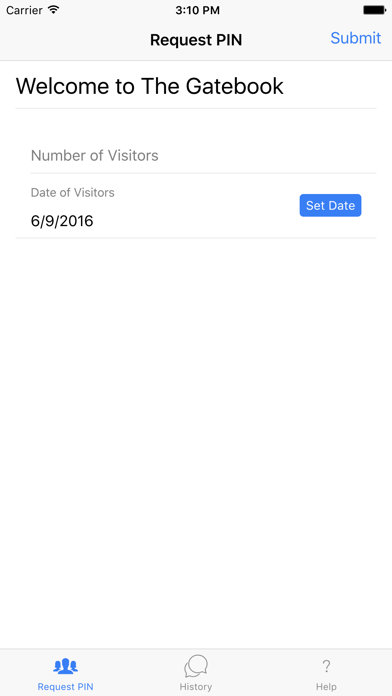
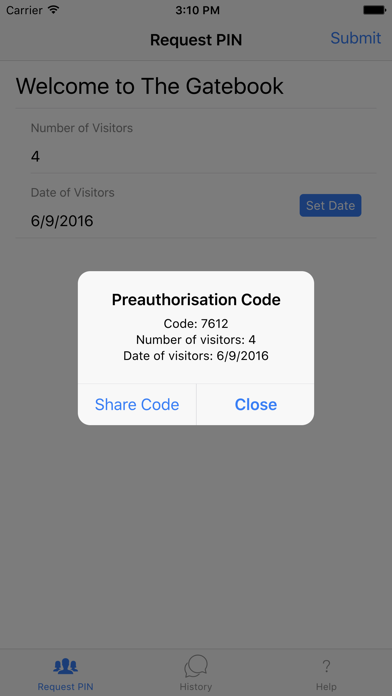
Once your application is installed Registered and Approved you will on the very simple interface be able to generate a PIN Number and Share it Conviniently to your Visitors (Via SMS / Whatsapp / Email and so on). The PIN Number will be usable only for the Date set when you apply for the PIN not after and not before. Once the PIN Number has been used for the Number of Entries set it will become invalid.

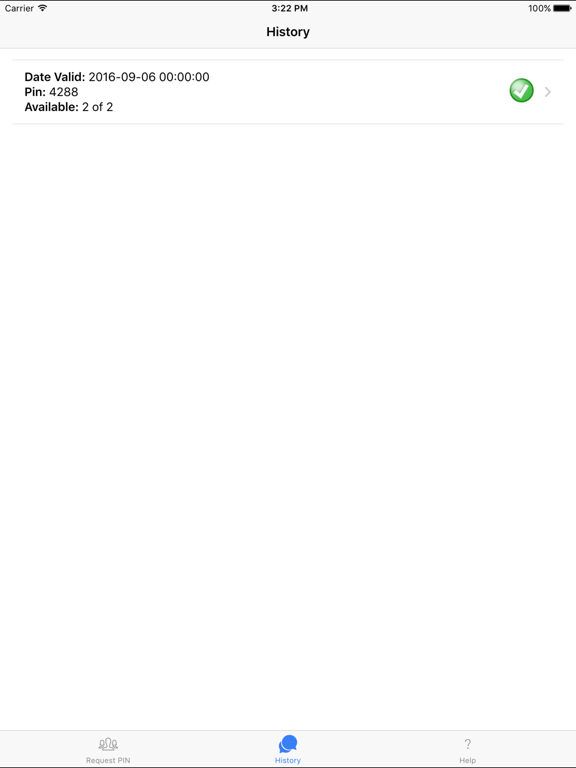
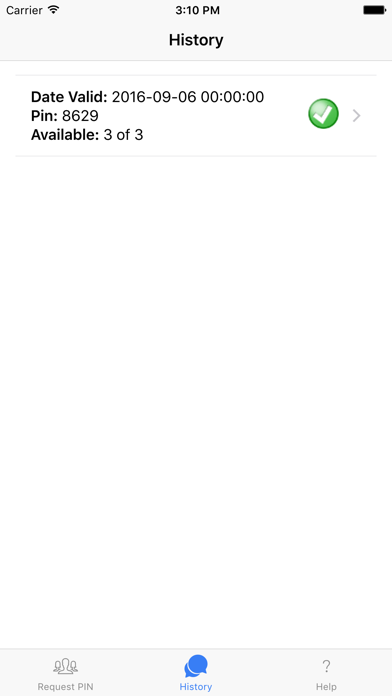
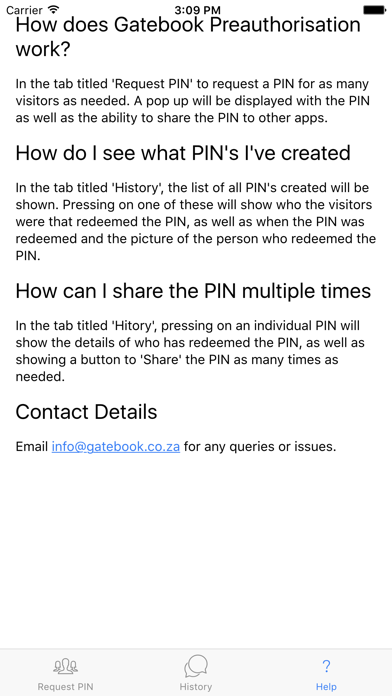
THE GATEBOOK APP has a built in history where you will be able to see all your previously generate PIN Numbers and Which Ones are still Active, and Who came onto the Estate using that PIN Number.
DEPENDING on your Estate Visitor Rules - your guest will be asked to present the PIN number - and asked to Present their Drivers Licence which will be scanned and the same for their Vehicle Licence Disk.
THE GATEBOOK Company is Constantly Striving to improve Security in ESTATES / COMPLEX's and BUSINESS PARKS

Show More

Was ist neu in der neuesten Version 1.4.19

Last updated on Jul 2, 2021
Alte Versionen
Bug fixes for visitor type issues
Show More
Version History
1.4.19
Jul 2, 2021
Bug fixes for visitor type issues
1.4.17
Jun 25, 2021
Minor changes to visitor types
1.4.12
May 5, 2021
Bug fixes and addition of visitor types when generating a pin for certain estates.
1.4.5
Jan 27, 2021
Minor bug fixes
1.4.2
Jan 23, 2021
Updated backend framework as well as minor screen changes
1.2.9
Nov 30, 2020
Bug changes for registering new users
1.1.1
Nov 6, 2020
Changes to accommodate users with multiple estates who are also using the latest Gatebook devices at their estate.
1.0.32
Feb 7, 2018
Bug fixes. Change of date now reflects when it is changed.
1.0.31
Feb 6, 2018
Bug fixes
1.0.29
Feb 2, 2018
Bug fixes
1.0.25
Jan 16, 2018
Bug fixes.
1.0.22
Sep 24, 2017
Prompting to upgrade if newer version is available. Adding Estate message to shared pin.
1.0.17
Aug 29, 2017
Bug fixes
1.0.16
Aug 19, 2017
Bug fixes
1.0.15
Aug 12, 2017
Bug fixes for timeouts.
1.0.12
Jul 12, 2017
Bug Fixes
1.0.11
Jun 26, 2017
Bug fixes and added comment field
1.0.10
Jun 18, 2017
Updated timeout to server to longer period.
1.0.9
Jun 13, 2017
Added functionality to add a comment when generating a PIN. This comment can be sent to the visitor along with the PIN.
1.0.7
Apr 26, 2017
Changes in look, as well as bug fixes.
1.0.5
Nov 30, 2016
Added Email Authentication. On a new application request once the estate manager has approved the request, a code is sent to the primary resident of the applicants household. This code needs to be entered into the app to ensure the applicant is a resident of the estate.
1.0.4
Oct 15, 2016
Add device id on Register/Waiting/FAQ pages to help with support.
Added long stay visitor functionality if enabled for your estate.
1.01
Sep 21, 2016
Added validation on maximum number of visitors.
Added version number to FAQs.
1.0
Sep 8, 2016

Gatebook Access FAQ

Klicken Sie hier, um zu erfahren, wie Sie Gatebook Access in eingeschränkten Ländern oder Regionen herunterladen können.
Überprüfen Sie die folgende Liste, um die Mindestanforderungen von Gatebook Access zu sehen.
iPhone
Erfordert iOS 11.0 oder neuer.
iPad
Erfordert iPadOS 11.0 oder neuer.
iPod touch
Erfordert iOS 11.0 oder neuer.
Gatebook Access unterstützt Englisch

Gatebook Access Alternative

Das könnte Ihnen auch gefallen

Erhalte mehr von Jeremy Malherbe