MailTracker
Free
1.5for iPhone
Age Rating
MailTracker Screenshots
About MailTracker
Stop Guessing. Start Knowing.
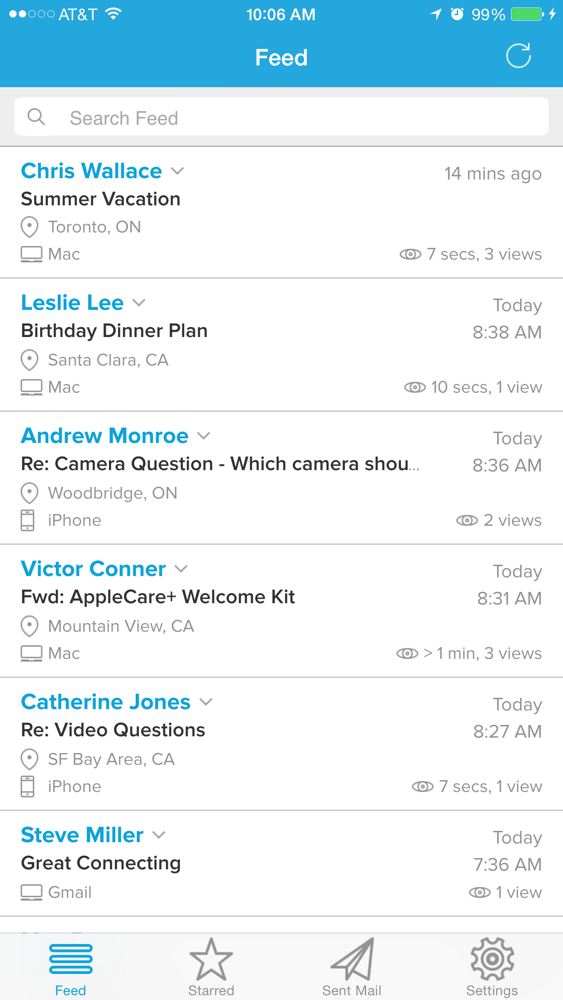
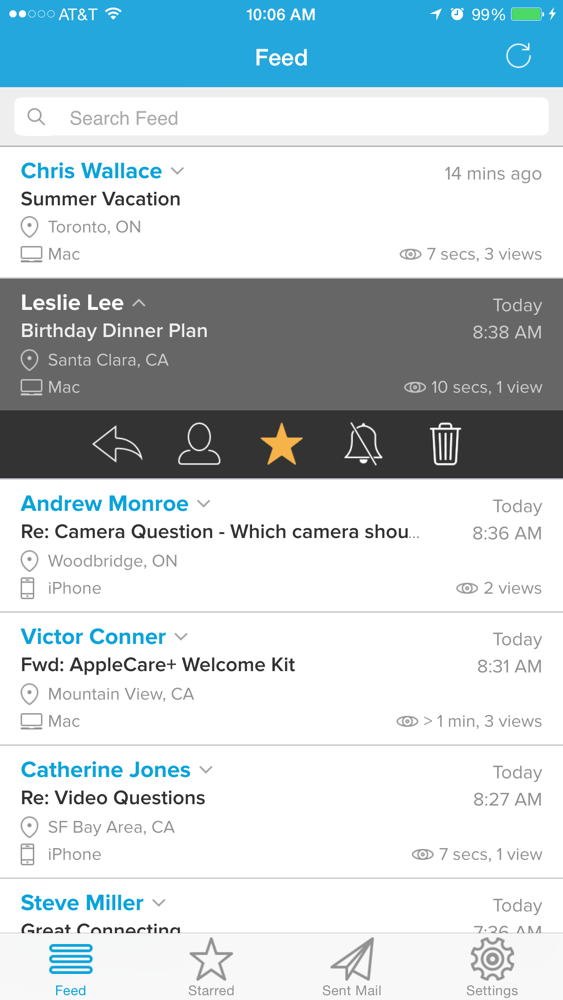
Get real-time notifications when people view your emails, sent from your iPhone's built-in Mail App. MailTracker is not a mail app. We don't want to change your email workflow, you continue to use your iPhone's Mail App.
MailTracker provides analytics when a person opens your email. It's fast, secure and easy to use. Our simple call and reply buttons allow you to take fast action while you have their attention.
Features include:
◦ Unlimited tracking and notifications
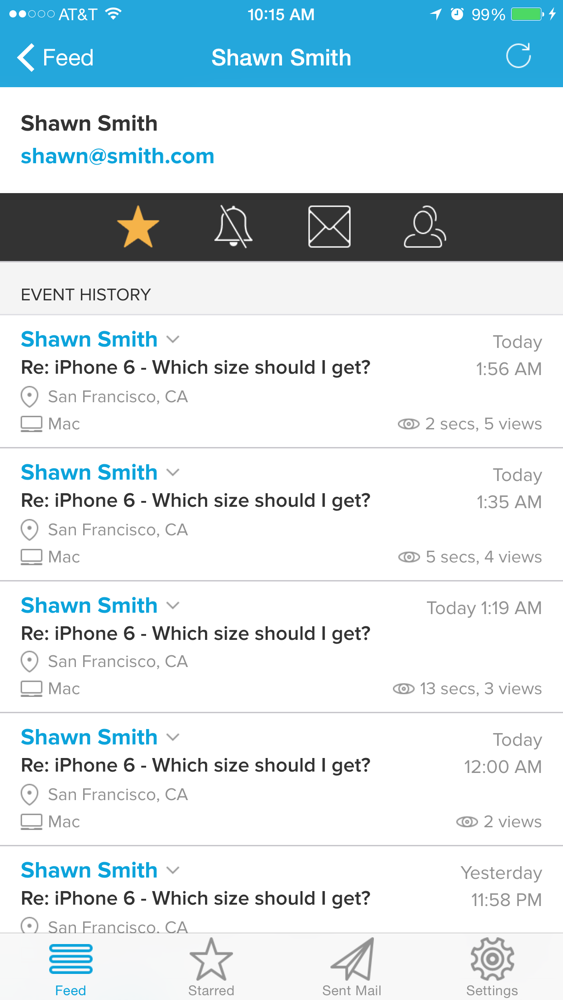
◦ Location information & device details (where available)
◦ How many times your email was viewed
◦ How long your email was read for (where available)
◦ Star users & mute notifications
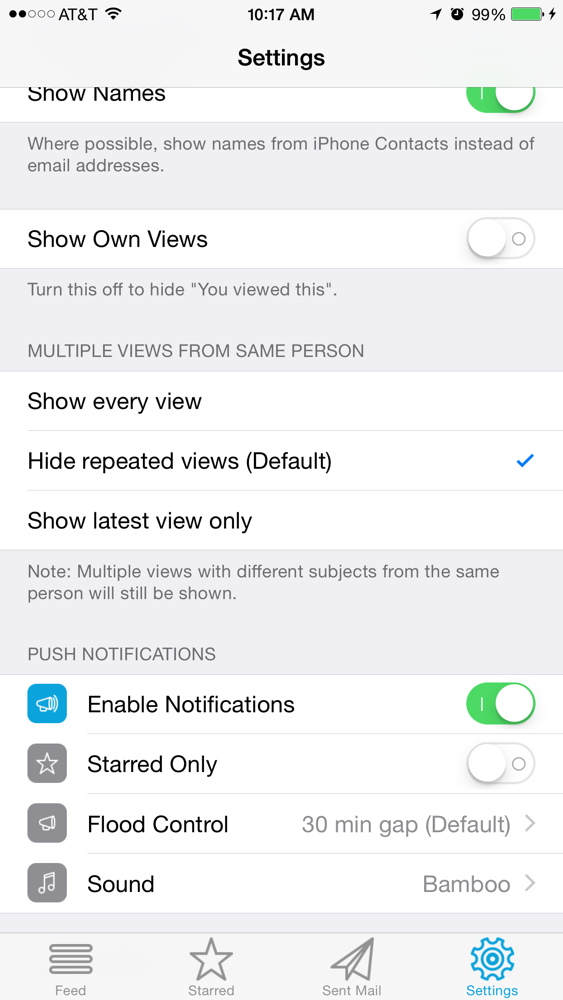
◦ Configurable push alert & flood control settings
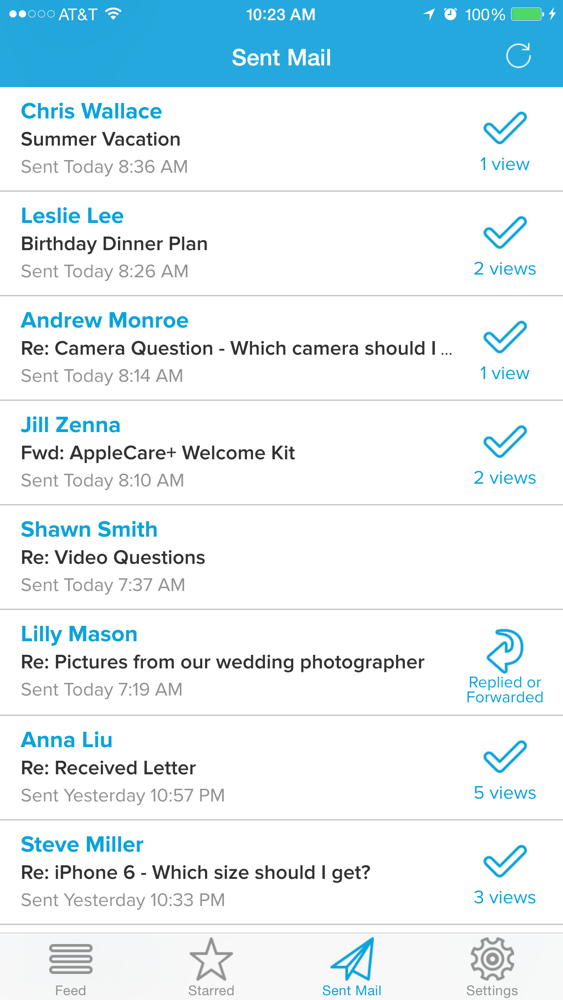
◦ Recently sent emails with tracking status
◦ Pro feature: Add up to 5 email accounts (free allows 2)
◦ Pro feature: Google Apps for Business domains (free allows most email domains except Google Apps Business)
◦ Pro feature: More starred users & muted notifications
◦ Pro feature: More search and feed history
Note: We currently support Gmail, Google Apps Business (Pro only), iCloud, Yahoo!, Outlook.com/Hotmail accounts. We also support most mail providers based on IMAP/SMTP.
MailTracker is free to download and use. MailTracker Pro adds the great features above and is available through an auto-renewing subscription.
Two subscription options:
- MailTracker Pro monthly for $4.99
- MailTracker Pro annually for $44.99
Subscriptions will be charged to your credit card through your iTunes account. Your subscription will automatically renew unless cancelled at least 24-hours before the end of the current period. You will not be able to cancel a subscription during the active period. Manage your subscriptions in the Account Settings after purchase.
When you are on the go and want to know when your emails have been engaged, save time by using MailTracker!
Install instructions:
If you need help setting up MailTracker, you can always contact us by going to the MailTracker Settings screen > Help/FAQ > Submit a request.
Uninstall instructions:
You can always remove MailTracker by deleting the app and removing installed Mail account profiles. iPhone Settings app > General > Profiles > Removing any profiles starting with "MailTracker for ..."

Get real-time notifications when people view your emails, sent from your iPhone's built-in Mail App. MailTracker is not a mail app. We don't want to change your email workflow, you continue to use your iPhone's Mail App.
MailTracker provides analytics when a person opens your email. It's fast, secure and easy to use. Our simple call and reply buttons allow you to take fast action while you have their attention.
Features include:
◦ Unlimited tracking and notifications
◦ Location information & device details (where available)
◦ How many times your email was viewed
◦ How long your email was read for (where available)
◦ Star users & mute notifications
◦ Configurable push alert & flood control settings
◦ Recently sent emails with tracking status
◦ Pro feature: Add up to 5 email accounts (free allows 2)
◦ Pro feature: Google Apps for Business domains (free allows most email domains except Google Apps Business)
◦ Pro feature: More starred users & muted notifications
◦ Pro feature: More search and feed history
Note: We currently support Gmail, Google Apps Business (Pro only), iCloud, Yahoo!, Outlook.com/Hotmail accounts. We also support most mail providers based on IMAP/SMTP.
MailTracker is free to download and use. MailTracker Pro adds the great features above and is available through an auto-renewing subscription.
Two subscription options:
- MailTracker Pro monthly for $4.99
- MailTracker Pro annually for $44.99
Subscriptions will be charged to your credit card through your iTunes account. Your subscription will automatically renew unless cancelled at least 24-hours before the end of the current period. You will not be able to cancel a subscription during the active period. Manage your subscriptions in the Account Settings after purchase.
When you are on the go and want to know when your emails have been engaged, save time by using MailTracker!
Install instructions:
If you need help setting up MailTracker, you can always contact us by going to the MailTracker Settings screen > Help/FAQ > Submit a request.
Uninstall instructions:
You can always remove MailTracker by deleting the app and removing installed Mail account profiles. iPhone Settings app > General > Profiles > Removing any profiles starting with "MailTracker for ..."
Show More
Was ist neu in der neuesten Version 1.5
Last updated on Sep 17, 2015
Alte Versionen
This app has been updated by Apple to use the latest Apple signing certificate.
- initial iOS 9 compatibility
If you enjoy using MailTracker, please consider giving us a 5-star rating. Your support is much appreciated. Thank you. If you need help or have any questions, go to Settings > Help/FAQ > Submit a request.
- initial iOS 9 compatibility
If you enjoy using MailTracker, please consider giving us a 5-star rating. Your support is much appreciated. Thank you. If you need help or have any questions, go to Settings > Help/FAQ > Submit a request.
Show More
Version History
1.5
Sep 17, 2015
This app has been updated by Apple to use the latest Apple signing certificate.
- initial iOS 9 compatibility
If you enjoy using MailTracker, please consider giving us a 5-star rating. Your support is much appreciated. Thank you. If you need help or have any questions, go to Settings > Help/FAQ > Submit a request.
- initial iOS 9 compatibility
If you enjoy using MailTracker, please consider giving us a 5-star rating. Your support is much appreciated. Thank you. If you need help or have any questions, go to Settings > Help/FAQ > Submit a request.
MailTracker FAQ
Klicken Sie hier, um zu erfahren, wie Sie MailTracker in eingeschränkten Ländern oder Regionen herunterladen können.
Überprüfen Sie die folgende Liste, um die Mindestanforderungen von MailTracker zu sehen.
iPhone
MailTracker unterstützt English