Valuekeep Technician CMMS
CMMS mobile for smart teams
Gratis
1.7.501for iPhone, iPod touch
Age Rating
Valuekeep Technician CMMS Screenshots
About Valuekeep Technician CMMS
Valuekeep Technician CMMS, the best way to manage your maintenance on the go. Intended for maintenance technicians.
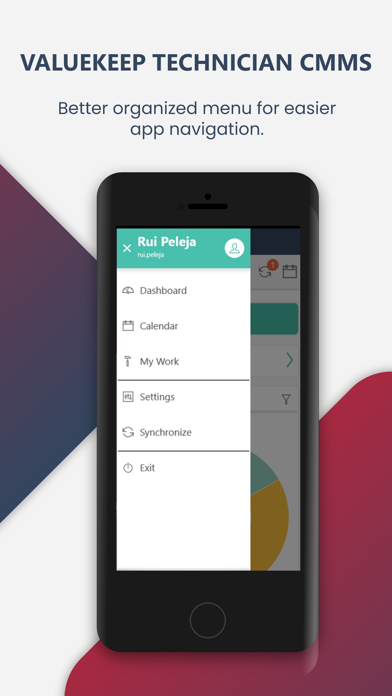
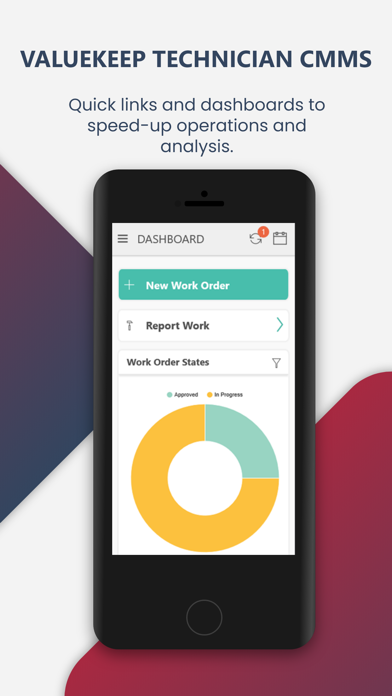
Valuekeep Technician CMMS app provides you all the tools you need to manage maintenance operations and tasks, wherever you are, even without the Internet. Valuekeep Technician CMMS has an intuitive and easy to use interface, fully integrated with the Valuekeep platform in real-time. Enjoy innovative features, developed to increase the productivity of technical teams.
Features:
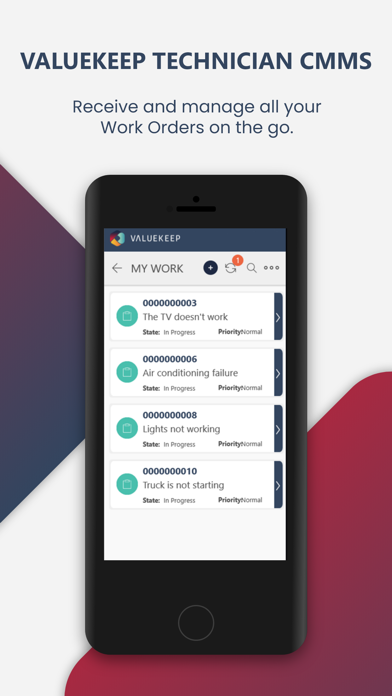
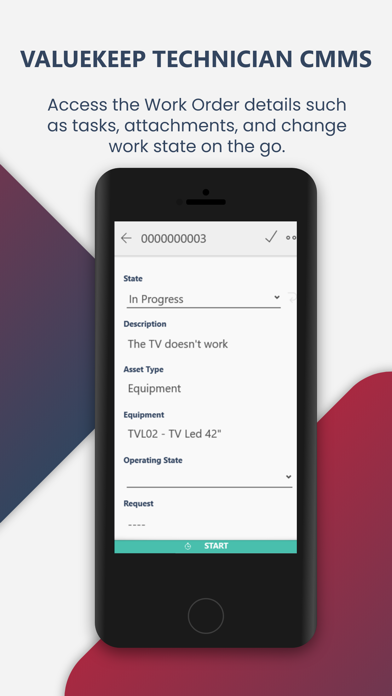
• Access to detailed information about all assigned jobs and maintenance tasks
• View the assigned work orders in the calendar
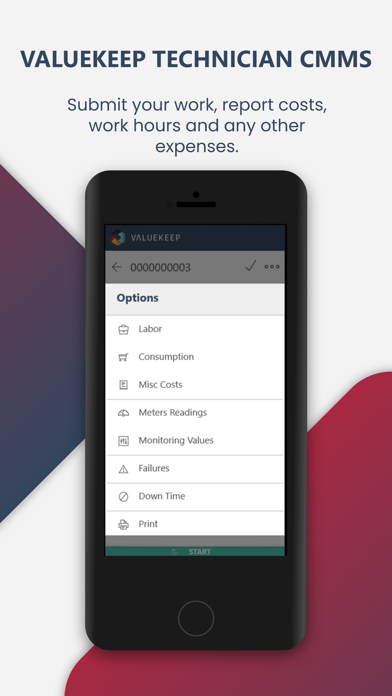
• Record costs, times, and material consumption
• Consult user manuals, photographs, and other documents attached to work orders
• Create, complete, and close work orders
• Navigate to work orders through a Map View
• Scan barcodes, NFC or RFID tags to quickly add new work orders or filter the list of assigned work.
Available in English, Spanish, and Portuguese.

Valuekeep Technician CMMS app provides you all the tools you need to manage maintenance operations and tasks, wherever you are, even without the Internet. Valuekeep Technician CMMS has an intuitive and easy to use interface, fully integrated with the Valuekeep platform in real-time. Enjoy innovative features, developed to increase the productivity of technical teams.
Features:
• Access to detailed information about all assigned jobs and maintenance tasks
• View the assigned work orders in the calendar
• Record costs, times, and material consumption
• Consult user manuals, photographs, and other documents attached to work orders
• Create, complete, and close work orders
• Navigate to work orders through a Map View
• Scan barcodes, NFC or RFID tags to quickly add new work orders or filter the list of assigned work.
Available in English, Spanish, and Portuguese.
Show More
Was ist neu in der neuesten Version 1.7.501
Last updated on Sep 26, 2024
Alte Versionen
Bug fix
Show More
Version History
1.7.501
Sep 26, 2024
Bug fix
1.7.480
Jul 24, 2024
Bug Fix
1.7.461
May 23, 2024
Bug fix
1.7.458
Apr 29, 2024
New features
1.7.410
Feb 14, 2024
Bug Fixing
1.7.404
Jan 22, 2024
Bug Fixing
1.7.401
Jan 18, 2024
Bug fixing
1.7.392
Dec 13, 2023
Bug fixing
1.7.382
Nov 17, 2023
Bug fixing
- attachments
- meter readings
- Monitoring Values
- offline printing
- use of two users on the same subscription
- attachments
- meter readings
- Monitoring Values
- offline printing
- use of two users on the same subscription
1.7.298
Oct 19, 2023
Remove verification for device serial number temporarily
1.7.290
Oct 17, 2023
Add Attachments to Work Orders
Serial number when starting on the device
Report printout did not print consumption description
Serial number when starting on the device
Report printout did not print consumption description
1.7.283
Oct 11, 2023
Device Serial Number registration when login
1.7.275
Sep 29, 2023
Bug fixing
1.7.269
Sep 21, 2023
Bug Fixing
1.7.264
Sep 14, 2023
Bug Fixing
Login Fix
Login Fix
1.7.254
Aug 29, 2023
Bugfix - Maintenance plan when using multiple users on the same device
1.7.252
Aug 23, 2023
Bug fixing and implement new features
1.7.241
Jul 24, 2023
New Version includes:
- App improvements and bug fixing.
1.7.224
Jun 6, 2023
New version includes:
- App improvements and bug fixing
1.7.206
May 18, 2023
New version includes:
- App improvements and bug fixing
1.7.192
Mar 16, 2023
Custom Reports
Bug Fix
1.7.190
Mar 7, 2023
New Certificate for 2023
1.7.189
Mar 6, 2023
New Certificate for 2023
1.7.161
Nov 26, 2022
bug fixing
code improvements
performance improvement
code improvements
performance improvement
1.7.145
Nov 8, 2022
Performance improvements in Asset and Access Level retrieval.
Performance improvements in obtaining Parts and Parts Inventory.
Bug fixes.
Performance improvements in obtaining Parts and Parts Inventory.
Bug fixes.
Valuekeep Technician CMMS FAQ
Klicken Sie hier, um zu erfahren, wie Sie Valuekeep Technician CMMS in eingeschränkten Ländern oder Regionen herunterladen können.
Überprüfen Sie die folgende Liste, um die Mindestanforderungen von Valuekeep Technician CMMS zu sehen.
iPhone
Erfordert iOS 12.0 oder neuer.
iPod touch
Erfordert iOS 12.0 oder neuer.
Valuekeep Technician CMMS unterstützt Englisch