Widgetshare
Share widgets with friends
Free
4.27.4+121for iPhone, iPad and more
9.1
798 Ratings
Mikhail Szugalew
Developer
123.6 MB
Size
Mar 20, 2025
Update Date
Social Networking
Category
4+
Age Rating
Age Rating
Widgetshare Screenshots
About Widgetshare
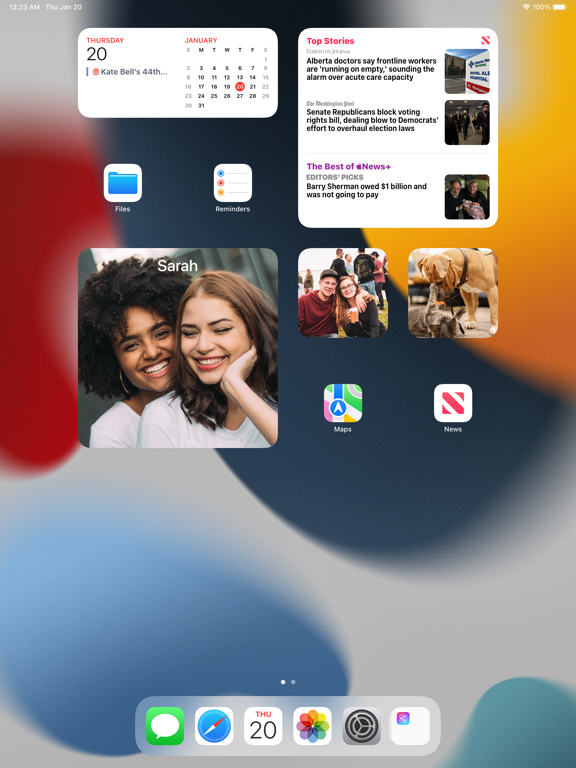
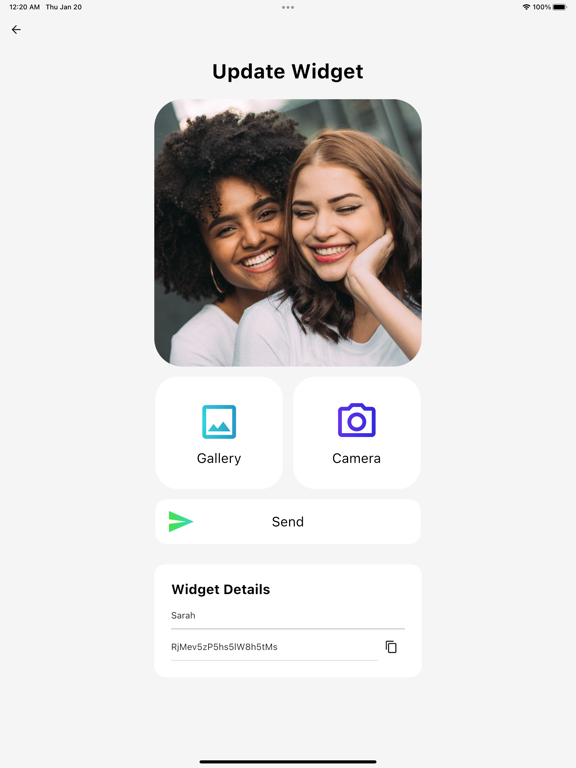
Share a home screen widget with your friends! When someone send you a picture, it shows up on your home screen -- just like magic!
For Friends and Loved Ones
• Keep your friends and loved ones close, even when you're apart.
• View their photos directly on your home screen.
• Share new photos throughout the day to see what they’re up to.
Connect and Chat
• Talk to friends.
• React to photos.
• Add text and stickers to your pictures.
Customize Your Home Screen Widgets
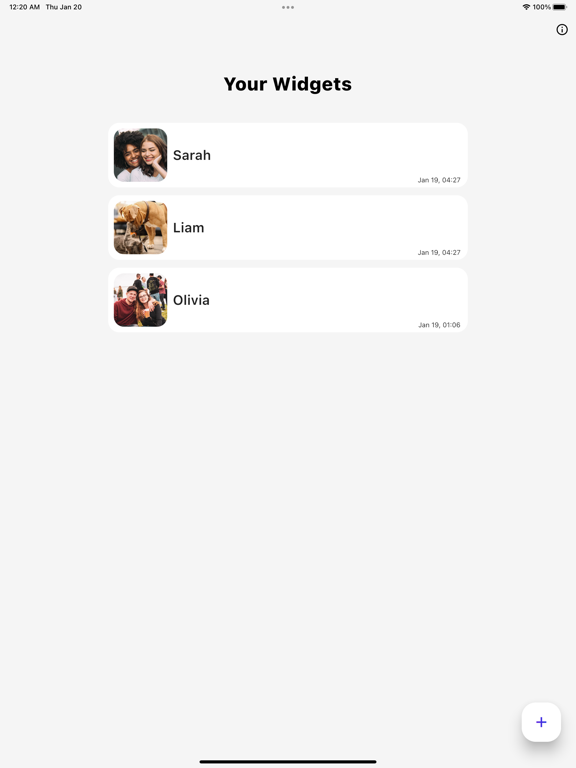
• Select which friends appear in each widget.
Express Your Creativity
• Use our built-in drawing tools to create personalized drawings to share with your friends and loved ones.
Cherish Your Memories
• Save your favorite pictures.
• Browse through old photos using the history page.
How to add a home screen widget:
1. Long press on your home screen
2. Tap “Edit”
3. Tap “Add Widget”
4. Add the Widgetshare widget
After adding a widget, pictures from your friends will appear on your home screen!
For Friends and Loved Ones
• Keep your friends and loved ones close, even when you're apart.
• View their photos directly on your home screen.
• Share new photos throughout the day to see what they’re up to.
Connect and Chat
• Talk to friends.
• React to photos.
• Add text and stickers to your pictures.
Customize Your Home Screen Widgets
• Select which friends appear in each widget.
Express Your Creativity
• Use our built-in drawing tools to create personalized drawings to share with your friends and loved ones.
Cherish Your Memories
• Save your favorite pictures.
• Browse through old photos using the history page.
How to add a home screen widget:
1. Long press on your home screen
2. Tap “Edit”
3. Tap “Add Widget”
4. Add the Widgetshare widget
After adding a widget, pictures from your friends will appear on your home screen!
Show More
What's New in the Latest Version 4.27.4+121
Last updated on Mar 20, 2025
Old Versions
Bug fixes
Show More
Version History
4.27.4+121
Mar 20, 2025
Bug fixes
4.27.2+120
Feb 26, 2025
Bug fixes
4.26.2+118
Feb 5, 2025
Bug fixes
4.25.1+116
Jan 31, 2025
Bug fixes
4.24.1+115
Jan 22, 2025
4.24.1
Bug fixes
Bug fixes
4.22.5+111
Nov 9, 2024
Bug fixes
4.22.0+106
Oct 13, 2024
Bug fixes
4.14.0
Sep 13, 2023
Bug fixes
4.12.0
Sep 5, 2023
Bug fixes
4.11.0
Mar 31, 2023
Bug fixes
4.10.1
Mar 20, 2023
Bug fixes
4.9.5
Feb 27, 2023
Bug fixes
4.9.4
Feb 18, 2023
Bug fixes
4.8.0
Jan 14, 2023
Bug fixes
4.6.5
Dec 27, 2022
Bug fixes
4.6.0
Dec 9, 2022
Bug fixes
4.5.3
Nov 6, 2022
Bug fixes
4.5.1
Oct 31, 2022
Bug fixes
4.5.0
Oct 26, 2022
Bug fixes
4.4.5
Oct 9, 2022
Bug fixes and performance improvements
4.4.1
Sep 11, 2022
Bug fixes and performance improvements
4.0.8
Jul 17, 2022
4.0.8
We've redesigned the history page to make it easier to look back through your memories!
4.0.5
Jul 4, 2022
4.0.5
We've improved the drawing experience!
- Added 7 new paint brush styles
- Added a color dropper to the color picker
- Added a bucket fill tool to quickly paint areas of your drawing
We've built a New Text Editor!
- Change the font style
- Add a solid background to your text to make it more readable
We've improved the drawing experience!
- Added 7 new paint brush styles
- Added a color dropper to the color picker
- Added a bucket fill tool to quickly paint areas of your drawing
We've built a New Text Editor!
- Change the font style
- Add a solid background to your text to make it more readable
4.0.0
May 8, 2022
4.0.0
You can now create an account for an easier way to share widgets!
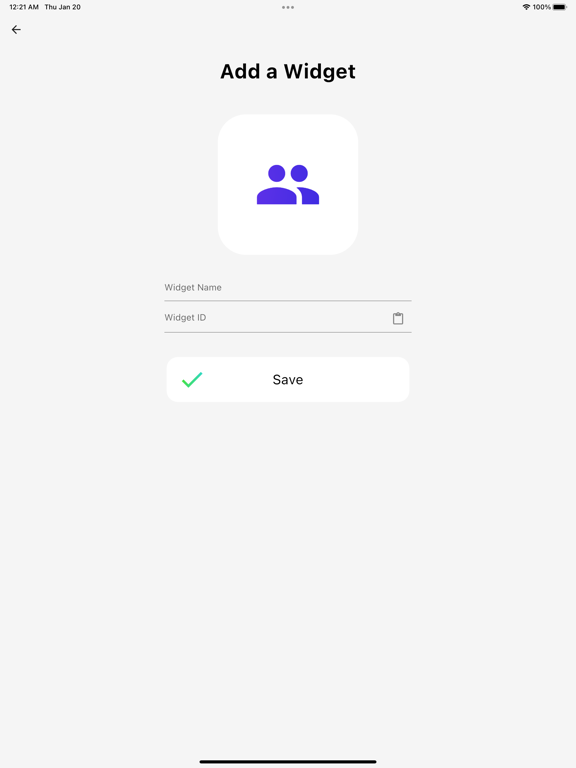
Rather than sharing widget codes, new users can create an account and add their friends to share pictures. Existing users can continue to use codes to share widgets.
Thank you for using our app, more features coming soon!
You can now create an account for an easier way to share widgets!
Rather than sharing widget codes, new users can create an account and add their friends to share pictures. Existing users can continue to use codes to share widgets.
Thank you for using our app, more features coming soon!
2.0.16
Feb 28, 2022
You will now see the name of who sent the image to the widget!
Widgetshare FAQ
Widgetshare is available in regions other than the following restricted countries:
Russia,Belgium,Cyprus,Poland,Croatia,Slovakia,Romania,Hungary,Germany,Finland,Austria,Italy,France,Luxembourg,Slovenia,Denmark,Netherlands,Greece,Spain,Bulgaria,Malta,Estonia,Lithuania,Sweden,Ireland,Latvia,Czech Republic,Portugal

Widgetshare supports English, Bengali, French, German, Hindi, Indonesian, Italian, Polish, Portuguese, Simplified Chinese, Spanish, Vietnamese
Click here to learn how to download Widgetshare in restricted country or region.
Check the following list to see the minimum requirements of Widgetshare.
iPhone
Requires iOS 15.0 or later.
iPad
Requires iPadOS 15.0 or later.
iPod touch
Requires iOS 15.0 or later.