CDVI
Free
1.1for iPhone
Age Rating
CDVI スクリーンショット
About CDVI
The CDVI app is dedicated to installers. It allows a complete and fast programming of your Digicode® keypad via a secure Bluetooth connectivity.
No more programming on the keyboard of your Digicode® keypad!
Save time with this simple and more secure installation.
Get information about your BOXCODE (box containing secure electronics)
Template, Firmware Version, Software, ID etc.
Customize your settings
Name your different BOXCODE.
Allow users to change their own user code.
Audible feedback or silent mode.
Set the user code length.
Change the master code
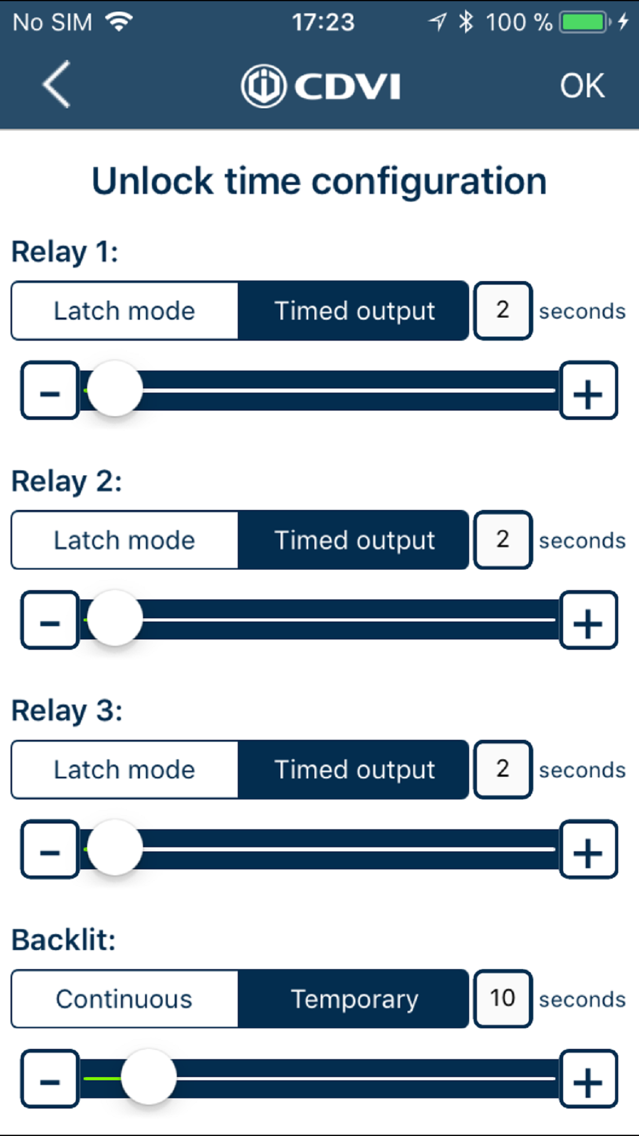
Configure the unlock time of each output
Select timed or latch.
Select the unlock duration.
Illumination timed or permanent.
Change user codes for each relay output
Add/modify the user codes of each of the 3 relays.
Manage the users of the box
Add/modify/delete the users.
Test the unlocking on the doors.
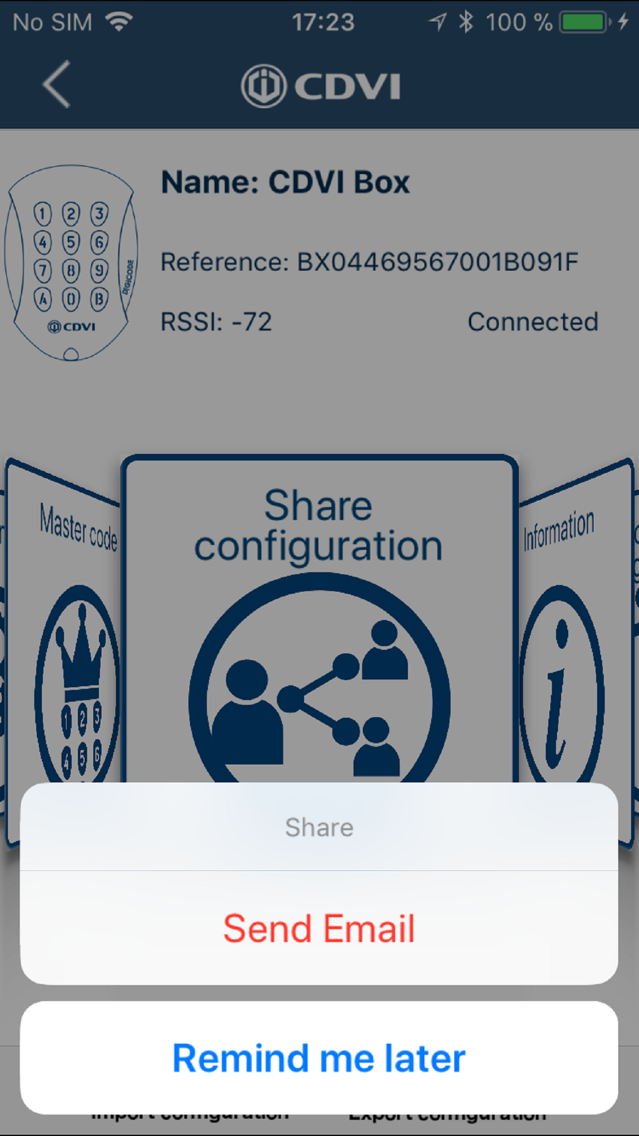
Share your configurations
Import/export the configuration (Backup and Restore).

No more programming on the keyboard of your Digicode® keypad!
Save time with this simple and more secure installation.
Get information about your BOXCODE (box containing secure electronics)
Template, Firmware Version, Software, ID etc.
Customize your settings
Name your different BOXCODE.
Allow users to change their own user code.
Audible feedback or silent mode.
Set the user code length.
Change the master code
Configure the unlock time of each output
Select timed or latch.
Select the unlock duration.
Illumination timed or permanent.
Change user codes for each relay output
Add/modify the user codes of each of the 3 relays.
Manage the users of the box
Add/modify/delete the users.
Test the unlocking on the doors.
Share your configurations
Import/export the configuration (Backup and Restore).
Show More
最新バージョン 1.1 の更新情報
Last updated on 2018年11月26日
旧バージョン
Version 1.1 of CDVI includes the following improvements:
- The Boxcode address can now be entered in the « Settings » Menu and then will automatically appear when adding a new user - The address can be set automatically when the Location is activated in your mobile
- Each user code can be labelled individually
- An icon indicates when the user codes have been shared
- The app now indicates when a user access is no longer valid (code changed or deleted)
- The Boxcode list is now sorted by RSSI to identify the units by distance
- The app detailed version is shown in the information screen
- A new shared configuration file extension makes it easier to open the file
- More miscellaneous corrections and enhancements
- The Boxcode address can now be entered in the « Settings » Menu and then will automatically appear when adding a new user - The address can be set automatically when the Location is activated in your mobile
- Each user code can be labelled individually
- An icon indicates when the user codes have been shared
- The app now indicates when a user access is no longer valid (code changed or deleted)
- The Boxcode list is now sorted by RSSI to identify the units by distance
- The app detailed version is shown in the information screen
- A new shared configuration file extension makes it easier to open the file
- More miscellaneous corrections and enhancements
Show More
Version History
1.1
2018年11月26日
Version 1.1 of CDVI includes the following improvements:
- The Boxcode address can now be entered in the « Settings » Menu and then will automatically appear when adding a new user - The address can be set automatically when the Location is activated in your mobile
- Each user code can be labelled individually
- An icon indicates when the user codes have been shared
- The app now indicates when a user access is no longer valid (code changed or deleted)
- The Boxcode list is now sorted by RSSI to identify the units by distance
- The app detailed version is shown in the information screen
- A new shared configuration file extension makes it easier to open the file
- More miscellaneous corrections and enhancements
- The Boxcode address can now be entered in the « Settings » Menu and then will automatically appear when adding a new user - The address can be set automatically when the Location is activated in your mobile
- Each user code can be labelled individually
- An icon indicates when the user codes have been shared
- The app now indicates when a user access is no longer valid (code changed or deleted)
- The Boxcode list is now sorted by RSSI to identify the units by distance
- The app detailed version is shown in the information screen
- A new shared configuration file extension makes it easier to open the file
- More miscellaneous corrections and enhancements
CDVI FAQ
ここをクリック!地理的に制限されているアプリのダウンロード方法をご参考ください。
次のリストをチェックして、CDVIの最低システム要件をご確認ください。
iPhone
CDVIは次の言語がサポートされています。 Danish, Dutch, English, French, German, Italian, Polish, Russian, Spanish, Swedish